Monday, July 6th 2026

Infamous Steam Machine "Red Line of Death" Solved by Simple CMOS Clear
In something of a bizarre twist, the recent reports of a Steam Machine "red line of death" that seemed to indicate a GPU issue were apparently merely a BIOS issue. According to an original post on r/steammachine on Reddit, a user who goes by u/me_hill suffered what appeared to be a GPU failure on their Valve Steam Machine as little as 20 minutes after setting it up. However, after contacting Steam Support and working through some troubleshooting steps provided by commenters on the Reddit thread, the original poster updated the thread explaining that they "left [the Steam Machine] unplugged overnight and plugged it back in today to try some of the BIOS stuff that other people suggested... and it booted up immediately without issue."
A comment by u/SteamHWFeedback, an official Valve support account on Reddit, explained, in response to another user with the same issue, that the curious behavior reported in both cases was indicative of a BIOS or memory training issue, and that unplugging and power cycling the Steam Machine, then plugging it back in and performing a BIOS reset should be enough to trigger memory training on the next power cycle. Many redditors are urging the user to contact Valve about the issue anyway, since it occurred at random, but as the Valve representative indicated, it seems as though the Steam Machine rebooted in the middle of an incomplete BIOS update.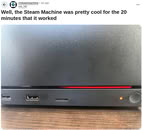

Source:
r/steammachine
A comment by u/SteamHWFeedback, an official Valve support account on Reddit, explained, in response to another user with the same issue, that the curious behavior reported in both cases was indicative of a BIOS or memory training issue, and that unplugging and power cycling the Steam Machine, then plugging it back in and performing a BIOS reset should be enough to trigger memory training on the next power cycle. Many redditors are urging the user to contact Valve about the issue anyway, since it occurred at random, but as the Valve representative indicated, it seems as though the Steam Machine rebooted in the middle of an incomplete BIOS update.


SteamHWFeedback on RedditHello,
If you're encountering this issue, please try the following:Please tag me with a report if this gets your device back up and running. If not, please create a support ticket, and send me a chat request with the ticket ID. It should start with "HT-".
- Unplug the Machine, then press the power button a few times. This ensures any stored energy in the PSU gets discharged. You may see the power indicator LED blip a moment.
- Plug the Machine back in. Note if your power LED glows (breathing pattern) white or not. If yes, please submit a Steam Support ticket and tag me, or send me a chat request with the ID.
- Hold the power button down for ~6s. You should see the power indicator LED (dot) flash momentarily. Release the power button when you do.
- The power indicator LED will start to cycle some color codes. These are designed to allow you to select various options for recovery/troubleshooting purposes. When the LED turns green, short-press the power button. This should perform a full "CMOS reset."
- On the next boot, you should see the RGB bar as blue - it may take a bit longer to boot due to a memory re-training.
Note: Due to a miscommunication, the front panel code is actually flipped horizontally out of the box. Since this happened right after (or during) a BIOS update, it's very likely that the update didn't fully complete, and is a memory training issue. The procedure above should force a fresh training.
38 Comments on Infamous Steam Machine "Red Line of Death" Solved by Simple CMOS Clear
Let's assume the notification led was wrongly assembled. Why is there no POKE Yoke in use? POKE yoke demands there is only one way and possibility to assemble it / use it. FMEA, Ishikawa etc was also not done, which could have found that before production run. Not done means properly done beforehand. that also includes selecting team members with certain technology stack and knowledge
Because the notification led was wrongly assembled, left and right was wrongly indicated. Also it is steam fault to use the same colour for the error codes. There are so many different led colours. Therefore DRAM training bug was wrongly shown to the consumer as dead graphic card core.
Cheap motherboard makers like ASUS do not have diagnosis led but use different Frequency for the power on led of the motherboard to indicate in which state the hardware is during bootup, reference my own am5 motherboard from ASUS. A different Frequency would also had prevented that at 0 cost, different colour, poke yoke, etc.
OR LCD Screen with text, BCD led display with error code numbers, 4 different coloured debug leds as any motherboard has etc.
Note: my own words. This is very plausible. Other factors which strengthen this plausibility are the children bugs of this hardware. It was poorly developed and made.
Final verdict, cheaply designed hardware. We will see more issues coming.
the information which was shown only on techpowerup indicate the error was wrongly classified by the user. Therefore it is valve fault for poor documentation and poor hardware design.A game console should not be judged if it is a computer. this hardware does only allow one operating system and does not use standardised components.
a game console buyer does not need to have advanced knowledge for diagnosis. when the informaiton is not at the point of purchase, the first release date to the public well documented in paper manual, it is poorly documented and valve fault.
I dealt with CORSAIR USA with my Corsair 4000D case this year. Do you know how long it took to solve it? How often I had to repeatly explain, send again text, send again pictures etc for a bend psu case screw, for a corsair case i bought from amazon.de?
Same applies for MSI and ASUS for amd based motherboards, am4 or am5.
They do not respond in a timely fashion. I was forced to answer 8d reports, the initial reply in less than 24 hours in 2006.
It is not the customer fault where he asks. If it is here (that includes myself for this year bought AMD radeon based graphic cards), reddit, etc.
Fractal design also took its time and than they send me two times the wrong spare part for the Fractal Design Meshify 2 Dark Tint, the usb power button reset cable assembly.I think I see a fraud here
store.steampowered.com/sale/steammachineWhen it does not allow multiple bootloaders etc, I would not call it PC.
In reference of the recent news.
Except the micorslop non uefi bootloader on the microslop notebook like pc, whatever it was called with the intel cpu, any hardware usually has uefi which allows build in bootloader and multiple operating support.
Regardless of the Brand and form factor of HP, DELL, ASUS, MSI, Lenovo to name a few brands where i bought from or which I decided which to buy and use.
I do not see the usual manual etc which any motherboard, or other pc formfactor had in teh past 20 years at least. Control F also does not show that. no result for manual and download with control + f on this site. store.steampowered.com/sale/steammachine
from the technical perspective it is more a gaming console than a pc.
the website claims Steamos 3
bing says: store.steampowered.com/steamos
Does this sounds like a gaming console or a pc? if this sounds like a gaming console feel free to show me a classic operating system up to windows 10 which behaves similar!The site contains no word about productivity software like libreoffice, www-clients, code editors, package manager, desktop environment etc.
store.steampowered.com/steamos gives an impression of a gaming console operating system.
Note. I define personal computer to those units sold in the past years. I disagree with nonsense terms like Tablet computer.How many people konw about the boot process?
Know about debug leds, POST = Power on self test. I did not saw any tech articles on the usual pc websites for the past 5 years about those topics.
when I just checked and VALVE, not steam, does not have any hardware manual etc for download, you need advanced knowledge.
the usual what to do when a box does not boot is advanced knowledge. that also includes checking if the cables are properly connected etc.
I think we got an answer pretty quick this time.What fraud? Where?It allows multiple bootloaders as far as I know.It has a laptop APU with a disabled iGPU, it has laptop memory, and a laptop GPU. It is more of a laptop without a screen than anything else, then."Valve's Linux-based operating system"... Um... that does pretty much sound like a PC to me, yes.
My full desktop PC is currently running SteamOS (specs in my profile). I'm typing this post on it right now. Is it a game console, then?Every single Linux distro with a KDE desktop environment behaves exactly the same (except for Steam in big picture with Valve's own tweaks).I've got LibreOffice and Chrome installed. The default package manager is Flathub, and the desktop environment is KDE. Does that sound like a game console to you?Someone at Valve customer support definitely does.
does a consumer get all the source code, firmware, tool chain, pcb tool, bom list, schematic?
my generation at least knew about common consumer devices which shippe dwithout being asked to a paper schematic.
Bad argument. I saw it in the past, see it on reddit. common knowledge how a box boots is lost, people are unwilling to learn it. other newbie websites like compuerbase.de and pcgameshardware.de paints the same picture, common knowledge is not knowing about the boot process. even gemini, copilot and claude are wrong on that, i tested that. the information is public available e.g on the topics efi stub kernel and full disk encryption. i read several times the initramfs, because i had to correct shipped errors in the initramfs. i do admit books from 1990 did not cover well the boot process, most likely the authors just wrote books for money and not for correctness. efibootmgr also explains details about uefi, grub legacy and grub 2 and lilo about mbr
Less than 1% for sure!
AI will get it right most of the time if you ask the right way using the proper wording tho.
But there is A LOT of stuff 99% of people don't know about computers. I guess even simple stuff like how to install memory or which HDMI/DP port to connect the monitor to (card or MB - and why), is well beyond the average user's knowledge. We're sitting here on this site among people who like this sort of thing so it's likely the inverse here. We tend to view the world through our own levels and abilities so, mistakes will be made when assessing what the majority know and don't know. Going on, even a large percentage of software developers and content creators will not know things such as these - and especially something like boot loader, boot sequence, and so forth. I live in these communities and I'm always shocked - even here in Japan where average IQ is fairly high among the nations.