Friday, October 23rd 2026

MSI Launches MPG COREFROZR AP15 CPU Cooler with Integrated Dispay
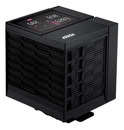
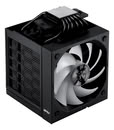
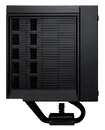
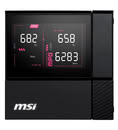
MSI has launched the MPG COREFROZR AP15, its first air cooler with an integrated display built into the top cover. The cooler uses a dual-tower design with asymmetric tower widths, six 6 mm copper heat pipes, and a copper base. The DIGI-DISPLAY top cover module connects via magnetic POGO-PIN contacts and MSI's EZ Conn single-cable connection, showing real-time CPU, GPU, and memory temperatures, loads, and frequencies without additional software. In terms of dimensions, MSI says that the heatsink measures 168 x 126.5 x 128 mm and has 102 fins. The two included 120 mm ARGB fans operate at different speeds. The front fan runs at 2000 RPM with 66.41 CFM and 1.98 mmH2O static pressure at 31.1 dB(A), while the mid fan is quieter at 1600 RPM, 54.14 CFM, 1.30 mmH2O, and 25.06 dB(A). Both are PWM controlled.
MSI MPG COREFROZR AP15 cooler is compatible with Intel LGA1700 and LGA1851, and AMD AM4 and AM5 platforms. According to MSI, the cooler was designed with AMD Ryzen X3D processors in mind, so even without any official information regarding its thermal capabilities, it should handle pretty much all CPUs well. In China, it's priced at 549 yuan, around $82, however international pricing and availability have not been confirmed yet.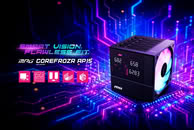
 Specifications:
Sources:
IT Home, MSI (product page)
MSI MPG COREFROZR AP15 cooler is compatible with Intel LGA1700 and LGA1851, and AMD AM4 and AM5 platforms. According to MSI, the cooler was designed with AMD Ryzen X3D processors in mind, so even without any official information regarding its thermal capabilities, it should handle pretty much all CPUs well. In China, it's priced at 549 yuan, around $82, however international pricing and availability have not been confirmed yet.


- Number of Fans: 2
- Fan Dimensions: 120 x 120 x 25 mm / 4.7 x 4.7 x 0.98 inches
- Fan Speed: 2000 RPM ± 200 RPM (Front) / 1600 RPM ± 160 RPM (Mid)
- Fan Air Flow: 66.41 CFM (Front) / 54.14 CFM (Mid)
- Fan Noise Level: 31.1 dBA (Front) / 25.06 dBA (Mid)
- Fan Static Pressure: 1.98 mmH2O (Front) / 1.30 mmH2O (Mid)
- Fan Bearing: FDB
- Fan Life Expectancy: 30,000 hrs@40° C
- Fan Rated Current: 0.2 ± 0.05 A (Front) / 0.11 ± 0.05 A (Mid)
- Fan Power Consumption: 2.4 ± 0.5 W (Front) / 1.3 ± 0.5 W (Mid)
- PWM Mode: Yes
- Cable Length (5 V ARGB / PWM cable): 650 mm
- Fan Lighting: ARGB GEN1
- ARGB Connector: 5 V ARGB 3-PIN Header
- Radiator Base Material: Copper base
- Radiator Dimensions: 168 x 126.5 x 128 mm
- Radiator Material: AL1100+AL6063+C1020
- Radiator FIN: 102 Pcs
- Radiator Heat-pipe: Φ 6 mm / 6 Pcs
- Intel Socket: LGA 1700 / 1851
- AMD Socket: AM5 / AM4
11 Comments on MSI Launches MPG COREFROZR AP15 CPU Cooler with Integrated Dispay
But this cooler connects to a single MSI motherboard header:In theory, this avoid complications caused in a Windows environment and stealing system resources.
A fish tank case + some anime figures + a proper desk is a possible use case for such a Display Tower Cooler. Most likely also some anime themed keyboard with custom keys etc.
Regards,
Fred.
Note: there are two pop ups on every launch, which no one really reads most likely, they ask you to buy it.
I do not know of any proper software, that includes lm_sensors and smartctl also.
-- The vendor ones should work better.
CORSAIR fails for over 4 or more years wiht the corsair mp 600 pro in w10 pro and w11 pro
Samsung fails on differetn drives in W10 Pro and W11 Pro. Samsung magician should read out all values, but it does not for "some" SAMSUNG drives. Also does not work with SAMSUNG HDD, i have two of those installed.
--
Feel free to share your decent working software. without hwinfo that is crapware.
i just read again,
smartctl - Control and Monitor Utility for SMART Disks
, that shows what a mess it is.
Gave it to my brother and I have spare fans to ziptie on it if it needs service in the future though.