Friday, October 30th 2026

New UEFI Tool Lifts NVIDIA's Tensor Cap on RTX 20 to 40 Series Cards in Windows
Last week, modders found a way to double the tensor throughput of GeForce RTX 20, RTX 30, and RTX 40 cards, though Zagitta's original tool only ran on Linux. Now, Chinese modder physicsdolphin has released nv-uefi-unlocker, a UEFI tool that lifts the same limit on Windows. NVIDIA runs FP16, BF16, and TF32 tensor math with FP32 accumulation at half rate on GeForce cards, while the same silicon in professional cards runs at full speed. The tool removes that cap before the driver even loads, without any VBIOS flashing. An earlier Windows port from impacifist targeted a single RTX 3090 system, while this one covers all three generations.
The gains look substantial. One user's RTX 4070 Ti Super went from 57.00 to 150.93 TFLOPS in FP16 (2.65x), though board power also climbed from 227 W to nearly 292 W. An RTX 2070 reportedly jumped from 36 to around 60-63 TFLOPS. Not every card has been tested; RTX 20 owners have to enable GSP firmware mode first, and RTX 50 isn't supported at all. The unlock resets on every power-off, so it runs from a USB stick on each cold boot, with Secure Boot disabled or a self-signed certificate enrolled. That could be a problem for games whose anti-cheat requires Secure Boot.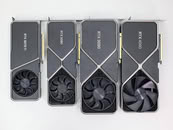
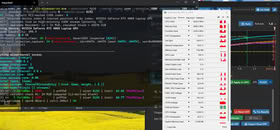
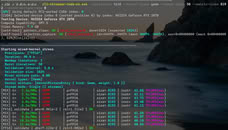 Gamers shouldn't expect anything here, since games and regular FP32 CUDA work see no change. This is mostly for local AI work like image generation and fine-tuning. The developer also warns that pairing it with a power limit unlock can push power and heat well past stock limits, so readers are advised to keep an eye on temperatures.
Sources:
nv-uefi-unlocker (GitHub), Reddit, via Notebookcheck
The gains look substantial. One user's RTX 4070 Ti Super went from 57.00 to 150.93 TFLOPS in FP16 (2.65x), though board power also climbed from 227 W to nearly 292 W. An RTX 2070 reportedly jumped from 36 to around 60-63 TFLOPS. Not every card has been tested; RTX 20 owners have to enable GSP firmware mode first, and RTX 50 isn't supported at all. The unlock resets on every power-off, so it runs from a USB stick on each cold boot, with Secure Boot disabled or a self-signed certificate enrolled. That could be a problem for games whose anti-cheat requires Secure Boot.


28 Comments on New UEFI Tool Lifts NVIDIA's Tensor Cap on RTX 20 to 40 Series Cards in Windows
import torch
torch.backends.cuda.matmul.allow_tf32 = True
torch.set_float32_matmul_precision('high')
import time
device = torch.device("cuda")
print(f"Testing Tensor Cores on: {torch.cuda.get_device_name(0)}")
# Dimensions must be multiples of 8 or 16 to leverage Tensor Cores
matrix_size = 16384
print("Allocating half-precision (FP16) matrices...")
A = torch.randn(matrix_size, matrix_size, dtype=torch.float16, device=device)
B = torch.randn(matrix_size, matrix_size, dtype=torch.float16, device=device)
print("Warming up Tensor Cores...")
for _ in range(20):
_ = torch.matmul(A, B)
torch.cuda.synchronize()
print("Measuring raw matrix performance...")
iterations = 50
start_time = time.time()
for _ in range(iterations):
C = torch.matmul(A, B)
torch.cuda.synchronize()
total_time = time.time() - start_time
avg_time = total_time / iterations
# Calculate real-world TFLOPS
tflops = (2 * (matrix_size ** 3)) / avg_time / 1e12
print(f"\nResulting Speed: {tflops:.2f} TFLOPS")