Monday, November 9th 2026

AMD Confirms Excessive SSD Writes in Radeon Drivers, Fix Coming with Adrenalin 26.11.1
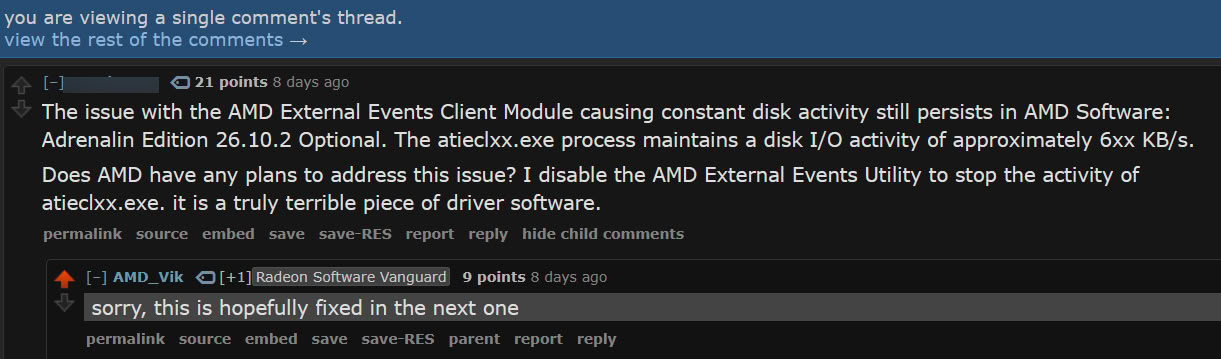
AMD has confirmed that the current versions of Radeon drivers, Adrenalin 26.10.1 and Adrenalin 26.10.2, are experiencing an issue that causes excessive SSD writing. This problem results in the SSD writing dozens of gigabytes of data unnecessarily. The culprit appears to be AMD's External Events Client Module, which runs under the name atieclxx.exe on Windows systems. This module is causing some users' system drives to be constantly busy with writes. Reports indicate that the write rate ranges from 0.3 MB/s to 1.5 MB/s, with one Reddit user reporting sustained activity at 5 MB/s. The process is part of AMD's External Events Utility, which manages tasks such as detecting monitors and responding to Radeon software hotkeys. Unfortunately, it has entered an infinite loop of data writing.
While this may seem like a small amount, it's important to remember that systems can run for extended periods, and the writing can accumulate over time, potentially leading to SSD wear and tear. SSD lifespan largely depends on its ability to endure constant random writes, and forcing random writes onto an SSD will undoubtedly shorten its lifecycle. This is particularly concerning given the high cost of NAND Flash, as users are operating expensive SSDs that could undergo unnecessary wear. In response, AMD plans to release an update to its Adrenalin drivers with version 26.11.1, which will address this issue.
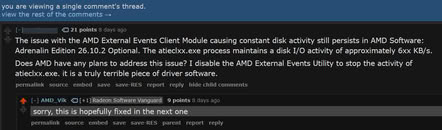 For users needing an interim workaround, there is an option to disable the AMD External Events Utility or disable Resizable BAR. However, choosing the first option might lead to some display issues, while the second option could cause additional performance issues. Either way, it is best to wait for an official driver update before making a decision.
Sources:
Reddit, via VideoCardz
While this may seem like a small amount, it's important to remember that systems can run for extended periods, and the writing can accumulate over time, potentially leading to SSD wear and tear. SSD lifespan largely depends on its ability to endure constant random writes, and forcing random writes onto an SSD will undoubtedly shorten its lifecycle. This is particularly concerning given the high cost of NAND Flash, as users are operating expensive SSDs that could undergo unnecessary wear. In response, AMD plans to release an update to its Adrenalin drivers with version 26.11.1, which will address this issue.

26 Comments on AMD Confirms Excessive SSD Writes in Radeon Drivers, Fix Coming with Adrenalin 26.11.1