News Posts matching #Office

Return to Keyword Browsing

Microsoft Offers Exit Package to 60,000 Employees

Microsoft is offering a Voluntary Exit Offer (VEO) to roughly 60,000 employees, about a quarter of its workforce, in its second buyout program this year. The offer, announced in a memo from Chief People Officer Amy Coleman, covers staff at level 70 and below in participating teams across the US, Canada, the UK, and India. That cutoff reaches general managers and some vice presidents, but not corporate vice presidents, and age, tenure, or performance don't factor in. The package is roughly equivalent to standard severance, with base pay tied to tenure and level, continued stock vesting, healthcare for a fixed period, and career transition support. Employees have until the first week of December to decide.

Coleman says the offer gives eligible employees "a new choice to make that transition now with support." Not every team is participating, however. Sales and some engineering and corporate groups are sitting it out, and it's unclear whether Xbox is included, a division whose ongoing cuts Satya Nadella recently called "great to see." Microsoft says the program isn't a sign it needs fewer people, nor a replacement for layoffs, which it hasn't ruled out. The spring Voluntary Retirement Program saw about 30% of roughly 8,750 eligible US employees accept, and Coleman later said it reduced the size of the July layoffs, which hit around 4,800 workers.

OnlyOffice 10.0 Brings AI Tools, Modular Apps and Stronger Security to Its Open-Source Office Suite

OnlyOffice presents the major autumn update 10.0 with context-aware AI tools directly in the editors, new modular Apps, and a significant security upgrade. Around 50 new features and more than 1,000 fixes for the online, desktop, and mobile editors.

AI that understands your documents, in every editor
OnlyOffice 10.0 puts context-aware AI inside the document, spreadsheet, presentation, and PDF editors. A dedicated AI tab with built-in chat lets teams draft, summarize, translate, clean and format without leaving the file or copying content into a separate tool.

Microsoft CEO Says Xbox's "Streamlining" Is "Great To See" Following Recent Layoffs

Microsoft CEO Satya Nadella called Xbox's ongoing job cuts "great to see," commenting on the restructuring led by Xbox CEO Asha Sharma. The remark follows Xbox's latest layoffs, which cut 268 more jobs on top of the 1,600 eliminated earlier this year, part of a plan that has already folded studios together, reshuffled franchises like Halo, and pushed several developers out entirely. Nadella made the comment on the Sources Podcast with Alex Heath during a broader interview about Xbox's place within Microsoft. When asked about his feelings about the state and future of Xbox, Nadella said:
"I feel fantastic. There's some amount of streamlining the team is doing, and Asha is doing, which is great to see. And then we have to invent the right sustainable business model that allows us to deliver gaming to more and more people. That has always been the goal, which is, we want to be a great publisher and a great platform provider for games across both PCs and Xboxes."

Microsoft CEO Satya Nadella Calls Updated Copilot a "New OS for Work"

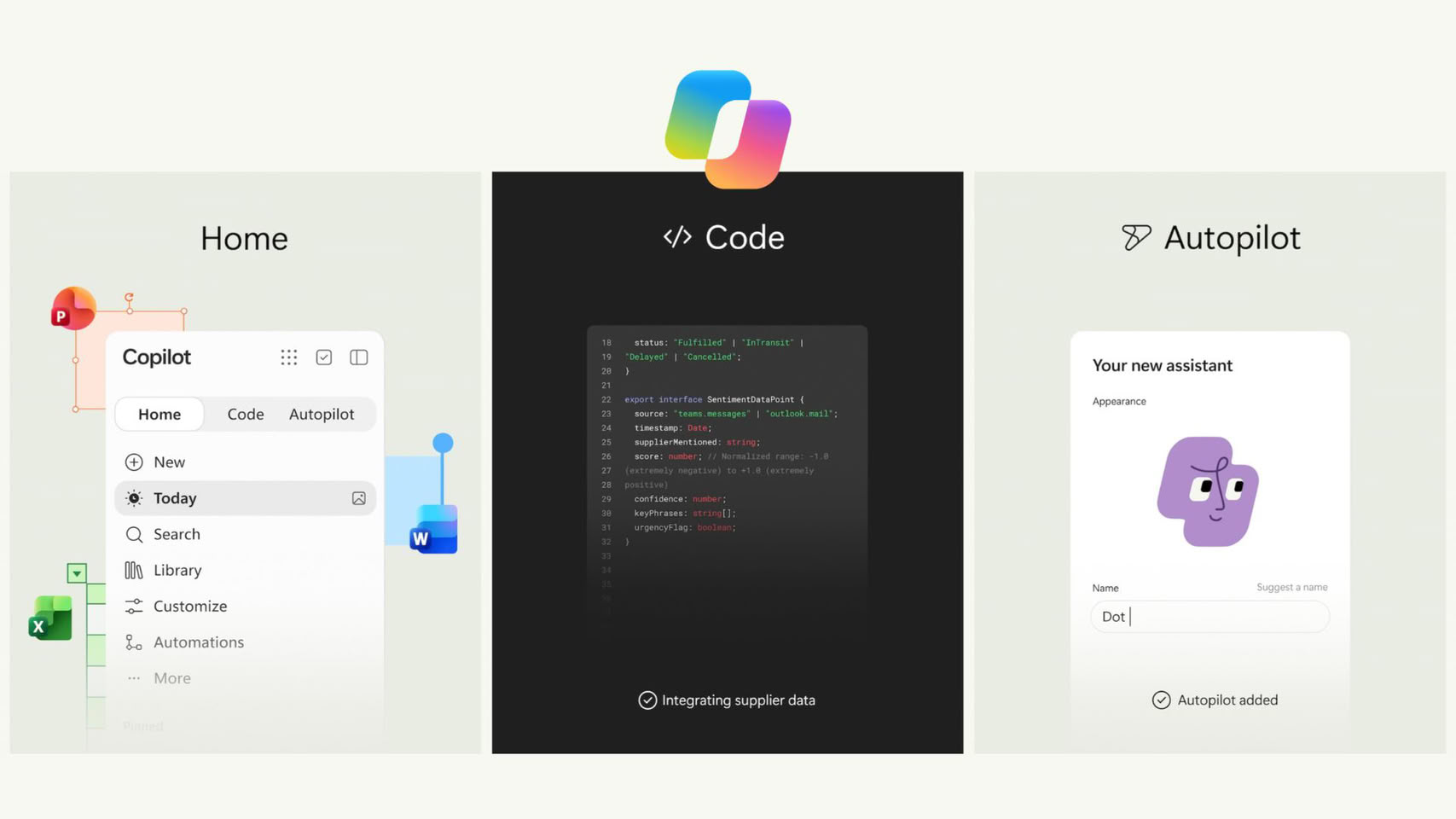
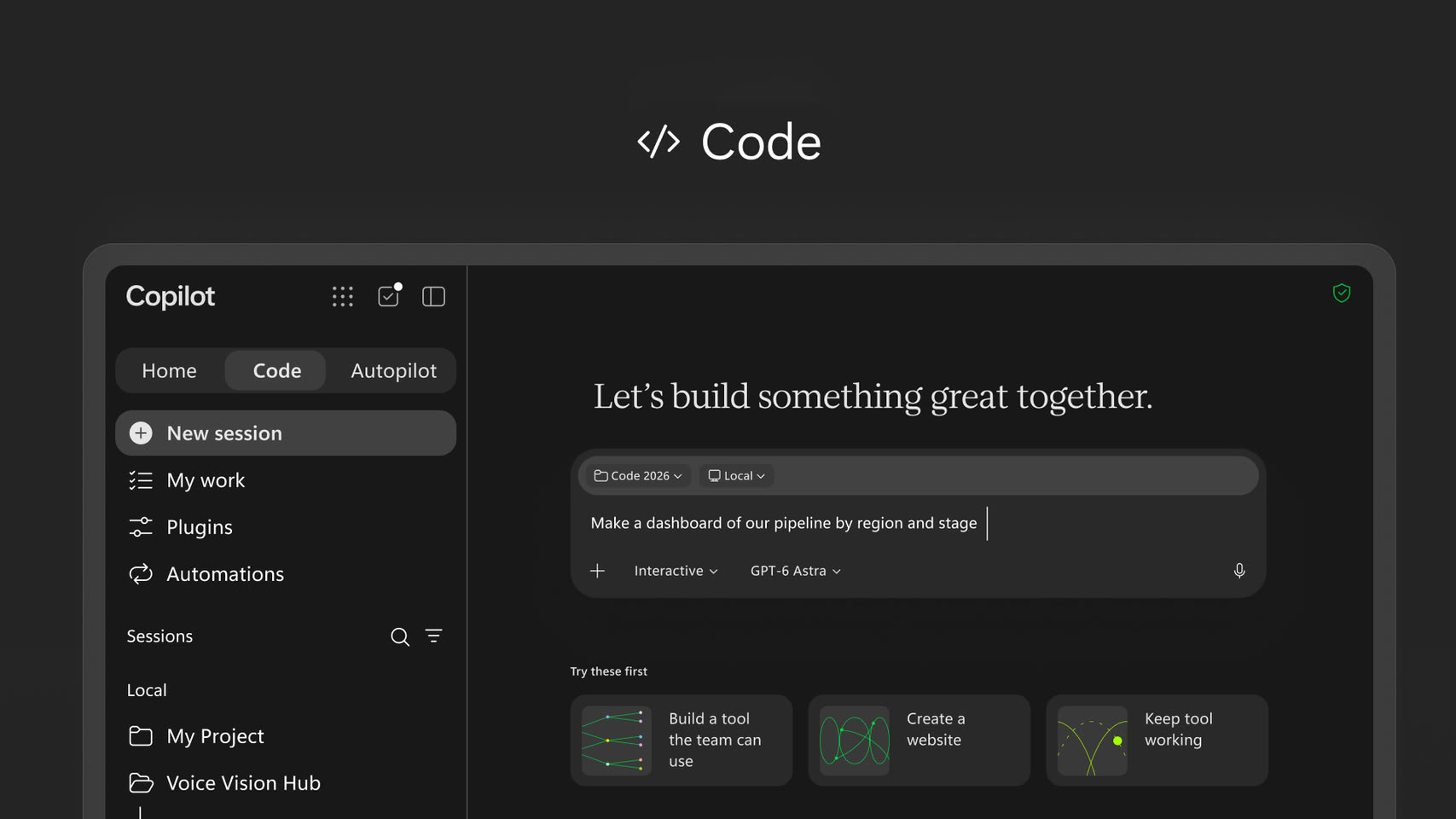
Microsoft CEO Satya Nadella has laid out his most direct pitch yet for what Copilot is supposed to become, calling it a "new OS for work that spans every model, every form factor, and every task." The comment came alongside Microsoft's biggest Copilot overhaul to date, which merges four pieces into one app: Autopilot (a long-running enterprise agent), Code (an in-app builder that hosts apps inside a company's own tenant), Home (which combines Chat and Cowork), and Office, with Word, Excel, and PowerPoint now built directly into Copilot. Nadella also mentioned Copilot support inside Teams, plus a new feature called Today that pulls relevant information from across Microsoft 365 without the user having to ask.

It looks like Microsoft wants Copilot to work more like a proactive layer sitting across a person's entire workday instead of a chat window they open on demand (or by accident). Interestingly, Microsoft avoided calling Copilot part of the Windows 11 operating system this time, a year after its "agentic OS" framing for Windows drew a fairly rough reception from users. This is not even the first time Microsoft has thought about expanding Copilot in this way. Microsoft did explore a full Copilot-centered operating system internally, under the codename Project Aion, though that reportedly dates back to 2024 and there's no word on whether it's still active.

Microsoft Fixes Nearly 1,000 Vulnerabilities Across Windows, Office, and Azure

In September, Microsoft released fixes for 999 vulnerabilities, making it one of the largest batches of fixes the company has ever issued. Out of these 999 patches, 723 vulnerabilities have been reportedly patched on Windows alone. For Office and Office 2016, about 111 fixes were released, while SQL Server received 62. Third-party projects received an additional 25 fixes. However, the majority of the focus was on Windows, where two vulnerabilities with very high severity were addressed. Microsoft confirmed that these were being actively exploited to unlock local privileges and allow code and program execution without any issues. These vulnerabilities, CVE-2026-81963 and CVE-2026-85880, have now been patched.

As readers may recall, Microsoft is working on expanding its memory integrity protection feature across its global Windows 11 installations, with the rollout beginning in October. For those unaware, memory integrity protection enhances operating system security at the kernel level, safeguarding it from sophisticated attacks by malicious actors. Using Virtualization-based Security (VBS), the OS employs hardware virtualization to create Windows hypervisors that dedicate isolated virtual environments. The OS always operates under the assumption that the kernel can be compromised.

Keychron Launches Two New Alice Keyboards with Scissor Switches

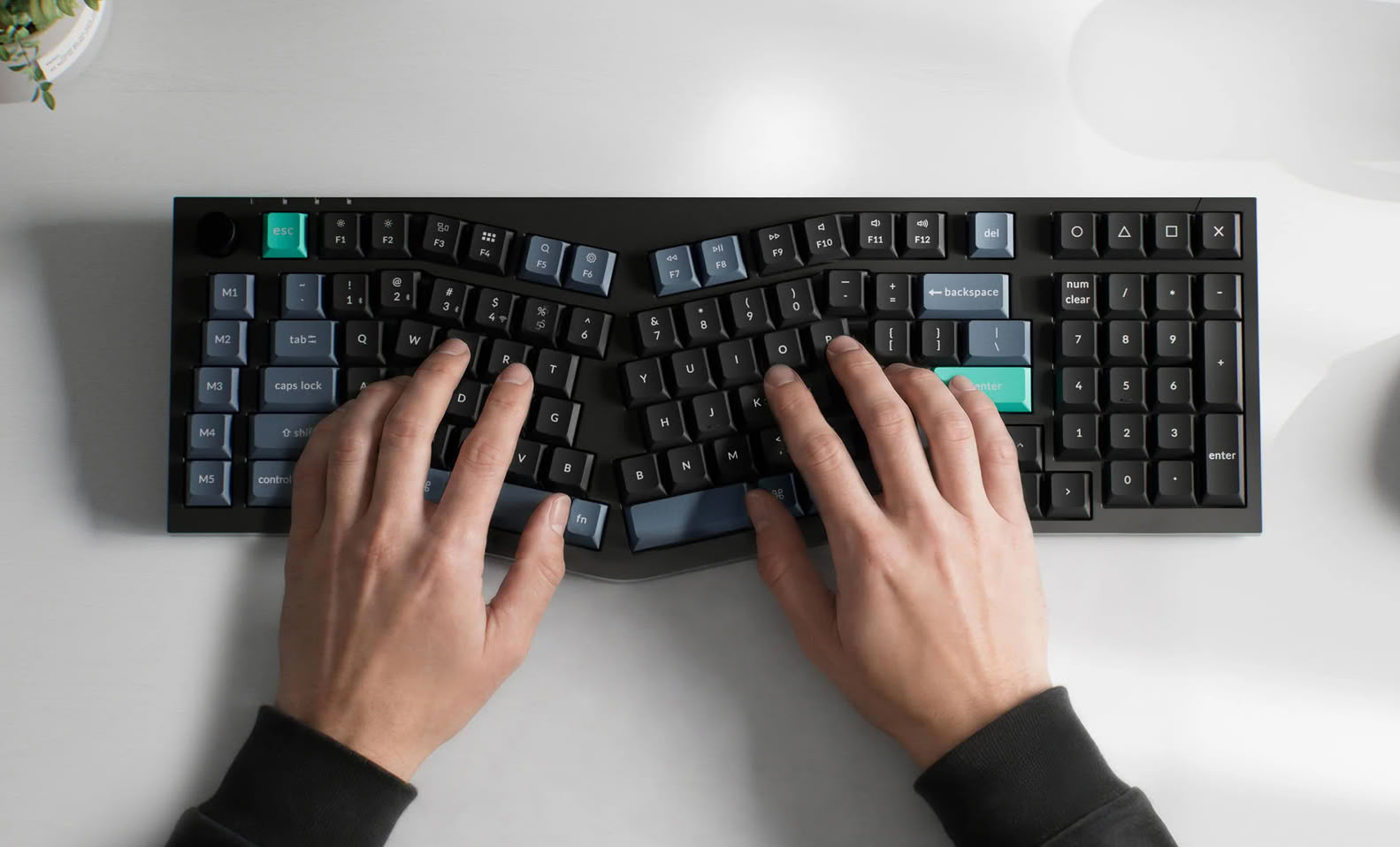
Keychron is known for its line-up of wireless mechanical keyboards, but it also has more basic scissor switch designs for office and productivity use. With the launch of the Keychron B40 and B39, the brand has brought some of its mechanical layouts into the scissor switch realm with two Alice layout keyboards. The Keychron B40 is a 75% Alice layout keyboard, while the B39 features an 1800 Alice layout, which just means it packs a num pad to the right of the navigation cluster and alpha block. The B40 is available for $49.99, while the B39 launched for $54.99 on the Keychron online store.

Keychron's B40 and B39 both feature scissor switches, which Keychron claims are more silent than mechanical switches, but the switch mechanisms are still pre-lubed from the factory, and the switches still have 3.5 mm of total travel distance—a claimed 59% taller than traditional scissor switches. The B40 and B39 both run ZMK firmware, which is designed for wireless efficiency, and Keychron claims that this allows the keyboards to reach up to 520 hours on a single charge in 2.4 GHz mode, despite the relatively small 800 mAh batteries.

Keychron Launches BM27 Affordable Silent Wireless Ergonomic Mouse

Keychron's latest mouse deviates from the brand's recent focus on gaming peripherals and throws a bone to office workers with a penchant for comfort. The BM27 is a wireless ergonomic mouse with a 55° angled grip and silent micro switches on all buttons. The BM27 has six programmable buttons including the left, right, and middle click buttons. In other words, there are three additional programmable buttons that can be customized in Keychron Launcher: one behind the scroll wheel and two thumb keys on the side.

The BM27 is built around the PixArt PAW 3212 sensor, which delivers up to 2400 DPI resolution and tracking at speeds up to 30 IPS, and the polling maxes out at 1 kHz. While this performance is ample for the intended productivity use cases, it's likely insufficient for gaming. It has both Bluetooth and 2.4 GHz wireless connectivity, as well as wired USB Type-C connectivity, and the 500 mAh battery promises up to 100 hours of usage over Bluetooth. The BM27 is relatively affordable, at $34.99 on Keychron's online store. It is only available in Space Gray at the time of writing, and it has a soft-touch UV finish on for additional comfort.

Microsoft Will Again Force-Install Microsoft 365 Copilot App on Windows 11

If readers recall, earlier this year in mid-March, Microsoft stopped automatically installing its Microsoft 365 Copilot App on Windows 11 by default. Instead, the company decided to leave this option to users, which makes sense considering it is their operating system. However, Microsoft is now reversing this decision after only a few months, once again requiring the installation of the Microsoft 365 Copilot application on Windows 11 systems. For those familiar with the regular Copilot application, Microsoft 365 Copilot is the rebranded version of what was originally called Microsoft 365 / Office Hub. This app was introduced alongside the regular Copilot app on Windows 11 systems, offering AI-enhanced Microsoft 365 services.

In a recent note on the Microsoft Admin Portal, the company states that users will have to opt out if they don't want the Microsoft 365 Copilot App installed by default on their system. This means users might end up installing the app without their consent, even if they don't want it on their systems. To remove it, users must do so manually or opt out of the installation, which involves additional steps, particularly for IT admins managing an organization's infrastructure. The company now states, "This change simplifies access to Copilot and ensures users can easily discover and engage with productivity-enhancing features."

Trust Introduces Zevo Ultra-Fast Rechargeable Multi-Wireless Mouse

The new Zevo Ultra-Fast Rechargeable Multi-Wireless Mouse brings a game-changing approach to battery technology. Designed for professionals who need their accessories to keep up with their busy workdays, this handy mouse offers ultimate productivity without interruption.

The first of its kind in the Trust Home & Office range, the standout feature of the Zevo is its remarkable ultra-fast recharging capability. After just three minutes of charging, users will have up to 24 days of use, eliminating the need for disposable batteries and making sure workflows are never interrupted. In addition, a built-in display shows the battery percentage at a glance so you'll always know exactly how much power remains at all times.

John Ternus Takes Over as Apple CEO, Tim Cook to Step Down

Apple has officially announced that long-time hardware chief John Ternus will become the company's new Chief Executive Officer (CEO), taking over from the current CEO, Tim Cook. We have reported that Apple's succession planning is underway as the company considers who will lead one of the largest and most powerful companies in the world. As we reported late last year, John Ternus, Apple's Senior Vice President of Hardware Engineering, has been selected as the prime candidate for the new role. He has been with Apple since 2001 and has led the hardware division since 2013. Under his leadership, the hardware engineering efforts behind the iPhone, iPad, the entire Mac lineup, AirPods, Vision Pro, and countless prototypes have been developed. One of his most impressive feats is leading the transition of Apple MacBooks from Intel-based designs to custom, in-house developed Apple Silicon SoCs.

Interestingly, John Ternus will officially become CEO on September 1, 2026, when Tim Cook steps down to become Apple's executive chairman. Ternus and Cook will collaborate on the transition over the summer months to ensure that Apple's long-term goals remain a priority. "It has been the greatest privilege of my life to be the CEO of Apple and to have been trusted to lead such an extraordinary company. I love Apple with all of my being, and I am so grateful to have had the opportunity to work with a team of such ingenious, innovative, creative, and deeply caring people who have been unwavering in their dedication to enriching the lives of our customers and creating the best products and services in the world," said Tim Cook.

Windows 11 March Update Blocks Microsoft Account Sign-In in Office and Copilot Apps

Microsoft's Windows 11 March update has a confirmed issue affecting Windows 11 versions 25H2 and 24H2 with KB5079473. This issue causes sign-in failures in some Microsoft applications, including the free version of Microsoft Teams, OneDrive, Microsoft Edge, Excel, Word, and Microsoft 365 Copilot. After installing the Windows 11 March update, you might encounter a message saying, "You'll need the Internet for this. It doesn't look like you're connected to the Internet," even when your device is connected. This problem occurs when a device enters a specific network connectivity state that the Windows 11 March update does not handle well, causing some Microsoft applications to mistakenly identify the device as offline. It's important to note that this issue only affects Microsoft accounts.

To resolve this issue, Microsoft recommends simply restarting your device. This should fix the connectivity state that causes the connection to Microsoft accounts to fail. However, there is a significant chance that the device might return to this specific networking state, resulting in repeated sign-in errors. Microsoft is working on a fix, which is expected to be released in the coming days. As the week ends, the release will likely be early next week. No server platforms are affected by this issue; it only impacts Windows 11 versions 24H2 and 25H2 with the March update KB5079473, OS Build 26100.8037.

Microsoft Won't Auto-Install Microsoft 365 Copilot App on Windows 11 Anymore After Backlash

Microsoft has reportedly decided not to automatically install its Microsoft 365 Copilot App on Windows 11 by default, following significant user backlash against its AI integration into the operating system. What seemed to be a major initiative by the Redmond giant is now being reined in by a group of power users and enthusiasts who are resisting the "Copilot everywhere" strategy that Microsoft has recently promoted. According to a new update on the Admin 365 dashboard, Microsoft states, "Automatic installation of the Microsoft 365 Copilot app on Windows devices with Microsoft 365 desktop apps, planned for December 2025, is temporarily disabled. Existing installations remain unaffected. Admins can deploy the app via other methods and should await further updates."

For those who may not remember, the Microsoft 365 Copilot App is the rebranded version of what was originally called Microsoft 365 / Office Hub. This app version was introduced alongside the regular Copilot app on customers' Windows 11 systems. Back in September 2025, Microsoft planned to automatically install the Microsoft 365 Copilot App on Windows 11, along with the regular Copilot App, which meant users would receive two "AI-enhanced" applications automatically. This move sparked a significant backlash from the community, particularly from enthusiasts who saw little to no added value in Microsoft's AI integrations. Users made it clear that they wanted this enhancement to be optional, if not stopped altogether. Microsoft has recently commented that the company is focusing on what truly matters to consumers, such as fixing the bug-prone operating system and enhancing core features for a smoother user experience in Windows 11. They also mentioned stepping back from the "AI-everywhere" approach.

Microsoft Brings Back the Dumb Terminal with Windows 365 Cloud PCs

Microsoft has partnered up with ASUS and Dell to bring back the "dumb terminal," or at least something that very much reminds of it. Back in 2024 Microsoft launched its Windows 365 Link cloud PC which largely went unnoticed outside some corporate usage. Now the company has decided that it's time to let its partners get a slice of the action with the announcement of the ASUS NUC 16 for Windows 365 and the Dell Pro Desktop for Windows 365.

Based on the specs of equivalent models from ASUS and Dell, the hardware could still prove to be decent, with ASUS' coming soon page point towards DDR5 memory, Wi-Fi 6E, Bluetooth 5.3 and 2.5 Gbps Ethernet, as well as USB 3.2 Gen 2x2 Type-C connectivity. Nothing is really known about the Dell Pro Desktop, as it appears to be a new model of its current hardware, based on the picture provided by Microsoft. What makes these two devices "dumb terminals" is that they run Windows 365, which is a stripped down OS that launches you straight into Office 365. The devices aren't expected until the third quarter of this year, but are a clear sign of things to come, where Microsoft wants to push the corporate PC to be a cloud only device. This might work for some businesses that don't require any other software for their staff, but it's hard to see how this will replace the traditional PC.

Boulies Launches the Upgraded EP200 2026 Ergonomic Office Chair

UK-based seating specialist, Boulies, a leader in high-performance ergonomic seating, today announces the launch of the EP200 2026 ergonomic office chair, an upgraded evolution of its popular EP200 series designed to deliver enhanced comfort, durability and flexibility for modern offices and home workspaces. The EP200 2026 is available from the Boulies UK website for RRP £279.99 (Currently on offer at £209.99) and the Boulies US website for RRP $299.99 (live in February).

Upgraded Mesh for Enhanced Breathability and Long-Term Comfort
The EP200 2026 features a newly-developed upgraded mesh material used across both the backrest and seating area. Building on the breathable performance of the original mesh, the new fabric bridges the gap between the airflow of traditional mesh and the softness of premium upholstery. The result is a surface that is smoother to the touch, more breathable, and engineered to be twice as durable as the previous design, providing long-lasting comfort and resilience throughout extended working hours.

HP Brings AMD Powered Keyboard Computer and New 4K Office Monitor with Thunderbolt 4 to CES

Today, HP Inc. (NYSE: HPQ) unveiled the HP EliteBoard G1a Next Gen AI PC, a CES 2026 Innovation Award Honoree and the world's first full AI PC built into a keyboard—powering the future of work with a design that moves, connects, and adapts to any workspace. To complement this evolution of the desk, HP also introduced the newest HP Series 7 Pro 4K Monitor, pushing the boundaries for visual fidelity and flawless performance for the most demanding professional users.

"Work is being redesigned in real time—where it happens, how it happens, and what tools employees need to stay productive," said Guayente Sanmartin, Senior Vice President and Division President, Commercial Systems & Displays Solutions at HP Inc. "HP's focus is to remove the friction and complexity that slows people down and turn emerging AI into a real advantage. The HP EliteBoard G1a Next Gen AI PC does exactly that by delivering next-generation local AI power in a keyboard-sized form factor that moves at the speed of modern work."

Windows and Office Now Require Microsoft Account Sign-In as Phone Activation Ends

For users of older or mission-critical offline systems, the end of offline Windows activation has arrived. The traditional method of validating Windows and Office licenses offline has been unofficially phased out. Microsoft now directs users to an online activation portal that requires a Microsoft account. Even when users call the activation numbers for a phone activation option, they encounter an automated message that redirects them to the website instead of providing an offline confirmation code. This change removes the last straightforward option for users with older software to activate without an internet connection or an account. This is contradicting Microsoft's support documents which still show the option as available even for Windows 11.

This was spotted by a content creator Ben Kleinberg, who tested the process using a physical OEM license for Windows 7. After making the activation call, he received a text message with a link to the Product Activation Portal. Although a temporary browser compatibility issue interrupted the process, switching browsers allowed him to complete the activation for both Windows 7 and Office 2010 through the web interface. Thus, the phone line now merely directs users to the web portal instead of serving as an independent activation method. In early October, the ability to create a local account during the modern Windows 11 setup experience (OOBE) was removed. Commands such as "oobe/bypassnro" and "ms-cxh:localonly" no longer work as workarounds, as Microsoft has patched these options as well.

Redragon Launches Slew of Gaming and Office Peripherals Including an "AI Mouse"

Redragon has officially announced the Wyvern K761 Pro as its latest full-size wireless mechanical keyboard, featuring both Bluetooth 5.0 and 2.4 GHz wireless connectivity. The K761 Pro is launching at just $74.99, and it features some enthusiast-grade touches, like a built-in LCD, to show keyboard information, and a knob for adjusting volume. The K761 Pro is available in two colorways—white and green and white and blue—and both feature shine-through RGB backlighting and "round" PBT keycaps, which look to be similar to OEM height, although no specific keycap profile is provided. It comes with linear Mint Mambo switches, which are 40 gf linear mechanical switches with 3.6 mm of travel, and it features hot-swap sockets, compatible with 3- and 5-pin mechanical switches. It also features a gasket mount and five-layer sound-damping in the case. The Redragon Wyvern K761 Pro is also reprogrammable and customizable on Windows with Redragon's proprietary software suite. The keyboard is charged via USB-C and features a 4,000 mAh battery, which should be more than enough, even for those who want to use RGB backlighting effects.

Intel Selects Pushkar Ranade as Interim Chief Technology Officer

Intel announced significant changes in its senior leadership today, particularly in a key visionary role second only the CEO. Since Sachin Katti's departure a few weeks ago, the chief technology officer position has been vacant. Pushkar Ranade has now been appointed as the interim CTO. He will reportedly "help formulate the company's advanced technology strategy and to consolidate and develop critical emerging technologies, such as quantum computing, advanced interconnects, and novel materials within the new CTO Office." Pushkar Ranade has contributed to various Intel node developments and has been with the company for more than a decade, working on projects from the 65 nm node development to 7 nm SoCs. As interim CTO, he will assist CEO Lip-Bu Tan in executing his vision for a revitalized Intel.

Intel also made a few other leadership changes. Robin Colwell assumes the role of leading Intel's senior government affairs, where she will have worldwide engagement with policymakers, regulators, and industry stakeholders. Additionally, Annie Shea Weckesser joins as senior vice president and chief marketing and communications officer, leading the company's newly integrated global marketing and communications organization. She will unify corporate reputation, brand strategy, and market engagement. Intel's CEO Lip-Bu Tan pointed out that that all new executives offer the specialized knowledge and strategic vision essential for Intel's sustained success.

Intel Brings Cindy Stoddard as Senior Vice President and Chief Information Officer From Adobe

Intel Corporation today announced the appointment of Cindy Stoddard as senior vice president and chief information officer (CIO), effective December 1. Stoddard will report directly to CEO Lip-Bu Tan and lead Intel's global IT organization as the company accelerates its digital transformation and modernizes its technology infrastructure.

"The CIO role has become increasingly strategic for Intel as we modernize our legacy systems, strengthen our operational backbone, and build deeper partnerships with AI platform companies," said Intel CEO Lip-Bu Tan. "Cindy is a proven enterprise technology leader whose expertise in large-scale digital transformation will be instrumental as we build Intel's foundation for long-term success."

Nintendo's Creature Capture Mechanic Patent Denied

Seemingly as part of its ongoing lawsuit against Palworld's developer, Pocketpair, Nintendo applied for several patents to protect what it saw as intellectual property being ripped from Pokémon games. One of those early patent filings at the Japanese Patent Office (JPO) described effectively the creature capture mechanics you see in most Pokémon and similar games these days. The patent describes the game mechanic as throwing an object at a character, after which the computer determines whether the character in question is successfully captured. It also mentions throwing an object at a character in a game in order to limit the character's movement in the field. According to Games Fray, this patent application has now been denied, meaning Nintendo may have to find another linchpin in its ongoing lawsuit against Palworld's developer.

The denial of the patent comes after the patent office examined prior art that was submitted by an unnamed third party. As Games Fray goes on to explain, however, the decision to deny Nintendo's patent doesn't necessarily spell victory for Palworld and Pocketpair. Firstly, the patent denial is "non-final," which means Nintendo can contest the ruling and defend its position. Secondly, and this appears to be more important, while Japanese judges regularly do consult with the JPO and respect the decision of the Patent Office, the patent is non-binding, meaning the final decision is still up to the judge's discretion. For Nintendo's part, the patent in question forms a core part of a family of patents, so if it is eventually "finally" denied, Nintendo may lose additional resources to fight against its perceived threats, since that patent would weaken its claim to other patents in the patent family.

Microsoft Redesigns Microsoft 365 Icons With Brighter, Fluid Visuals

Microsoft has officially unveiled a redesigned icon pack for its core Office apps, which are found within the Microsoft 365 service. The 10 primary application marks now sport brighter colors, a more playful tone, and softer contours inspired by the company's Copilot emblem. This is the first large-scale update since 2018, and it will be available on web, desktop, and mobile platforms in the coming weeks. The 10 core apps include Teams, Word, Excel, PowerPoint, Outlook, OneNote, Defender, OneDrive, Designer, and Clipchamp. All 10 of these core applications now have redesigned icons following fluid forms and vibrant colors. On the surface, these are visual changes, yet the company frames them as a sign of context-aware tools that blend AI assistance with human intent.

Under the new look, the icons move away from blocky solidity and toward folded, curved forms that suggest motion and approachability. Designers simplified details to keep each mark clear at small sizes. For example, Word now shows three horizontal bars instead of four to improve legibility. The palettes are richer, featuring exaggerated analogous gradients designed to enhance contrast across various displays and support accessibility. Letter plates remain where brand recognition matters, but proportions, texture, and spacing were modernized, so the icons feel cohesive with Copilot and recent Microsoft products. For most people, the change will be a visual refresh, brighter, simpler tiles appearing across their devices, but Microsoft says the icons are intended to reflect a larger evolution in product making where interfaces and AI work together to help people reach their desired outcomes faster.

Logitech Introduces New Zone Wireless 2 ES and Zone Wired 2 Office Headsets

Today, Logitech introduced Zone Wireless 2 ES and Zone Wired 2 headsets, designed for noisy offices. With AI-powered noise-canceling mics, hybrid active noise cancellation (ANC) that automatically adjusts to minimize background noise, and a gaming-inspired headstrap design for all-day comfort, the headsets turn open office clamor into quiet focus zones. While open offices cultivate free-flowing face-to-face interaction, they are also notorious for distractions. Studies cite $468 billion in productivity losses for companies due to time-sucking distractions that hinder deep, focused work.

"Uninterrupted focus is the new currency of work. With more employees returning to office, it's more critical than ever to protect their concentration," said Hanneke Faber, Chief Executive Officer. "Zone Wireless 2 ES and Zone Wired 2 for Business were engineered to safeguard against those costly distractions."

Razer Accelerates AI Investments With Flagship AI Center of Excellence in Singapore

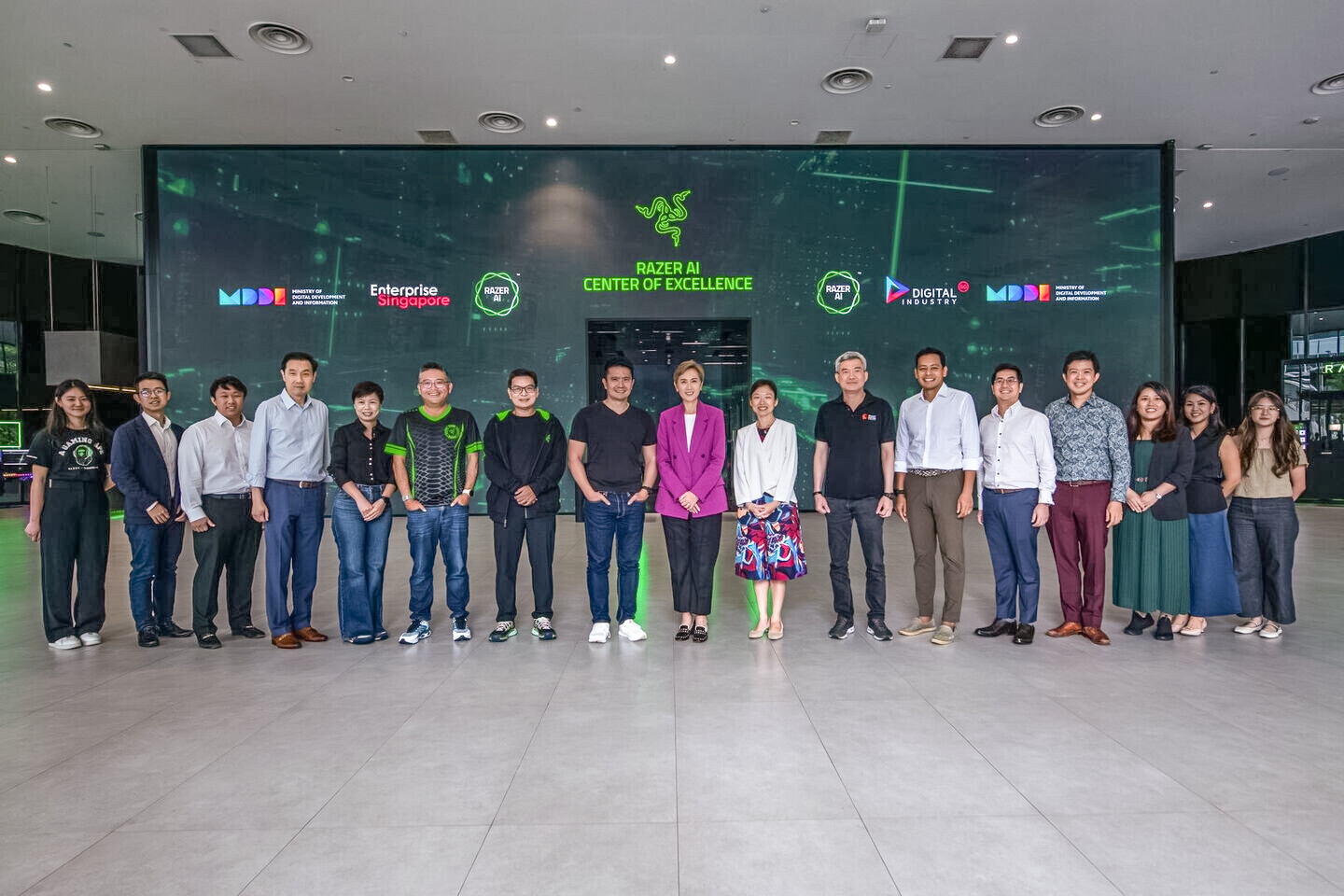
Razer, the world's leading lifestyle brand for gamers, today announced the launch of its AI Centre of Excellence in Singapore, marking the first phase of its AI global strategy. As part of a broader plan to establish interconnected AI hubs, the Singapore facility sets the foundation for future centres in Europe and the United States, expanding Razer's global reach and collaborative potential.

This strategic expansion comes amid rapid growth in the gaming industry, which is projected to reach nearly US$400 billion by 2033. AI gaming alone is expected to surge to US$28 billion, growing at a compound annual rate of 28.4%. The United States, as one of the largest and most dynamic gaming markets globally, represents a significant opportunity for future AI innovation and developer collaboration.

Secretlab Unveils Otto, an Adjustable Leg Rest To Complement Its Ergonomic Office Chairs

Secretlab has just announced the latest in its line-up of ergonomic office and gaming furniture. The Otto is just what it sounds like: an alternative to a traditional ottoman to rest your legs on. The Otto is a leg rest designed to work with Secretlab chairs, and it offers 8 cm of height and up to 30° of tilt adjustment, with a height range of 39-47 cm. It is also compatible with all Secretlab chair models, and it has PlushCell Memory Foam and the same pebble-shaped cushion as those chairs to ensure comfortable support in a variety of positions, as opposed to locking you into one spot.

The Otto lacks wheels, but the base of the leg rest is made of glass-reinforced nylon, as opposed to steel, to avoid making the base overly heavy. It also has felt pads under the feet, which are supposed to make the leg rest easier to reposition when needed. Secretlab pitches the Otto as an alternative to its existing foot rest add-ons that is designed to cater to more users—the brand specifically calls out users taller than 180 cm (5'9"), who are likely to have longer legs. The Secretlab Otto comes in at a rather pricey $299 on the Secretlab website, and it only seems to be available in black with subtle red accents for now.

EPOS Unveils the New & Improved IMPACT 100 Headset Series

EPOS today announced a new and improved IMPACT 100 Series. A key addition to the expansion of the IMPACT Next Generation portfolio is to include a quality entry-level headset with expectational performance for its cost. Designed to meet the needs of call centric workers with upgraded leatherette earpads, great audio and an ultra-light weight design of just 76 grams for comfortable all-day usage. Coming with a full certification package for leading UC providers, the IMPACT 100 Series provides enterprise grade performance across platforms.

Key features include:
  • Professional quality and affordable audio for everyone: Get exceptional value for money with this entry-level headset certified for Microsoft Teams and leading UC platforms.
  • Ultra-light design for all-day comfort: The lightest stereo headset in its category at only 76 grams, it features a slim, soft silicone headband and leatherette earpads.
Return to Keyword Browsing
Nov 11th, 2026 06:15 CST change timezone

New Forum Posts

Popular Reviews

TPU on YouTube

Controversial News Posts