Monday, May 9th 2022

Gigabyte Launches 55-inch Android Powered Gaming Monitor

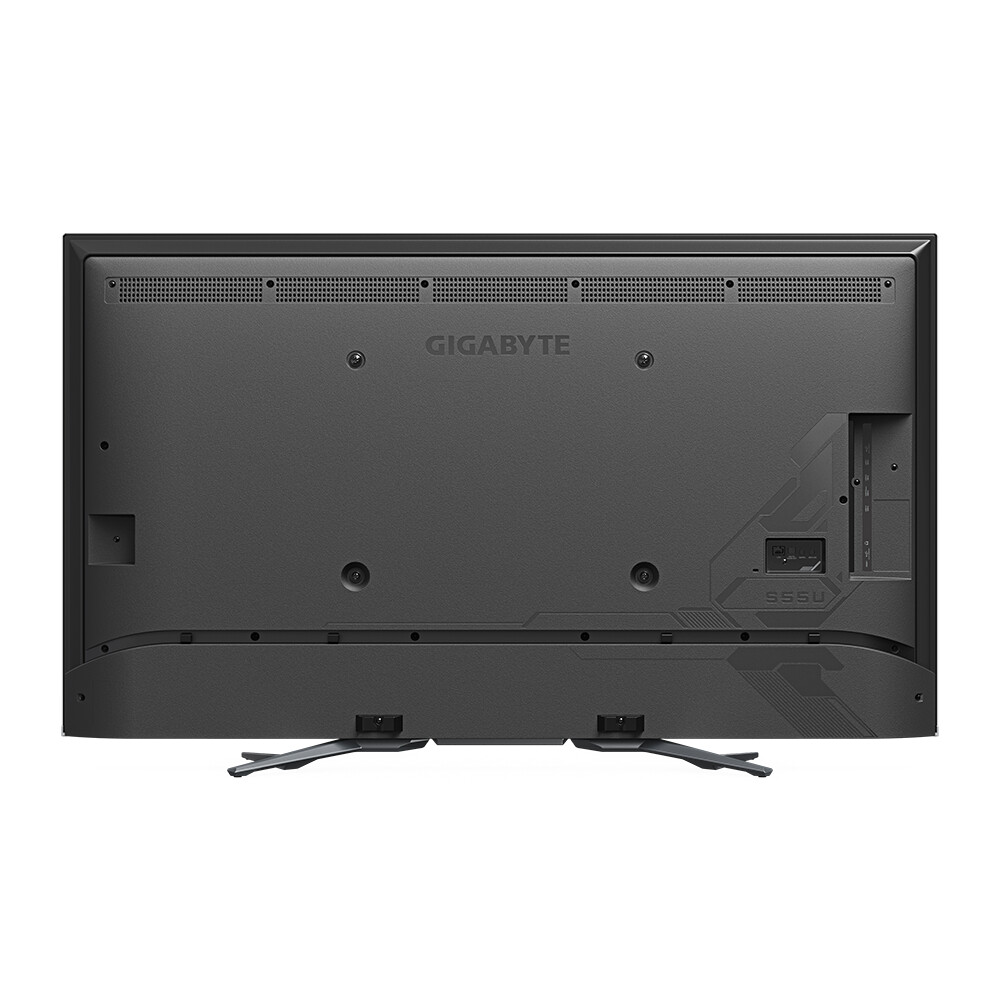
Gigabyte's latest gaming product seems to be aimed towards console gamers rather than PC gamers, as the S55U gaming monitor is quite an odd duck when it comes to the spec. For starters, it sports a 54.6-inch Quantum Dot VA panel with a 4K resolution, which is said to offer a typical brightness of 500 cd/m² and a peak brightness of 1500 cd/m², as well as a contrast ratio of 5000:1. This is thanks to array based LED backlight, although Gigabyte only has only gone for 132 zones, which is the lowest zone count we've seen to date. It has a refresh rate of 120 Hz and it has a response time of 5 ms on average, although Gigabyte also quotes a minimum response time of 2 ms. The panel is said to deliver 140 percent of the sRGB colour space and 96 percent of DCI-P3. It also supports FreeSync Premium, VRR and ALLM, which means gaming should be pretty much tear free. Dolby Vision, HDR10, HDR10+ and the HLG HDR standards are also part of the package.

However, as the S55U is a not-TV it has two HDMI 2.1 ports (one with eARC), both of which are capable of 48 Gbps signals, as well as two HDMI 2.0 ports, but it lacks a DisplayPort, making it just as PC friendly as your average TV. Other connectivity consists of a USB 3.2 Gen 1 (5 Gbps) port, a single USB 2.0 port, a headphone jack, a Toslink connector and an unspecified Ethernet jack. There's also built-in support for WiFi and Bluetooth, as well as a pair of 10 W speakers. Despite not being a TV, the S55U runs an unspecified version of what appears to be Android TV and it's said to have support for Chromecast, the Google Assistant and maybe more importantly, Google Play.
On the software side, it sports a range of Gigabyte's gaming monitor features, such as Aim Stabilizer, Black Equalizer and on-screen crosshairs and timers. Gigabyte has also added a range of different display presets depending on the content, both in SDR and in multiple HDR modes, although Dolby Vision and HDR10+ doesn't seem to support any gaming mode. The supplied remote control appears to have direct access buttons for Netflix, YouTube, Prime Video and Google Play, as well as the Google Assistant. It also has a pair of customisable shortcut buttons, as well as one for the on-screen crosshair. There's no word on pricing, but it'll most likely cost more than most 55-inch TVs that aren't using an OLED panel.
Source: Gigabyte
Add your own comment

52 Comments on Gigabyte Launches 55-inch Android Powered Gaming Monitor

#26
Durvelle27
TheLostSwedeSorry, but this is inaccurate. Even though the IGP does in theory support HDMI 2.1, most computers don't, as it requires extra components which add extra cost, so both the motherboard makers and notebook makers are cutting corners. Most notebooks that doesn't have a dedicated GPU do in fact seem to ship with HDMI 1.4 for some stupid reason.
Possibly I know all the laptops we receive and send out which are basic HPs and Dells have HDMI 2.0
Posted on Reply
#27
TheLostSwede
News Editor
Durvelle27Possibly I know all the laptops we receive and send out which are basic HPs and Dells have HDMI 2.0
Business models vs. consumer models. The manufacturers save every cent they can when their customers don't really know what they're buying.
Posted on Reply
#28
DeathtoGnomes
TheLostSwedeBusiness models vs. consumer models. The manufacturers save every cent they can when their customers don't really know what they're buying.
Manufacturers are so cheap, it makes you wonder how much they saved by not adding price to this PR. :D :laugh:

TBH, IDK why any console player would buy one of these when they can use their 60 inch normal tv. If it can load apps like Plex or Peacock, someone will find this tv useful.
Posted on Reply
#29
Durvelle27
TheLostSwedeBusiness models vs. consumer models. The manufacturers save every cent they can when their customers don't really know what they're buying.
All of our units are consumer. Its cheaper than business
Posted on Reply
#30
TheLostSwede
News Editor
Durvelle27All of our units are consumer. Its cheaper than business
Do they have discrete GPUs?

Here's a brand new Asus model with HDMI 1.4.
www.asus.com/Laptops/For-Home/Vivobook/Vivobook-14-X1402-12th-Gen-Intel/techspec/

A brand new Dell with HDMI 1.4.
www.dell.com/en-us/work/shop/dell-laptops-and-notebooks/vostro-5620-laptop/spd/vostro-16-5620-laptop

And a brand new Lenovo with HDMI 1.4.
www.lenovo.com/us/en/p/laptops/ideapad/ideapad-500/ideapad-5-15-intel-laptop/len101i0009
Posted on Reply
#31
Durvelle27
TheLostSwedeDo they have discrete GPUs?

Here's a brand new Asus model with HDMI 1.4.
www.asus.com/Laptops/For-Home/Vivobook/Vivobook-14-X1402-12th-Gen-Intel/techspec/

A brand new Dell with HDMI 1.4.
www.dell.com/en-us/work/shop/dell-laptops-and-notebooks/vostro-5620-laptop/spd/vostro-16-5620-laptop

And a brand new Lenovo with HDMI 1.4.
www.lenovo.com/us/en/p/laptops/ideapad/ideapad-500/ideapad-5-15-intel-laptop/len101i0009
No they all mostly use the Ryzen IGPs
TheLostSwedeDo they have discrete GPUs?

Here's a brand new Asus model with HDMI 1.4.
www.asus.com/Laptops/For-Home/Vivobook/Vivobook-14-X1402-12th-Gen-Intel/techspec/

A brand new Dell with HDMI 1.4.
www.dell.com/en-us/work/shop/dell-laptops-and-notebooks/vostro-5620-laptop/spd/vostro-16-5620-laptop

And a brand new Lenovo with HDMI 1.4.
www.lenovo.com/us/en/p/laptops/ideapad/ideapad-500/ideapad-5-15-intel-laptop/len101i0009
Those support HDMI 2.0 and 2.1 over USB-C
Posted on Reply
#32
TheLostSwede
News Editor
Durvelle27No they all mostly use the Ryzen IGPs
Right that could be why then.
Durvelle27Those support HDMI 2.0 and 2.1 over USB-C
That's hardly relevant, is it though? The native ports are HDMI 1.4 and I thought that was what we were talking about, not using some third party adapter.
Posted on Reply
#33
Durvelle27
TheLostSwedeRight that could be why then.

That's hardly relevant, is it though? The native ports are HDMI 1.4 and I thought that was what we were talking about, not using some third party adapter.
Most of ours include the usb dock

but my main argument was anyone looking to purchase this will have a setup that can support it being 4K120
Posted on Reply
#34
bug
Durvelle27Most of ours include the usb dock

but my main argument was anyone looking to purchase this will have a setup that can support it being 4K120
Save for the fact that almost no GPU in existence can comfortably push 4k at over 60fps, yes, everyone will have a setup like that.
This is a TV in disguise (probably with a side of horrible latency included) that aimed squarely at console owners.
Posted on Reply
#35
Ravenmaster
What amazes me is that all these display manufacturers are still failing to put an eARC socket on any of their products. In a modern world where soundbars and AVR's rely on eARC to supply enough bandwidth to support Dolby Atmos, this is a huge oversight.

Sure you can run a second HDMI 2.1 cable from your GPU directly to the soundbar or AVR but this inadvertently creates a 2nd 'phantom' monitor within Windows. Which is a pain in the ass because your mouse cursor can now fall into the abyss of a non-existant screen if you move it too far to the right.
Posted on Reply
#36
catulitechup
well another impressive gigafail product but this time them include remote detonator (app are ok) ?

:)
Posted on Reply
#38
TheLostSwede
News Editor
wahdangunbetter get that alienware Q-LED
It's not 4K though.
RavenmasterWhat amazes me is that all these display manufacturers are still failing to put an eARC socket on any of their products. In a modern world where soundbars and AVR's rely on eARC to supply enough bandwidth to support Dolby Atmos, this is a huge oversight.

Sure you can run a second HDMI 2.1 cable from your GPU directly to the soundbar or AVR but this inadvertently creates a 2nd 'phantom' monitor within Windows. Which is a pain in the ass because your mouse cursor can now fall into the abyss of a non-existant screen if you move it too far to the right.
It does have eARC and ARC, I just didn't include it, since it seems to be standard for anything with HDMI 2.1 to have at least one eARC capable port.
Posted on Reply
#39
TheUn4seen
TomorrowThen you buy an LCD below 1000. And why and for what kind of work is OLED useless?
Short answer: Any kind of work which requires any kind of static elements being displayed for extended periods of time, so any real world work. My wife got a Thinkpad X1 with an OLED screen a while ago, after just a few weeks you could easily see Excel's interface layered on everything, and after three months the screen was, or all intents and purposes, defective, with permanently burned areas. The replacement fared even worse and had to be trashed after just two months.
In light of this, my counter-question would be: For what purpose is OLED superior and therefore should occupy a higher price class? Aside from the obvious, people who like over-saturated colours and kids with "pro-gamer" fantasy believing that a faster pixel response will git them gud? After calibration, any reasonable LCD can achieve almost perfect colour rendering without the need for periodic re-callibration due to uneven subpixel burnout (blue ones go out first on OLED) and doesn't have built-in planned obsolescence.
Posted on Reply
#40
Mussels
Freshwater Moderator
ChomiqWhy do I need Android in my monitor? It's a gimped TV with DP and no TV tuner.
I have android in my TV, as a tech nerd it's perfect.
You are totally correct tho, this is a gaming TV minus the tuner. (And that answers almost every other question people asked in the thread)
Posted on Reply
#41
TheLostSwede
News Editor
MusselsI have android in my TV, as a tech nerd it's perfect.
You are totally correct tho, this is a gaming TV minus the tuner. (And that answers almost every other question people asked in the thread)
Most people also didn't get my hints in the news post that it was a TV without a tuner...
Plenty of those on sale here already, by the likes of TCL and even Toshiba I think.
Posted on Reply
#42
Tomorrow
TheUn4seenShort answer: Any kind of work which requires any kind of static elements being displayed for extended periods of time, so any real world work.
Rtings did a test years ago. Granted that was with static TV content. It took thousands of hours displaying the same content to even start noticing any burn-in. And that was years ago with older panels. Recently someone did a test on Nintendo Swith OLED version where again it took thousands of hours of displaying static content to start noticing burn-in.
TheUn4seenMy wife got a Thinkpad X1 with an OLED screen a while ago, after just a few weeks you could easily see Excel's interface layered on everything, and after three months the screen was, or all intents and purposes, defective, with permanently burned areas. The replacement fared even worse and had to be trashed after just two months.
Laptop panels are not the same as monitor/TV panels.
TheUn4seenIn light of this, my counter-question would be: For what purpose is OLED superior and therefore should occupy a higher price class?
Anything relating to HDR content. Also situations where pixel response time is important. Also situations where extreme contrast is needed.
TheUn4seenAside from the obvious, people who like over-saturated colours and kids with "pro-gamer" fantasy believing that a faster pixel response will git them gud?
You ask a question to right away disqualify gaming?
TheUn4seenAfter calibration, any reasonable LCD can achieve almost perfect colour rendering without the need for periodic re-callibration due to uneven subpixel burnout (blue ones go out first on OLED) and doesn't have built-in planned obsolescence.
And OLED cant be calibrated?
And no. LCD's need periodic re-calibration too as they age. Switching to another GPU/system may also require re-calibration.

For example Samsung QD-OLED does not even have blue diodes. Or green ones, or red ones. It has base white diodes that are then converted to colors via QD layer.
So there is no blue diode that would wear out.
Posted on Reply
#43
wahdangun
TheLostSwedeIt's not 4K though.


It does have eARC and ARC, I just didn't include it, since it seems to be standard for anything with HDMI 2.1 to have at least one eARC capable port.
but the alianware model have much higher image quality, and much better HDR
Posted on Reply
#44
TheLostSwede
News Editor
wahdangunbut the alianware model have much higher image quality, and much better HDR
Hardly apples to apples though, is it?
Someone that wants to game on a 55-inch 4K "monitor" would never consider the Alienware and possibly vice versa.
Posted on Reply
#45
hwanzi
"monitor" .... Shit is a TV lolol
Posted on Reply
#46
noel_fs
TheLostSwedeBecause they launched it. It was shown at CES, but now it's a real product. Just because you can't buy it, doesn't make it less of a real product.
Also, about 80 percent of all press releases that announces new products as launched, don't include pricing.
well, sorry didnt mean to make it personal, im aware lots of products are "launched" like that

anyway, there are lots of products shown are CES that never make it retail
Posted on Reply
#47
Mussels
Freshwater Moderator
TomorrowRtings did a test years ago. Granted that was with static TV content. It took thousands of hours displaying the same content to even start noticing any burn-in. And that was years ago with older panels. Recently someone did a test on Nintendo Swith OLED version where again it took thousands of hours of displaying static content to start noticing burn-in.
I did phone repairs for a few years, and would often see phones with burned in OLED screens (heck, even LCD at times)
We also see photos and video proof of people with burn in online regularly too

1. Temporary image retention can be mistaken for burn in, but it's still unacceptable to a user
2. the settings on the screen and even the ambient weather matter. Testing it in a 20C dry environment will give very different results to the people in hotter countries (my back brick walls were at 65C this summer)

1,000 hours is only 42 days of always-on use. Lets say 8 hours a day and you're looking at 120 days or 4 months before you could be experiencing permanent burn in, by your example
Posted on Reply
#48
Tomorrow
MusselsI did phone repairs for a few years, and would often see phones with burned in OLED screens (heck, even LCD at times)
We also see photos and video proof of people with burn in online regularly too

1. Temporary image retention can be mistaken for burn in, but it's still unacceptable to a user
2. the settings on the screen and even the ambient weather matter. Testing it in a 20C dry environment will give very different results to the people in hotter countries (my back brick walls were at 65C this summer)

1,000 hours is only 42 days of always-on use. Lets say 8 hours a day and you're looking at 120 days or 4 months before you could be experiencing permanent burn in, by your example
First - Portable devices do no use the same OLED panels as stationary OLED devices. They also have less pixels to use as backup. So there could be difference there.
Second - 8 hours but are you watching static content for 4-8 months with 8 hours a day? I doubt it. If a mobile OLED is active it is most likely in active use not idling at desktop/home screen.
Third - The temperature thing might have merit. I live in a fairly cold environment. We're lucky if we have 20c days in summer. Mostly it's sub 15c with overcast and/or rain/wind.
Posted on Reply
#49
Mussels
Freshwater Moderator
TomorrowFirst - Portable devices do no use the same OLED panels as stationary OLED devices. They also have less pixels to use as backup. So there could be difference there.
Second - 8 hours but are you watching static content for 4-8 months with 8 hours a day? I doubt it. If a mobile OLED is active it is most likely in active use not idling at desktop/home screen.
Third - The temperature thing might have merit. I live in a fairly cold environment. We're lucky if we have 20c days in summer. Mostly it's sub 15c with overcast and/or rain/wind.
1. Irrelevant, as it's still an example of OLED burn in
2. yeah. a lot of people do that, and leave screens on for extremely long periods of time - especially with TV's and shared screens for the family, since multiple people can use the display
3. yeah we pass 40C here, electronics do not enjoy it. 45C with a thunderstorm and bushfires was a fun, fun time.
Posted on Reply
#50
Tomorrow
Mussels1. Irrelevant, as it's still an example of OLED burn in
2. yeah. a lot of people do that, and leave screens on for extremely long periods of time - especially with TV's and shared screens for the family, since multiple people can use the display
3. yeah we pass 40C here, electronics do not enjoy it. 45C with a thunderstorm and bushfires was a fun, fun time.
1. It's not irrelevant if the manufacturer is different, screen size is different etc.
2. Most if not all devices (especially mobile that you bring up) have some sort of screensaver or idle standby function in addition to normal OLED burn-in mitigations such as pixel shift and ABL. In order to disable the standby (if that's even possible on some devices) requires conscious decision by the user. At that point if they disable it and let it run displaying static content they have no one but themselves to blame. But it is not a normal user case.
Posted on Reply
Add your own comment
Nov 19th, 2026 18:18 CST change timezone

New Forum Posts

Popular Reviews

TPU on YouTube

Controversial News Posts