Wednesday, August 27th 2025

Phison Posts Latest Update on SSD Controller Stability
As stated on August 18, Phison was made aware of the KB5063878 and KB5062660 updates on Windows 11 that potentially impacted several storage devices, including some supported by Phison. In response, Phison dedicated over 4,500 cumulative testing hours to the drives reported as potentially impacted and conducted more than 2,200 test cycles. We were unable to reproduce the reported issue, and no partners or customers have reported that the issue affected their drives at this time.
Phison remains committed to the highest standards of reliability and continues to closely monitor the situation in collaboration with our industry partners.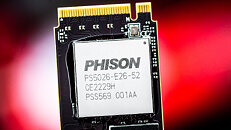 Best Practices for End Users
While our validation testing has not identified any concerns related to these Windows 11 updates, we have shared industry best practices to support high-performance storage devices. We continue to advise users that for extended workloads, such as transferring large files or decompressing large archives, make sure a proper heatsink or thermal pad is used with the storage device. This helps maintain optimal operating temperatures, reduces the likelihood of thermal throttling, and ensures sustained performance.
For users with questions or potential troubleshooting needs, please contact support@phison.com.
Phison remains committed to the highest standards of reliability and continues to closely monitor the situation in collaboration with our industry partners.

While our validation testing has not identified any concerns related to these Windows 11 updates, we have shared industry best practices to support high-performance storage devices. We continue to advise users that for extended workloads, such as transferring large files or decompressing large archives, make sure a proper heatsink or thermal pad is used with the storage device. This helps maintain optimal operating temperatures, reduces the likelihood of thermal throttling, and ensures sustained performance.
For users with questions or potential troubleshooting needs, please contact support@phison.com.
50 Comments on Phison Posts Latest Update on SSD Controller Stability
Use decent heatsink to transfer heat;
Check SSD voltage (3.3V line)!
If the controller has issues even with a heatsink it will fail/die.
The other two sentences are just a filler sentences which are absolutely unnecessary. Having proper passive cooling usually maintains optimal operating temperatures with the usual room temperature of 20°C and also usually reduces the likelihood of thermal throttling. Of course less thermal throttling ensures sustained performance.
No word is said about bad computer cases with in case temperatures of 50°C. A passive cooler will not be as effective in such scenarios.
--
Without defining how these 2200 test cycles were made the statement is rather without any value.
2200 test cycles of every possible controller? which firmware? which models ? ...
I highly doubt the issue at hand was thermal throttling caused by bad active cooling or bad passive cooling of the storage device in question.
--
edit 2:
Search KB -> here: Yields: www.techpowerup.com/340032/microsoft-windows-11-24h2-update-may-cause-ssd-failuresI am allergic to the phrase file corruption.edit: 3
it's hard to find facts
www.computerbase.de/news/storage/windows-11-update-kb5063878-soll-ssd-und-hdds-lahmlegen-koennen.93914/
my words, loosely based on that link
When the drive vanish from the operating system data corruption has occured or may occur because the drive is not accessible anymore.
German quoted text from CB. If you like to use any translation service yourself.Who knows if some articles or search results form the popular search engines were removed in the mean time? Hard to provide facts or proof for that.
On his site there is more info, and update about it. I thought that it was windows fault, but You should read it and have own point of view with it.
Japanese link
www.nichepcgamer.com/archives/windows11-24h2-issue-with-writing-to-the-ssd-is-this-caused-by-kb5063878-kb5062660.html
Google translated Japanese link.
www-nichepcgamer-com.translate.goog/archives/windows11-24h2-issue-with-writing-to-the-ssd-is-this-caused-by-kb5063878-kb5062660.html?_x_tr_sl=auto&_x_tr_tl=pl&_x_tr_hl=en
Back to the heatsink statement. When brainstorming potential causes, we thought it would be a good idea to remind everyone that high-performance SSDs require a heatsink when running extended workloads. Remember, even an extremely low-power SSDs can thermal-throttle under extended workloads. This isn't new, it was even an issue with SATA drives. That is why those early SATA SSDs had machined cases, and the drives were like a quarter pound.
Imagine that!
It's the reasoning behind it which seems flaky at best, either because of all the noise data, or the underlying assumption of the cause which may be wrong.
One thing is for sure, if there is something in this (or a similar) update which triggers an underlying bug in SSDs, then we should see a steady stream of new cases until it's stopped. If on the other hand it's just a peak of failed SSDs right at a update and then it returns to normal failure rates, then the cause may simply be that these SSDs were on the brink of failure and a major load was all it took.
I want to stress that issues with SSDs are incredibly common, which makes it much harder to determine if there is an issue. It's so common that I usually have 1-2 spares on hand.But does the drive still fail the SMART test after your recovery?
Because everything else explained can be just a corrupted file system and a bad USB drive.
It took shutting down, physically unhooking the SATA plug from the drive, booting into W11, uninstalling the update, shutting down, plugging the SATA cable back in, and booting again to get it to show up as normal. The only other drive in the system is a WD_Black SN850X 4TB boot drive with WD's in-house controller, and it had no issues. As far as I can see I managed to come out of it with no noticeable damage to the drive or data loss.
I've since paused updates for a few weeks (it immediately tried to reinstall itself) to give my system some time for MS to patch this issue, other than that I'm not sure what else I can do at this stage.
I'd be curious to see the integrity of hibernation files, etc, on affected machines.
drives are mostly patriot burst, netac sa500 and hiksemi wave (all dram-less)
i know these drives arent the most reliable but this failure rate is insane and something like this never happened before
Bad performance of WD, SANDDISK and ADATA SSds are quite common. Slow response times and poor read and write performance. Drive is not as advertised. These windows update topic problems are not that common in the past ~8 years. (I had 6 different SATA 2.5" SSDs from different vendors in use over each year. 120 or 128GB in size each. Past years i bought a few m2 nvme)Not everyone uses Micrsoft Windows as their core operating system in the past years.
We speculate about a hardware defect or a hardware flaw of HARDWARE. If there are issues with SSDs we should have seen those in other use cases also. The fact is, we talk about Microsoft Windows. The fact is, we talk about some KB numbers, which seems to be update numbers, which seems to date to a certain update period.
Are there any influence factors which were not there in the past?
M2 related?
m2 nvme related?
M2 DRAM related?
M2 no DRAM related?
M2 Controller related?
M2 PCIE 5.0 related?
M2 PCIE 4 or PCIE 3 drive in a PCIE 5.0 socket related?
I do not know how long DRAM less drives are on the market. SATA SSDs are very long on the market. M2 with DRAM are very long on the market.I run quite often ntfsfix for windows 11 pro. Any interrupted bootup marks C: as dirty.
This whole thing was a case of bad science clowns running the show and thus no real data was gathered.Oh? How exactly were the "150 video files of approximately 150MB each, 7zipped" sections replicated? Cause that could really be anything on earth and we should be sharing data.
Also include 7zip compression settings you used too. That tweet was lacking a ton of important technical details for a scientific test.
One of the reasons why Samsung 970 Pro is regarded as the last "good" consumer SSD is the consistency and reliablity of the MLC flash. And it still matches up to the "top class" PCIe 4 SSDs in most benchmarks that matter, if only I could get some in 4TB sizes, then it would last me for a while longer for "scratch space".
What I was referring to as SSD issues is the fact that consumer SSDs have a very high rate of integrety issues, or even randomly dying before three years of use. You can have hardware issues long before the SSD completely dies or your OS tells you your drive is bad. I regard a drive as faulty at the first sign of SMART errors, as that means it has already lost data and the flash is going bad. I'm pretty sure if you took ~100 random forum users' PCs and did a proper SMART test, you'll likely find several such cases. And that's why if people go look for issues, you'll find a lot, so the baseline of issues is very high, making it harder to distinguish a specific new problem from the rest.You don't tell? I've been running Linux primarily since 2007. ;)
But there is an undeniable fact, if a drive dies/malfunctions prematurely, then there is a "hardware" issue with that drive. Even if it just happens in a specific OS or under very specific applications, it's still 100% the drive's fault for not behaving according to spec. We've had several such cases in Linux too, and over a decade back many SSDs were known for "misbehaving" on Linux.
And my point remains, if there is a problem in a Windows update triggering hardware issues, then we should see a steady stream of new cases until the update is rolled back or "fixed".
If on the other hand we just see a spike of reports, then it may be completely unrelated hardware issues, just blown out of proportions thanks to misinformation.There are many theories floating around about problems caused by lack of DRAM cache, but if anything this cache poses a potential risk for data loss, if you don't have power loss protection. Lack of DRAM cache shouldn't make firmware controllers go bad.I agree.
Those wanting to reproduce it could use publicly available data, like Linux ISOs, in order to make it reproducible for everyone. And more importantly, the drives should be returned to the manufacturer for investigation.
Bud judging by the difference in reports, we are probably looking at a bunch of different cases, some may be unrelated to this update;
- Drives which died immediately after the update. (likely related)
- Drives which slowed down immediately after the update. (likely related)
- Drives which died shortly after the update, after a large load. (may be unrelated)
- File systems which got corrupted, but no issues remain after reformat or repair.
The last one isn't a hardware issue at all, like seen in post #17, if there has been ever served a single sector with errors, the error count in the SMART data will remain. So in such cases, the file system was corrupted from the outside, whether that's a software bug, system crash or a hardware issue outside the SSD.
And I want to remind everyone, the chances for any error to occur, like system stability(especially Windows), driver issues and even some hardware issues, are for most users more likely to happen during a major update. That sort of stuff can even happen on Linux, in fact, most Linux issues that I've ever seen has been caused during a update.