Thursday, September 11th 2025

Intel Rolls Out Arc GPU Graphics Drivers 101.7029 Beta
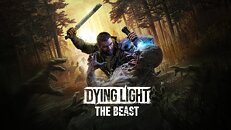
Intel today released the latest version of its Arc GPU Graphics drivers. Version 101.7029 Beta comes with optimization for "Borderlands 4," "Dying Light: The Beast," "EA Sports FC 26," and "Hollow Knight: Silksong." The drivers also address a handful of issues. For Arc B-series discrete GPUs, the drivers fix an issue with "PEAK" where there are flickering and texture corruption during gameplay. For both B-series and A-series discrete GPUs, the drivers fix an issue with "Mafia: The Old Country," where the game exhibits display corruption on character hair. These two exact issues are addressed for Intel Core Ultra series 2 processor iGPUs (both "Lunar Lake" and certain mobile versions of "Arrow Lake."). Grab the drivers from the link below.
DOWNLOAD: Intel Arc GPU Graphics Drivers 101.7029 Beta

 Game Ready
Intel Arc B-Series Graphics Products:
Intel Arc B-Series Graphics Products:
DOWNLOAD: Intel Arc GPU Graphics Drivers 101.7029 Beta


- Borderlands 4
- Dying Light: The Beast
- EA SPORTS FC 26
- Hollow Knight: Silksong
Intel Arc B-Series Graphics Products:
- PEAK (DX12) may exhibit flickering texture corruptions during gameplay.
- Mafia: The Old Country (DX12) may exhibit corruption on character hair during certain scenes.
- Mafia: The Old Country (DX12) may exhibit corruption on character hair during certain scenes.
- PEAK (DX12) may exhibit flickering texture corruptions during gameplay.
- Mafia: The Old Country (DX12) may exhibit corruption on character hair during certain scenes.
Intel Arc B-Series Graphics Products:
- Visual corruptions may appear in certain scenarios with multiple application interactions.
- Broken Arrow (DX11) may experience lower than expected performance after changing graphics settings.
- World of Warcraft: Dragonflight may experience an application crash while switching Graphics API to DX11.
- PugetBench for Davinci Resolve Studio may experience an intermittent application crash while running the benchmark. Recommendation is to change the timeout slider to 1500 seconds or higher, to wait for each test to complete, in PugetBench benchmark settings.
- Broken Arrow (DX11) may experience lower than expected performance after changing graphics settings.
- Marvel's Spider-Man 2 (DX12) may experience an application crash with Ray-Tracing and XeSS enabled.
- World of Warcraft: Dragonflight may experience an application crash while switching Graphics API to DX11.
- PugetBench for Davinci Resolve Studio may experience an intermittent application crash while running the benchmark. Recommendation is to change the timeout slider to 1500 seconds or higher, to wait for each test to complete, in PugetBench benchmark settings.
- World of Warcraft: Dragonflight may experience an application crash while switching Graphics API to DX11.
- World of Warcraft: Dragonflight may experience an application crash while switching Graphics API to DX11.
- Adobe Premiere Pro may experience an application crash while using audio enhancement features.
- Topaz Video AI may experience visual artifacts when using certain AI models.
- PugetBench for Photoshop may experience an application crash while running the benchmark.
- PugetBench for Lightroom may experience an application crash while running the benchmark.
- When using the settings, preferences, reset all settings option in Windows 10 the application may experience an intermittent crash. Settings can be reset from individual pages without issue.
- Intel Graphics Software may sometimes experience a single application crash on the first re-arrange of metrics within the select metrics window. Subsequent usage will not be affected by this crash again.
- Enhanced Power Savings option may not be available on the Display page for certain systems with Built-in Intel Graphics.
3 Comments on Intel Rolls Out Arc GPU Graphics Drivers 101.7029 Beta