Sunday, November 1st 2026
Resizable BAR Comes to Haswell Motherboards Thanks to a Community UEFI Driver
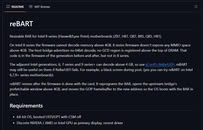
Haswell owners finally have a way to get Resizable BAR running on Intel 8-series motherboards. As spotted by Haze on X, a developer going by roschank has released reBART, an open-source UEFI driver for Z87, H87, Q87, B85, Q85, and H81 boards. Back in 2020, it was reported that Intel CPUs since Haswell support Resizable BAR, pending firmware updates from motherboard makers that never came for 8-series. The developer went digging after failing to get Above 4G Decoding working on their own B85 board, and found that Intel's 8-series platform code skips mapping memory above 4 GB altogether, something both 7-series and 9-series firmware handle. Apparently, every board maker they checked inherited the same gap, so the 4G toggle some of these BIOSes expose likely does nothing.
reBART lets the board boot normally and only kicks in right before the OS loads. At that point, it shifts the GPU's memory window up past the 4 GB line and points the boot display at the new location too. Unlike ReBarUEFI, it doesn't need module patching, though a DSDT patch is still required. Newer builds added experimental support for Intel Arc cards and multi-GPU setups, which is important since Intel once told Arc buyers without ReBAR to stick with other vendors. One user reports an Arc A750 and an Arc B580 both working with an unlimited BAR size on a Gigabyte GA-Z87M-D3H under Ubuntu. Of course, going this route means flashing a modified BIOS, and at least one ASUS Z87-Plus owner couldn't get the board to boot after the DSDT patch. The developer hasn't shared any performance numbers yet either.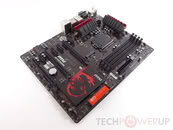
Sources:
reBART (GitHub), via Haze on X
reBART lets the board boot normally and only kicks in right before the OS loads. At that point, it shifts the GPU's memory window up past the 4 GB line and points the boot display at the new location too. Unlike ReBarUEFI, it doesn't need module patching, though a DSDT patch is still required. Newer builds added experimental support for Intel Arc cards and multi-GPU setups, which is important since Intel once told Arc buyers without ReBAR to stick with other vendors. One user reports an Arc A750 and an Arc B580 both working with an unlimited BAR size on a Gigabyte GA-Z87M-D3H under Ubuntu. Of course, going this route means flashing a modified BIOS, and at least one ASUS Z87-Plus owner couldn't get the board to boot after the DSDT patch. The developer hasn't shared any performance numbers yet either.


7 Comments on Resizable BAR Comes to Haswell Motherboards Thanks to a Community UEFI Driver
I'm not sure how this is different but it seems old news.
I had no idea that the 8 series chipsets had such a strange limitation when the 6, 7 and 9+ series chipsets could support above 4G decoding.