Friday, April 10th 2026

Microsoft Starts Removing Copilot from Notepad, Snipping Tool, and More in Windows 11
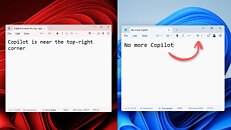
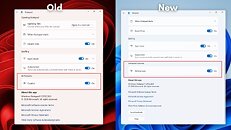
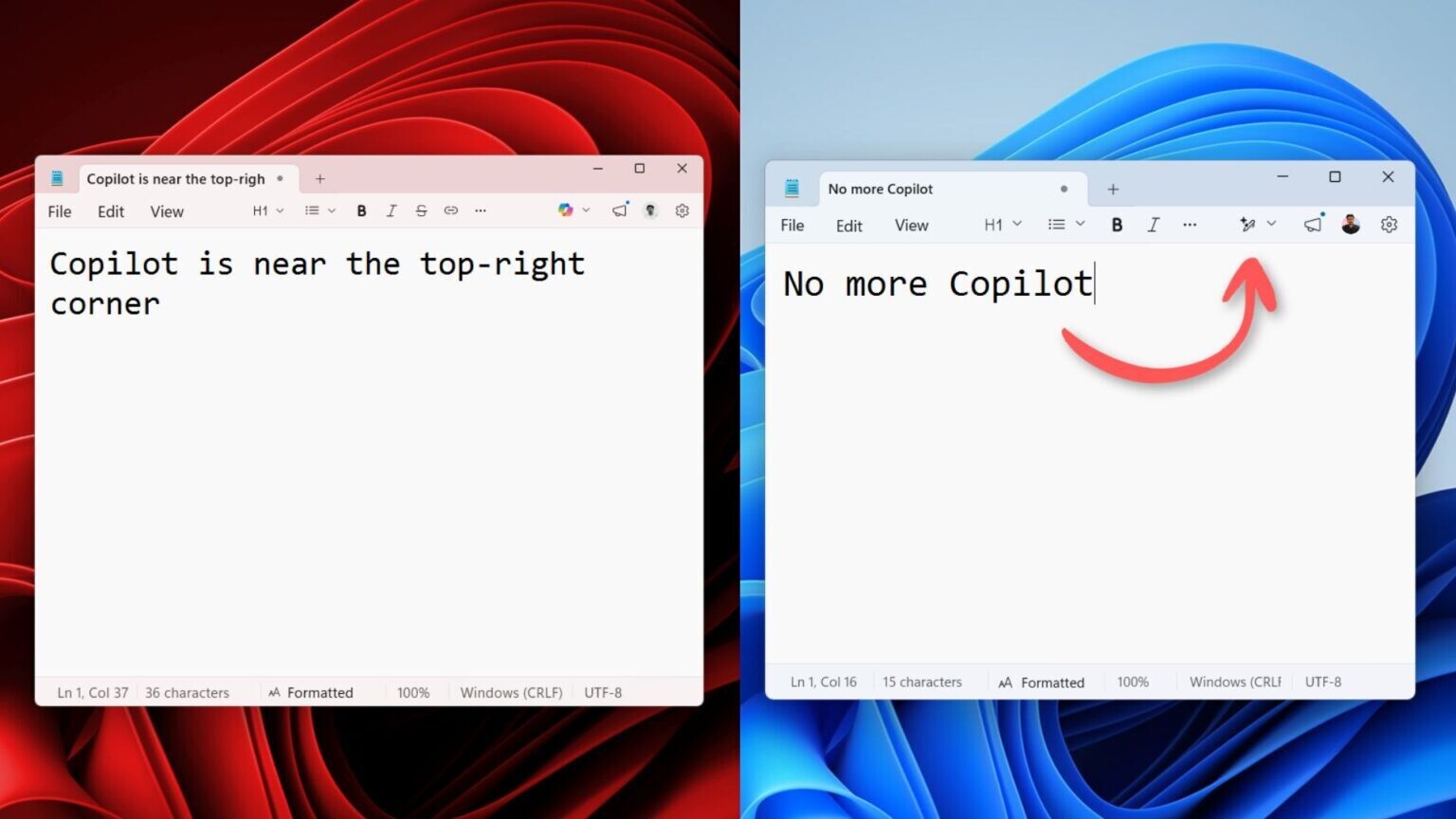
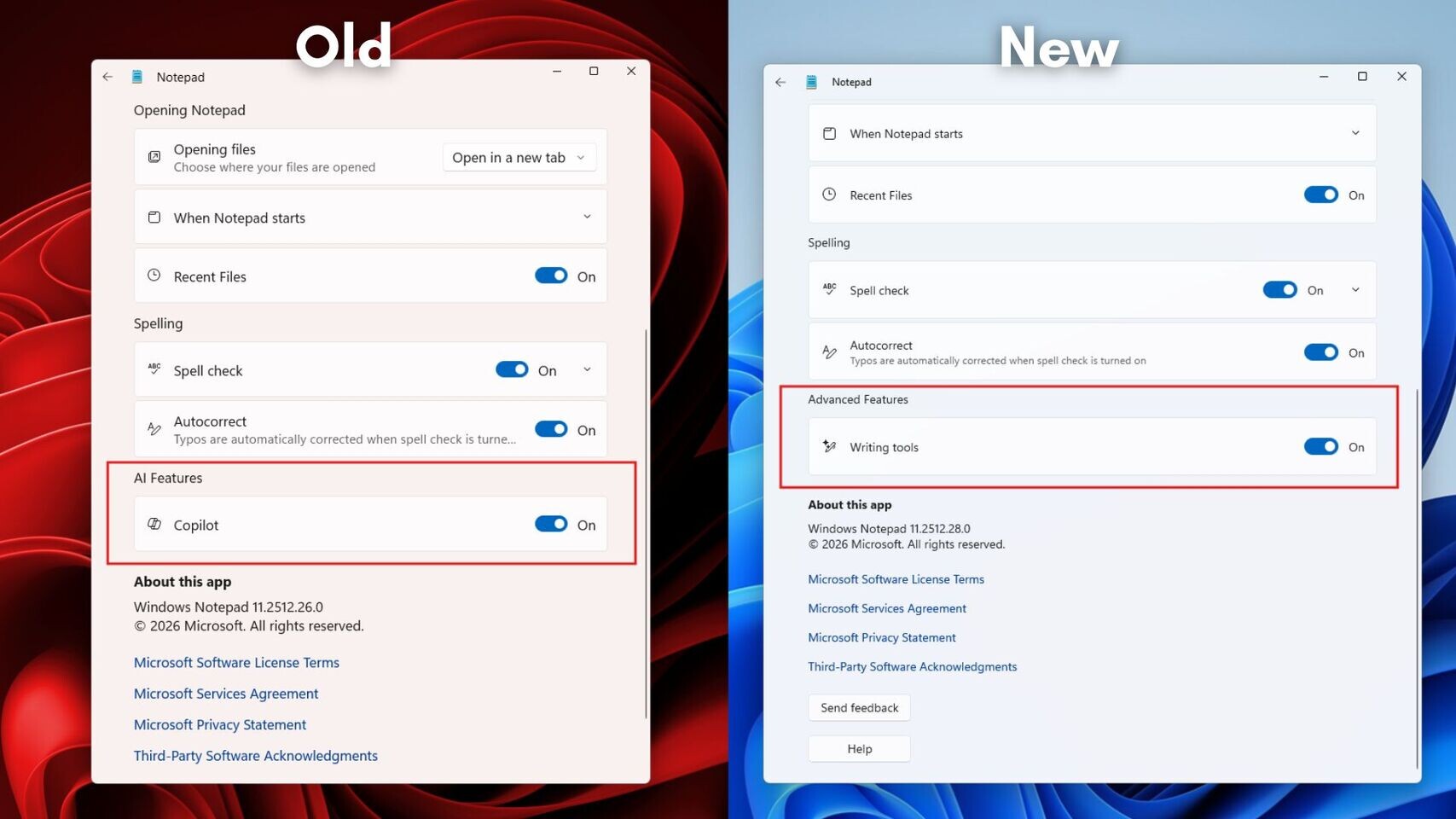
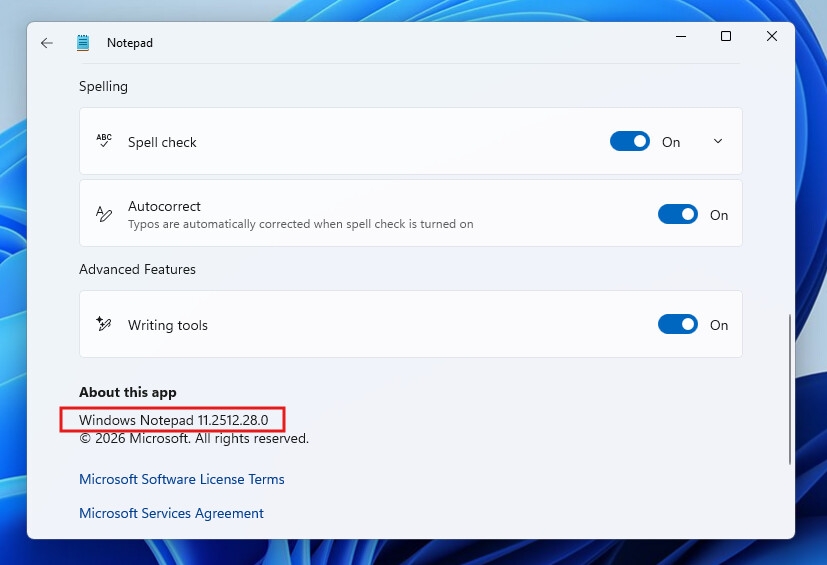
Microsoft's Copilot AI has generated significant negative sentiment among Windows 11 users, to the extent that even Microsoft has recognized the need to scale back some of the Copilot functionality it has long promoted. According to Windows Latest, Microsoft has updated core Windows applications such as Notepad and Snipping Tool. In March 2025, Microsoft added Copilot to Notepad, updating the note-taking application to integrate Copilot AI for rewrites, summaries, and other AI-related text features. However, as users grew weary of the persistent AI push, Microsoft put these integrations under review earlier this year. In response to strong backlash from the enthusiast community, Microsoft has removed the Copilot AI icon from the latest versions of Notepad and Snipping Tool, restoring them to their regular look. However, Microsoft now calls these Notepad features like rewrite and summarize as "Writing tools."
This change is a significant positive step by Microsoft. Additionally, the forced inclusion of the Copilot AI button in every application has been paused, as there has been minimal interest from users in utilizing these features. The TechPowerUp Forums have been a consistent source of criticism against Microsoft's forced AI integration, with a large community of PC enthusiasts opposing the "AI everywhere" approach. The Redmond-based company is also working on numerous performance, security, and other enhancements for Windows 11, and we are already beginning to see some of these changes. Considering that Microsoft has 80 Copilot apps and services, this is not a thing to take lightly.
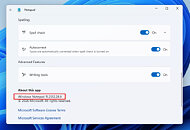
Below is the before and after comparison with the Copilot AI removed, courtesy of Windows Latest.

Source:
Windows Latest
This change is a significant positive step by Microsoft. Additionally, the forced inclusion of the Copilot AI button in every application has been paused, as there has been minimal interest from users in utilizing these features. The TechPowerUp Forums have been a consistent source of criticism against Microsoft's forced AI integration, with a large community of PC enthusiasts opposing the "AI everywhere" approach. The Redmond-based company is also working on numerous performance, security, and other enhancements for Windows 11, and we are already beginning to see some of these changes. Considering that Microsoft has 80 Copilot apps and services, this is not a thing to take lightly.


69 Comments on Microsoft Starts Removing Copilot from Notepad, Snipping Tool, and More in Windows 11
does microsoft has no proper user interface anymore?
this looks more like bad fake samsung android with all those sliders with the blue background.
looks more like a touch operating system and not a personal computer interface.
the configuration can be made better in 30% of the used display size.
it's a 200+bn company - i shouldn't be relegated to downloading versions of the OS meant for Kiosks so it behaves halfway decently :wtf:
I increasingly don't - as are alot of people. :toast:
If you love illegaly downloading OS versions meant for ATMs to get away from the over-bloated mess of W11 - then awesome this product is for you.
Allowing selective bypass is no different than an encryption system having a backdoor for "official government purposes"
And they did it again with requiring CMPXCHG16B for Windows 8.1 when they didn't require it with the original Windows 8.
And now again with Windows 11 requiring POPCNT when it wasn't required before (and apparently dropping ARMv8.0 and requiring 8.1 instead, but that I didn't know until recently).
Personally, I'd not be surprised if they did that again during whatever remains of Windows 11's lifespan
The only reason people are doing it is because the consumer version of w11 sucks - but it's not a real consumer device option, it's intended for ATMs and health kiosks etc.
The amount of mental gymnastics in this thread trying to propose LTSC ioT like it's a real solution to Slopya Nadlla AI windows for average users is wild. Most people dont even know it exists.
So, once again:
Exhaustion Principle (Exhaustion of Intellectual Property Rights)Regards,
Fred.
You can also debloat consumer Windows, the main advantage of LTSC isnt that its debloated out of the box (legacy control panel isnt bloat), but rather it doesnt force you to do feature updates so you can carry on getting security updates.
Not all of us like regular feature updates as they just as likely to break things as to improve them.
However, I think we've meandered well off topic, so I digress..
replace use "windows ltsc license" with "install or use linux" and it is the same as annoying.
Time to make a bullshit bingo list, first items are microslop and ltcs. Edit. forgot grey license / not legal to install / buy / get ltsc licensesame as 25h2 full feature being dormant in 24h2. you just needs a file below 1 megabyte to enable "doom".intresting. are you implying windows on arm now can use avx instructios maybe? but windows 11 pro can#t?
you should not use new software on dated hardware with security issues. when your cpu does not have popcnt you ma yinvest in a newer refurbished computer. i doubt so many computers are running with their first motherboard (dell and hp) and their first power supply unit.
Microsop must be very angry with us, right?
We just not have or use the BLOAT and AI-Slop they put into the Consumer-Versions of their "OS".
How dare we...