Friday, April 10th 2026

Microsoft Starts Removing Copilot from Notepad, Snipping Tool, and More in Windows 11

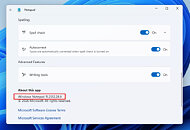
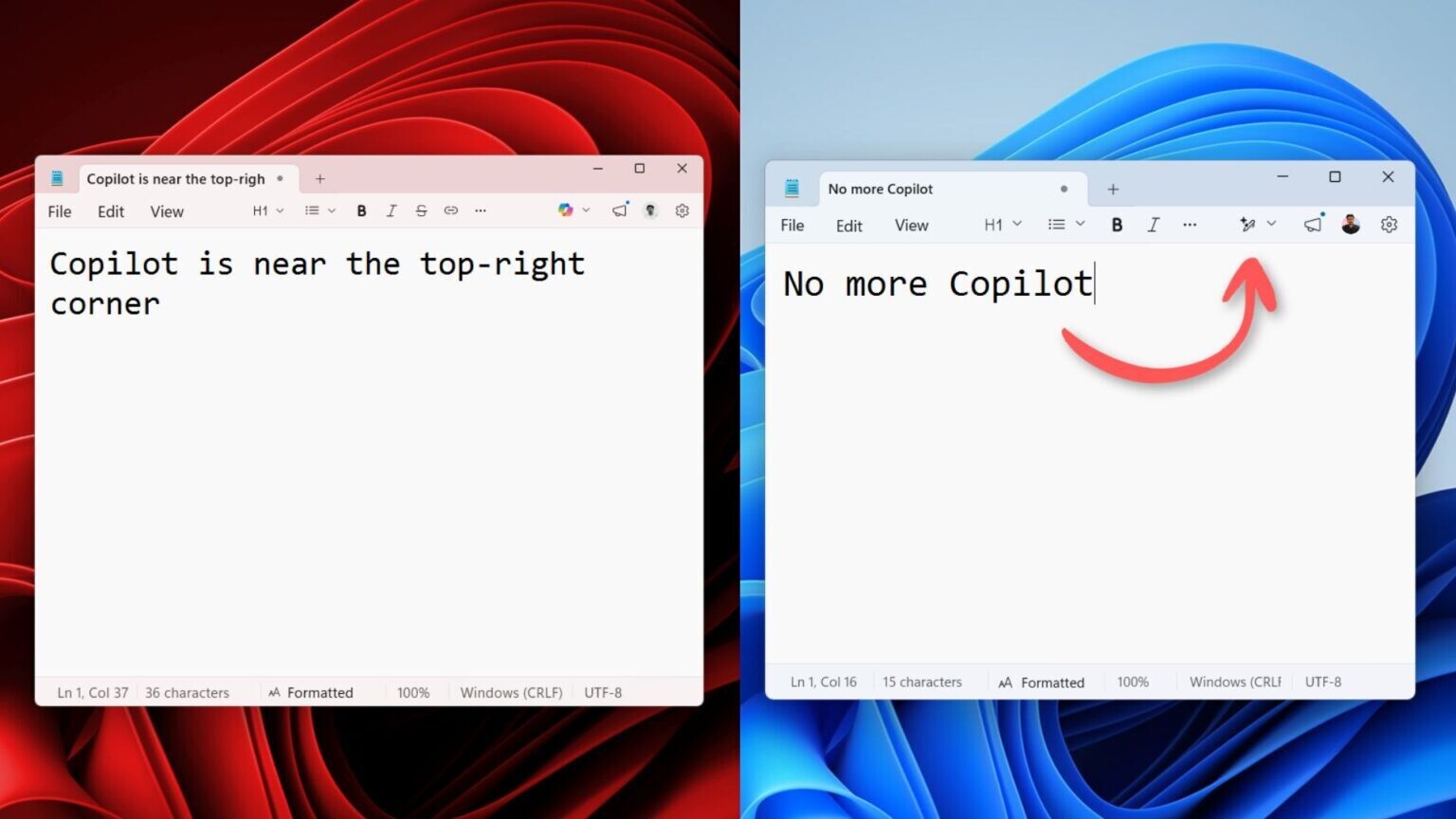
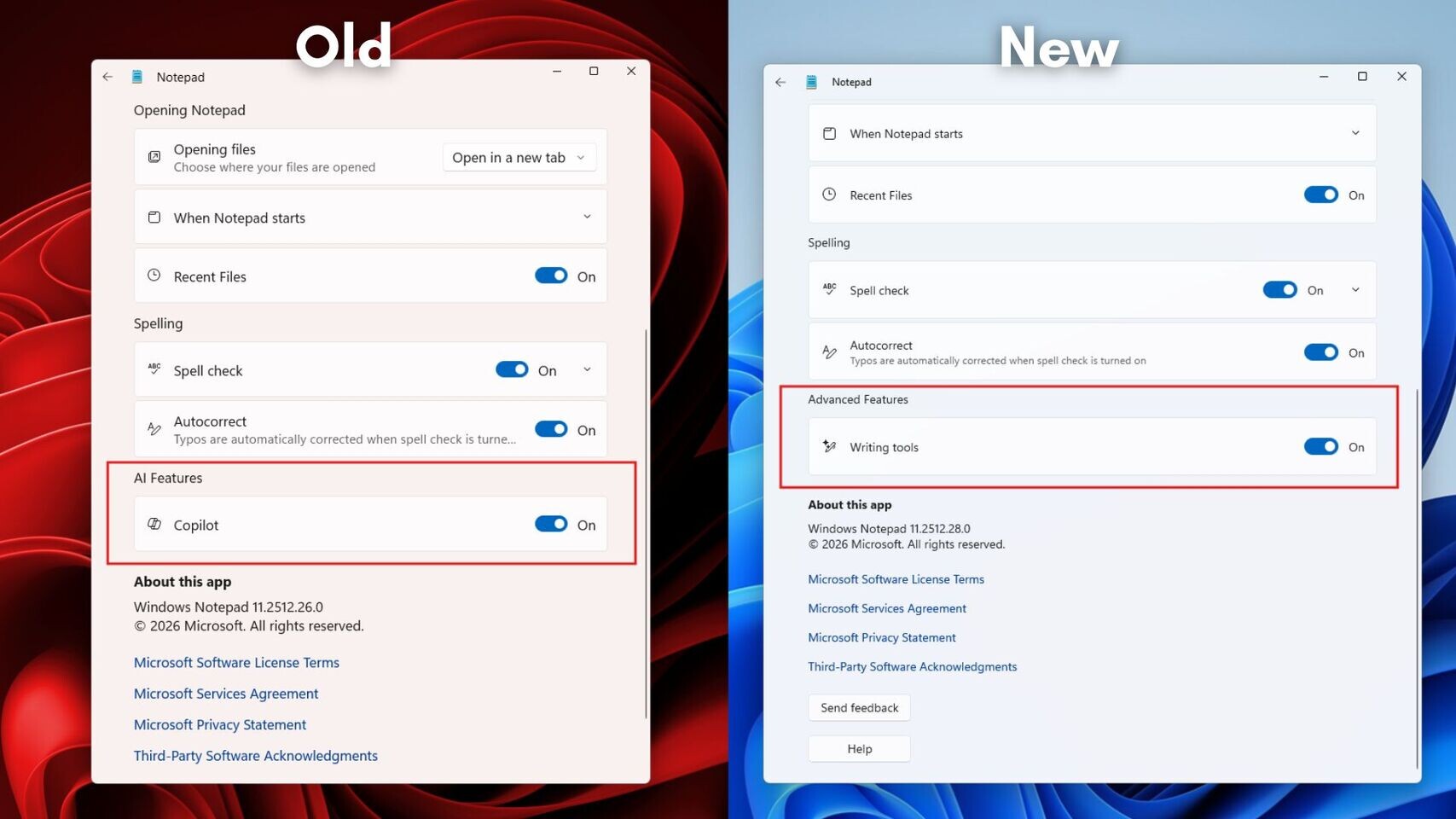
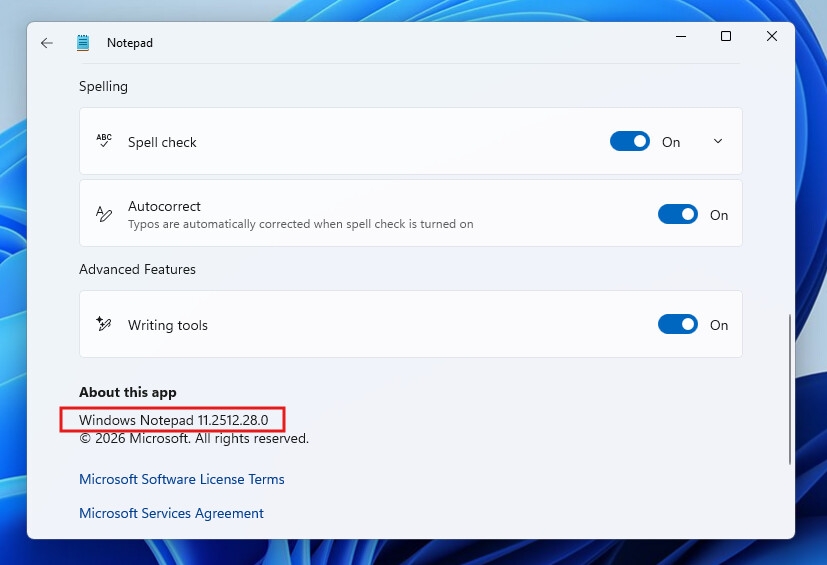
Microsoft's Copilot AI has generated significant negative sentiment among Windows 11 users, to the extent that even Microsoft has recognized the need to scale back some of the Copilot functionality it has long promoted. According to Windows Latest, Microsoft has updated core Windows applications such as Notepad and Snipping Tool. In March 2025, Microsoft added Copilot to Notepad, updating the note-taking application to integrate Copilot AI for rewrites, summaries, and other AI-related text features. However, as users grew weary of the persistent AI push, Microsoft put these integrations under review earlier this year. In response to strong backlash from the enthusiast community, Microsoft has removed the Copilot AI icon from the latest versions of Notepad and Snipping Tool, restoring them to their regular look. However, Microsoft now calls these Notepad features like rewrite and summarize as "Writing tools."

This change is a significant positive step by Microsoft. Additionally, the forced inclusion of the Copilot AI button in every application has been paused, as there has been minimal interest from users in utilizing these features. The TechPowerUp Forums have been a consistent source of criticism against Microsoft's forced AI integration, with a large community of PC enthusiasts opposing the "AI everywhere" approach. The Redmond-based company is also working on numerous performance, security, and other enhancements for Windows 11, and we are already beginning to see some of these changes. Considering that Microsoft has 80 Copilot apps and services, this is not a thing to take lightly.

Below is the before and after comparison with the Copilot AI removed, courtesy of Windows Latest.

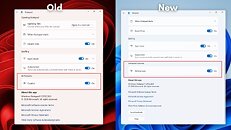
Source: Windows Latest
Add your own comment

69 Comments on Microsoft Starts Removing Copilot from Notepad, Snipping Tool, and More in Windows 11

#51
Vayra86
AGlezBLTSC means Long Term Servicing Channel:

It is harder to get your hands on it legally because it is an Enterprise-only product. Also some applications require some of those features to work so I don't recommend it for the average user.
Total non issue that can be worked around, and you might wonder if something requires Edge, if you even need it to begin with. Its the same pile of trash that you try to avoid when using LTSC ;)

Additionally, I have yet to run into an application or service that somehow won't work on IoT Enterprise LTSC. 10 or 11 (I have systems with 10 and 11 running).
In fact, its generally far easier to run anything, because you're not tied into the automated update-shithole that is Microsoft Update.
phanbueyOr i can just use OSX for my work, linux for my servers and relegate windows to gaming rig until linux performance improves a bit more... then just throw it in the trash.

it's a 200+bn company - i shouldn't be relegated to downloading versions of the OS meant for Kiosks so it behaves halfway decently :wtf:
You shouldn't? I think you need a reality check because corporate was never in the game of making your life easy.

Surely you've learned this already from the whole CD-DVD-home copy- and movie ripping scene; and subsequent nonsense that came out of it. So if you want to watch a simple movie the legal approach means you have to skip through various anti piracy teasers first... :D

The same applies to gaming and even to an OS: the legal approach means you get caught in the least comfortable solutions, that you have no control over, subject to change without notice, AND forcing you to keep paying for that shit.

They can keep that M.O. where the sun doesn't shine. In my world, it is simply not going to exist and I will find ways to work around that. Either give me a deal I really want, or I'll get it some other way, simple. I apply the exact same principle to almost anything or anyone that wants me to do something for them. You can expect my cooperation when we benefit mutually. If we don't? I'll nuke that shit into the ground as hard as I possibly can. They can have their billions, I have my brain.
GrimlingRight, we "non-consumers" are LTSC-Enjoyers...
Microsop must be very angry with us, right?
We just not have or use the BLOAT and AI-Slop they put into the Consumer-Versions of their "OS".
How dare we...
To be fair, its becoming increasingly true and apparent that if you do NOT run LTSC and still complain about Windows, you missed the memo somewhere along the way. Heck, this has been the deal since what, Win XP...? Microsoft has never clamped down on it, because they know its a battle they will lose, and subsequently costs them immense market share. What used to be the illegal key, is now LTSC.

Screwed if they do, screwed if they don't. Its a very good way to equalize the power balance a little.
Posted on Reply
#52
AGlezB
Vayra86Additionally, I have yet to run into an application or service that somehow won't work on IoT Enterprise LTSC. 10 or 11 (I have systems with 10 and 11 running).
I haven't used 11 LTSC but 10 LTSB (before the rename) was my daily driver and some applications required components that were part of the Windows Feature Experience Pack which isn't part of the LTSB so they failed to run. Unfortunately I can't remember which applications because that was nearly a decade ago. For all I know that might no longer be the case, but I still don't recommend LTSC for normal users. Here's my rule of thumb: if you can't say from memory what L.T.S.C. means you shouldn't be using it.
Posted on Reply
#53
eidairaman1
The Exiled Airman
Smoke and mirrors, if you want ms to stop screwing up your system, nuke windows update, go back to 10, linux.
Posted on Reply
#54
shuffy_losys
I feel like until Windows is gutted to the point where it resembles MS-DOS 1.0 in terms of resource usage, it'll continue to be called bloated.
Posted on Reply
#55
windwhirl
shuffy_losysI feel like until Windows is gutted to the point where it resembles MS-DOS 1.0 in terms of resource usage, it'll continue to be called bloated.
Well, to be honest, I for one wouldn't mind if the system services list shrunk down a little. Surely a good chunk of it is just pointless useless shit that 99.9% of users wouldn't ever need. (Windows XP's service list was two pages and a chunk of a third on a 1440x900 display, Windows 7 was 4 pages and a chunk of a fifth, and Windows 11 is eight pages and a chunk of a ninth.)

Then there's the background stuff. Because what is the need for my system to have 164 active scheduled tasks in the scheduler with like 70% of them having names that give no explanation of what they are, what they do or who created them?

And the search indexer is utter shit and needs to go, btw.
EDIT: the whole search system needs to be deleted and re-done, tbh. A file search on File Explorer takes minutes. A file search on the freaking Command Prompt takes seconds
Posted on Reply
#56
phanbuey
Vayra86Total non issue that can be worked around, and you might wonder if something requires Edge, if you even need it to begin with. Its the same pile of trash that you try to avoid when using LTSC ;)

Additionally, I have yet to run into an application or service that somehow won't work on IoT Enterprise LTSC. 10 or 11 (I have systems with 10 and 11 running).
In fact, its generally far easier to run anything, because you're not tied into the automated update-shithole that is Microsoft Update.


You shouldn't? I think you need a reality check because corporate was never in the game of making your life easy.

Surely you've learned this already from the whole CD-DVD-home copy- and movie ripping scene; and subsequent nonsense that came out of it. So if you want to watch a simple movie the legal approach means you have to skip through various anti piracy teasers first... :D

The same applies to gaming and even to an OS: the legal approach means you get caught in the least comfortable solutions, that you have no control over, subject to change without notice, AND forcing you to keep paying for that shit.

They can keep that M.O. where the sun doesn't shine. In my world, it is simply not going to exist and I will find ways to work around that. Either give me a deal I really want, or I'll get it some other way, simple. I apply the exact same principle to almost anything or anyone that wants me to do something for them. You can expect my cooperation when we benefit mutually. If we don't? I'll nuke that shit into the ground as hard as I possibly can. They can have their billions, I have my brain.


To be fair, its becoming increasingly true and apparent that if you do NOT run LTSC and still complain about Windows, you missed the memo somewhere along the way. Heck, this has been the deal since what, Win XP...? Microsoft has never clamped down on it, because they know its a battle they will lose, and subsequently costs them immense market share. What used to be the illegal key, is now LTSC.

Screwed if they do, screwed if they don't. Its a very good way to equalize the power balance a little.
Microsoft is 250bn and I will be back here for sad tears when they plug the hole for consumer usage of ltsc because they want ur data.
Posted on Reply
#57
shuffy_losys
windwhirlWell, to be honest, I for one wouldn't mind if the system services list shrunk down a little. Surely a good chunk of it is just pointless useless shit that 99.9% of users wouldn't ever need. (Windows XP's service list was two pages and a chunk of a third on a 1440x900 display, Windows 7 was 4 pages and a chunk of a fifth, and Windows 11 is eight pages and a chunk of a ninth.)
How many of those are only from Windows? On my machine, at least 16 services aren't from Windows, and, just to point something significant out, five of those are from AMD.

And having a look around the services list, while I agree that some services don't make sense for a home user (like "Kerberos Local Key Distribution Center" or "ReFS Dedup Service"), I'm chalking this up to mostly to keeping a similar set of "core components" across the entire Windows stack.
windwhirlThen there's the background stuff. Because what is the need for my system to have 164 active scheduled tasks in the scheduler with like 70% of them having names that give no explanation of what they are, what they do or who created them?
Because a lot of developers have moved onto spawning multiple processes rather than run everything under one roof. A lot of that has to do with reliability: if one of those processes crashes hard, it likely won't take down the whole program. Multi-threading doesn't work here because it still shares the same memory space as the entire program, so it misbehaving can cause the entire program to die.

For example, if you were poking at Windows in particular, the reason why there's now a dozen plus "svchost" processes is because Microsoft moved to having services spawn their own svchost process:


I can't be arsed to find the source, but Windows won't do this if the system has less than a certain amount of RAM available.
windwhirlAnd the search indexer is utter shit and needs to go, btw.
EDIT: the whole search system needs to be deleted and re-done, tbh. A file search on File Explorer takes minutes. A file search on the freaking Command Prompt takes seconds
I'm going to assume you played around with it enough. But my experience hasn't really been "utter shit." I only added one other folder for utilities I don't install so they can show up on Start Search. But just for craps and laughs, I included my music library for this post. And pretty much within seconds, it's finding most of the songs I look for.

But also, I'm very meticulous about how I organize most of the files I care about. I don't need search to find stuff because I know where that something is most of the time. I only wanted it for my utilities because I'd rather launch them via pressing the Windows key, typing in a few letters to get Start Search going, then pressing enter on the first thing it hits (which as far as I can tell, Start Search is still pretty good at learning what result you most often so it pushes it up the list).

Besides, even if search were better about things, a lot of files I obtain have poor naming or naming that I can't be bothered fixing because there's hundreds of them that need fixing. Like all the images on my current phone are named with the ever so helpful "IMG_####". Even when I was on Android, sure the file names were the timestamp the photo was taken, but it doesn't help either because none of this will help find images of my cat.

Hence, I don't bother with search anymore. I just let present self organize the files so future self can find them easier.
Posted on Reply
#58
windwhirl
shuffy_losysHow many of those are only from Windows? On my machine, at least 16 services aren't from Windows, and, just to point something significant out, five of those are from AMD.
I'd say they're all from Windows because I'm looking at this in VMs.
shuffy_losysHence, I don't bother with search anymore. I just let present self organize the files so future self can find them easier.
Very much the same over here. I'm mostly annoyed when I need to look for some specific file on locations that are not "indexed" (basically anything that isn't the User folder) and the search takes forever even without searching inside compressed files or inside files' content. So if I need to search for something I usually go
dir [search terms] /s
and call it a day.

As for the indexer itself, it has felt too much of a resource hog so I have grown to dislike it. I don't disable it because I prefer to keep it around despite everything else.
Posted on Reply
#59
Vayra86
phanbueyMicrosoft is 250bn and I will be back here for sad tears when they plug the hole for consumer usage of ltsc because they want ur data.
Thats the moment Ill be moving on. I think the EU might step into this hole too. Lots of movement here.
Posted on Reply
#60
Exilarch
Why won't people just accept The Slop and leave poor Microsoft alone?!
Posted on Reply
#61
Vayra86
AGlezBI haven't used 11 LTSC but 10 LTSB (before the rename) was my daily driver and some applications required components that were part of the Windows Feature Experience Pack which isn't part of the LTSB so they failed to run. Unfortunately I can't remember which applications because that was nearly a decade ago. For all I know that might no longer be the case, but I still don't recommend LTSC for normal users. Here's my rule of thumb: if you can't say from memory what L.T.S.C. means you shouldn't be using it.
Well... plenty of casuals in my surroundings are and have been using LTSC for over a year now, no complaints. Some of them wanted the Windows Store back, well, that's one command I texted them to throw in powershell :) GG
Posted on Reply
#62
Jacky_BEL
It turns out microslop only removes the copilot button on the new notepad , but not the copilot functionality.

Way to go to "regain" trust with the userbase. I guess it was sort of to be expected.

When will the douchebags change their name to macroslop ?
Posted on Reply
#63
lexluthermiester
Jacky_BELbut not the copilot functionality.
That's ok. Block apps from the internet and that copilot crap will not function.
Jacky_BELWhen will the douchebags change their name to macroslop ?
It'll be a cold day on the surface of the Sun before that happens.
Posted on Reply
#64
windwhirl
Jacky_BELIt turns out microslop only removes the copilot button on the new notepad , but not the copilot functionality.

Way to go to "regain" trust with the userbase. I guess it was sort of to be expected.

When will the douchebags change their name to macroslop ?
I mean, yeah
windwhirlAll they're doing is rebranding the AI approach.

Copilot brand equals trash now so instead of putting a big button with Copilot's logo, they're just quietly rebranding the AI integrations:


EDIT: I don't think it needs to be said but these features all require internet connection because they send the data to Microsoft's servers so if you don't want that don't use them. Despite everything, someone at Microsoft did seem to care enough to not plug the applications to the internet unless the user actively tries to use the AI features, since I only got a prompt from the firewall for the first time when I tried to use one of those features.

Posted on Reply
#65
eidairaman1
The Exiled Airman
MS is lying to us as usual. This here states otherwise.

Posted on Reply
#68
AGlezB
eidairaman1MS is lying to us as usual. This here states otherwise.

Small correction. Where is says "Microsoft Trust: Priceless" it should say "Microsoft Trust: Worthless". :D

Posted on Reply
#69
remixedcat
lexluthermiesterI've only ever used OneDrive professionally. Actively avoid it otherwise. And that seems the wise thing to continue.
yes... i cancelled mine several months ago
Posted on Reply
Add your own comment
Nov 21st, 2026 00:35 PST change timezone

New Forum Posts

Popular Reviews

TPU on YouTube

Controversial News Posts