Friday, May 15th 2026

AMD Radeon GPU Driver Update Breaks Zero RPM Mode for Several Users
AMD's second-latest GPU driver update, version 26.5.1 WHQL, is causing issues with the Zero RPM mode on many graphics cards. Zero RPM is a feature found in most modern dedicated graphics cards, allowing the GPU to be passively cooled by its heatsink when idling. This means that when the graphics load is low, temperatures remain low, eliminating the need to spin the fans. This helps preserve fan longevity and reduces system noise. However, when temperatures rise above a certain threshold, Zero RPM is disabled, and the GPU's fans begin to spin to maintain stability. Interestingly, several users are reporting that updating to the Adrenalin 26.5.1 drivers is causing the Zero RPM mode to malfunction in a specific way.
When users upgrade from Adrenalin 26.3.1 to the 26.5.1 WHQL drivers, Reddit users report that Zero RPM doesn't function as expected. Once the monitor goes to sleep, Zero RPM is activated as it should be. However, when the monitor is turned back on, Zero RPM remains active and does not deactivate, leading to a situation where GPU temperatures can rise while the GPU is stuck in Zero RPM mode. There are two solutions to this issue: one is immediate, and the other requires a fresh driver installation. Users can either reboot the system to restore normal operation or use the AMD driver removal tool or Display Driver Uninstaller (DDU) to completely remove all older GPU fan profiles and settings. This means that old fan profiles from the previous driver version must be reset with each new driver installation.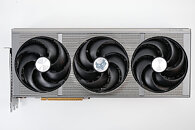 While this issue can be resolved, it is not particularly user-friendly. Many users report that the only way to fix it is by using DDU to remove old drivers and install the latest driver version, or by rolling back to the 26.3.1 drivers. Some have explicitly turned off Zero RPM mode to avoid these problems. Even though AMD released Adrenalin 26.5.2 WHQL drivers yesterday, there were no noticeable fixes for the Zero RPM mode issue. Perhaps the next release will provide a solution, or there may not be enough cases worldwide to prompt a fix. Please share your experiences in the comments.
Sources:
Reddit, via Tom's Hardware
When users upgrade from Adrenalin 26.3.1 to the 26.5.1 WHQL drivers, Reddit users report that Zero RPM doesn't function as expected. Once the monitor goes to sleep, Zero RPM is activated as it should be. However, when the monitor is turned back on, Zero RPM remains active and does not deactivate, leading to a situation where GPU temperatures can rise while the GPU is stuck in Zero RPM mode. There are two solutions to this issue: one is immediate, and the other requires a fresh driver installation. Users can either reboot the system to restore normal operation or use the AMD driver removal tool or Display Driver Uninstaller (DDU) to completely remove all older GPU fan profiles and settings. This means that old fan profiles from the previous driver version must be reset with each new driver installation.

35 Comments on AMD Radeon GPU Driver Update Breaks Zero RPM Mode for Several Users
(End of sarcasm)
Regards,
Fred.
So without Air, you can not cool anything.
Except that this works independently of an AI-generated driver.
Regards,
Fred.
I would like to see it!
Also, Water only exist, because of ... AIR-Pressure ...
It's not just Windows any more that has this kind of problems. AI slop and AI assisted coding is coming to Linux too. Linux kernel developers are already using AI tools (mostly for code review AFAIK, but there may be some code too, I haven't followed that closely) and apparently like them, though they are much more careful, more realistic and set some sane rules for using AI tools unlike Microslop. RedHat already uses AI and Fedora will soon too. Fedora wants to release an entire OS just for AI programming, which made few prominent devs leave the project. Ubuntu is getting AI too. All larger, major distros will get AI in one form or another. It may not be as obscene and intrusive as Microslop's inane AI push, but it's coming nevertheless.
And yes, I don't recall this ever being this bad.
Zero RPM works and FAN still goes up after 2 monitors were off during night
Dirty update 26.3.1 -> 26.3.2 (also before that)
Untouched stock fan settings.
26.3.1, 26.3.2 seems to have fixed HW accelerated videos and GPU accelerated WSLg app freezing and crashing driver
Didnt happen since
Was pretty much my only issue for quite a few driver versions until now
AMD software still leaves much to be desired.
That said, companies that ignore QA and push vibecoding are digging their own grave.
Do you actually have the issue?
This is about when you use Zero RPM (enabled), but you are saying you keep it disabled anyways and want your fans always on, so its probably not even relevant to your set up?
Unless this bug would force it on, but does not sound like it. (also says that some users have just turned it off to avoid the issue, just like you already have and even want to)
gpu profiles need a windows restart and are not applied. or you close the game.
this is a very old bug + no fan mode bug is in the same category. that couldh ave been fixed ages ago. i stopped reporting it after 15 times.
nothign which surprises me and this happens on any windows gpu driver since radeon 6000 / 7000 series with w10 pro and w11 pro.
-- not a new bug, a very old bug since i bought after two weeks of release the asrock challenger 6600XT 8GB D graphic card. Since than the game profile, wrong fan curves, etc bug exists. not fan mode working is the same. lact + userspace has the same bug on the linux kernel since ages - i did not bother yet updating lact to v 9
i did install the newer amd gpu driver a few hours ago. i do run only with fans, as i prefer lower temps over an faster aging silicion.the point is, windows amd gpu drivers are bad.
and not whataboutism what someone uses or not.
i could write books, 300 pages on what everything is broken since the radeon 6600xt
Another reason I am skeptical of FSR 4.1 running on my 7900xt... It would be nice, but I want to see the performance hit first..