Friday, May 15th 2026

AMD Radeon GPU Driver Update Breaks Zero RPM Mode for Several Users
AMD's second-latest GPU driver update, version 26.5.1 WHQL, is causing issues with the Zero RPM mode on many graphics cards. Zero RPM is a feature found in most modern dedicated graphics cards, allowing the GPU to be passively cooled by its heatsink when idling. This means that when the graphics load is low, temperatures remain low, eliminating the need to spin the fans. This helps preserve fan longevity and reduces system noise. However, when temperatures rise above a certain threshold, Zero RPM is disabled, and the GPU's fans begin to spin to maintain stability. Interestingly, several users are reporting that updating to the Adrenalin 26.5.1 drivers is causing the Zero RPM mode to malfunction in a specific way.
When users upgrade from Adrenalin 26.3.1 to the 26.5.1 WHQL drivers, Reddit users report that Zero RPM doesn't function as expected. Once the monitor goes to sleep, Zero RPM is activated as it should be. However, when the monitor is turned back on, Zero RPM remains active and does not deactivate, leading to a situation where GPU temperatures can rise while the GPU is stuck in Zero RPM mode. There are two solutions to this issue: one is immediate, and the other requires a fresh driver installation. Users can either reboot the system to restore normal operation or use the AMD driver removal tool or Display Driver Uninstaller (DDU) to completely remove all older GPU fan profiles and settings. This means that old fan profiles from the previous driver version must be reset with each new driver installation.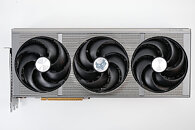 While this issue can be resolved, it is not particularly user-friendly. Many users report that the only way to fix it is by using DDU to remove old drivers and install the latest driver version, or by rolling back to the 26.3.1 drivers. Some have explicitly turned off Zero RPM mode to avoid these problems. Even though AMD released Adrenalin 26.5.2 WHQL drivers yesterday, there were no noticeable fixes for the Zero RPM mode issue. Perhaps the next release will provide a solution, or there may not be enough cases worldwide to prompt a fix. Please share your experiences in the comments.
Sources:
Reddit, via Tom's Hardware
When users upgrade from Adrenalin 26.3.1 to the 26.5.1 WHQL drivers, Reddit users report that Zero RPM doesn't function as expected. Once the monitor goes to sleep, Zero RPM is activated as it should be. However, when the monitor is turned back on, Zero RPM remains active and does not deactivate, leading to a situation where GPU temperatures can rise while the GPU is stuck in Zero RPM mode. There are two solutions to this issue: one is immediate, and the other requires a fresh driver installation. Users can either reboot the system to restore normal operation or use the AMD driver removal tool or Display Driver Uninstaller (DDU) to completely remove all older GPU fan profiles and settings. This means that old fan profiles from the previous driver version must be reset with each new driver installation.

35 Comments on AMD Radeon GPU Driver Update Breaks Zero RPM Mode for Several Users
I always turn Zero RPM Mode off
So I usually idle around 32c With if off and with it on i'm doing 42c now at desktop not a huge deal its a real bug.
I've already used the AMD cleanup utility between drivers version so that didn't fix it.
Seems random though as I just took this screenshot and its clearly disabled and staying put.
Video of that bug
This complaint is as pointless as it was when leveled at Nvidia driver bugs.
www.techpowerup.com/346811/nvidia-pulls-geforce-595-59-whql-game-ready-driver-after-widespread-bug-reports?cp=5#comments
Radio silence here.
www.techpowerup.com/347050/nvidia-releases-geforce-595-76-hotfix-driver-addressing-voltage-cap-and-game-crashes#comments
And here, all you came up with was this:
This is the last time I'll engage with you in this forum.
Now go reply to someone else with your "useful" comments, dear.
Xx
Does that make it a bit more clear?If by "ragebaiting" you mean calling out lazy, low-q posts which are often not even remotely connected to reality, then yeah, business as usual.My sincere apologies for not dedicating more time of my day to posting in every driver thread just to fulfil some sort of bizarre criteria that features only in ThomasK's head.Not sure what your point is exactly, but I appreciate you bringing this post up. I think it clearly shows that I'm consistent and also that I pointed out this nonsense both in Nvidia and AMD threads.Seeing as you are at the rage-stage where you dig through somebody else's old posts and screencap them, I'd say that would be a wise move. You definitely need a break.
I remain hopeful, but can't promise I'll do the same though.
AMD must really need to refactor some code in the area of fan control because it seems like they really struggle with regressions in that area since Polaris days if I remember correctly. It really bugs me they can’t write a driver that cleans up properly when uninstalled.