Tuesday, September 15th 2026

Microsoft Rolls Out Emergency Windows 11 Patch, But AMD GPU Driver and File Explorer Crashes Remain
Microsoft today rolled out an out-of-band emergency Windows 11 patch with KB5129195, which is being distributed to everyone. This emergency update is automatically downloading across every PC, as it fixes crucial issues and patches privilege elevation vulnerabilities. The list of fixes in this update includes a patch for CVE-2026-62721, issues with remote desktop connection, and importantly, a partial fix for faulty USB audio. If readers recall, Microsoft's previous September update disrupted USB audio output on many PCs, affecting USB Audio Class 1.0 devices, where systems that used to work produced no sound. In the latest patch rolling out today, Microsoft noted that 8-channel and 3D audio modes are being fixed, but several other issues remain. For example, the lack of volume controls and the complete lack of audio output are still present for some USB audio devices, so this release doesn't completely fix the problem.
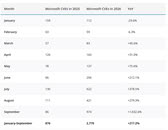
Next, there are a few unconfirmed issues in the previous KB5124008 September update that sites such as Windows Latest are tracking. Today's out-of-band KB5129195 doesn't fix them. These include issues with AMD Radeon GPU users, who are reportedly experiencing system freezing, crashing, driver timeouts, black screens, missing display output, and even immediate errors after reinstalling the driver stack. Separately, Windows Latest also spotted users complaining about File Explorer failing to start or crashing immediately, as well as not being able to access file history. This issue is present in some enterprise environments such as Citrix UPM, FSLogix, Horizon, or ProfileUnity ProfileDisks on both Windows 11 24H2 and 25H2. Possibly, the focus on security issues has resulted in Microsoft introducing many new bugs into the operating system, as the age of AI has brought down the wall that defended Windows before. With the help of internal AI tools to fight AI-introduced system vulnerabilities, Microsoft is rolling out security patches. However, in the process of fixing them, the OS is constantly breaking, just as we see today. Windows Latest also compiled a list with a number of CVE patches fixed, and if readers recall, it was nearly 1,000 patches applied a few days ago.
Source:
Windows Latest
Next, there are a few unconfirmed issues in the previous KB5124008 September update that sites such as Windows Latest are tracking. Today's out-of-band KB5129195 doesn't fix them. These include issues with AMD Radeon GPU users, who are reportedly experiencing system freezing, crashing, driver timeouts, black screens, missing display output, and even immediate errors after reinstalling the driver stack. Separately, Windows Latest also spotted users complaining about File Explorer failing to start or crashing immediately, as well as not being able to access file history. This issue is present in some enterprise environments such as Citrix UPM, FSLogix, Horizon, or ProfileUnity ProfileDisks on both Windows 11 24H2 and 25H2.


61 Comments on Microsoft Rolls Out Emergency Windows 11 Patch, But AMD GPU Driver and File Explorer Crashes Remain
Just like AMD messing up Windows update.
Seriously guys, get a grip.
That's FUD. Please stop spreading it.
OR they use to much AI to create/fix their code ?
been pretty smooth sailing this year.
but yeah time is a circle bro.
Like I bought(I dont) a 9070 and started having USB issues, TDR or whatnot. When I put back my old nvidia card it just works. Fix is: my ram is broken, mobo bios outdated, psu issues, registry hack, anything but the gpu, replace/adjust whole PC around the gpu. That's a pretty aggressive leap. Not sure if those are serious or just trolls.
KB5129236 Windows 10 22H2 Out-of-Band Update
Regards,
Fred.
www.amd.com/en/resources/support-articles/faqs/gpu-kb205.html
Just like everywhere there's a car in a garage getting work done, doesn't mean cars don't go through long periods of time without issues whatsoever.
Damn, I made a car analogy too early. I have lost this conversation and must commit seppuku. :) /sThis is very standard troubleshooting procedure and you know it.
For decades (1987~2017) we went through large slot and architecture changes every other generation from both Intel and AMD, which means in order to troubleshoot if one device was malfunctioning, you had to either have a 2nd computer of the same era to Trust But Verify the user's assumption, or to swap out a piece of it to accomplish the same in a targeted way.
The number of people who had GPU issues until they changed their monitor which tangentially changed their DVI->HDMI or HDMI->DP is greater than 0.Just like people - Hardware Unboxed noticed this as well - will build a new PC with Nvidia 5080+ series and have monitor detection problems on startup and on Windows boot.
Then they switch to an AMD 9070 XT or whatever and it would auto-detect the monitors the first time, remember the refresh rate independent of Windows, and work every single time afterwards. Same mobo, same cables. Different stability results.
The sword cuts both way.Ever since the GTX 780 (though I would argue since 3dfx and the Glide API) the GPU easily became the most complicated piece of hardware people could own, as well as the cause of most of it's issues. That's 50.1% or more.
Which means in order for someone who doesn't have money for a 2nd PC to fix it, they had to focus on changing something they already owned to assist.
And lets not denigrate the registry hack or the BIOs update. Tweaking the registry hive is a time honored tradition for getting a PC deshitified, and the sheer number of people who never update their BIOs since purchase is alarming.Yet a necessary one due to the above. They're serious, as I remember those times.
And those times are still happening, unless I can borrow your spare 5090? Please?
No snark intended in these replies, only open conversation.
My bro has a 6900 XT, he was on 26.8.1 and has been playing Granblue Fantasy: Relink again since late August/early September and had applied all the Windows updates until September 11th, and it would always blackscreen and cut audio 15-30 minutes in. The only logged error which came out of a few dozen crashes was a single occurence of memory access violation. We sorted out overheating and RAM related issues, as even undervolting, underclocking, temperature limits and base JEDEC speed crashed the PC on that one version of AMD drivers.
I told him to revert to 25.12.1 last week, and it hasn't crashed once since that moment. Arguably, 26.8.1 and possibly 26.9.1 broke something severe enough to reliably crash the PC when the GPU was under load. Eventually, I should check if he did update Windows again in the meantime, but so far it still hasn't crashed to this day.
To me, this driver rollback working tells more about AMD drivers than Windows itself.
If for example one were to have a recent desktop Zen 4 or Zen 5 with the 2 CU RDNA 2 iGPU with a RDNA 3 or RDNA 4 dGPU and keep the integrated graphics enabled for any reason, the driver AMD recommends to download for RDNA 3 and RDNA 4 is the -b package that only has the latest branch for these with nothing for previous architectures, so one will end with the integrated graphics having no installed drivers.
If you were to also want to add Polaris and Vega to the count, then you would end with no 3 but instead 4 different usual "main" Adrenalin packages that are different and not necessarily compatible between them anymore.
Like I said, even updating my Intel iGPU driver caused Windows Update to automatically roll back an older version from its own repository.
The only way to keep my drivers up to date was to disable driver updates in Windows Update's registry settings, as ironic as it sounds.