Wednesday, October 14th 2026

KDE Plasma 6.8 Officially Launches with UI and Performance Tweaks
KDE Plasma is arguably one of the most widely used desktop environments in the Linux world, especially since the Valve Steam Deck introduced many gamers to the world of Linux using KDE Plasma in SteamOS when it launched the Steam Deck. Now, KDE has officially announced Plasma 6.8, the latest iteration of the Plasma DE, which comes with a number of improvements, including better accessibility options, a new system monitoring tool, the next step in the KDE Union theming engine, and new tricks to make misbehaving app windows look more aesthetically pleasing.
One of the smaller, but more impactful UI updates in KDE Plasma 6.8 is support for window rules that allow users to add rounded corners, shadows, and outlines to client-side-decorated applications that can't otherwise obey KDE's themes. In the blog detailing the updates in Plasma 6.8, the development team says that the Union theming engine is designed to look identical to the standard KDE theming, but with the ability to theme Qt Widgets applications, making it easier to achieve a unified look across different applications and frameworks. KDE also notes that Wayland has now been fully adopted, but that KDE will continue to work with X11 apps thanks to XWayland. Additionally, Plasma 6.8 will use less memory and load faster, and NVIDIA GPUs now use triple buffering by default with KWin. There are also under-the-hood improvements to HDR and ICC profile handling that will make HDR content look better when using ICC profiles.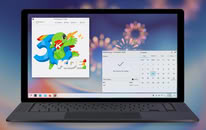
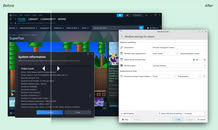
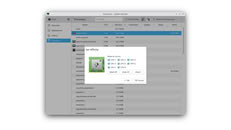 KDE Plasma 6.8 also ships with a new System Monitor app that allows users to manually set CPU core affinity with a GUI and monitor VRAM usage by percentage. There are new accessibility options, including a Dwell Clicker option, replete with adjustable delay, dwell time, and motion threshold. Spectacle, the screen recording app in KDE, also now features separate toggles for recording system audio and microphone audio, and the screen sharing portal now also includes an option to create a virtual display to share, and it allows virtual displays of resolutions other than 1920 × 1080.
Remote desktop has also been updated with better performance and latency, exclusive mode that locks the server's screen and mirrors it to a virtual screen with the same window size, and bidirectional clipboard sync to exchange content between the server and client.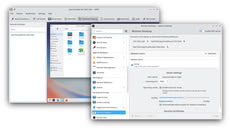 Plasma 6.8 also shipped with Kscreenctl for command-line screen configuration with support for scripting and macros; Kup, the KDE backup tool; improved app autostart management with toggles that allow disabling an app's autostart without deleting its configuration; and more options for display configuration and window management in KWin.
Source:
KDE
One of the smaller, but more impactful UI updates in KDE Plasma 6.8 is support for window rules that allow users to add rounded corners, shadows, and outlines to client-side-decorated applications that can't otherwise obey KDE's themes. In the blog detailing the updates in Plasma 6.8, the development team says that the Union theming engine is designed to look identical to the standard KDE theming, but with the ability to theme Qt Widgets applications, making it easier to achieve a unified look across different applications and frameworks. KDE also notes that Wayland has now been fully adopted, but that KDE will continue to work with X11 apps thanks to XWayland. Additionally, Plasma 6.8 will use less memory and load faster, and NVIDIA GPUs now use triple buffering by default with KWin. There are also under-the-hood improvements to HDR and ICC profile handling that will make HDR content look better when using ICC profiles.


Remote desktop has also been updated with better performance and latency, exclusive mode that locks the server's screen and mirrors it to a virtual screen with the same window size, and bidirectional clipboard sync to exchange content between the server and client.

4 Comments on KDE Plasma 6.8 Officially Launches with UI and Performance Tweaks
I also wonder which kenrel feature they use for cpu affinity.
Very dissapointing that wayland still does not work/edwayland annoys me for years by now and now i see, it is just now fully adopted.
6 years and still not fully implemented. I was not a first adopter of wayland!