Friday, November 20th 2026

Microsoft Brings RDMA over USB4 to Windows 11 for Daisy-Chained PCs
Microsoft is finally enabling Remote Direct Memory Access (RDMA) over the USB4 protocol on Windows 11, allowing multiple PCs to be daisy-chained and used together to process large workloads. This means that Windows 11 now has a mechanism to distribute a workload across multiple interconnected PCs, enabling faster processing. Essentially, AI inferencing at home is now limited by the number of PCs and their specifications, rather than a single PC. RDMA allows the workload to directly access system memory on another PC, all through USB4, which offers up to 80 Gbps bandwidth for fast data transfer.
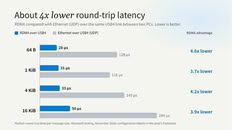
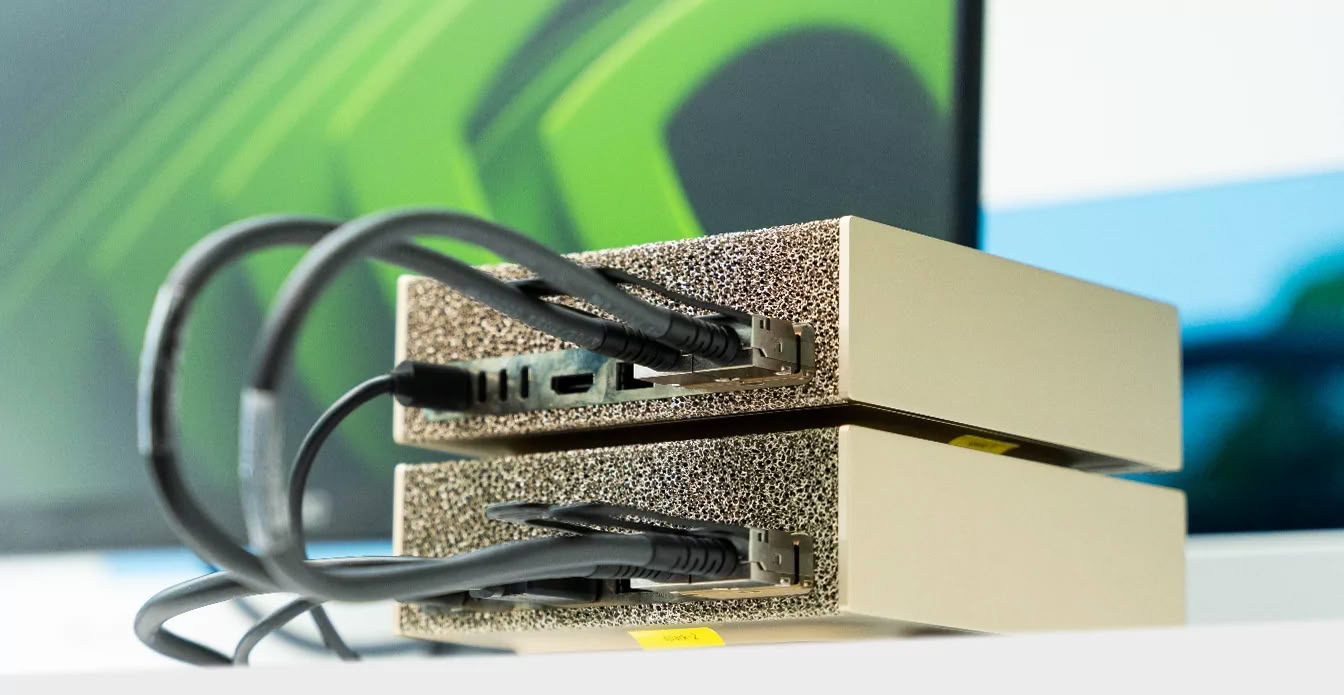
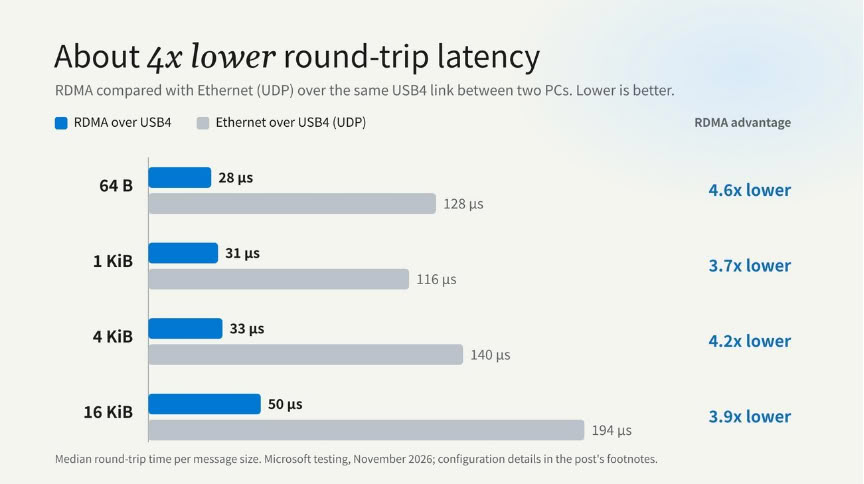
Instead of using Ethernet over USB4 in a UDP packet configuration, Microsoft chose to implement RDMA over USB4 to significantly reduce data access latency. Microsoft interconnected two PCs to measure round-trip latency by message size, finding that RDMA over USB4 achieves latency between 28 and 50 microseconds. In contrast, Ethernet over USB4 using UDP results in latency between 116 and 194 microseconds, making the RDMA implementation roughly four times faster. This lower latency will greatly benefit systems running large workloads, especially in latency-sensitive tasks like AI inferencing. Below DGX Spark mini PCs are connected over Ethernet, not USB4, but it serves the purpose of illustration.
 RDMA over USB4 builds on Windows 11's existing host-to-host USB4 networking to transfer data directly between the registered memory regions of two PCs. Each PC forms a separate USB4 domain, and the Windows connection manager establishes a peer-to-peer tunnel between them. A software RDMA provider maps send and receive queues and their completions to the USB4 host router's DMA rings, avoiding extra data copies. Each link uses one pair of rings for data and another for control traffic, so the available rings and ports on each PC limit the cluster size. Compatible frameworks access the link through NetworkDirect without requiring USB4-specific code. The feature requires Windows-managed USB4 ports with Kernel DMA Protection.
Source:
Microsoft
Instead of using Ethernet over USB4 in a UDP packet configuration, Microsoft chose to implement RDMA over USB4 to significantly reduce data access latency. Microsoft interconnected two PCs to measure round-trip latency by message size, finding that RDMA over USB4 achieves latency between 28 and 50 microseconds. In contrast, Ethernet over USB4 using UDP results in latency between 116 and 194 microseconds, making the RDMA implementation roughly four times faster. This lower latency will greatly benefit systems running large workloads, especially in latency-sensitive tasks like AI inferencing. Below DGX Spark mini PCs are connected over Ethernet, not USB4, but it serves the purpose of illustration.
11 Comments on Microsoft Brings RDMA over USB4 to Windows 11 for Daisy-Chained PCs
192.168.10.2:rocep1s0f0 -> 192.168.10.3:rocep1s0f0 (10.0.0.0/24) - lat 2.67 us, bw 97.9 Gb/s, of 100 Gb/s
192.168.10.2:roceP2p1s0f1 -> 192.168.10.3:roceP2p1s0f1 (10.0.1.0/24) - lat 2.68 us, bw 97.9 Gb/s, of 100 Gb/s
192.168.10.3:rocep1s0f0 -> 192.168.10.2:rocep1s0f0 (10.0.0.0/24) - lat 2.66 us, bw 97.9 Gb/s, of 100 Gb/s
192.168.10.3:roceP2p1s0f1 -> 192.168.10.2:roceP2p1s0f1 (10.0.1.0/24) - lat 2.70 us, bw 97.9 Gb/s, of 100 Gb/s
The core information missing is, since when USB 4 exists, since when that protocol exists and if it is an add on protocol later specified, etc.
USB 4 a hype with no software support regardless of operating system. What else is missing? not proper implemented? How does it relaetes to thunderbolt? Did thunderbold also not have that feature in windows ?
USB4 V2 is the same type of relationship with TB 5. 80 Gbps, TB 5 has option for 120/40 instead of 80/80 duplex.