News Posts matching #Windows 11

Return to Keyword Browsing

Dynabook Expands Tecra A-Series with New 14- and 16-inch Business Laptops Powered by AMD Ryzen and AMD Ryzen PRO Processors

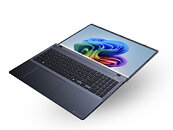
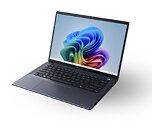
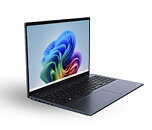
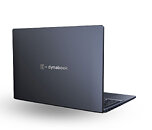
Dynabook Americas, Inc., the gold standard for long-lasting, professional-grade laptops, today unveiled its latest Copilot-enhanced professional laptops, the all-new 14-inch Tecra A45-M and 16-inch Tecra A65-M. Engineered with AMD Ryzen and AMD Ryzen PRO 200 Series processors, these new Windows 11 Pro laptops fuse cutting-edge hardware with advanced AI to redefine productivity and performance for modern professionals and educators.

"These new Tecra laptops extend Dynabook's tradition of delivering high-value, professional-grade solutions while giving our customers a greater variety of processor options," said James Robbins, General Manager, Dynabook Americas, Inc. "By pairing AMD Ryzen and Ryzen PRO 200 Series processors with our pro-grade Tecra platform, we're bringing strong multi-core performance, practical on-device AI and enterprise-grade security and manageability to organizations that demand reliability and long-term value."
Lenovo Legion Pro Rollable Laptop Comes with Ultrawide Expandable Display

Lenovo is reportedly preparing an unusual Legion Pro Rollable gaming laptop that transitions from a conventional clamshell design into an ultrawide machine, according to an early leak from Windows Latest ahead of CES 2026. Promotional materials circulating before the show depict a motorized display that expands both left and right, transforming the panel from a standard 16:9 aspect ratio to an ultrawide 21:9 format. It confirms the use of an Intel Core Ultra class processor, although specific SKUs are not detailed. The processors could be Intel's "Panther Lake," which is why the CES rollout is scheduled without specifying an exact SKU.

The imagery and descriptions in the leak suggest that the design incorporates additional screen area rolled up inside the lid, which unfolds outward as rails extend, creating a continuous, wider viewing surface. When closed, the notebook maintains a typical Legion appearance with a centered OLED panel. Once deployed, motors extend the hidden sections from both sides to form the ultrawide display. Although Lenovo has not released full specifications, the Legion family's history suggests that a discrete NVIDIA RTX class GPU and a refresh rate of at least 120 hertz are likely.

Microsoft Brings Modern Run Dialog in Windows 11 After 30 Years

After 30 years of keeping the same UI, Microsoft is quietly testing a refreshed Run dialog in recent Windows preview builds, introducing a modern interface while keeping the classic Run box intact. The new variant adopts Fluent Design principles, including rounded corners and a more open layout, and is offered as an optional experience rather than a forced replacement. Users who prefer the familiar Win32 dialog can continue to use it, while those who enable the new interface will see it appear when they press Win+R. However, you will need Windows 11 build 26534 to see the new dialog.

The modern Run appears to be built on WinUI 3 and brings several practical refinements. Early test builds show a larger text entry field, a list of recent commands above the box, and app icons when matches are found. Microsoft has placed the feature behind an advanced toggle in Settings > System > Advanced settings, which keeps it disabled by default and signals a careful rollout. Importantly, the tool still functions as a direct command launcher and is not intended to replace broader system search features.

Windows 10 Market Share Dips Below 30% as Gamers Migrate to Windows 11

Gamers are aware of the end of life for Windows 10, which occurred on October 14, prompting a mass migration to Windows 11. They hope this new operating system will support their gaming sessions for the foreseeable future. The shift in market share between Windows 10 and Windows 11 has now become significantly pronounced, according to the latest November-based Steam Hardware and Software Survey. As the data shows, Windows 10 has dipped below 30% market share among operating systems, which is -2.08% reduction from October data. At the same time, Windows 11 gained +2.02%, which is seemingly the entire population that was lost from the Windows 10 transition.

An interesting development is the increase in Linux usage, which recorded a 0.15% gain, reaching its highest-ever share of 3.20%. This could be attributed to some Windows 10 users migrating to Linux-based operating systems. Another possibility is that from October to November, a significant number of users purchased handheld devices like the Steam Deck, which runs on SteamOS, a Linux-based system. Additionally, many gamers might have experimented with Linux operating systems in anticipation of Windows 10's end of life.

Microsoft Breaks File Explorer Dark Mode With Latest Non-Security Update

Microsoft has released the KB5070311 non-security preview update for Windows 11, offering enhanced support for dark mode enthusiasts. However, this update introduces an issue with File Explorer's dark mode, causing parts of the app to occasionally flash. The problem results in the application window briefly displaying a blank white screen before loading files and folders. Actions that can trigger this include launching or switching from the Home and Gallery sections, opening new tabs, toggling the Details pane visibility, and requesting additional information during file copy operations. While this is not a critical security issue, it may produce inconvenience to users accustomed to dark mode.

Although Microsoft hasn't yet resolved this issue and has listed it in the "known issues" section, we've managed to recreate what the bug looks like before it returns to normal. It usually lasts for only a second, but it's enough to be annoying, especially if you're using dark mode. The company is working on a fix, which will be included in a future non-security update package. So, those who prefer dark mode will need to endure the inconvenience of flashing white squares a bit longer. It also raises questions about what causes this behavior within File Explorer. With recent issues that Microsoft is actively addressing, it might be due to conflicts between Win32 UI elements and modern WinUI/XAML overlays.

Microsoft Warns: Windows 11 Agentic Features May Hallucinate

A few days ago, Microsoft announced that Windows 11 is undergoing an agentic overhaul. The company indirectly warned that security vulnerabilities may be exposed, and today they issued an updated notice. "As these capabilities are introduced, AI models still face functional limitations in terms of how they behave and occasionally may hallucinate and produce unexpected outputs." After installing Windows 11 Build 26220.7262, you'll find a new toggle for "Experimental agentic features" in Settings > System under "AI Components." Fortunately, this is an optional feature and must be enabled manually.

Upon turning the feature on, Windows will show a warning that these capabilities are experimental and might affect your device. In practice the security risk is the bigger concern. New attack techniques tied to autonomous agents are already appearing, with cross-prompt injection standing out. In those attacks, malicious instructions are concealed inside ordinary documents or interface elements so an agent follows them instead of its original task. That could allow an agent to install malware, leak payment details, or carry out other harmful actions.

Preloading File Explorer in Windows 11 Doubles RAM Usage, Offers Minimal Speed Boost

Just a week ago, we discussed Microsoft's efforts to enhance File Explorer performance by preloading the application at startup. Recent testing by Windows Latest suggests that this approach results in diminishing returns, as the application uses more RAM while offering only marginal performance improvements. Microsoft has acknowledged the performance issues with File Explorer on Windows 11, which is concerning given its role as a core application within the operating system. To address this, Microsoft has started preloading File Explorer in the background to enable quicker access when users open the application.

Windows Latest testing now confirms that preloading works partially, allowing File Explorer to load faster, but not fast enough. In a virtual machine running the latest Windows 11 Insider Preview Build 26220.7271 (KB5070307) available in the Dev and Beta channels, the regular File Explorer launch uses 35 MB of RAM. However, the preloaded version nearly doubles that to 67.4 MB of RAM due to background processes. To the end-user, the change is barely noticeable as File Explorer still feels sluggish. The difference becomes apparent only when the speed of a video comparison is reduced to 0.25x, revealing the real difference. However, since real-world usage does not occur at 0.25x speed, the change makes little impact on everyday usage.

Xbox Gaming Copilot Beta Available on Mobile, Full Screen Experience Hits More Devices

In November, we have several updates coming your way as we look to continue improving your gaming experiences on the devices which you like to play. Starting with Gaming Copilot (Beta), this feature is now available on the Xbox mobile app, adding your very own personal gaming sidekick directly to the phone in your pocket. Full screen experience (FSE), first seen on the ROG Xbox Ally, is now available to all players on even more Windows 11 handhelds. It's also expanding to a wider range of Windows 11 devices through the Xbox Insider and Windows Insider programs. In cloud gaming news, players who stream their games via cloud gaming can now choose their streaming resolution for select titles, with support for up to 1440p resolution.

Xbox Cloud Gaming is now available in even more countries, including India, and we've also brought support for additional devices in Brazil and Argentina. Plus, the Xbox app is coming soon for the Amazon Fire TV Stick 4K (2025), allowing you to stream Xbox games directly to your favorite device while opening up more ways for our players around the world to play. Read about these and much more, including new accessories and game additions, below.

PC Sales Remain Flat Despite Windows 10 End of Life, Claims Dell

When Microsoft's beloved Windows 10 reached its end-of-life on October 14, it created an opportunity for Windows 11 to take center stage in PC sales. However, according to Dell, one of the largest PC manufacturers, the transition has been slower than expected. During a recent Q3 earnings call, COO Jeffrey Clarke remarked, "We have not completed the Windows 11 transition. In fact, if you were to look at it relative to the previous OS end of support, we are 10-12 points behind where we were with the previous generation." This indicates that PC industry sales have been relatively stagnant, and clients aren't updating their PCs as much as anticipated.

When Windows 10 reached its end of life, approximately 500 million PCs were unable to upgrade to Windows 11. At the same time, Extended Security Updates (ESU) are intended to ease the transition, not serve as a permanent solution. Through Microsoft's ESU program, eligible machines can continue to receive critical and important security patches for a limited time after support ends. Enrollment rules, pricing, and eligibility vary by region and whether the user is a consumer or an organization, and the program excludes new features and non-security fixes. According to Dell's COO, about 500 million additional PCs can transition to Windows 11 without needing a hardware update.

Windows 11 Can Update Apps Even If the Microsoft Store App Is Removed

Microsoft is rolling out a new feature that enables users to update applications installed via the Microsoft Store, even if the Microsoft Store app is not present on their Windows 11 system. In the latest insider preview, Microsoft is testing this feature to ensure users can keep their apps up-to-date with the latest features and security updates, even without having an actual Microsoft Store front-end app. This is particularly important for Windows 11 users who might not have the Store app on their systems due to uninstalling it or because of a policy change by their IT department. Such policies might prohibit installing apps from the Microsoft Store to reduce maintenance complexity within the company.

In Settings > Apps, there's now a new "App Updates" option. You can click on it to check for updates for your installed apps, even if the original store you downloaded them from is no longer available on the system. Each app likely has an API that connects to the main server to check for updates, functioning independently of Microsoft's Store. In testing conducted by Windows Central (image below), this new feature doesn't appear to be fully functional, as pressing the "Check for updates" button doesn't trigger any action or app update. However, Microsoft is refining this feature before a wider release, so we can anticipate that these types of "bugs" will be resolved before the feature exits the preview stage.

October Windows 11 Update Tanked Assassin's Creed Shadows Performance

In early October, Assassin's Creed Shadows gamers noticed substantial frame rate drops following the monthly Windows 11 KB5066835 update. This issue was later addressed by NVIDIA in a driver update, but Digital Foundry did some more rigorous analysis than the Steam community who initially brought the issue to light and confirmed that Microsoft was indeed to blame. During its testing of an unpatched version of the problematic Windows 11 update, the publication found performance degradation on the order of 33-50%+. Testing also confirmed that there were performance regressions in Counter-Strike 2, although neither NVIDIA nor Microsoft have shared any information about what other games were affected by the performance issues.

Testing Assassin's Creed Shadows at 4K with max settings and DLSS set to Quality on an AMD Ryzen 9800X3D and an NVIDIA GeForce RTX 5090 resulted in frame rates of 34 FPS before the NVIDIA GeForce patch and 72 FPS after the driver update. The investigation was unable to yield any conclusive evidence about the cause of the performance degradation, but speculation points to either a driver vulnerability that was patched out of Windows in the update or some sort of driver conflict induced by Microsoft in the update process.

Microsoft Adds Tables to Notepad in Windows 11 Insider Update

Microsoft is embracing new functionality in its basic note-taking app to support the ever-growing list of user demands. The company is slowly rolling out a fresh Notepad update to Windows Insiders in the Canary and Dev channels, bringing native table support and faster AI responses. With the version 11.2510.6.0, Microsoft aims to make the classic app more capable for everyday note-taking and quick content generation. Perhaps the biggest addition is the ability to create tables directly within notes. Users can insert a grid using the new Table button on the formatting toolbar or type them out with Markdown.

Once inserted, tables can be easily modified through the right-click menu or Table toolbar options, adding or removing rows and columns as needed. This addition lets users organize lists and small datasets without leaving the lightweight editor. Additionally, AI-powered Write, Rewrite, and Summarize tools now deliver responses as they're generated, letting users see text appear progressively instead of waiting for the full result. For now, the Rewrite feature's streaming capability is limited to Copilot+ PCs that process requests locally.

Xbox Full-Screen Experience Uses 9% Less RAM Than Standard Windows 11 Mode

The Xbox Full Screen Experience (FSE) is a new system performance enhancement to use less system RAM than the standard Windows 11 desktop mode, as confirmed by MSI. Recently, Microsoft introduced this feature to regular Windows PCs, allowing them to play games using Xbox FSE mode. MSI has now confirmed that its handhelds running Windows 11 can significantly benefit from this feature. When the system operates in standard Windows 11 desktop mode, it consumes 8.6 GB of RAM. However, with Xbox FSE enabled, RAM usage drops to 7.8 GB, a 9.3% reduction. MSI describes this as a 5% difference based on the total system capacity of 16 GB, rather than the difference between the two usage figures.

Users with the Xbox app installed can access Xbox FSE by navigating to Game Bar > Settings or pressing Win + F11. This feature can take over the screen at startup, hiding the desktop and minimizing background tasks, creating a console-like experience. The interface is minimalistic, with game tiles filling the entire display. Navigation is controlled by a game controller, and typical Windows elements are hidden to maintain focus on the game. Microsoft states that this mode also pauses maintenance activities and mutes notifications to ensure consistent frame delivery. This is demonstrated with Cyberpunk 2077, which can achieve up to 8.6% higher FPS. All of this occurs with 9.3% less RAM usage, meaning Xbox FSE reduces background load, allowing the handheld to achieve better performance.

Microsoft Store Can Now Directly Remove Store-Installed Apps

The Microsoft Store is undergoing a functional overhaul, now offering direct access to application uninstallation. This feature has been highly requested by the community, as users who installed applications from the Microsoft Store previously had to remove them through "Add or remove programs" in the main system settings. However, starting with Windows 11 Insider Preview Build 26220.7271 (KB5070307), released to the Dev and Beta channels, this feature is integrated into the Microsoft Store's front-end design. For Windows Insiders on all channels using Microsoft Store version 22510.1401.x.x and above, this improvement will be activated.

Until then, users must continue using the traditional method of adding and removing apps through the system settings. Microsoft appears to be working towards making its storefront a more functional app. It is possible that the Store will soon manage app lifecycle tasks directly, including per-app update controls, uninstallation, storage usage details, and contextual actions on each app's page. These enhancements could help reduce friction for everyday users, bring the Microsoft Store closer to competing ecosystems, and simplify device management for IT administrators. Insiders will have the opportunity to test these features and provide feedback during this preview phase. If the validation is successful, Microsoft may expand the rollout in a future update.

Xbox Full Screen Experience Comes to Every Windows PC

After expanding the Xbox Full Screen Experience (FSE) to third-party handhelds, Microsoft is now offering regular Windows PCs the opportunity to play games using Xbox FSE. With the release of Windows 11 Insider Preview Build 26220.7271 (KB5070307) to the Dev and Beta channels, Xbox FSE can now be accessed on laptops, desktops, and tablets that aren't traditional handhelds like the ASUS ROG Xbox Ally. Users with KB5070307 and the Xbox app installed can navigate to Game Bar > Settings or press Win + F11 to toggle Xbox FSE. This feature can take over the screen at startup, hiding the desktop and minimizing background tasks, creating a console-like experience on your desktop.

The interface is designed to be minimalistic, with game tiles filling the entire display. Navigation is controlled by a game controller, and typical Windows elements are hidden to keep the focus on the game. Microsoft states that this mode also pauses maintenance activities and mutes notifications to ensure consistent frame delivery, whether you're on a bus, sofa, or in front of a TV. Task View and Game Bar provide a way to return to the desktop if needed, so you can manage your regular PC tasks alongside gaming.

Microsoft Will Preload Windows 11 File Explorer to Fix Bad Performance

Microsoft has acknowledged that File Explorer on Windows 11 has performance issues, which is concerning for such a crucial application within an operating system. To address this, Microsoft is considering preloading File Explorer in the background to enable quicker access when users open the application. In the Windows 11 Insider Preview Build 26220.7271 (KB5070307) available in the Dev & Beta channels, Microsoft stated, "We're exploring preloading File Explorer in the background to help improve File Explorer launch performance. This shouldn't be visible to you, outside of File Explorer hopefully launching faster when you need to use it."

If you prefer the traditional behavior, you can disable window preloading. Open File Explorer, navigate to Folder Options, select the View tab, and uncheck Enable window preloading for faster launch times. Microsoft is seeking feedback, and if you encounter any issues, you can report them in the Feedback Hub under Files, Folders and Online Storage > File Explorer Performance or Files, Folders and Online Storage > File Explorer.

NVIDIA GeForce Hotfix 581.94 Addresses Windows 11 Game Performance Bug

NVIDIA has pushed out a new GeForce hotfix driver to address performance drops affecting some games on Windows 11. The issue appeared after Microsoft's October update (KB5066835), and some GeForce users have reported noticeably slower frame rates since installing it. NVIDIA doesn't list which games are affected, only that some titles may run slower or feel less smooth. If you've seen sudden performance dips over the past month, this hotfix may help.

The new GeForce Hotfix Driver 581.94 is based on last week's 581.80 Game Ready release. As always, NVIDIA warns that hotfix drivers receive limited testing and are essentially beta builds pushed out quickly to resolve urgent issues. The company says the full fix will be rolled into the next WHQL driver, which will go through the normal QA process. If your system is running fine, you can safely wait for the next official driver.

DOWNLOAD: NVIDIA GeForce 581.94 Beta

Microsoft Puts AI Agents in Windows 11 Taskbar

Microsoft has integrated agentic AI features into the Windows 11 taskbar, enabling users to easily summon an AI agent to perform tasks. To engage an agent, users type a trigger in the Ask Copilot search field, select an agent from the list, and specify the desired outcome. Once a task is initiated, the agent appears on the taskbar like any other app, and hovering over it reveals a compact status window showing progress and any requests for user input. Visual badges indicate when an agent requires input or when a task is complete. Outputs from all agents are routed into the Microsoft 365 Copilot app, allowing users to view results in one place, even if the agent is from a third party.

Microsoft explains that this feature uses Agent connectors and a Model Context Protocol (MCP), which provide a consistent method for agents to access applications, files, and services on the PC. Agents operate within an isolated Agent workspace that enforces policies, logs activity for auditing, and prevents disruption to the active desktop session. However, these AI agents have introduced new security vulnerabilities. Cross-prompt injection attacks are a significant concern, where attackers embed malicious directives in ordinary documents or interface elements, hijacking the agent's original instructions and causing it to perform unintended actions. Hopefully, Microsoft irons out these concerns before AI agents get a wider push.

You can see these AI agents live at work below:

Windows 11 Agentic Features Are Security Nightmare, Microsoft Confirms

Microsoft is revamping its Windows 11 operating system to align with the agentic AI era. This update will enable AI agents to manage tasks within the OS based on simple user commands. For instance, if a user wants to order a pizza online, the AI agent can open a web browser, search for a pizza place, and enter the user's credit card information and address. However, Microsoft acknowledges that this capability poses a potential security vulnerability. Upon installing the Windows 11 Build 26220.7262, in Settings > System, you will find a new toggle for "Experimental agentic features" inside the "AI Components." Thankfully, it is an optional feature and requires turning on manually.

Upon enabling this, Microsoft gives you a warning: "These features are still being tested and may impact the performance or security of your device." And the latter is more true than the former, as the security is the number one thing that is of concern. For AI agents, we are seeing the emergence of previously unknown security vulnerabilities. Cross-prompt injection attacks represent a significant example of this trend. In these scenarios, attackers hide malicious directives within ordinary documents or interface elements, effectively hijacking the agent's original instructions and causing it to execute unintended actions. This can cause the AI agent to install malware, give credit card information to third parties, and much more. Check out the optional and experimental feature—courtesy of Windows Latest—below.

AMD Details AI Innovations for Windows 11 PCs at Microsoft Ignite

Since Microsoft Build 2025, AMD has accelerated AI innovation across the Windows ecosystem through deep collaboration with Microsoft. Together, we are unlocking the full potential of Windows ML and Microsoft Foundry on Windows, an evolution of Windows AI Foundry. With the latest AMD Ryzen AI 300 Series processors and Radeon GPUs, AMD delivers fast, more efficient, and intelligent on-device AI performance. This partnership empowers developers to create the next generation of AI-powered Windows applications, delivering tangible benefits to customers and businesses without requiring cloud connectivity.

Accelerating AI on Windows with AMD Hardware
Our ongoing collaboration with Microsoft centers on optimizing Windows ML for AMD hardware accelerators -- GPUs and NPUs. These optimizations deliver high performance, improved efficiency, and broader support for the most advanced model architectures.

Windows 11 November Update Brings Redesigned Start Menu and Battery Icon

Microsoft has officially rolled out the Windows 11 November Tuesday update, aiming to fix previous bugs and introduce a new design language for the battery icon and Start menu. The update, labeled KB5067035 with build 26200.7121, remains seated on the 25H2 branch. It addresses a highly requested user feature by adding a battery percentage display. This numerical/visual indicator is conveniently located on the Taskbar, providing instant visibility of the remaining charge without any extra steps. Additionally, the battery icon has been redesigned with a larger size and intelligent color shifting to reflect different power states and charging conditions. This will help with easy visualization of the battery charge.

The Start menu has also seen significant changes, starting with adaptive sizing. The interface now scales appropriately based on monitor dimensions, creating a more balanced visual experience. Microsoft has introduced several customization tools, allowing users to control what appears in their workspace. The application library view has been moved to a more accessible location, and users can now add more app shortcuts to the Start menu. Those who find the recommended content section unnecessary can now disable it completely, which is a welcome improvement. We applied the latest update, but we aren't seeing these changes. We assume gradual rollout is in place. Below is Microsoft's explanation of the new Start menu, as well as battery icon comparison from Windows Latest.

Windows 11 26H1 Focuses on New Silicon Support, Not New Features

Microsoft has released a new Windows 11 26H1 preview build for Windows Insiders, named Windows 11 Insider Preview Build 28000. Contrary to expectations of significant UI and functionality changes, the upcoming Windows 26H1 update is primarily focused on supporting the latest silicon, likely from Qualcomm and NVIDIA. According to Microsoft on its Windows Blog, "26H1 is not a feature update for version 25H2 and only includes platform changes to support specific silicon. There is no action required from customers." This means that future 26H1 users will receive minor OS improvements and general bug fixes, with no major changes to the system's core.

Microsoft is focusing on providing full support for the new Windows-on-Arm platforms, which are expected to be released soon. These platforms include Qualcomm's Snapdragon X2 Elite processors and NVIDIA's N1 and N1x SoCs, developed in collaboration with MediaTek. This new hardware requires optimization from Microsoft to ensure the best experience on Windows 11, so the company is dedicating most of the 26H1 work to this effort. It is anticipated that, similar to the 25H2 update, Microsoft will use an enablement package (eKB) to activate new functionality in 26H1. Although there is no confirmation yet on whether 25H2 and 26H1 share the same code base and servicing branch, it is assumed that they do, allowing Microsoft to simply deploy the 26H1 eKB to activate features for the new hardware. The eKB method reduces package size and installation time, making the transition to the new OS version as simple as a reboot.

Xbox Full Screen Experience Rolls Out to Third-Party Handhelds

Microsoft has announced that it is expanding its Xbox Full Screen Experience (FSE)—initially exclusive to ASUS ROG Xbox Ally and ROG Xbox Ally X—to third-party Windows handheld devices. Users with Windows 11 build 26220.7051 on the Dev or Beta channel will notice a new option under Settings > Gaming > Full Screen Experience. This feature allows the Xbox PC app to take over the screen at startup, hiding the desktop and reducing background tasks, similar to a living-room console. FSE can also be activated from the Task View or Game Bar.

The interface is designed to be minimalistic. Game tiles occupy the entire display, navigation is controlled by a game controller, and typical Windows elements are hidden to ensure that gamer's attention and resources are focused at the game. Microsoft states that this mode also pauses maintenance activities and mutes notifications to maintain consistent frame delivery, whether you're on a bus, sofa, or in front of a TV. Task View and Game Bar offer a way to return to the desktop if needed, so that your regular PC work besides gaming can be done. Interestingly, Microsoft is rolling out this feature before its next-generation console hits mass production. Microsoft is reportedly planning a hybrid approach with a console that can also run regular PC services, and FSE could be one of the elements making this happen.

Windows 11 Finally Fixes "Update and Shut Down" Functionality After a Decade

If you ever tried the infamous "Update and shut down" option in any Windows build, it often leads to a reboot instead to an actual shutdown. Now, Microsoft has finally fixed this issue starting with Windows 11 25H2 Build 26200.7019 (or 26100.7019 on 24H2). According to the Windows Latest, Microsoft has shipped this broken functionality way back with Windows 10, and has never fixed it since. However, the Windows teams working behind the update have finally managed to ship a working solution with a note stating in Windows 11 experiences that the new build: "Addressed underlying issue which can cause "Update and shutdown" to not actually shut down your PC after updating."

Microsoft has not disclosed the exact cause of the failure, but Windows Latest speculates it might be due to a race condition or an issue within the Windows Servicing Stack. When a user selects "Update and shut down," the operating system must complete two sequential tasks: applying all pending updates and then shutting down the computer. This process isn't straightforward because Windows needs to reboot into an offline servicing phase to replace locked system files, as indicated by the "working on updates" message. After this phase, the machine should power off, but instead, it returns to the login screen. The most likely explanation is that the Servicing Stack either fails to save or never receives the shutdown instruction, with the directive possibly getting lost during the reboot due to a timing conflict or interference from features like Fast Startup.

3% of Steam Users Play on Linux, a Third of Them on SteamOS

Steam is by far the most popular game distribution platform for the PC platform, and its hardware and software surveys provide a pulse of the PC gaming market. The platform's latest monthly snapshot shows Steam on Linux exceeding 3% of all Steam sessions. What's more, one-third of these Linux users play on Valve's own SteamOS platform, which is a specialized PC Linux distribution for gaming. 3.05% of all active Steam users are playing on Linux with Steam for Linux as the DRM platform.

This is a 33% year-on-year growth from October 2024, when Linux made up 2% of all active Steam users. With this, Steam on Linux has surpassed Steam on macOS, which held 2.11% of the active users. Windows continues to be the dominant OS for PC gaming, with a 94.84% stranglehold. Within Windows, the latest Windows 11 gained 3% market share at the expense of Windows 10. Windows 11 holds 63.57% of the market, compared to 31.14% held by Windows 10.
Return to Keyword Browsing
Nov 11th, 2026 18:17 CST change timezone

New Forum Posts

Popular Reviews

TPU on YouTube

Controversial News Posts