News Posts matching #productivity

Return to Keyword Browsing

ASUS Showcases ProArt GR1X, ProArt P16 & P14 Laptops, ProArt OLED Monitors, and AI-Powered Solutions for Creatives at Adobe MAX 2026

ProArt, the ASUS sub-brand created by creators, for creators, today announced its participation at Adobe MAX 2026, where it will showcase a complete ecosystem of AI-powered creator solutions designed to accelerate content creation, streamline workflows, and empower the next generation of creative professionals. Event attendees can experience hands-on demonstrations of the ProArt GR1X, a new agentic AI mini PC, and ProArt P16 & P14 laptops, bringing powerful on-device AI capabilities directly to creators, as well as ProArt OLED monitors featuring exceptional color accuracy and HDR performance. The demos will span AI content creation, visual effects production, professional photo editing, and color-critical workflows.

RTX Spark Creator Solutions
ProArt GR1X mini PC: Create without limits. Your AI agent, always on
The ProArt GR1X is a mini PC that brings on-device AI to creative workflows, from the Adobe Creative Suite, to generative AI tools like ComfyUI. The RTX Spark carries the full NVIDIA Stack, CUDA, TensorRT, NVFP4, RTX Ray Tracing, DLSS, and Optix. With up to 128 GB of unified memory, users can run agents alongside their largest creative projects, and iterate without per-token or per-generation fees. Because the GR1X has a 6144-core NVIDIA Blackwell RTX GPU, users can keep client footage and project files on their own machine, and feel confident when they utilize AI on their most sensitive client projects. Apps, tools, and workflows are connected into one seamless experience, private by default. RTX Spark brings NVIDIA's full-stack AI platform, ready for the AI workloads of today and whatever comes next. Delivered on the familiar, trusted Windows platform.


MSI Introduces Cubi NUC WCG with Intel Core Processor 3 Series and Tool-less 2.0 Design

MSI announces the Cubi NUC WCG, an ultra-compact 0.55-liter mini PC designed to enhance productivity, connectivity, and operational efficiency in modern business environments. Powered by the Intel Core Processor 3 Series, the Cubi NUC WCG delivers responsive performance for everyday business applications. Measuring just 40.1 mm in height, its space-saving design makes it ideal for offices, retail environments, and commercial installations where flexibility and workspace efficiency are essential.

Designed for seamless multitasking, the Cubi NUC WCG features Thunderbolt 4 connectivity with data transfer speeds of up to 40 Gbps and up to 98 W power delivery input, simplifying workspace setups through a single cable. With support for up to three displays, users can efficiently manage multiple applications and information streams simultaneously. Wi-Fi 6E and dual LAN ports (2.5G + 1G) further provide flexible network connectivity for professional workflows and business operations.

Linux Mint Announces Hibernation Re-Implementation and New System Apps

Linux Mint is one of the most widely recommended Linux distributions, especially for those looking to move from Windows to Linux, since it features a familiar layout and is very beginner-friendly. However, it is still based on Ubuntu and thus subject to many of Ubuntu's upstream decisions, like the prior removal of hibernation support in favor of suspend. In a recent Linux Mint blog post, previewing upcoming chanes to Mint, the development team behind the distribution argue that, while suspend is useful and widely supported, it results in phantom battery drain in most cases and can result in a dead laptop battery within 2-3 days.

With this justification in mind, the development team has confirmed that it has re-implemented support for hibernation in Linux Mint, with a new GUI page in the System Administration tool with toggles to enable specific sleep modes, including suspend, hibernate, suspend then hibernate, and hybrid sleep. There is also a dedicated drop-down to configure more specific hibernation and sleep modes, and there is a section that automatically detects problems with the configured sleep modes to make it easier for users to fix them.

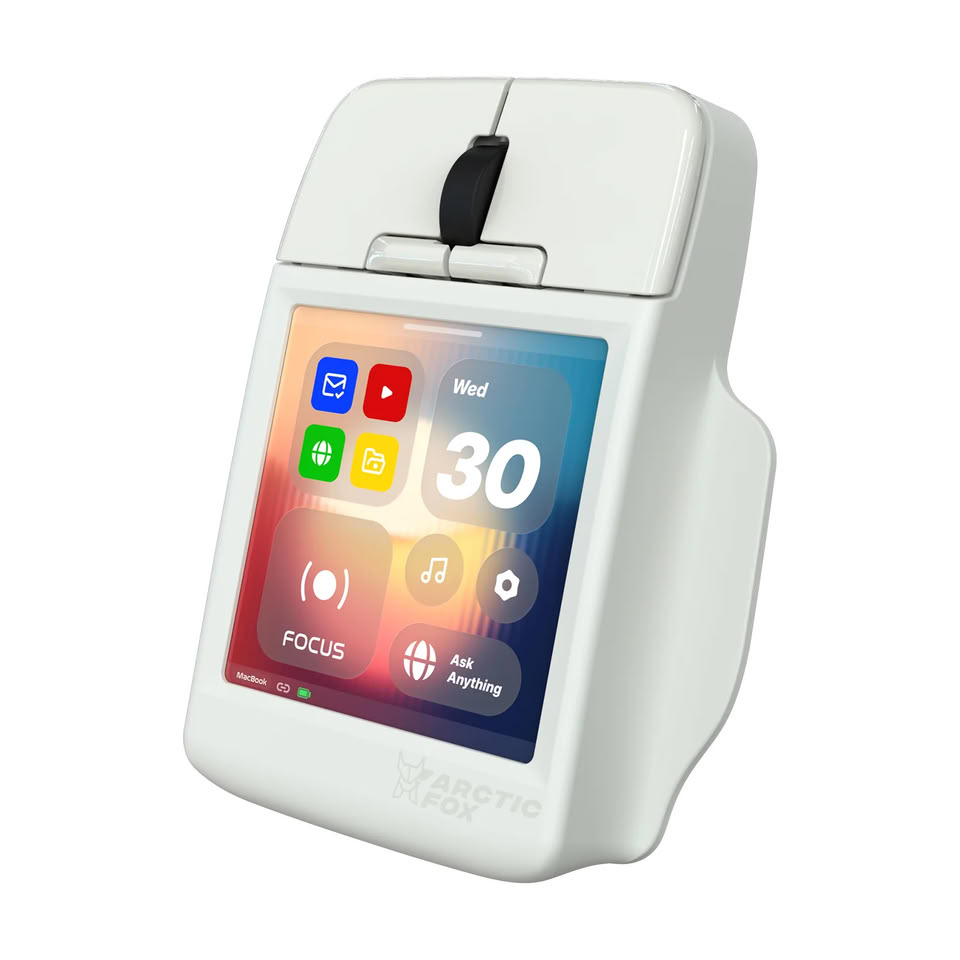
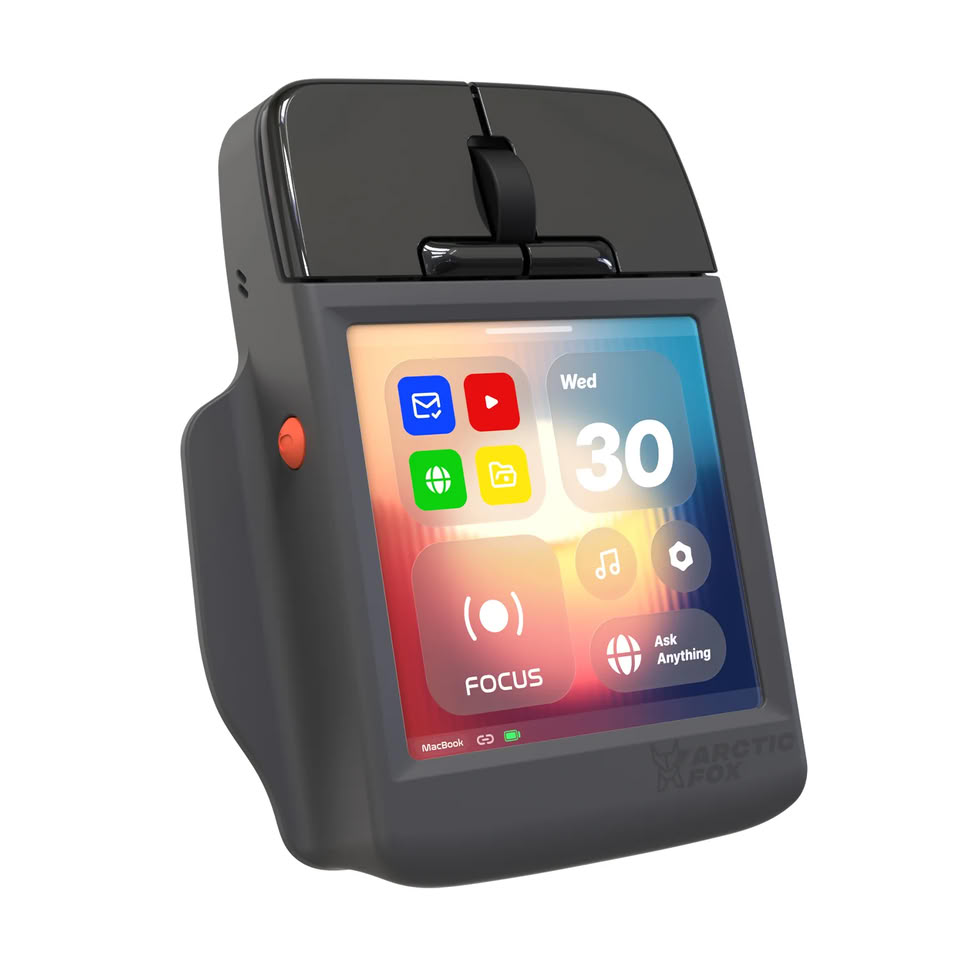
The Arctic Fox Super Mouse Has a 3.1-Inch 720p Touchscreen and Asks "What if It Did Everything?"

2026 has been a bit of a watershed moment for computer mice, especially in the gaming space, with features like rapid trigger, adjustable actuation, and haptic feedback making it into mice like the Logitech G Pro X2 Superstrike (read TechPowerUp's in-depth review here) and X3 Superstrike, but Arctic Fox has taken a different approach to innovation and mouse features with the somewhat perplexing Super Mouse. The Super Mouse is a productivity mouse aimed more at office workers and multitaskers than gamers—to the point that the brand hasn't even disclosed what sensor the mouse is using nor its sensitivity specs.

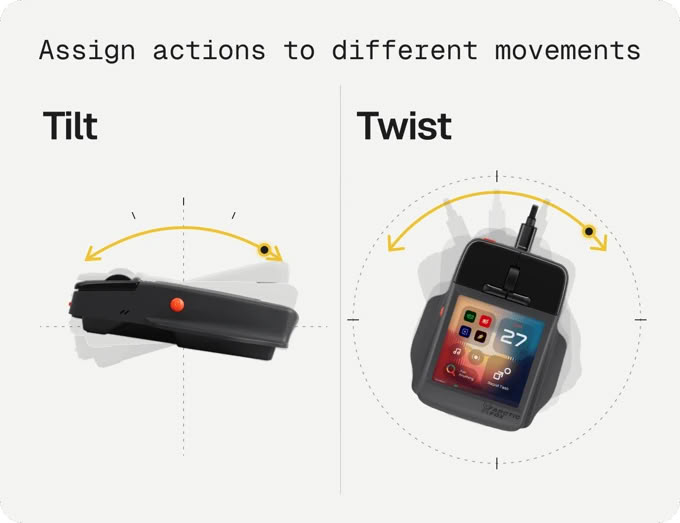
The Super Mouse's claim to fame is its 3.1-inch, 720p touchscreen on the top, which Arctic Fox has loaded with a bunch of productivity functions, including customizable shortcuts to launch applications on Windows or macOS, a full virtual keyboard, multistep macros and routines, trackpad and gesture functionality, and productivity tracking. The Super Mouse even has built-in voice input for speech-to-text input, and it has full Google Calendar integration via OAuth 2.0, which the brand claims keeps your data private alongside user-defined permissions control, encrypted calendar data, and local calendar data storage. There is also claimed built-in gyro control for 3D navigation.

Windows 11 Gets New Command Palette Features and Mouse Button Lock in PowerToys 0.102

Microsoft's in-house PowerToys utility may be one of the most useful tools for fixing many of the shortcomings of Windows 11, and its latest update, version 0.102, adds a number of new features to the productivity suite that will be just as useful for everyday users as they will be for those who need accessibility accommodations. The headline features of PowerToys 0.102 are the new CursorHide and Mouse Button Lock. CursorHide is a configurable tool that allows Windows 11 users to hide their mouse cursor automatically while typing, after a user-defined period of inactivity, or both.

Mouse Button Lock is somewhat more involved, being a customizable mouse feature that sort of works like an accessibility tool. It allows users to set mouse buttons to automatically lock in the clicked position after being held down for a certain period. The example provided by Microsoft's PowerToys team is to use Mouse Button Lock to perform click and drag operations—as you might imagine, Mouse Button Lock will be significantly more useful to users of certain hardware setups, like trackballs and trackpads. It can be configured on the left, right, and middle mouse buttons, and users can customize the mouse hold duration and set up a movement threshold that helps cut back on misfires.

Linux Foundation Finds "25% Of Incoming Pull Requests are Considered AI Slop"

AI-generated code in the realm of Linux has been responsible for more than a little upheaval in recent months, with some projects seeing heated debates surrounding the topic. Other project developers have expressed frustration with an uptick in what they call "AI slop PRs," which they say have increased maintainer workload to unreasonable levels. The Linux Foundation recently conducted a survey of Linux project maintainers, who reported that generative AI has resulted in increased productivity, but the research also finds that there has been a substantial increase in low-quality AI slop PRs, as prior anecdotes predicted.
Summary
  • Linux Foundation Research published a new study examining how generative AI (GenAI) is reshaping open source software (OSS) development.
  • The research uncovered significant productivity gains alongside growing maintainer pressures.
  • A majority (59%) of project maintainers report growing contributions to OSS, but 25% of incoming pull requests (PRs) are estimated to be low-quality "AI slop."
  • For both contributors and maintainers, GenAI boosts productivity by up to 50% across all types of OSS development tasks.
  • The findings point to a need for stronger AI governance, including clear contribution policies, standardized attribution and verification and continued investment in human mentorship.

Modder Builds "Slurptop" Cyberdeck with Full Height Keyboard, Swappable Tool Batteries, and Trackball

The concept of a cyberdeck is to customize hardware to better suit your specific needs and use cases, and a modder who goes by "Slurp Burgers" online has taken the concept to something of an extreme, with their take on a laptop, the Slurptop. Unlike many DIY cyberdeck builds, which are based on Raspberry Pi computers, the Slurptop uses a full-fat AMD Ryzen 7 7730U in the motherboard from a GMKtec M5 Ultra mini PC. As a result, it has somewhat better I/O than a traditional laptop, although the mini PC's three front USB Type-C ports were all used to connect the display and peripherals internally.

The modder took the GMKtec innards and built a custom 3D printed shell around them, replete with a columnar-stagger ergonomic keyboard using MX-style switches and SA profile keycaps, a central num pad, and a trackball mounted at the bottom of the cyberdeck. Perhaps more interesting, the modder designed custom circuitry to be able to run the device off a 24 V Kobalt power tool battery, which is swappable in the event that you need an emergency charge. The modder says that, with light productivity use, like word processing, the battery lasts around five hours, but that could be increased with a bigger 8 Ah battery.

StarTech.com Launches Quad Monitor Thunderbolt 5 Dock for Multi-Display Workstations

StarTech.com has launched a new Universal Thunderbolt 5 Docking Station (206N-TB5USB4DOCK) built for power users who need more display space, more charging power, and fewer compromises at the desk. The dock supports up to four 4K 60 Hz monitors on Windows, giving IT teams a driverless way to equip demanding workstations for engineering, finance, development, content creation, and other multi-display workflows.

The dock delivers up to 140 W Power Delivery to the host laptop, supporting high-performance systems through the same connection used for displays, networking, storage, and peripherals. Its downstream Thunderbolt 5 port also provides up to 45 W of charging for compatible devices, adding another source of power for connected hardware.

HKC Debuts 43.8-Inch 4K Ultrawide Monitor With Uncommon 24:9 Aspect Ratio

HKC has announced the Tianqi 43H180C, a 43.8-inch curved gaming monitor with an unusual 24:9 aspect ratio and a 5760 x 2160 resolution. This is actually 4K pixel density stretched across the ultrawide 24:9 format. It's worth noting that HKC already showed something even more ambitious at Computex this year, the 83.4-inch curved 12K Shield C83U60, so the company clearly isn't shy about unusual display formats. The 24:9 ratio sets it apart from other 43.8-inch monitors on the market from Acer or INNOCN, which all run 3840 x 1080. The panel uses Mini LED backlighting with 99% DCI-P3 coverage and a 1000R curvature, running up to 180 Hz. Regarding the panel technology, this information is still unknown, VA or IPS, neither of them has been confirmed, and the number of local dimming zones is also a mystery so far.

Interestingly and handy for productivity, the monitor supports split-screen modes. One mode divides the display into three 1920 x 2160 zones, the second offers a single 4K zone alongside a 1920 x 2160 panel for timelines, chat, document windows, or any other secondary information. The monitor features DisplayPort 2.1, USB-C with 96 W power delivery, and KVM support. The 5760 x 2160 resolution has roughly 1.5 times the pixel count of standard 4K, which should offer sharper images, however, for gaming, it can put a lot of stress even on high-end GPUs. No pricing or availability has been announced for the HKC Tianqi 43H180C ultrawide monitor.

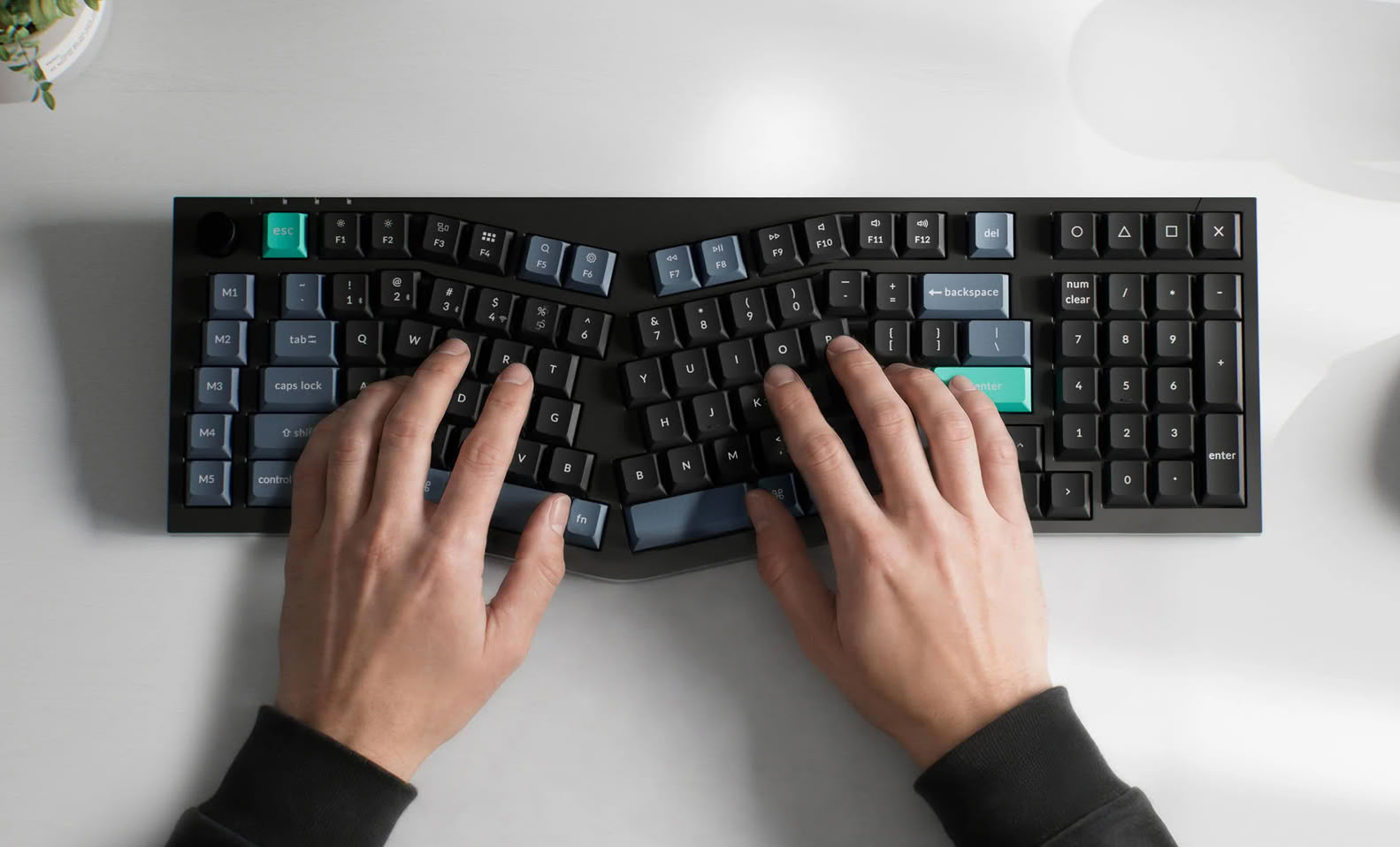
Keychron Launches Two New Alice Keyboards with Scissor Switches

Keychron is known for its line-up of wireless mechanical keyboards, but it also has more basic scissor switch designs for office and productivity use. With the launch of the Keychron B40 and B39, the brand has brought some of its mechanical layouts into the scissor switch realm with two Alice layout keyboards. The Keychron B40 is a 75% Alice layout keyboard, while the B39 features an 1800 Alice layout, which just means it packs a num pad to the right of the navigation cluster and alpha block. The B40 is available for $49.99, while the B39 launched for $54.99 on the Keychron online store.

Keychron's B40 and B39 both feature scissor switches, which Keychron claims are more silent than mechanical switches, but the switch mechanisms are still pre-lubed from the factory, and the switches still have 3.5 mm of total travel distance—a claimed 59% taller than traditional scissor switches. The B40 and B39 both run ZMK firmware, which is designed for wireless efficiency, and Keychron claims that this allows the keyboards to reach up to 520 hours on a single charge in 2.4 GHz mode, despite the relatively small 800 mAh batteries.

Dell Launches Affordable Intel Core Series 3-Powered Dell 15 Laptop

Dell has launched what appears to be its answer to Apple's MacBook Neo: the Dell 15 laptop, starting at $699.99. The Dell 15 is, as the name suggests, a 15-inch laptop, and the entry-level model comes with an Intel Core 3 304 CPU, but there are also two Intel Core 5 320 versions, with either 8 GB or 16 GB of RAM, for $799.99 and $999.99, respectively. At the time of writing, all versions are available on Dell's online store. Dell claims that the Dell 15 is made from post consumer recycled plastic and aluminium to reduce its environmental impact.

Judging by the specs and construction, the Dell 15 is designed to be a student or home productivity laptop more than a gaming powerhouse, since the most powerful version only comes with a 6-core Intel CPU. The new Dell 15 laptop has unapologetically plastic casing, from the bottom case and keyboard deck to the display bezel and top case, and it has 1920 × 1200 p non-touch LCD with a claimed brightness of 450 nits and 45% coverage of the NTSC color space. Above the display is a 1080 p webcam with IR support for Windows Hello, and all versions of the laptop come with a 512 GB M.2 PCIe NVMe SSD.

Keychron Launches Comically Large C100 8K 100-Key Mechanical Macro Pad

Shortly after announcing a handful of new gaming mice—the G6 HE and an updated version of the M4—Keychron has officially launched the C100 8K, a new macro pad with 100 programmable keys and per-key RGB backlighting. The C100 8K Giant Custom Macro Pad is available from Keychron directly for $64.99 with Keychron Apex Red Switches.

The C100 8K, as the full name suggests, is a macro pad with 10 rows and 10 columns, totaling 100 keys. It features an 8 kHz polling rate, as do most of Keychron's new keyboards. By default, it ships with transparent ASA profile keycaps, made from a blend of PBT and PC plastic, and a set of Keychron's Apex Red linear switches, but it also uses standard hot-swap sockets if for those who want different switches. The C100 8K is otherwise fairly barebones, using a plastic case and a wired USB Type-C connection, with no wireless option for a cleaner desk setup.

New Lenovo Rollable Display Laptop Breaks Cover Ahead of Launch

Lenovo has been playing with rollable and foldable displays on its laptops and gaming handhelds for a while now, with the recent ThinkBook Plus Gen 6 and Legion Go Fold Concept being just two examples. According to a new leak from Windows Latest, Lenovo is working on a new ThinkBook, codenamed Project Swan, that will use rollable tech once again to include a larger display in a smaller form factor.

According to the leak, Project Swan will use a rollable OLED panel to expand the display horizontally instead of the vertical expansion featured in the aforementioned ThinkBook Plus Gen 6. While it's unclear if this will simply be a concept machine or if it will enter production, the laptop will be part of the ThinkBook line-up, meaning it will be a premium business laptop instead of a gaming or content creation machine.

Lenovo ThinkCentre Neo 50q Gen 7 Launches As 1.2 L "Tiny PC"

Lenovo has officially unveiled the ThinkCentre Neo50q Gen 7, a desktop that it calls a "Tiny PC." The ThinkCentre 50q is being marketed as a versatile SFF desktop PC based on the Intel Core Ultra Series 3 CPUs, for use in anything from personal AI to business and home use, with multitasking productivity in mind. The ThinkCentre Neo 50q is not available just yet, but it is listed as "available soon" on Lenovo's online store.

The ThinkCentre Neo 50q fits an Intel Core Ultra 7 350 CPU into an aluminium chassis that measures just 36.5 × 179 × 182.9 mm, or 1.2 L in volume. It comes with up to 32 GB of upgradeable DDR5-5600 SODIMM memory, and up to a 2 TB PCIe Gen 4 SSD. The ThinkCentre 50q Gen 7 comes with built-in Wi-Fi 7 and Bluetooth 5.4 for connectivity, but it's also no slouch when it comes to physical ports, especially given its diminutive size.

ASUS DisplayWidget Center Update Introduces AI Agent-Ready Controls

ASUS today announced a major update to the ASUS DisplayWidget Center monitor management software, providing users with a more intuitive way to control compatible ASUS and ROG displays. This latest release adds AI-based automation, deeper personalization with App Tweaker and OLED Care, and broader device integration—all while keeping monitor management simple with a mouse or keyboard instead of physical monitor buttons. Available as a free download from the ASUS website, DisplayWidget Center supports Windows 11 or later and macOS on compatible devices. Additional improvements include a firmware update notification feature and one-key product registration that automatically fills in the device serial number.

AI agent-ready display control
This latest update to DisplayWidget Center moves it into the AI agent era. With ASUS Display Control Command Line Interface (CLI) and Agent Skill installed, compatible AI agents can adjust monitor settings through natural-language requests. Users can manage brightness, color mode, color temperature, and OLED Anti-Flicker without having to manually navigate through menus.

Targus Expands EcoSmart Portfolio with Wired Keyboard, Mouse, and Combo

Targus, a global leader in laptop cases and mobile computing accessories, today announced the continued expansion of its EcoSmart collection with three new wired accessories designed to enhance everyday workspace productivity and performance: the Full-Size Wired EcoSmart Keyboard (AKB875US), Full-Size Wired EcoSmart Mouse (AMU828GL), and Full-Size Wired EcoSmart Keyboard & Mouse Combo (AKM625US).

"These new additions further exemplify Targus' commitment to bringing purposeful solutions to customers while prioritizing the environment," said David Dorantes, Director, Product Marketing, Targus. "Our new EcoSmart wired keyboard, mouse, and combo are easy-to-use workspace essentials designed for everyday productivity, with dependable performance, comfort, precision, plug-and-play USB-A/C connectivity, and up to 85% post-consumer recycled materials."

Microsoft Announces Fourth Quarter Fiscal Year 2026 Results

Microsoft Corp. today announced the following results for the quarter ended June 30, 2026, as compared to the corresponding period of last fiscal year:
  • Revenue was $90.0 billion and increased 18% (up 17% in constant currency)
  • Operating income was $40.6 billion and increased 18%
  • Net income was $35.8 billion and increased 31% on a GAAP basis, and was $35.3 billion and increased 22% on a non-GAAP basis
  • Diluted earnings per share was $4.81 and increased 32% on a GAAP basis, and was $4.74 and increased 23% on a non-GAAP basis
  • Non-GAAP results exclude the impact from investments in OpenAI, explained in the Non-GAAP Definition section below
Several discrete items impacted our financial results in the quarter when compared to our forward-looking guidance provided on April 29, 2026, resulting in a benefit of $0.27 on diluted earnings per share. These include a $3.2 billion gain from our investment in Anthropic and lower-than-expected expenses related to the Voluntary Retirement Program which were partially offset by severance expense and impairment charges in XBOX. When adjusting for these items, we exceeded expectations across revenue, operating income, and diluted earnings per share.

Keychron G6 HE Previewed: 46 g Wireless Gaming Mouse With Swappable Battery and Open-Source Firmware

Keychron already has a number of wireless gaming mice available, including both affordable productivity mice and high-performance gaming peripherals. The latest gaming mouse launch from Keychron appears to be the G6 HE UltraLight. The new G6 HE is a wireless gaming mouse that comes in at 46 g and uses the PixArt PAW 3955 sensor and Nordic 54LM20A MCU. It will be available in seven colors in total, many of which have that translucent retro tech charm.

The G6 HE was recently reported on by Gizmodo Japan, where it appears to be launching soon, but Keychron also responded to that Gizmodo post confirming that the mouse would be launching globally at "around $90." There are two standout features, in particular, that are particularly relevant in the 2026 gaming landscape, those being magnetic switches and a swappable battery.

Dygma Launches Travel-Friendly Sonsei Monobody Ergonomic Mechanical Keyboard

Dygma Lab, the company known for split ergonomic keyboards like the Dygma Defy and Raise, has launched its latest keyboard, the Dygma Sonsei, as a travel-friendly take on the ergonomic keyboard. Instead of the typical split ergo design, the Sonsei's aluminium unibody design takes inspiration from Alice keyboards, sacrificing some of the flexibility, and arguably some of the ergonomic benefits, of a split keyboard, in exchange for a more travel-friendly design that doesn't require the cable-heavy setup of something like the ZSA Voyager or the hassle of managing a fully split keyboard, like the MoErgo Go60.

The Sonsei still uses a columnar stagger layout, like the Defy, which offsets keys vertically instead of horizontally and is said to position the fingers more naturally when in resting position, and it has a 56-key compact layout, reducing hand movement and stretching while typing and making it more travel-friendly. Instead of the typical MX-style 3- and 5-pin switches, the Sonsei uses Gateron KS-33 2.0 Low-Profile switches to offer both a travel-friendly slim design and a variety of aftermarket switch options.
Return to Keyword Browsing
Nov 11th, 2026 06:14 CST change timezone

New Forum Posts

Popular Reviews

TPU on YouTube

Controversial News Posts