Monday, August 10th 2026

Lenovo ThinkCentre Neo 50q Gen 7 Launches As 1.2 L "Tiny PC"
Lenovo has officially unveiled the ThinkCentre Neo50q Gen 7, a desktop that it calls a "Tiny PC." The ThinkCentre 50q is being marketed as a versatile SFF desktop PC based on the Intel Core Ultra Series 3 CPUs, for use in anything from personal AI to business and home use, with multitasking productivity in mind. The ThinkCentre Neo 50q is not available just yet, but it is listed as "available soon" on Lenovo's online store.
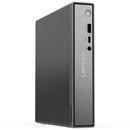
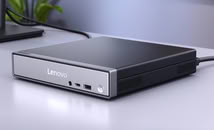
The ThinkCentre Neo 50q fits an Intel Core Ultra 7 350 CPU into an aluminium chassis that measures just 36.5 × 179 × 182.9 mm, or 1.2 L in volume. It comes with up to 32 GB of upgradeable DDR5-5600 SODIMM memory, and up to a 2 TB PCIe Gen 4 SSD. The ThinkCentre 50q Gen 7 comes with built-in Wi-Fi 7 and Bluetooth 5.4 for connectivity, but it's also no slouch when it comes to physical ports, especially given its diminutive size.

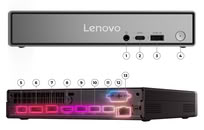
 Front I/O consists of a single 10 Gbps USB Type-A port, a 10 Gbps USB Type-C port, and a 3.5 mm audio combo jack. Meanwhile, on the back of the mini PC, there are: 2× 10 Gbps USB Type-A ports, 2× USB 2.0 Type-A ports, an HDMI 2.1 port, a DisplayPort 1.4 port, and an RJ45 Ethernet port. Lenovo also includes a BTB punch out port, which adds optional expansion with support for DisplayPort, VGA, COM, or HDMI ports.
Source:
Lenovo
The ThinkCentre Neo 50q fits an Intel Core Ultra 7 350 CPU into an aluminium chassis that measures just 36.5 × 179 × 182.9 mm, or 1.2 L in volume. It comes with up to 32 GB of upgradeable DDR5-5600 SODIMM memory, and up to a 2 TB PCIe Gen 4 SSD. The ThinkCentre 50q Gen 7 comes with built-in Wi-Fi 7 and Bluetooth 5.4 for connectivity, but it's also no slouch when it comes to physical ports, especially given its diminutive size.


11 Comments on Lenovo ThinkCentre Neo 50q Gen 7 Launches As 1.2 L "Tiny PC"
SFF is an inadequate term. If anything from 1 to 20 liters counts as "SFF," that's not very useful.
IMO 'tiny/mini PC' should be reserved for 5 liters or smaller. Everything else is too big.
Bluetooth 5.4 for networking?!
And if you are going to be woke about your team meetings, how about a left handed mouse. And who seriously would try to stand such a slim device on its side? That’s just ridiculous given that the power supply comes in at the back where the power button is, rendering the whole thing unstable. What a mess.
We've come a long way from 10Mbps in the 1970s.
I just don't understand why companies continue issuing PR's without prices.....how the hell do they expect anyone to be able to make a purchasing decision without a price.........