Monday, October 26th 2026

Windows 11 Gets New Command Palette Features and Mouse Button Lock in PowerToys 0.102
Microsoft's in-house PowerToys utility may be one of the most useful tools for fixing many of the shortcomings of Windows 11, and its latest update, version 0.102, adds a number of new features to the productivity suite that will be just as useful for everyday users as they will be for those who need accessibility accommodations. The headline features of PowerToys 0.102 are the new CursorHide and Mouse Button Lock. CursorHide is a configurable tool that allows Windows 11 users to hide their mouse cursor automatically while typing, after a user-defined period of inactivity, or both.
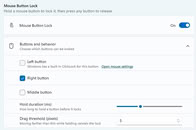
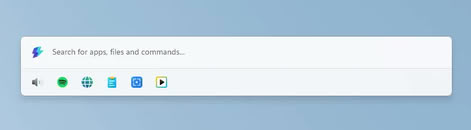
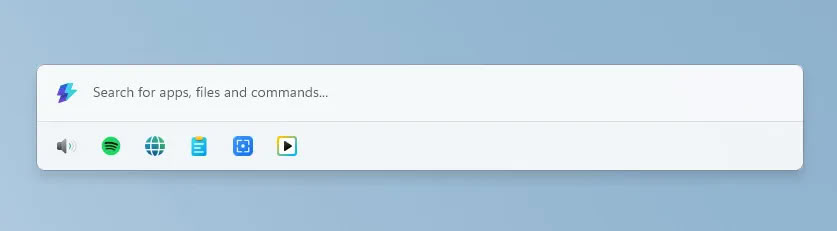
Mouse Button Lock is somewhat more involved, being a customizable mouse feature that sort of works like an accessibility tool. It allows users to set mouse buttons to automatically lock in the clicked position after being held down for a certain period. The example provided by Microsoft's PowerToys team is to use Mouse Button Lock to perform click and drag operations—as you might imagine, Mouse Button Lock will be significantly more useful to users of certain hardware setups, like trackballs and trackpads. It can be configured on the left, right, and middle mouse buttons, and users can customize the mouse hold duration and set up a movement threshold that helps cut back on misfires.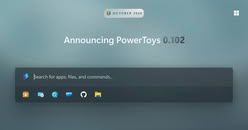 In addition to the two new input device features, PowerToys 0.102 also adds a new quick-access shelf to the Command Palette, pinning up to nine commonly used features, like settings, app launches, media, clipboard, the snipping tool, or a webpage, to the shelf for quick access with Alt+F1-9 keyboard shortcuts. There are other new features in the Command Pallete, like fuzzy settings search, improved keyboard navigation, Copilot key support—allowing users to rebind the Copilot key to launch the Command Palette—support for multiple docks, new, sharper icons and more responsive and intuitive navigation, and support for multiple pinned clocks.
 The update also adds support for dictation in its ZoomIt screen annotation and capture feature. The dictation mode allows users to press space while snipping the screen to describe the screen capture and generate a transcript of what is spoken. Both the transcript and the resulting screen snip are copied to the clipboard, ready for pasting.
Source:
PowerToys
Mouse Button Lock is somewhat more involved, being a customizable mouse feature that sort of works like an accessibility tool. It allows users to set mouse buttons to automatically lock in the clicked position after being held down for a certain period. The example provided by Microsoft's PowerToys team is to use Mouse Button Lock to perform click and drag operations—as you might imagine, Mouse Button Lock will be significantly more useful to users of certain hardware setups, like trackballs and trackpads. It can be configured on the left, right, and middle mouse buttons, and users can customize the mouse hold duration and set up a movement threshold that helps cut back on misfires.


5 Comments on Windows 11 Gets New Command Palette Features and Mouse Button Lock in PowerToys 0.102
Does not change the fact newbiecrush saga and other nonsense got reinstalled with teh latest windows update but such core utils needs to be downloaded manually by the users. Maybe useful features are not preinstalled with nearly 5GB update files but Adware and Ads are preinstalled now in windows 11 pro on two different installations.
Honestly, at this point MS should let the powertoys team prep their own version of Windows, they'd probably do much better job than the regular team.
No, but on a more serious note. Windows 11 has shortcomings, and PowerToys is a popular tool to overcome those. It's a factual statement.Wasn't the PowerToys thing initially proposed as a testing ground for new Windows features in the first place?