Tuesday, May 24th 2022

ASUS Reveals 500 Hz ROG Swift Esports Monitor With E-TN Panel and G-Sync
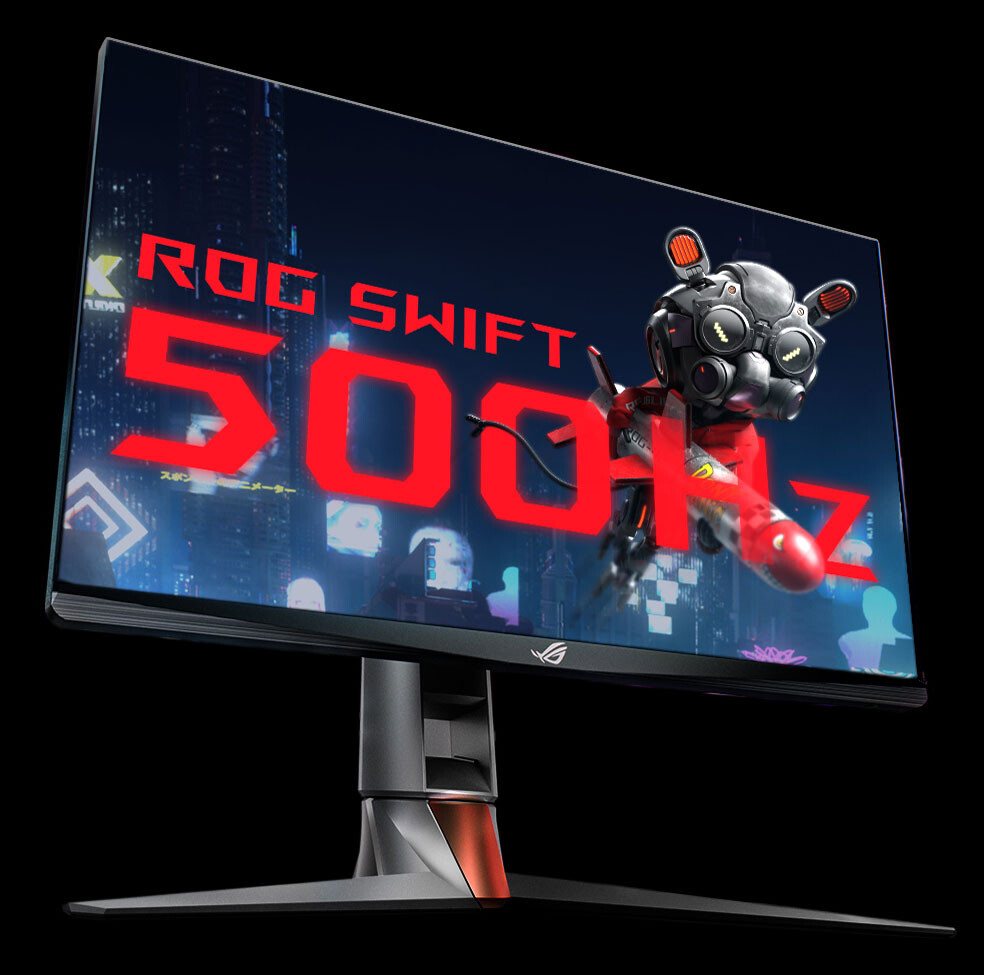
Back in 2012, ASUS released the world's first ever 144 Hz monitor, and we've been chasing high refresh rates ever since. From the first 240 Hz NVIDIA G-SYNC display we released in 2017 to the first 360 Hz display in 2020, ROG is committed to pushing competitive gaming to new heights at every opportunity. Now, we're ecstatic to announce that we've done it again: introducing the ROG Swift 500 Hz, a groundbreaking new gaming monitor that refreshes 500 times per second, for the most fluid, fast-paced motion you'll find in modern Esports.
In competitive, intense firefights, every single millisecond counts. The ROG Swift 500 Hz draws frames more than eight times faster than typical 60 Hz displays in a single second, which means you have that much more time to get a leg up on your opponent in esports titles like Counter-Strike: Global Offensive, Valorant, Overwatch, and Rainbow Six Siege. With super low response times and unprecedented improvements in input lag, the ROG Swift 500 Hz is the new benchmark in Esports, offering the same competitive advantage that made its 360 Hz predecessor the official display at last year's DOTA 2 The International championship. The ROG Swift 500 Hz features a 24.1-inch Full HD (1920x1080) panel, allowing your GPU to push as many frames as possible. ROG was able to push refresh rates to the limit by using new Esports TN (E-TN) technology, which offers 60% better response times than standard TN panels, allowing us to reach a new milestone in speed and clarity. The other half of the secret sauce comes from NVIDIA: with NVIDIA's Reflex Analyzer and G-SYNC built-in, gamers can tune their settings for the lowest possible input lag, without stuttering or tearing. You'll see every moment as it happens, without waiting for the screen to refresh—allowing you to make your move before your enemy even sees you coming. Plus, with overdrive values perfectly tuned for every portion of the variable refresh rate range, motion blur is kept at a minimum no matter what framerate you're getting.
Finally, we've also included an enhanced Vibrance mode, specifically tuned for esports, built into the monitor's firmware. This mode allows more light to travel through the LCD crystals, giving colors new levels of vibrancy and allowing you to pick out details and highlights that might give away an enemy's position.
Source:
ASUS ROG
In competitive, intense firefights, every single millisecond counts. The ROG Swift 500 Hz draws frames more than eight times faster than typical 60 Hz displays in a single second, which means you have that much more time to get a leg up on your opponent in esports titles like Counter-Strike: Global Offensive, Valorant, Overwatch, and Rainbow Six Siege. With super low response times and unprecedented improvements in input lag, the ROG Swift 500 Hz is the new benchmark in Esports, offering the same competitive advantage that made its 360 Hz predecessor the official display at last year's DOTA 2 The International championship. The ROG Swift 500 Hz features a 24.1-inch Full HD (1920x1080) panel, allowing your GPU to push as many frames as possible. ROG was able to push refresh rates to the limit by using new Esports TN (E-TN) technology, which offers 60% better response times than standard TN panels, allowing us to reach a new milestone in speed and clarity.
Finally, we've also included an enhanced Vibrance mode, specifically tuned for esports, built into the monitor's firmware. This mode allows more light to travel through the LCD crystals, giving colors new levels of vibrancy and allowing you to pick out details and highlights that might give away an enemy's position.
82 Comments on ASUS Reveals 500 Hz ROG Swift Esports Monitor With E-TN Panel and G-Sync
Would love a Sony Trinitron FW900, but no way that fits on my 80CM deep desk. I mean it fits, but no room to sit at a reasonal distance then.
As for the "can people see the difference beyond x Hz?" discussion, my opinion is that the higher the refresh rate gets, the less relevant the answer becomes because it's subject to diminishing returns. For me, visual fluidity occurs at about 85Hz and I can feel/notice the difference between 85Hz and 120Hz in side-by-side testing but that's about it. I've not used a 360Hz display but I'd be lying if I said I could tell the difference between 240Hz and 120Hz on the same 240Hz monitor. I feel like once you are getting triple-digit framerates it's time to worry about other things.
I have a 165Hz display but choose to run it at 120Hz because to me that's plenty fast enough and it means my GPU can run cooler/quieter and I don't have to faff with Factorio that runs at a locked 60Hz and stutters a bit with G-Sync at 165Hz.Pixel longevity isn't a thing for LCD panels, only OLEDs.
An LCD (so TN, IPS, VA) pixel will be as good and as fast as the day it left the factory when the backlight dies 15 years later.
I'd never volunteer to use one, but some of the best TN gaming panels actually had reasonably viewing angles and colour accuracy. The gamut was a little low but that's also true of many half-decent gaming IPS and VA screens these days.
Well lets go through them then and see if there is any stock in any to them (TLDR: There is not)
First link, irrelevant discussion related to persistence of vision for video, and it talks about the lower levels of required frame rate. Though according to it with their exactly 0 sources, its not until you get lower than 12 frames per second our brain find it a bit unbelievable. Yeah.... no, my eyes cry far before that. Also unrelated since lowest amount of framerate is not the same as what benefits you can draw from higher framerate. Two different things.
Second link is a random toy, no sources, discusses nothing of relevancy.
Third one is wikipedia, which is in fact not a source. Though again thats related to persistence of vision. Which is about fooling our brain to believe a flicker of something is actually solid. Which is still, unrelated to this. Solid or not is not what we are after with higher refresh rates. It is if we can determine a difference, and thats not the same as persistence of vision.
forth one is a is 100 years old, it does in fact contradict some of the previous links as well so I have no idea why you are linking to that. Or well I do, its because you did in fact not read it, you just googled and picked some links that sounded relevant when in fact, its not. Though I love old-schooly language used.
And the fifth and last one is a funny one. Its actually about creating something low powered, which means least amount of updates, so stay on as little as possible to fool our head in to thinking its something there and they push out this funny line.
"Due to the fact that human eyes can only render about 10 images per second, the fast spinning LEDS seem like a solid display."
Page 11312.
Yeah its easy to say this, if thats what you take as reasonable arguments to support your case for this, ignorance is definitely the correct term.
Persistence of vision is not the same thing as the ability to detect changes. They are in fact, opposite things. What you should be looking at is the shortest amount of time something is needed to be displayed for our brain to register a change. This is the exact opposite of persistence of vision. Because what we are after is not exactly to fool our heads to believe its a solid image or fluid movie. But edge case change detection. And the fact that you throw a bunch of neigh useless links related to persistence of vision to support your argument kinda says a lot about you missing the point of it by about the broad side of a barn.
Not sure I think there is a useful reason for a 500hz display, unless maybe used for 3d or something so it flickers between two fields with refreshrate to spare.
Do you remember the CRT times when we used 13-inch, 15-inch, 17-inch and very rarely 19-inch?
Edit: The human eyes can see the movements in the surrounding nature with unlimited detail and unlimited refresh rate.
If you launch a 10,000 Hz display and put it next to a 360 Hz one and a 500 Hz one.
(For the record folks, THIS is one of the reasons I don't bother with citation most of the time. All people do is nit-pick and marginalize with BS and rabmlings to fit their narrow agenda.)A lot of testing has been done. The problem is that the results are as varied as the participants. One persons vision acuity is very much not the same as another persons and is dependent on many factors. Some people can see individual frames upto 100hz and some can only tell the difference in framerates. There is something to be said about being accustomed to certain stimuli, however that does not mean the human eye can actively differentiate between one rate that is beyond the physical limits and another.
However, the medical science of how fast cones and rods in the eye can respond to photons is known and the limits of how fast the optic nerve response rate is also known. The science of human perception of motion and framerates is known. Pushing screen frame times beyond the limit of human perception is a waste of time, money and effort.
This 500hz nonsense is just that, nonsensical.I'll agree with this.
Yes, the average latency of, say two frames of screen buffer and input lag at 500Hz will be lower than 144Hz, like an average of 3ms at 500Hz compared to 10ms at 144Hz, but you can eyeball the ms of delay in that video from the number of 7ms frames of the 144Hz panel at the bottom. It's clearly 7-8 of the 144Hz frames behind the 500Hz panel which is 50ms+ of input lag.
I'm sorry, what 144Hz gaming monitor on the market has a 50ms input lag!? Asus and Nvidia making easily-disproven marketing lies to try and sell something that nobody needs. It's even worse than that - Nvidia literally created the most popular tools to measure display lag (LDAT hardware, which was eventually released to consumers as Nvidia REFLEX) and now they are making this video that completely undermines those efforts by faking results and failing to use that specific tool designed and sold for this one specific purpose!
For example, Doom 2016 is known to run on well on hardware that isn't bleeding edge, but the game is capped at 200 FPS
So my point being it's only going to benefit with games that were designed with high frame rates in mind, uncapped engines. Even games that benefit from high FPS like a fast first person shooter like Doom may have engine limits in place. Though I would call 200 FPS high frame rate I suppose some "e-sports gamer" (christ that term makes me cringe just typing it even:fear:) would think it is sub-par.
Even the fastest CPU and RAM config run at bench-stable settings (read: probably going to crash intermittently) can't do that today, unless you go very far back in time where the entire game's memory map fits into L3 cache. :- )
How many frames you need per second to have motion look fluid is not the same as being able to notice a change or improvement, it is also not the same as the shortest frame a human eye would notice. And that, is what matters for something like this.
Of course there are indeed studies made that show that we can indeed perceive rates far higher than one would think, with some even going above 500hz and can still notice flickering. Granted, edge cases. Point is, its possible.
www.nature.com/articles/srep07861
Or for those too lazy to read
"all viewers saw flicker artifacts over 200 Hz and several viewers reported visibility of flicker artifacts at over 800 Hz. For the median viewer, flicker artifacts disappear only over 500 Hz, many times the commonly reported flicker fusion rate."
efiling.energy.ca.gov/GetDocument.aspx?tn=74074
web.archive.org/web/20130509134720/https://opensiuc.lib.siu.edu/cgi/viewcontent.cgi?article=1538&context=tpr
There is a difference between the lowest framerate required to fool us in to believing something is fluid and the shortest amount something can be displayed for us to take notice. Then there is also the problem about defining at what rates we can practically identify what it is we see. But the whole argument based around the persistence of vision for video, is not relevant to this. We know the human eye can detect changes faster that what is required to make a video look fluid. The question would be at what point the increased rate would stop being useful, but your whole argument is based on the wrong point, which was my point. Not that specifically that this 500hz monitor would be a super useful thing to have. You said that at ~300-320hz it becomes irrelevant, which you state is a clearly defined limitation and fleshed out field of study. Then fine, where are the sources for that? Thats what I want to read. Because the sources I find is that they do indeed improvements with higher refresh rates as it helps to imitate something from reality, rather than a pancake video. This is why the goal is to aim for monitors in the kilohertz range, blur free, flicker free, strobe free. Where you would not be able to determine the difference between it being a monitor or reality. For which you need thousands of updates per second because of those reasons. Yet you provide sources for... 24fps video and ones that state our eyes render at 10 frames per second. I mean, really?
Or you know take a read of the many reasons why: blurbusters.com/blur-busters-law-amazing-journey-to-future-1000hz-displays-with-blurfree-sample-and-hold/
There is more to this than just individual "frames".
If so, did you contextually understand it? There is a difference between flicker and movement perception. The article clearly states that fact. What you fail to realized is that you just offered more evidence to support the factual information I provided earlier.
Thank You.
I see as true all the explanations you gave, but I want to add a simple factor, which is perception. A few days ago I spoke to one of the NVIDIA representatives here in my parents (Brazil) about whether there was already any advantage using 240hz even if the game so delivered 100 fps. If it wouldn't be a necessity expense, and better I'd be putting my panel up gradating to 120hz. He then replied that at 240hz I had yes advantage because the pixel would update faster. As soon as the card does the next 100 FPS, the 240hz monitor would be ready milliseconds faster than if it had at 120hz.
So from what I learned, this is the only advantage since the 500hz monitor, that even our eye could not have complete perception of something besides 300hz, the image getting ready and being delivered as soon as possible, helps yes we can perceive as soon as possible such action in the game.
While this is a good point, higher refresh rates above human perception will not be useful to anyone.
It is not something that will always occur, given the limit of our eyes to the hz already mentioned, but it is an additional detail yes.
And it has another detail, the motion blur tbm tends to be smaller, or even to be imperceptive to our eyes, given the high rate of update of the pixel.
*Your Portuguese was totally understandable, very good yes.