Friday, September 12th 2025

Intel Resurrects "Comet Lake" with Core i5-110 CPU
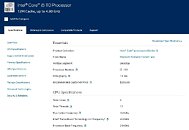
Even as we thought Intel had moved on from its older-generation CPUs, surprises still arise. Intel's five-year-old "Comet Lake" designs remain in circulation, as evidenced by the latest addition to the Intel Ark database. As noted by @momomo_us, Intel has introduced a curious Core i5-110 processor, a 6-core, 12-thread CPU built on Intel's well-known 14 nm+++ node, paired with UHD Graphics 630. With a TDP of 65 Watts, the CPU features a base clock of 2.9 GHz and a maximum turbo frequency of 4.3 GHz. These specifications match the Core i5-10400, which has the same core and clock configuration based on the Comet Lake microarchitecture, suggesting a refresh.
With an MSRP of $200, it's questionable whether this "value" purchase offers any real-world advantage, considering that more modern processors are available at the same price point. However, for LGA1200 users currently using lower-tier i3 processors, this might be a sensible upgrade. For anyone else building a DIY PC, the value proposition is lacking. However, MSRP and street pricing typically deviate quite noticeably, so take it with a grain of salt. Current Core Ultra 5 200S series "Arrow Lake" CPUs start at $236 MSRP, but real-world deals on Amazon and other retailers show prices below $180. Of course, additional costs such as motherboard and memory should be considered in the final purchase decision, but the high MSRP for a five-year-old CPU seems unjustified.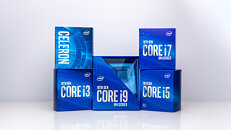
Source:
@momomo_us
With an MSRP of $200, it's questionable whether this "value" purchase offers any real-world advantage, considering that more modern processors are available at the same price point. However, for LGA1200 users currently using lower-tier i3 processors, this might be a sensible upgrade. For anyone else building a DIY PC, the value proposition is lacking. However, MSRP and street pricing typically deviate quite noticeably, so take it with a grain of salt. Current Core Ultra 5 200S series "Arrow Lake" CPUs start at $236 MSRP, but real-world deals on Amazon and other retailers show prices below $180. Of course, additional costs such as motherboard and memory should be considered in the final purchase decision, but the high MSRP for a five-year-old CPU seems unjustified.


55 Comments on Intel Resurrects "Comet Lake" with Core i5-110 CPU
But yeah I need to tinker, mostly because I started with low power systems so squeezing out the maximum efficiency in a power-limited envelope meant getting the maximum performance. If I had a 14900K, it would never be running at 5.7 GHz. Never. Instead I'd find where it's lower-power sweet spot is for my uses and run it at that. OK I'd really just get a 14700 or 14900 and run that at it's optimal, assuming I could get them much cheaper.
Just for science. :)