Tuesday, April 21st 2026
OCuLink Dev Kit Gives Framework Laptop 16 Desktop-Class PCIe Expansion
Alongside the Framework 13 Pro that was just announced, Framework also released the OCuLink Dev Kit, which is a new modular adaptor that replaces the Framework Laptop 16's Graphics Module with an external OCuLink port, allowing you to connect high-performance peripherals and hardware across a PCIe 5.0×8 interface and offering a theoretical maximum bandwidth of 128 GT/s. Framework suggests that users could use the OCuLink port to build out their Framework Laptop 16 as a lightweight on-the-go laptop, removing the dGPU and using that in an eGPU setup while docked at a desk and relying on the iGPU in the laptop for work away from the desk.
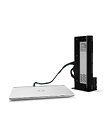
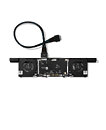
The Framework OCuLink Dev Kit includes the hardware that goes into the laptop itself, an OCuLink Expansion Bay adaptor, as well as the external bits, including a Graphics Module OCuLink Dock, for mounting your Framework Graphics Module externally, a PCIe OCuLink Dock with a full-size PCIe slot for hardware like GPUs, networking cards, capture cards, and whatever else goes into a PCIe slot; and an OCuLink 8i cable to connect the dock to the laptop itself. In order to use the external graphics module, you'll need to supply your own desktop PSU, since Framework does not include one in the package, and it should also be noted that the OCuLink port does not support the same charging capabilities as USB4 or Thunderbolt, so you'll still need to run at least two cables when using the Dev Kit.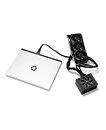
Source:
Framework
The Framework OCuLink Dev Kit includes the hardware that goes into the laptop itself, an OCuLink Expansion Bay adaptor, as well as the external bits, including a Graphics Module OCuLink Dock, for mounting your Framework Graphics Module externally, a PCIe OCuLink Dock with a full-size PCIe slot for hardware like GPUs, networking cards, capture cards, and whatever else goes into a PCIe slot; and an OCuLink 8i cable to connect the dock to the laptop itself. In order to use the external graphics module, you'll need to supply your own desktop PSU, since Framework does not include one in the package, and it should also be noted that the OCuLink port does not support the same charging capabilities as USB4 or Thunderbolt, so you'll still need to run at least two cables when using the Dev Kit.


5 Comments on OCuLink Dev Kit Gives Framework Laptop 16 Desktop-Class PCIe Expansion
This is a good alternative to TB5 (for eGPU/external PCIe use), although I would've wanted TB5 ports for use with the current and future TB5 docks as well.
All that's left are Intel solutions for the 16" model.