Sunday, May 17th 2026

Microsoft Brings Back Windows 10-Style Taskbar and Start Menu Customization in Windows 11
If you were a user of the Windows 10 operating system with a customizable Taskbar location, you were familiar with Taskbar customization and different placements. However, Microsoft kept this feature restricted in Windows 11 for a long time. The company is now introducing full support for Taskbar and Start Menu customization, which will be available to Windows Insiders in the Experimental channel over the coming weeks. Specifically, the Taskbar will be movable to the top, bottom, left, or right side of the screen. From there, users will be able to customize icon alignment for each Taskbar position, whether top-aligned, center-aligned, left-aligned, or right-aligned. All it takes is a visit to Settings > Personalization > Taskbar > Taskbar behaviors, where all of the settings will be located. Interestingly, the Taskbar will also offer smaller icons and a reduced presence, which is a nice addition for anyone looking to maximize usable space.
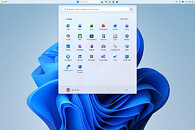
Additionally, Windows Insiders are testing a preview of the revamped Start Menu customization effort, which gives users more meaningful control over Start Menu behavior. One of the changes includes an option to choose between smaller and larger Start sizes, independently hide or show sections like Pinned, Recent, and All, and even remove their name and profile photo for extra privacy during screen sharing or presentations. Previously, these customizations weren't possible, as Windows 11 shipped with a generic Start Menu look for every build. Just as important, Microsoft is separating Start's file recommendations from File Explorer's recent items and jump lists, so disabling recommendations in Start will no longer affect recent activity elsewhere in Windows. At the same time, the company is trying to make the recommendation area more useful by renaming it to Recent, keeping newly installed apps visible, and refining which files appear in that section.
 These changes are rolling out in the coming weeks for Windows Insiders, meaning that regular Windows 11 users on versions 24H2, 25H2, and 26H1 will experience them in about a month or so. By the time these updates arrive, we hope to see some of the promised Windows K2 performance and usability improvements as well. This means that the Windows 11 OS will finally integrate these much-desired changes.
Source:
Microsoft
Additionally, Windows Insiders are testing a preview of the revamped Start Menu customization effort, which gives users more meaningful control over Start Menu behavior. One of the changes includes an option to choose between smaller and larger Start sizes, independently hide or show sections like Pinned, Recent, and All, and even remove their name and profile photo for extra privacy during screen sharing or presentations. Previously, these customizations weren't possible, as Windows 11 shipped with a generic Start Menu look for every build. Just as important, Microsoft is separating Start's file recommendations from File Explorer's recent items and jump lists, so disabling recommendations in Start will no longer affect recent activity elsewhere in Windows. At the same time, the company is trying to make the recommendation area more useful by renaming it to Recent, keeping newly installed apps visible, and refining which files appear in that section.


52 Comments on Microsoft Brings Back Windows 10-Style Taskbar and Start Menu Customization in Windows 11
Probably, many Microsoft engineers would see the sense and desire for this; but imagine convincing the big shots.
"Oh, 7? You do mean NT 7.0? But that's old, almost twenty years' old. Why, in Gates's good name, would anyone want to use that?"
"Well, a big number of the Windows community have expressed a desire for, uhm, NT 6.1. I have got percentages on this sheet."
"A vocal minority, no doubt, who doesn't know what they want. We'll give them what they need, what the majority of Windows users simply love. The modern, Web-native, cloud-first approach computing strives towards. With an agentic flavour, of course."
"But user satisfaction is down."
"Down? Are we to listen to the effusions of a few keyboard warriors contradicting what our latest telemetry tells us?"
"No."
"Here, let's bring up some telemetry. Click, click. All right. Mr. John Slugworth, age 37, works at the City of Cape Town municipality as a clerk. Married to Jenny: see the copious WhatsApp messages. He clicks the Start menu—here, watch the real-time screen feed—10 times while waiting for it to render. Clearly, he gets joy out of using Windows features. I call that a success. Do you?"
Btw, will "feature" this use 2GB of RAM?
Overall, the negging posts about Win and MS are kinda boring - of water is wet variety - but, when they call out the real problems with MS, like broken updates, AIfication or lack or privacy, then sure, why not. At least that makes sense.
But repeating the same stuff over and over when there are actually some positive news? That means you're not really interested in change and are doing this on autopilot. This is pretty much what real "slop" is, I'd say.
But there is another thing that irks me about Windows 11: The multi-click time-wasting mess aka context menu.
It should be single-click and customisable so you decide what program gets to be in there.
Bonus points for the recycling of an old GUI as well when you finally get to the dropdown where you'll likely be going most :D
Extra bonus points for designing something as more compact and then wasting about double line space for a single option compared to ye olde menu.
Imagine being responsible for this horse manure. Lmao
By the way, check the wild mix of English and Dutch, too 'Share met'? WTF is that supposed to mean, anyway? 'Share' was fine... it was 'Delen' in the old menu :D They are literally trying to reinvent shit they already had figured out (and correctly spelled...) and getting it wrong consistently. Probably helped by AI.
It was designed to follow the way people organise things and felt natural and I've no idea why Microslop felt the need to change it into a supermarket strategy where nothing is logical to make you look at more shelves.
Regards,
Fred.