Tuesday, July 14th 2026

Microsoft is Finally Fixing Windows Search, No More Promotional Content

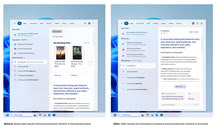
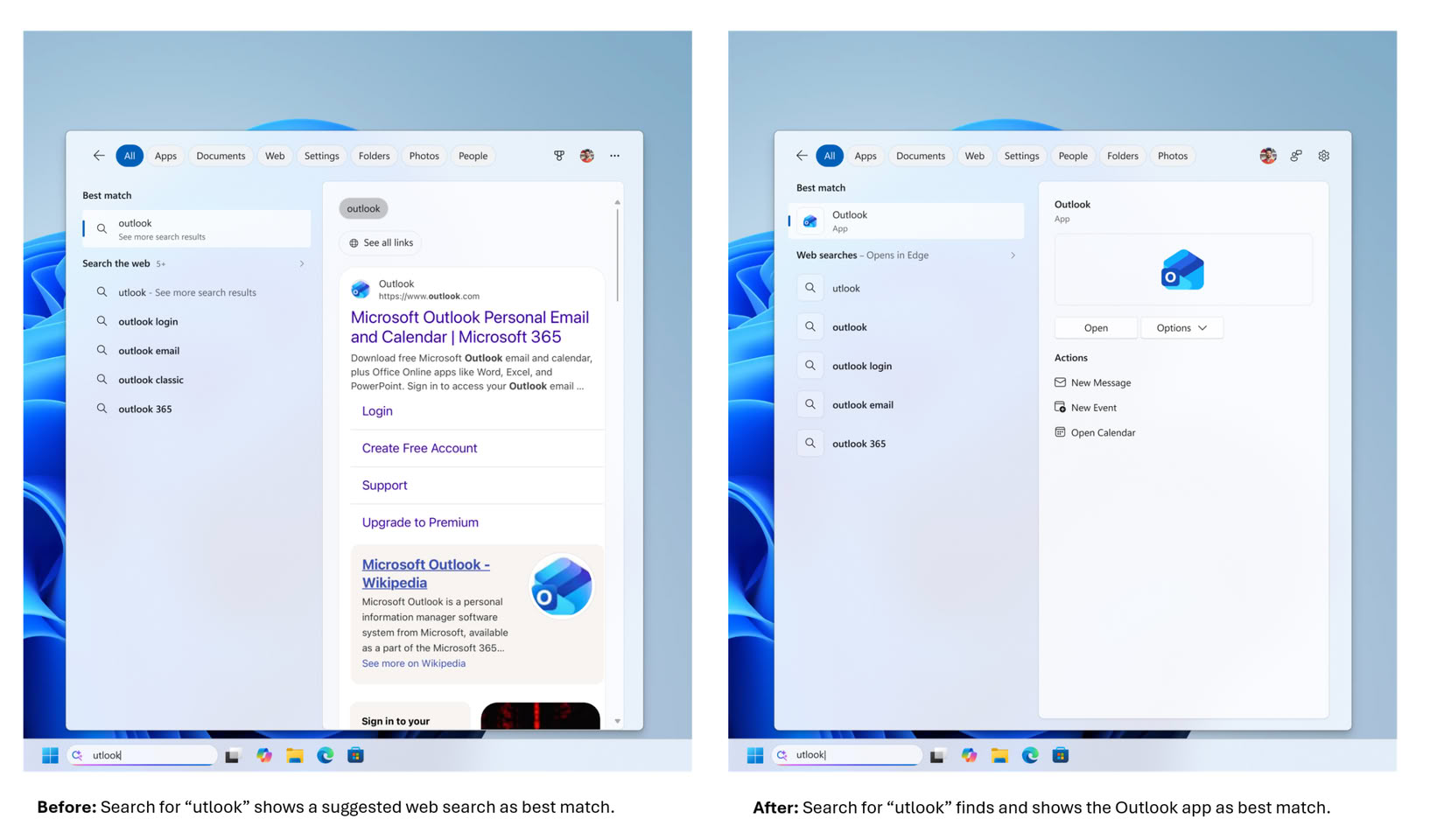
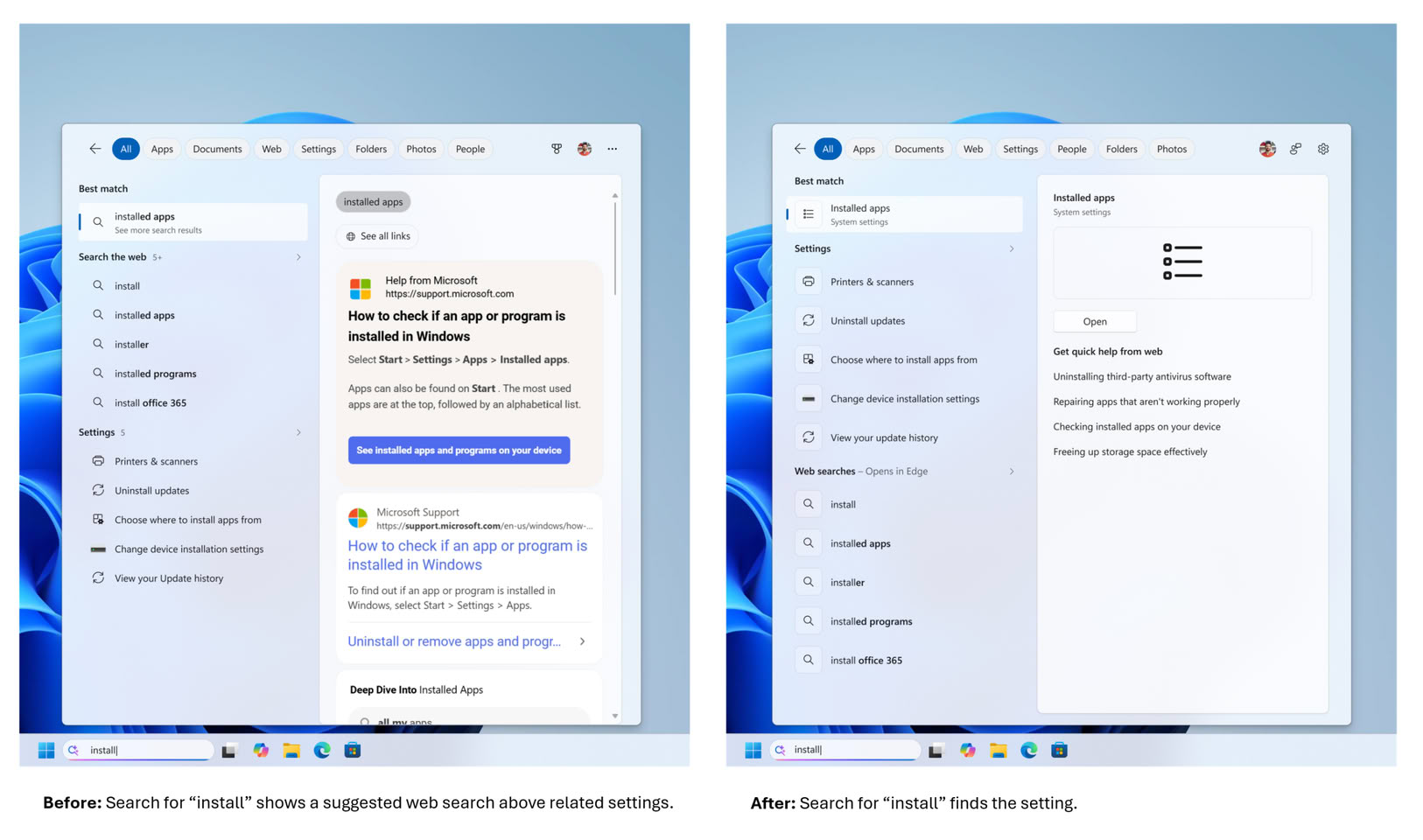
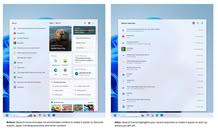
Microsoft has finally addressed one of the biggest pain points in using the modern Windows 11 operating system—the Windows Search Box. What used to be a complicated mess filled with content you didn't care about is now becoming a usable interface, with less visual clutter. Starting with new builds being rolled out to Windows Insiders on the Experimental Channel, Windows 11 will now display fewer results when running a Windows Search, meaning that the visual clutter is mostly gone, as you can see in the picture below. Recent searches are very easy to find, and the Search Box actually does what it is supposed to do. It will now display where the search result comes from, whether it is an application, a setting, a file, a web result, or even a Microsoft Store suggestion. The aim is for the Search Box to finally give users more transparency on what their actual search result is.

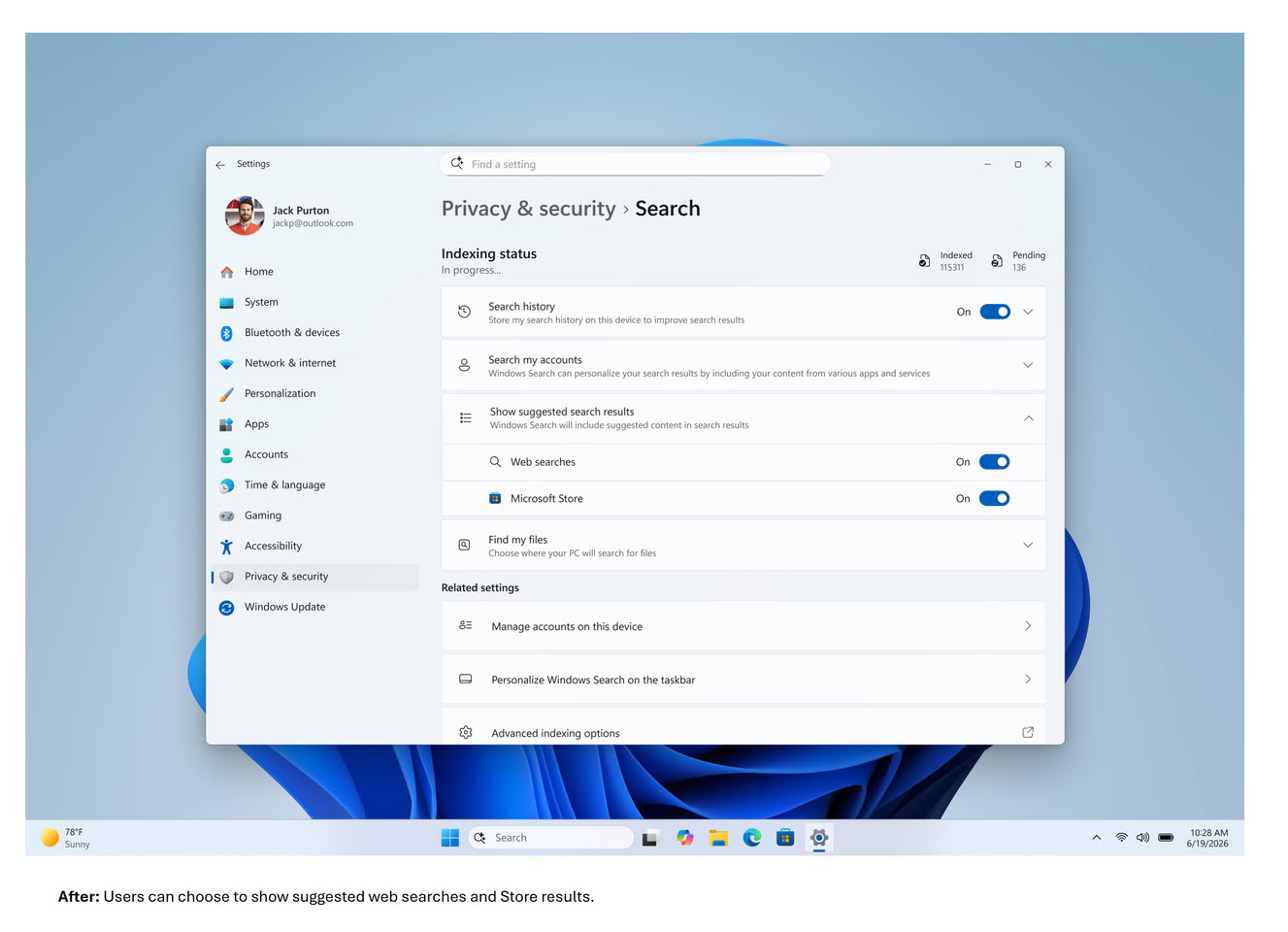
Perhaps the most important part of the update is the removal of promotional content. Previously, whenever you made a search in the Search Box, Microsoft would push promotions onto the user, showing related products first. This meant your search experience felt more like an advertising marketplace instead of a genuine search. Importantly, local search matches, like those from apps, settings, or files, are shown first before the web results, tailoring your experience towards a more local indexing of results. Additionally, these search results are customizable, as going to Settings > Privacy & Security > Search allows you to turn off web searches and Microsoft Store searches entirely.
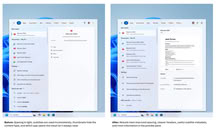
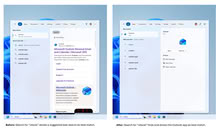
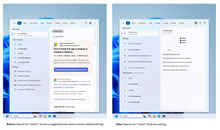
Finally, other aspects like finding files are getting an overhaul, making actual file searching much faster and more reliable, alongside finding applications even with spelling mistakes. You can see the before and after pictures below.
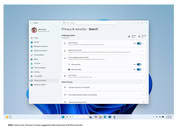
Source: Windows Blog
Add your own comment

61 Comments on Microsoft is Finally Fixing Windows Search, No More Promotional Content

#51
W4llBangdMyself
Too little, too late, Microsoft. I've already moved all my 5 PCs from Win11 to KDE Fedora and am never coming back. Only my work PC has Windows 11 on it now, and while I am allowed to install whatever Linux on it I want, I won't, since our IT guys do not support machines with Linux on it, and I'm not self-supporting a work machine. It's baffling to me how useless Start search is on the work PC. I press the windows key, type "notepad", have to wait for 20 seconds for the results to show up and then it only shows MS Notepad, not Notepad++, which I have installed and pinned in Start. Also, why does the default photo viewer in windows take 10 seconds to start if I just want to display a picture and why did it take Microsoft *years* to fix it so that PNG files are not blurry? Why do I have to have the Copilot button in every basic Windows app? No, dear Microsoft, this is not an operating system I want. Far from it. And don't get me started on MS Office. Getting a Word document from coworkers with instructions for a system change where I need to copy-paste simple Linux commands from Word into a CLI is simply impossible. Every line I copy has an implicit line break added at the end, causing the command to be immediately run when pasted. Quotation marks auto-replaced by Word with the "nicer" ones which, of course, cause the command to throw errors. Minus sign replaced by an m-dash. Impossibility to only select half a word when drag-selecting text with mouse or even with keyboard, where the selection jumps by whole words. I wish we were allowed to just make these documents as .txt files, but they need all the admin info in them which needs to be nicely formatted, not fit for plain text. At this point, I really think the world would be a better place if MS went bankrupt.
Posted on Reply
#52
Pets4Ever
W4llBangdMyselfI press the windows key, type "notepad", have to wait for 20 seconds for the results to show up and then it only shows MS Notepad, not Notepad++, which I have installed and pinned in Start.
What are the specs on that work computer? My work computer has an i7-8700 which is a 9 year old chip at this point and for me it's pretty much instant.

I wonder if you guys have the patch talked about in this article yet:www.windowslatest.com/2026/06/28/windows-11s-low-latency-performance-boost-rolls-out-to-more-pcs-making-start-menu-notifications-load-faster/

For me I get results immediately. When I type n o t e, notepad++ is at the top of the results but when i add the p, the native notepad becomes top result. I guess the search is trying to guess if you want the native app or not. If it was strictly based on spelling then native notepad should be top result until you add a +
Posted on Reply
#53
Stacts
I give it two months before they revert this change. It's far too pro-consumer of them.
Posted on Reply
#54
bonehead123
lexluthermiesterI've been on the internet since before it was called the "World Wide Web", which was in the 1980's.
I have no clue what you just referenced, spell it out homey.


Yeah, microsoft is on a downhill slope. The only way they are going to recover is if the start changing their business model to be in harmony with the will of the public.
Bout....

F'in...

Time....
Posted on Reply
#55
W4llBangdMyself
Pets4EverWhat are the specs on that work computer? My work computer has an i7-8700 which is a 9 year old chip at this point and for me it's pretty much instant.

I wonder if you guys have the patch talked about in this article yet:www.windowslatest.com/2026/06/28/windows-11s-low-latency-performance-boost-rolls-out-to-more-pcs-making-start-menu-notifications-load-faster/

For me I get results immediately. When I type n o t e, notepad++ is at the top of the results but when i add the p, the native notepad becomes top result. I guess the search is trying to guess if you want the native app or not. If it was strictly based on spelling then native notepad should be top result until you add a +
Ryzen 7 Pro 5850U. Not a slow CPU at all. Also the search behaves differently every day it seems. When I tested it while typing my previous post, MS Notepad was the only thing in the results. Now when I test it, after 10 seconds of waiting, the results show up and Notapad++ is there as well and it's actually the 1st result. So they cannot even keep the behavior consistent. Oh well.

And about the CPU speed and the upgrade you linked to - it should not be CPU-intensive *at all* to do a search for a bit of text in an indexed list with maybe a couple dozen entries? I sure do not have more than 30-40 items in my start menu. How do they fail at this? One would need to do such a thing on purpose to make it this bad.

Also it is not just my work PC. I used to have problems like this on my personal PCs as well. And those usually were fast gaming machines. Made me remember the "good times" with Windows 10 where on a fresh clean install of Windows 10, if I dared to re-order the pinned tiles in the start menu, it would just crash and I could not access the start menu even after a reboot and had to reinstall Windows again. Happened several times, even on Windows 11. Microslop were vibe coding long before the era of AI it feels like.
Posted on Reply
#56
Pets4Ever
W4llBangdMyselfRyzen 7 Pro 5850U. Not a slow CPU at all. Also the search behaves differently every day it seems. When I tested it while typing my previous post, MS Notepad was the only thing in the results. Now when I test it, after 10 seconds of waiting, the results show up and Notapad++ is there as well and it's actually the 1st result. So they cannot even keep the behavior consistent. Oh well.

And about the CPU speed and the upgrade you linked to - it should not be CPU-intensive *at all* to do a search for a bit of text in an indexed list with maybe a couple dozen entries? I sure do not have more than 30-40 items in my start menu. How do they fail at this? One would need to do such a thing on purpose to make it this bad.

Also it is not just my work PC. I used to have problems like this on my personal PCs as well. And those usually were fast gaming machines. Made me remember the "good times" with Windows 10 where on a fresh clean install of Windows 10, if I dared to re-order the pinned tiles in the start menu, it would just crash and I could not access the start menu even after a reboot and had to reinstall Windows again. Happened several times, even on Windows 11. Microslop were vibe coding long before the era of AI it feels like.
I heard that Apple and possibly Android already use temporary CPU boost to enhance the feeling of interface smoothness. I haven't verified that claim with research though.

I agree the search shouldn't need to be complicated and slow as it is. I also find that it is inconsistent at retrieving locally stored files. The third party tool "Everything" by voidtools is way waaaay better if you're trying to find a file. I use Everything when looking for files, Start Menu I only use for programs or windows' built in tools.
Posted on Reply
#57
mikeymike
CrAsHnBuRnXpThe day that Microsoft allows me to change the search from Bing to Google or something else entirely, I wont be using the search box for internet searches.
Could you explain your reasoning please?
Posted on Reply
#58
lexluthermiester
mikeymikeCould you explain your reasoning please?
Because Bing sucks? That would be why I'd want to change it.
Posted on Reply
#59
CrAsHnBuRnXp
mikeymikeCould you explain your reasoning please?
I hate bing.
Posted on Reply
#60
mikeymike
CrAsHnBuRnXpI hate bing.
Maybe I misunderstood your comment then, it read an awful lot like "the day MS allows that setting to be changed from Bing will be the day I stop using it" and I thought.... what?
Posted on Reply
#61
CrAsHnBuRnXp
mikeymikeMaybe I misunderstood your comment then, it read an awful lot like "the day MS allows that setting to be changed from Bing will be the day I stop using it" and I thought.... what?
Yeah, no :laugh:
Posted on Reply
Add your own comment
Nov 26th, 2026 00:33 CST change timezone

New Forum Posts

Popular Reviews

TPU on YouTube

Controversial News Posts