Tuesday, July 21st 2026

NVIDIA Shows DLSS 5 Progress and Technical Details at SIGGRAPH 2026
NVIDIA has once again showcased its DLSS 5 neural rendering at the SIGGRAPH 2026 event, currently taking place in Los Angeles. Despite the initial negative reaction from gamers, NVIDIA is continuing to develop the technology, offering improvements and a new demonstration of how DLSS 5 is intended to function. One of the most interesting aspects is that game developers can choose from three DLSS 5 models, each providing a different level of structural intensity, global illumination, texture detail, and more. These models, labeled Model A, Model B, and Model C, can be tailored to specific scenes or character needs, allowing developers to mix and match according to their requirements. Each model carries a different parameter count, meaning that some are more compute and memory-intensive than others. However, they generally fit and run fine on a single GPU without any problems.
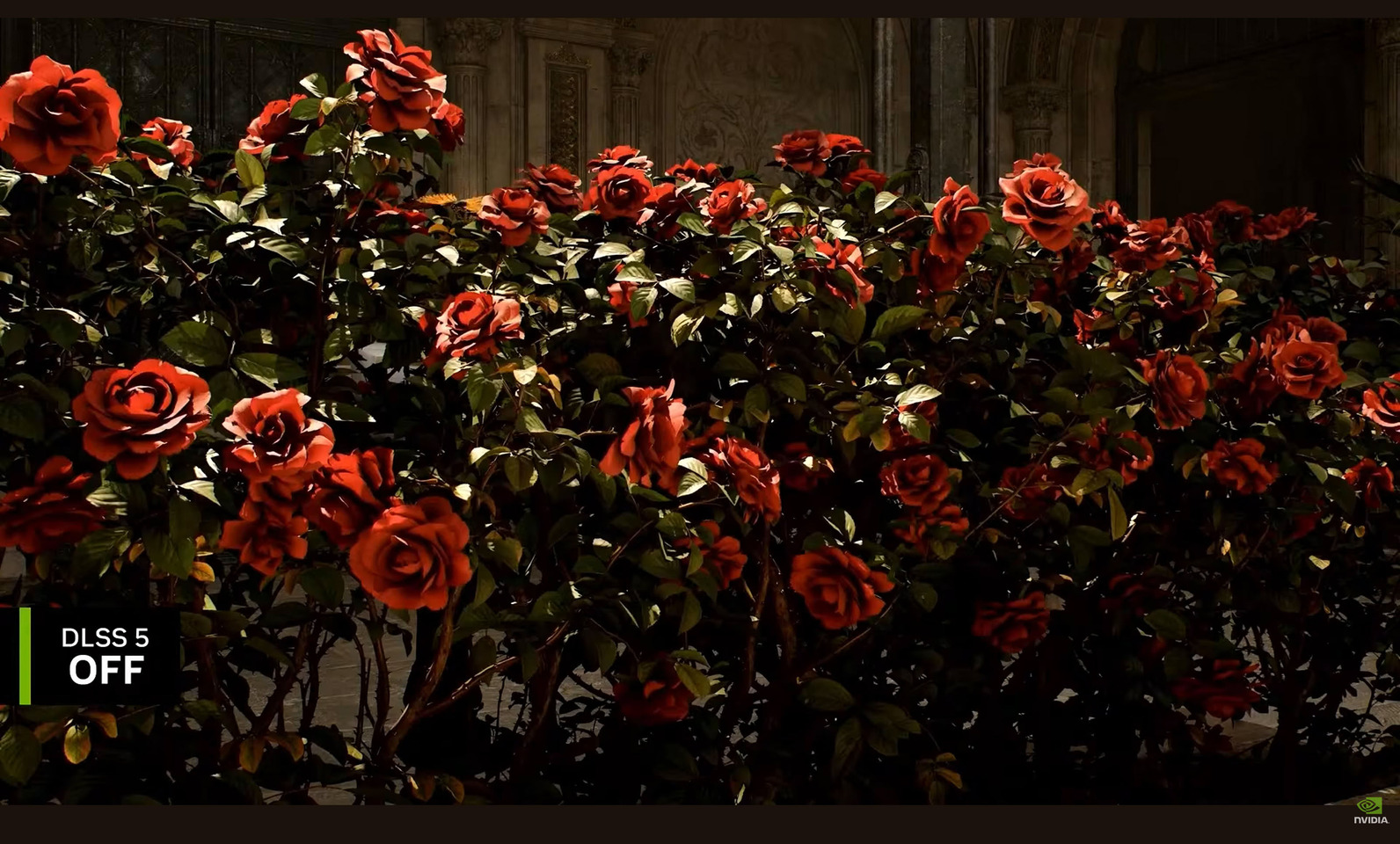
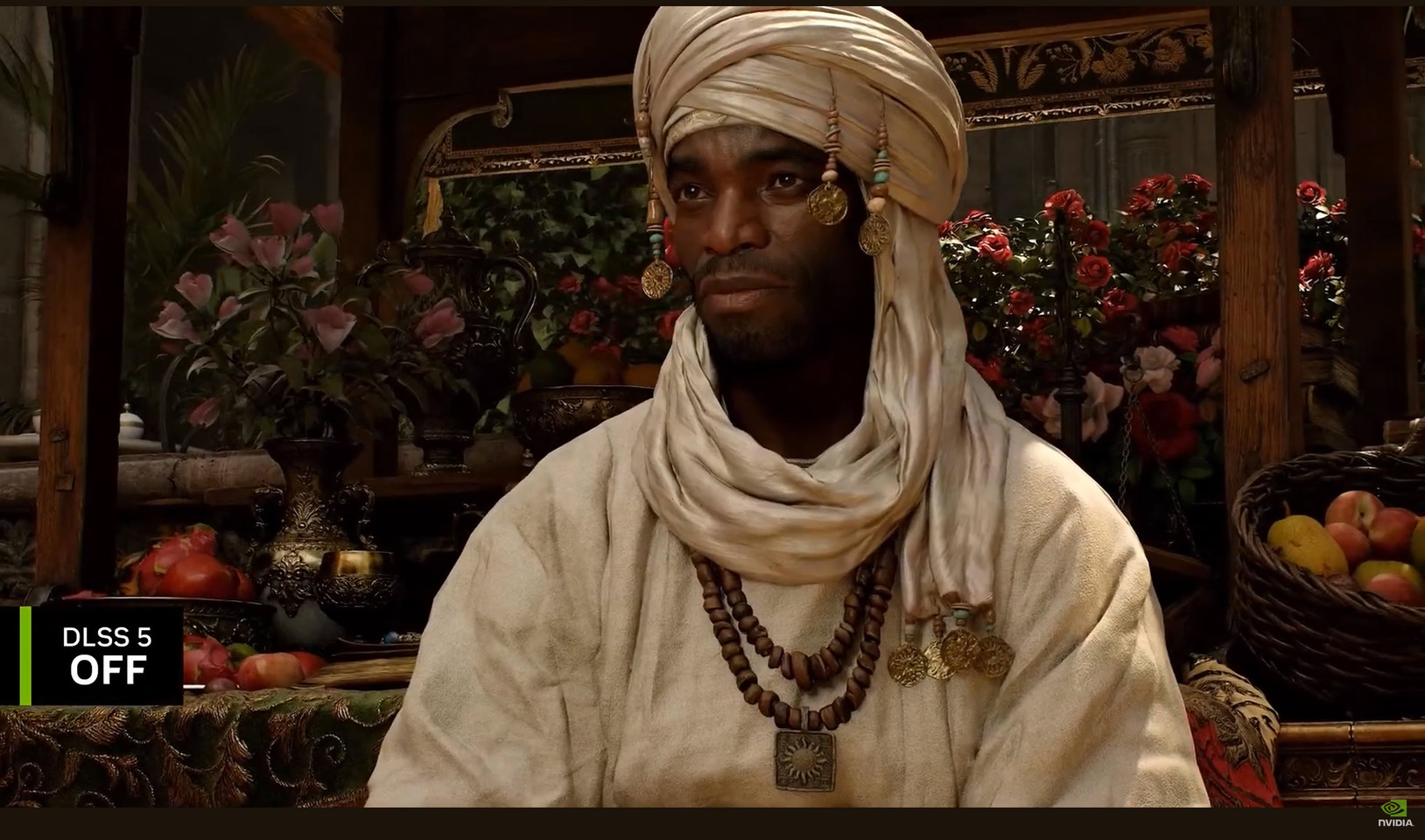
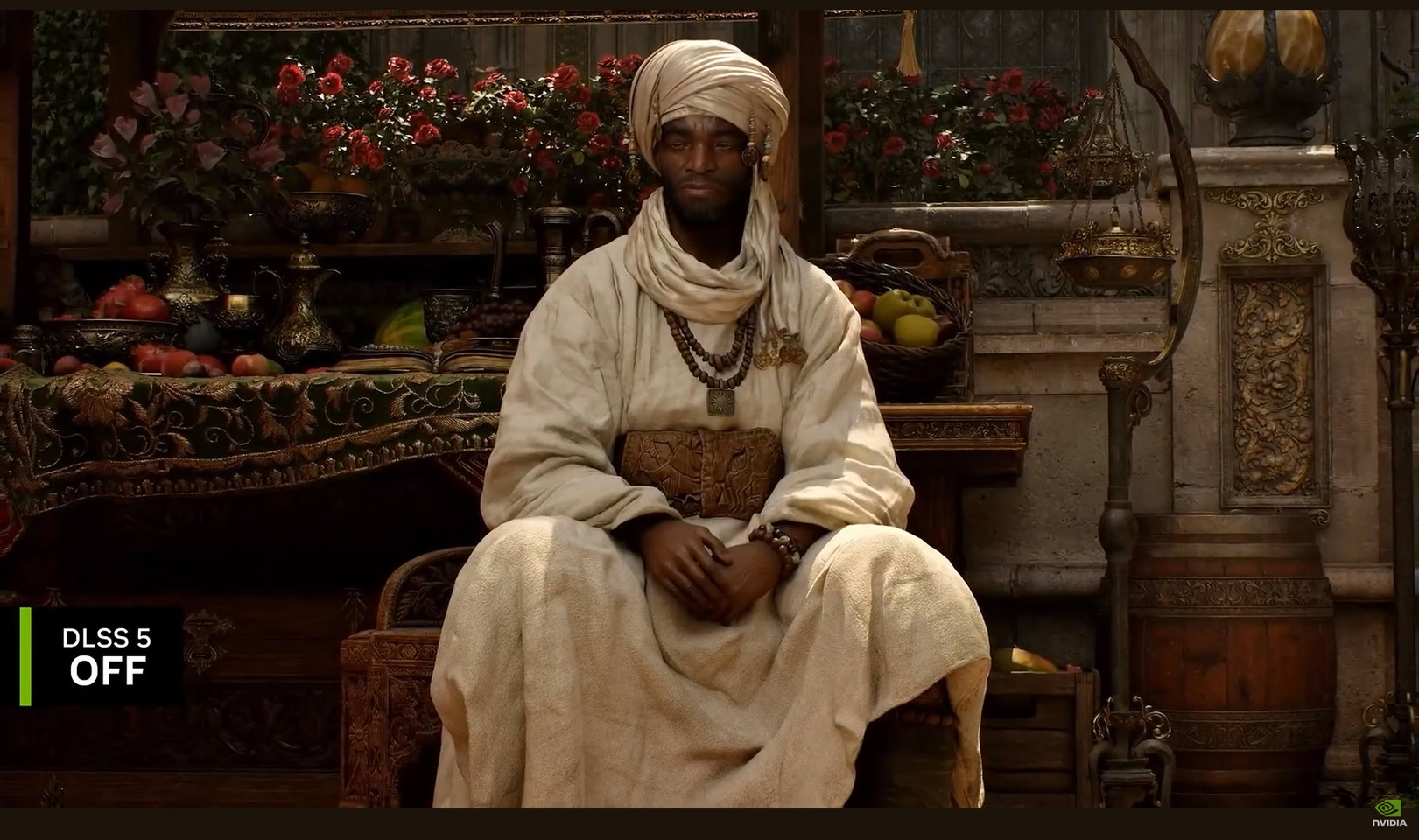
Another noteworthy feature is the preservation of artistic intent, which was heavily criticized in the original DLSS 5 demo. Each individual object, scene, and game setting can be customized according to the developer's vision. This is one of the challenges NVIDIA faced with DLSS 5, as maintaining visual identity, object semantics, and character poses, along with output lighting semantics, motion, and art direction, is crucial. Within these strict parameters, DLSS 5 applies material photorealism to enhance visual appeal. Below you can even see the customization of the applied model, where there are adjustable parameters that can be done per scene and per character.





 The second challenge that the company faced is temporal streaming. Traditional generative AI video generators process in chunks, reasoning across a frame and generating a batch of frames at once. However, real-time rendering requires immediate generation, frame by frame. Since DLSS 5 uses motion vectors from the game engine, it can generate additional textures instantly, without delay. This results in no shimmer or image corruption, as DLSS 5 know exactly where to attach itself and perform its texture generation instantly.



 The final challenge for DLSS 5 is speed. To render a 4K frame with 8.3 million pixels at over 60 FPS, NVIDIA achieves this in less than 16 ms, with most of the processing time consumed by the game engine rather than the DLSS 5 model. The model is so efficient that users will not notice any delay during gameplay, and it operates on a single GPU. While NVIDIA highlights VRAM efficiency, it remains unclear whether 4K gaming will be limited to high VRAM GPUs or something else. As the launch is expected this fall, the company will provide general system requirements and further details, but the improvements compared to the original demo seem promising for now.
Source:
NVIDIA at SIGGRAPH 2026
Another noteworthy feature is the preservation of artistic intent, which was heavily criticized in the original DLSS 5 demo. Each individual object, scene, and game setting can be customized according to the developer's vision. This is one of the challenges NVIDIA faced with DLSS 5, as maintaining visual identity, object semantics, and character poses, along with output lighting semantics, motion, and art direction, is crucial. Within these strict parameters, DLSS 5 applies material photorealism to enhance visual appeal. Below you can even see the customization of the applied model, where there are adjustable parameters that can be done per scene and per character.






153 Comments on NVIDIA Shows DLSS 5 Progress and Technical Details at SIGGRAPH 2026
What a time to be alive.
I'm glad to have experienced actual raw hardware graphics progression in the late 90s and early 2000's.
The amount of visual processing you can do with Reshade doesn't make DLSS5 in the shots from this thread look worth the argument.
DLSS does not make 1440p have the same visual quality as 4k native, sorry but that's cope.
Shiiiiiiet, it’s like all the graphix in my vidya were fake all along and the race is about finding new fakery… makes ya think. Or not. NV bad or whatever.
I mean i don't see how this is good in any way shape or form. It is still changing the face of the characters to look like another person, even though its not so different now, it is still making it ultra realistic and brighter which might not be the artists intent and is probably going to have dumb CEO's fire their artists for this shit to create bad AI slop games that all look exactly the same!
Despite the improvements, halo reshade still looks like an old game, with nothing visually special and a huge gap compared to modern games, so I don't know what you are talking about. Are you really trying to beat DLSS5 with this visual quality?
Look at how DLSS5 changes the graphics, and see how DLSS5 alters light, object textures, and reflections to dramatically boost fidelity. reshade can only handle traditional post-processing, which are old hand-tuned algorithms we are all too familiar with, and it is precisely their effects cannot be improve any more that forced Nvidia to introduce AI RT/PT/DLSS5. If you dislike vanilla color grading and want to add sharpen, different AO, or cheap bloom, go ahead, but this simple post-processing barely improves on the original graphics (although adjusting unsatisfactory tone, sharpen, and AO to your liking is also an improvement) and can never compare to DLSS5.
I recommend putting my 3 DLSS5 on/off screenshots into Nvidia ICAT single screen mode for a comparison, , while reshade only provides some basic post-processing effects.If you really think so. Even at 4k, modern games must use TAA to avoid aliasing, which results in blurriness, and any other AA has noticeable aliasing unless you only appreciate static images. Only DLAA is better than DLSS , but DLAA is also evil AI.
Nvidia did exactly what I expected after the initial AI slop backlash, they toned things down to a point where they seem almost irrelevant and you need to be told what to look for to notice actual differences. Complete 180 from the AI slop filter in RE:9. Sure, it looks good in still screenshots but falls apart as soon as you that character moving their head and you see artifacting from the AI filter on top of character's face.
But hey, I need to watch entire SIGGRAPH keynote to be able to discuss this.
As for the second half of the DLSS convo, nobody ever talks about the noise that comes with using RT or DLSS/FSR. NOISE. When you're trying to claim 1440p can have the same clarity as 4k you can't forget the fact that these techs add noise in motion. Denoising is never perfect. There's bluring and noise which you don't get with native. If you need a different kind of TAA to replace TAA to still wind up with a less shit version maybe try something else. Problem is by the time the 3000 series came out people were complacent with it and decided to forget all the hate we had for all of this from the 2000 series introduction.
It's your game, so you can play it however you want, and graphical overhauls using mods make it even better—sometimes developers do this themselves, remastering and reselling.So you need to use Nvidia AI -based Ray Reconstruction denoiser to eliminate noise. To run smoothly without noise in PT, you must use the full suite of features provided by Nvidia, including MFG, DLSS, and RR. These features either eliminate image artifacts or boost performance/smoothness. Besides acting as a denoiser, RR also participates in ray reconstruction to improve image quality. All of this is necessary for achieving real-time ray tracing.
AI is very suitable for denoising. I have provided Intel Open Image Denoise examples for comparison.
Just like Intel has long had advanced EMIB packaging, which makes AMD's substrate-based Chiplet look like no big deal, and Foveros, which Intel has used for years, AMD still hasn't caught up with and still uses worse interconnect technology in Zen 6.
Just like AMD tries to copy Intel's product naming, Intel calls it i7, AMD calls it R7, Intel renames to Ultra, AMD immediately renames to AI, terrified of straying from Intel's naming scheme.
Just like AMD, even in slides comparing against Intel's products, only dares to use Intel's other products instead of their own.
Obviously ray-reconstruction is used to negate some of the noise but it's not perfect and doesn't take it all away. When you add in the upscaler it replaces some of the noise with blur, and MFG adds latency to the mix. This isn't it chief. And again, using still pics to try and prove a point isn't going to work because the noise is most noticeable in motion. That's like putting 2 images in a post saying see you can't tell the difference between 120fps and 60fps.
I don't give a F about "electric cars" but I liked to be driven in few Teslas. (but NOT their Chinese crap-clones lmfao)
I'm looking at the images and can see it still has the tendency to add that front facing lighting look. Compare the side of the books in image 1 and 2. I assume Nvidia specifically chose front facing lighting to try and hide the model's natural tendency to do so, even at lower denoise strengths. There's more detail in the watermelon but it's not really detail that should be there. It looks too rough for a watermelon. The concrete wall in image 2 is oversharpened but that might just be DLSS in general.
I noticed a lack of focal depth as well, wondering how the model might handle that or other effects.
This DLSS 5 off image struck me as extremely uncanny.
It appears to be made specifically to make the DLSS 5 look good
Layering additional creative controls, especially ones that don't coincide with the existing ones, I can imagine will be rather annoying for devs. Another set of knobs to tune and one's that don't correspond with the existing ones you have. A dev might be concerned that lighting in a particular scene doesn't look as it should so they dig through the lighting and shaders, only to find it was something DLSS 5 was doing. Just a potential scenario.
I also take issue with the claim that DLSS 5 is adding subsurface scattering at 22:00 of the video. As far as I'm aware, they don't show controls for specific lighting techniques. You can't tick just subsurface scattering as far as they've demonstrated. You get the lighting the AI thinks the scene should look like, with the parameters Nvidia gives you pulling the model in certain direction (emphasis on pulling as the model's internal understanding still takes precedence). Even if they did train a model just on subsurface scattering, you'd still get bleed from the training data. That's just a flaw of current AI models.
It seems they've attempted to address the lack of artistic consistency (to some success) but realistically many of the challenges they needed to overcome were fundemental to current AI models. The performance cost will also be a question of course as well. If this is being used to enhance details, it has to be kept to a very lower performance impact. I question the usefulness for enhancing lighting until they completely get rid of the AI look. I guess it looks better than the PT images they used as an example but those just look horridly uncanny.
We are still kinda at the start of people grasping what can be done in real-time with AI. So I 100% expect we will see reshades use AI and manage to do almost everything shown. I also would 1000% expect engines like UE, Frostbite, Anvil, Snowdrop and etc to implement features like this that work universally, have way more control and allow for way more flexability than what nVidia has shown.
Whatever happened to baked lighting for static scenes?
You are definitely underselling it.It's not that said effects aren't traditionally achievable. RT, PT, subsurface scattering all are in realtime without the need for DLSS 5.
It's the "quality" of those effects. AI has a fixed cost for high level of lighting fidelity. The problem is that it carries of large variety of other issues with it. Right now those lighting effects are bundled, you can't choose just subsurface scattering. AI has bleed issues as well, where it'll pull outputs towards it's common understanding. It's why you still see the front facing lighting effect, because AI is trained on images with that kind of lighting.
The problem of not being able to unbundle specific effects is inherent to AI. The neurons are all connected and one input can pull on many neurons. I have to assume as well that in order to keep performance reasonable, understanding is limited. It's not going to be on the level of a model dedicated to identifying things visually. Originally it probably wasn't identifying things at all but merely coloring pixels as that's all it had beside motion vectors. Them feeding it more game data will absolutely help. The point of a model like this isn't to deeply process the data, it's to get it through the neural network as quickly as possible with the highest possible output aesthetic quality.