Monday, September 14th 2026
OpenRGB 1.0 Launches for Open-Source RGB Customization on Windows, Linux, and macOS
RGB control software has long been a pain point of gamers, with background apps and clunky UIs frequently coming up in discussions about gaming mice, keyboards, speakers, monitors, among many more. OpenRGB is a project that hopes to cut through some of that noise and provide a cross-platform support for RGB on gaming peripherals and components. OpenRGB just released version 1.0 after months testing release candidates. With the update, the utility expands support to a number of new brands and components and lays the groundwork for more Logitech device support.
For starters, the latest version of OpenRGB adds support for QMK and VialRGB, including Keychron's forks of those protocols, as well as more Gigabyte and MSI motherboards laptops, and motherboard, Clevo laptop keyboards and light bars, various GPUs across a number of controllers, including PNY Epic-X ARGB and PowerColor GPUs, and more.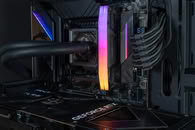 The OpenRGB 1.0 release also improves support for Corsair DRAM controllers and adds support for RGB memory controllers on old Intel X299 motherboards. There is also new support for the Logitech HID++ 2.0 controllers, which should drastically expand support for newer Logitech peripherals in the future.
Source:
OpenRGB on Codeberg
For starters, the latest version of OpenRGB adds support for QMK and VialRGB, including Keychron's forks of those protocols, as well as more Gigabyte and MSI motherboards laptops, and motherboard, Clevo laptop keyboards and light bars, various GPUs across a number of controllers, including PNY Epic-X ARGB and PowerColor GPUs, and more.

16 Comments on OpenRGB 1.0 Launches for Open-Source RGB Customization on Windows, Linux, and macOS
Edit longer than i thought, seemingly 5 years
Time for an upgrade. :D
My motherboard on the other hand, will not save its RGB in settings, so if e.g. upgrade bios or do a cmos reset followed by load saved profile, the RGB still has to be manually configured again which is really annoying as it has a default all board rainbow. So if this software can fix that, it be great.
After that experience, I stopped using it and switched to SignalRGB. That is, until I migrated to Linux and found myself having to rely on OpenRGB again.
So far, I haven't run into any further issues. I've disconnected all ARGB devices from the motherboard and moved them to an 8-port Nollie controller, except for the RAM, of course. And that's precisely what worries me: OpenRGB has a reputation for corrupting the SPD data on some DDR5 modules, effectively rendering them unusable.
I'm keeping my fingers crossed and hoping that version 1.0 improves in terms of preventing accidental hardware "deaths."
I like ratbagd/Piper (similar software for gaming mice), but being limited to a selection of few dozen mice isn't nice (insert a Monty Python reference here). If it's a ubiqtuious functionality, there is a absolutely no reason why it shouldn't be standardized.
Or not. :laugh:
I need it only for the stupid mobo that defaults to red every power outage. So back to the old one for now, I'll check it sometime in the future again.
The new one sees the HE30 which I configure from the web browserbut not the mobo I need it the most for... Edit, it recognizes 2 TH80 SEs... Fix that boys and girls.I'm to lazy to pull mobo out, but the first time it's out, it's de-soldering time, I'm sick of those leds for years.
Btw I had more luck with the older versions, that's the main reason I didn't upgrade. 0.9 does its job.
And I think most fans don't have persistent memory either. But I'm happy with the little control box on my current case.
And it work perfectly.
The first time that i can finally uninstall armoury crate *-*
And ships with qt ¯\(°_o)/¯
But happy to see progress, and I'm happy that some has use for it :D