Friday, September 18th 2026

Microsoft's Automatic Super Resolution Comes to Intel "Panther Lake"
Microsoft announced that it has expanded device support for its Automatic Super Resolution (Auto SR) feature, which provides resolution upscaling to nearly every NPU-powered device, to Intel's flagship "Panther Lake" mobile platform. Introduced in 2024, Auto SR was designed to bring resolution upscaling to more devices, being hardware-agnostic and useful when native technologies are not available. For instance, Microsoft has added Intel Core Ultra Series 3 "Panther Lake" designs to its Auto SR support list. When a game supports Intel's native XeSS Super Resolution upscaling technology, it is recommended to use that. However, if the game doesn't support XeSS-SR, Auto SR can take over, as it is built into Windows and can apply super resolution across existing games without requiring game-integrated super resolution.
Regarding performance, Microsoft conducted preliminary testing with Assassin's Creed Valhalla Benchmark Averages on the Intel Arc B390 GPU found in "Panther Lake" SoCs. At a native 1600p resolution with in-game settings on "High," the average frame rate is around 45 FPS. However, when Auto SR is applied to upscale a 1050p resolution to 1600p with in-game settings on "Ultra," the performance increases to 52 FPS. This represents a 15% improvement with higher in-game graphics settings, without any noticeable difference in resolution due to the model's upscaling capabilities. The current goal of Auto SR is to achieve a playable 60 FPS on devices that can't reach that, but Microsoft aims for a 90-120 FPS target in future iterations.
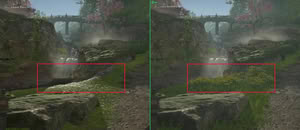
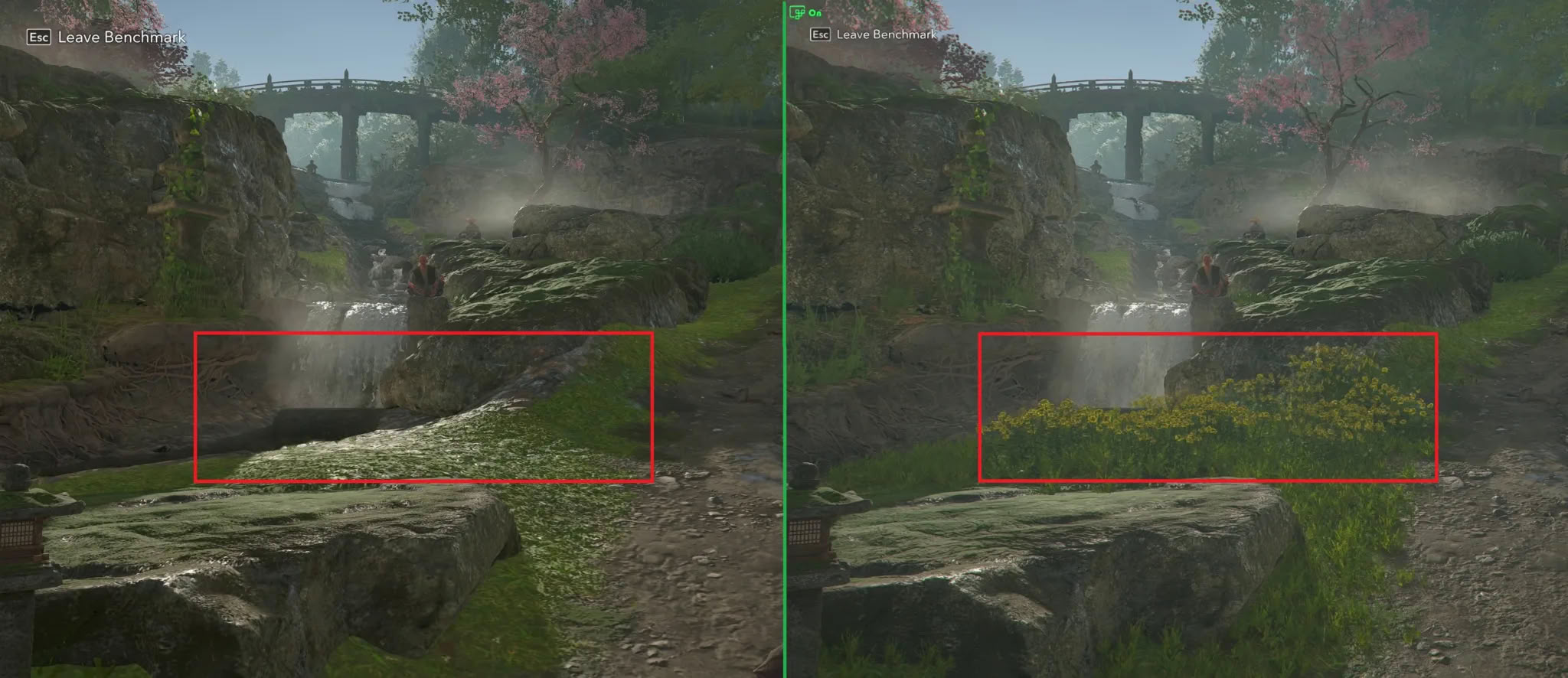
 Additionally, there is an option for achieving playable FPS in texture-heavy games like Assassin's Creed Shadows Benchmark, where the Intel Arc B390 achieves only 31 FPS at native 1600p resolution with "Very Low" in-game settings. However, with Auto SR applied on "Ultra High" in-game settings, upscaling 1050p resolution to 1600p, the game manages a similar 29 FPS, but with a significant improvement in textures. The native image is on the left, and the Auto SR scenario is on the right.
 Almost any DirectX 10 or later game can use Auto SR, but Microsoft recommends trying Auto SR with the following titles:
Source:
Microsoft
Regarding performance, Microsoft conducted preliminary testing with Assassin's Creed Valhalla Benchmark Averages on the Intel Arc B390 GPU found in "Panther Lake" SoCs. At a native 1600p resolution with in-game settings on "High," the average frame rate is around 45 FPS. However, when Auto SR is applied to upscale a 1050p resolution to 1600p with in-game settings on "Ultra," the performance increases to 52 FPS. This represents a 15% improvement with higher in-game graphics settings, without any noticeable difference in resolution due to the model's upscaling capabilities. The current goal of Auto SR is to achieve a playable 60 FPS on devices that can't reach that, but Microsoft aims for a 90-120 FPS target in future iterations.


- Assassin's Creed: Shadows
- Assassin's Creed: Valhalla
- Assetto Corsa
- Avowed
- Control
- DOOM: The Dark Ages
- Far Cry 6
- Frostpunk 2
- Grounded 2
- Psychonauts 2
- Rise of the Tomb Raider
- The Outer Worlds 2
- Tom Clancy's Rainbow Six Siege
16 Comments on Microsoft's Automatic Super Resolution Comes to Intel "Panther Lake"
Ofc the lower core variants on the same architecture are a lot cheaper still.
Note the following:
Copilot+ is becoming a graveyard for Microsoft's AI promises
Deskmodder (de)So, it’s not really comprehensible.
Not that this is anything new in Redmond since Slopya Nadella.
Regards,
Fred.
See, you must set a game to run at most at 900p vertical then switch it on using the Game Bar, so with my 16:10 laptop that leaves 1280x800. Then it upscales to the screen's native resolution, which in my case stands at 2944x1840. I can only say the resulting image is FAR from optimal.
Now, why couldn't I simply set any resolution below the screen maximum and then toggle the option in Xbox Game Bar, even if the boost didn't get as big?
Using a new version on top of a very low graphic setting will look ugly as hell. Maybe good if no other option I guess...
I am still a bit unsure about how Auto SR is supposed to work.
As far as I can tell, it is simply a spacial scailer (like FSR1), but with "AI" :confused:
While I am sure this could have its uses, I would much rather Microsoft invest in a native Optiscaler-like solution, that lets you use the best possible upscaling algorithm for your hardware, regardless of which upscailers the game officially supports.