Saturday, October 31st 2026

Dragging the Windows Taskbar To Move It Is Dead, and That's a Feature
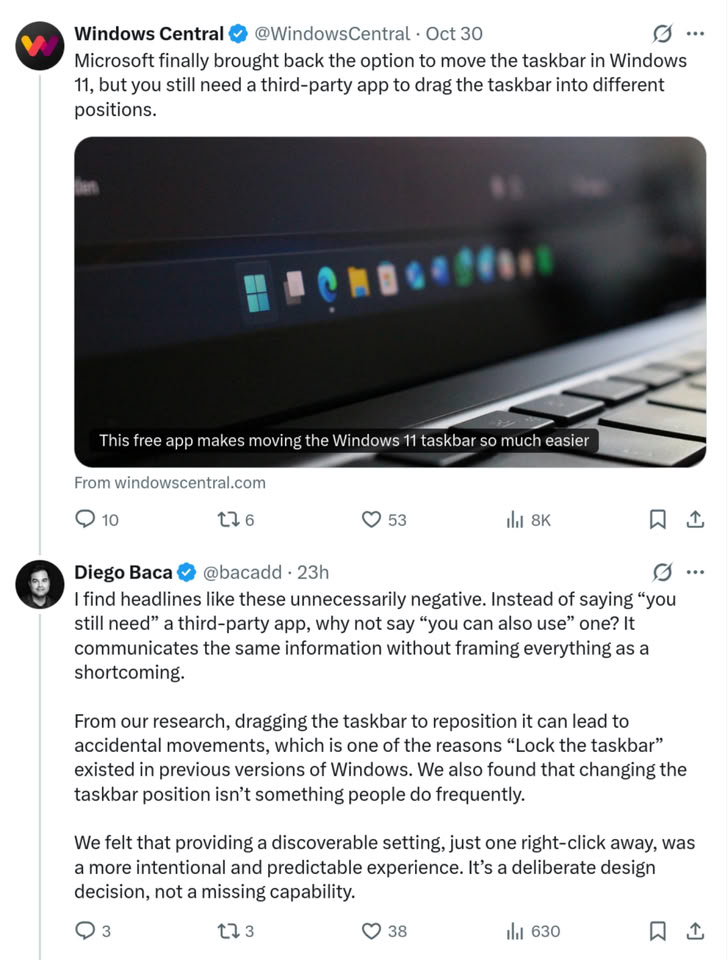
Microsoft recently restored the ability for Windows users to move the Taskbar to any screen edge, nearly five years after Windows 11 launched. The Windows 11 implementation, however, is not the same as it was in Windows 10, where users could click and drag to move the Taskbar and lock it in place when they were happy with its position. Instead, Windows 11 makes users go into the settings app to change the Taskbar position, and now, in response to a news story about a third-party utility that allows Taskbar dragging, Windows Vice President of Design, Diego Baca, explains that this is indeed a feature, not a bug, and that the drag-and-drop repositioning often caused accidental movements.
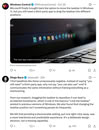 Removing Taskbar repositioning for so long with Windows 11 was a pain point for many Windows users, because it broke decades-old habits that had been formed by Windows design decisions in Windows 10 and long before that, and moving the Taskbar position options behind a settings window likely resulted in much of the same frustration from those who did move their Taskbar frequently. In another reply, Baca notes that he is "100% supportive of third-party software that extends Windows and gives people more choice," but justifies the current setup by saying that "having the setting accessible with a single right-click is hardly buried. I'd argue it's exactly where it should be!"
Source:
Diego Baca on X
Diego Baca, Windows Vice President of Design at MicrosoftFrom our research, dragging the Taskbar to reposition it can lead to accidental movements, which is one of the reasons "Lock the Taskbar" existed in previous versions of Windows. We also found that changing the Taskbar position isn't something people do frequently.
We felt that providing a discoverable setting, just one right-click away, was a more intentional and predictable experience. It's a deliberate design decision, not a missing capability.

34 Comments on Dragging the Windows Taskbar To Move It Is Dead, and That's a Feature
Or rather I guess they unlock it, move it, both by mistake, and then have no idea what happened. I can see that happening, especially with different inexperienced users on the same computers all the time.
EDIT:
Do people really move it around all that much? Maybe somebody with a swivel monitor or something.... but still, its not like it takes that long to do. Why is dragging itself so important? Most people are just going to move it to their preferred location and then thats it, done. Probably like 95%+
I mean no doubt MS did this to help their own tech support, but in so doing help pretty much every other kind of tech support while their at it, anything to do with or running on windows anyway, at least when inexperienced users are involved. And thats a lot. I bet prebuilt manufacturers appreciate it.
But if you really want dragging as the method for changing it... there's an app for that. Though I guess I don't really have any skin in the game after going back to win 10 myself. And I have to say, I have a had a lot less OS problems after doing that. Things just work. Its so nice. I do like win 11 paintjob more but thats not worth so many other pains I was experiencing after 24h2. Dunno what I'm gonna do in 2029 tho....
In Windows 7, it points away from the edge of the screen in any of the four possible positions, to show where more icons would appear.
I don't know how she moved it despite being locked, but she did it :roll:
Action: MS will now use o instead of o in the default Windows logo. :)
Reaction: Pitchforks, torches and guillotines!!! 🤬
"Cappuccinos are more popular than Espressos or any other coffee variants, so our cafe will sell ONLY Cappuccinos from now on. this is for your own good." - that is what this sounds like.
FYI the problem isn't even solved. The "new" system is still either PRIMARY MONITOR ONLY or ALL MONITORS. Multi-monitor users still can't, in native Windows 11, set it to show the taskbar on only one particular non-primary monitor.
Of course they have also lost the ability to get it right on the first attempt, like it used to be in Windows 95 through 7 (and maybe 8.1 but I barely remember that).
explorerpatcher.net/
Like with a single taskbar you can only move it to places on the monitor marked as primary - so can't have a single taskbar on a secondary monitor.
You could enable taskbars on all monitors but you only get the system tray on the one marked as primary.
And which ever monitor marked as primary is the one most games will open on.
For years I've had my taskbar on the side of my 2nd monitor so I can still get to it super quick when I have a full screen game on my primary. Can't have that setup with Win11.
(Explorer Patcher has solved it for me though :P )
Microsoft poses a great risk for Windows!
You can also change the orientation of the taskbar, like I like my 2nd monitor on the side, and my main on the bottom. I'll drop the link if anyone wants it, its free on github. Also modding options are available to customize the look
github.com/Gnawbie/additional-screen-taskbars