Friday, November 20th 2026

New Windows Search Finally Arrives in Windows 11 Update
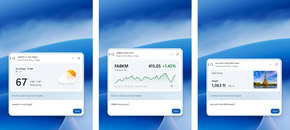
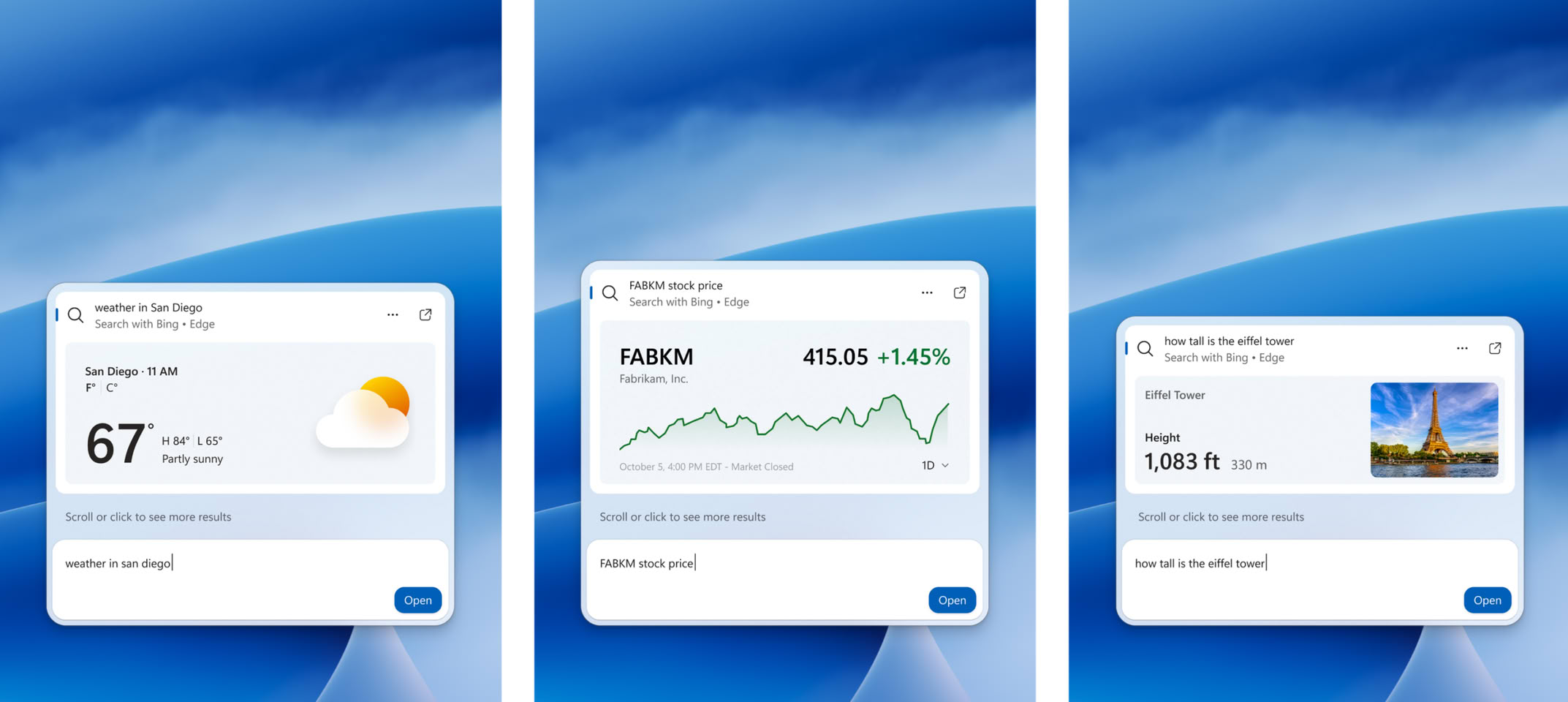
Microsoft has released the Windows 11 KB5132057 update, which finally introduces the much-anticipated Windows Search update, addressing a longstanding issue with the operating system. The new search box can execute thousands of quick actions typed as simple commands, such as "switch to dark mode," "turn on Bluetooth," "dim my screen," "mute," and "minimize all my windows." Additionally, actions related to Phone Link, like sending a text message from a connected phone, are available, along with options to access weather, stocks, and other data directly from search. For enthusiasts, the most intriguing aspect is likely the underlying technology. The new Search is built on WinUI 3, which Microsoft claims enhances speed and reduces system resource usage. Early testing has reportedly shown significant improvements in both speed and memory efficiency.
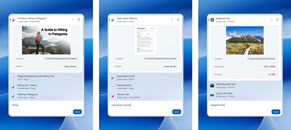
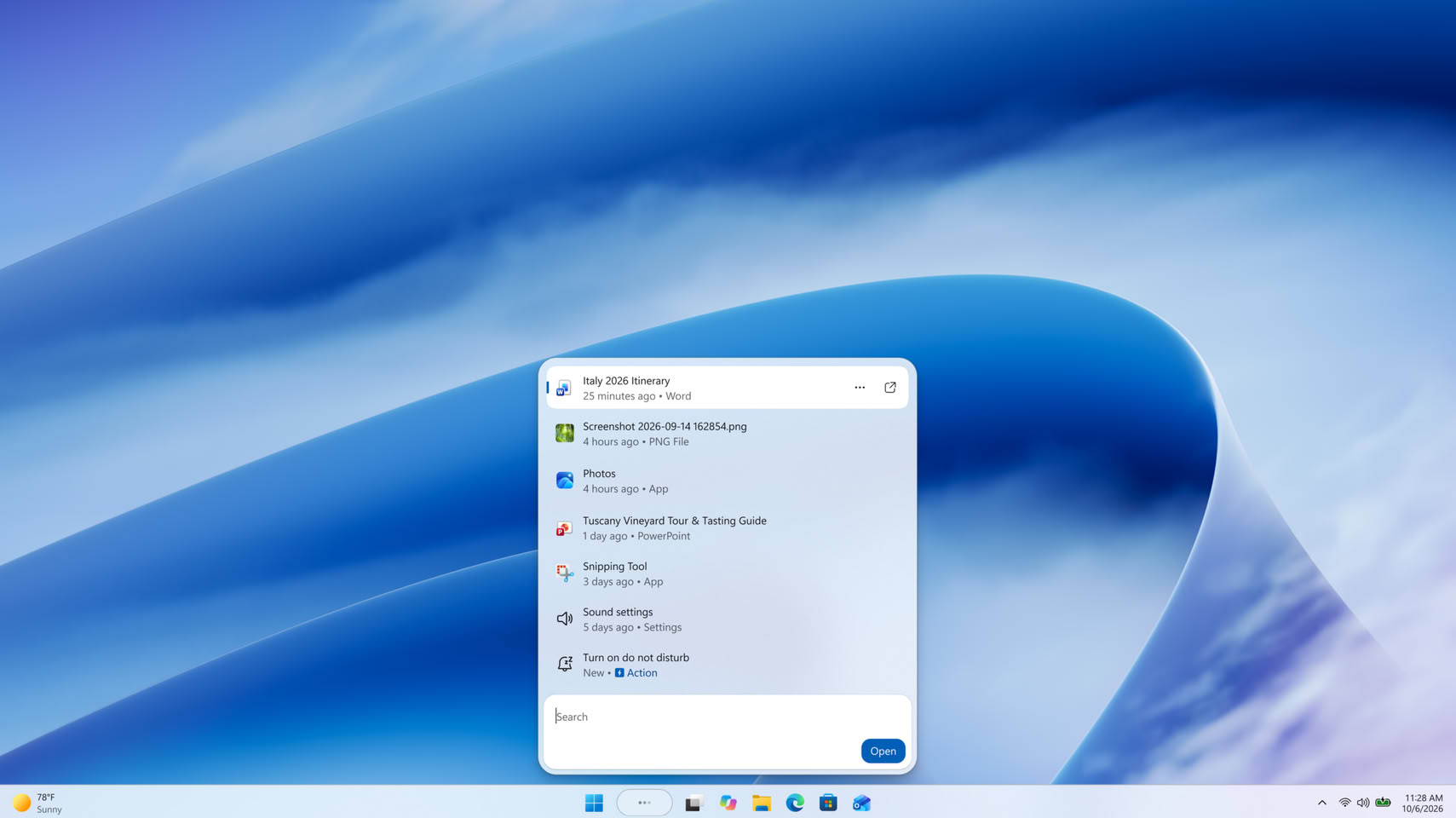
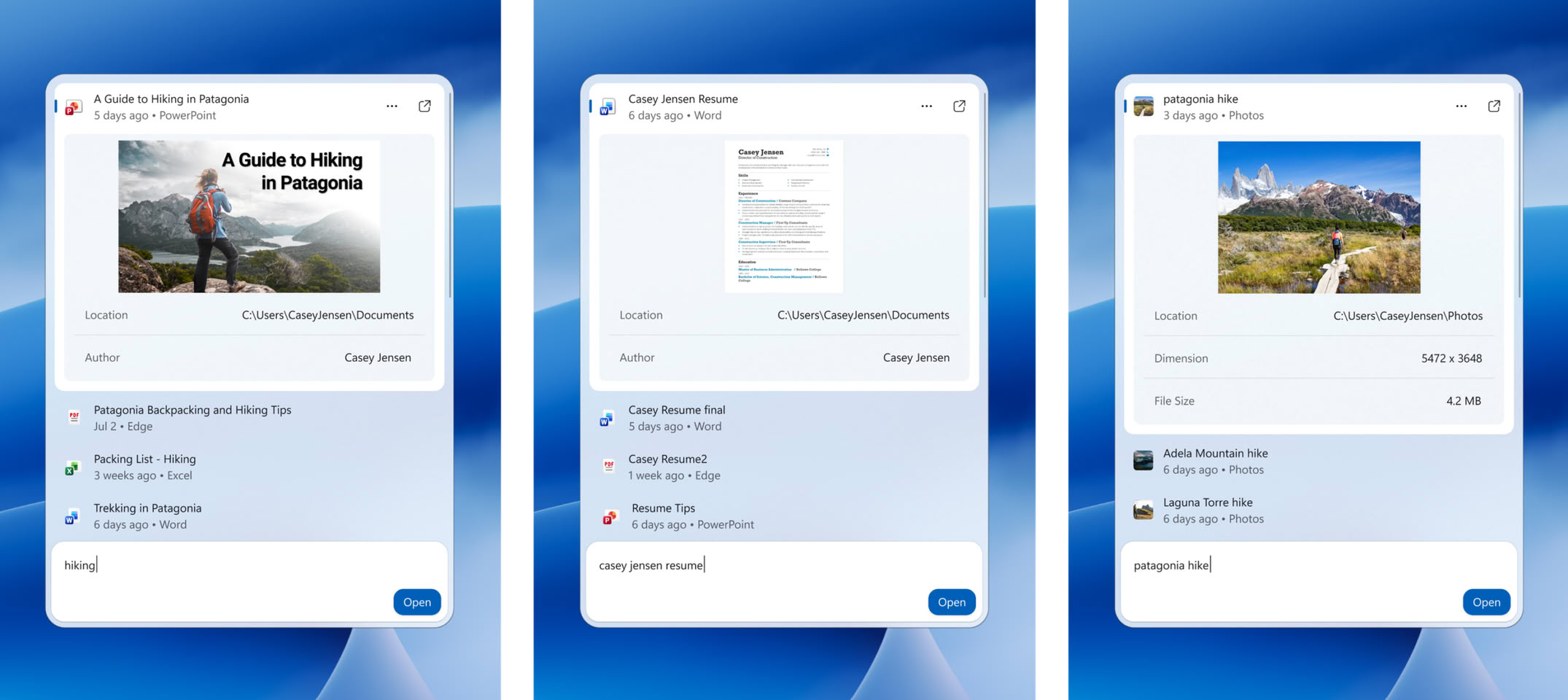
The layout now features a single list of results, replacing the previous design with its large preview pane. Search is expected to better handle typos and synonyms, with a way for richer file details and web previews. Copilot is also integrated, with its answers appearing within Search and a shortcut to open the full app. This follows the July update that removed ads and promotional content from Search and added a setting to hide web and Microsoft Store suggestions. Microsoft notes that the new Windows Search experience is initially available in English, and the system now manages typos much more effectively, making interactions with the OS more seamless through search.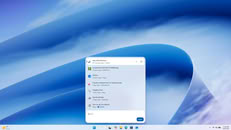
 Other features of this KB5132057 update include a modernized Run dialog, Windows Hello brightening your screen briefly to enhance facial recognition in low-light environments, and the search from This PC in File Explorer is now indexer-based, making it much faster and consistent with search from File Explorer Home. Microsoft notes that the update is being rolled out gradually, meaning users will receive it slowly rather than all at once.
Source:
Microsoft
The layout now features a single list of results, replacing the previous design with its large preview pane. Search is expected to better handle typos and synonyms, with a way for richer file details and web previews. Copilot is also integrated, with its answers appearing within Search and a shortcut to open the full app. This follows the July update that removed ads and promotional content from Search and added a setting to hide web and Microsoft Store suggestions. Microsoft notes that the new Windows Search experience is initially available in English, and the system now manages typos much more effectively, making interactions with the OS more seamless through search.
27 Comments on New Windows Search Finally Arrives in Windows 11 Update
A "cuddly" OS is not what I asked for.
Regards,
Fred.
:roll:By whom exactly? I mean besides the ones selling Copilot suscriptions.On the contrary. They've learned most users don't bother disabling bundled "features" and if you ask them enough times via "Click here to get a better Copilot experience" popups they end up buying suscriptions.
Well done, Redmond.
Keep it up!
Regards,
Fred.
regular cumulative update, which is what you get on patch tuesday.
Preview update, which is what this KB is. They usually release it around the 20-25 of each month, and it's supposed to be a preview of the next month's update.
Yet they cannot fix the search to find files fast on a server driver. Or find text inside documents fast. No but you can search for useless stuff more now.
Would be really nice instead if MicroSlop would make easier to totally disable web/bing searches in the start menu...
Can it find duplicates?
Can I disable copilot and it still works?
But for some of us, windows search should only ever need to search your machine and nothing else, it certainly does NOT need to access the internet, and micro$lops own search engine (bing). Those screenshots look creepy and agentic, very recall-like. So given Micro$lops track record of proving they can't be trusted, peoples reactions to this "feature" are understandable and justified.
If I'm not mistaken it is also enabled by default and with that description normal users won't have a reason to disable it.
The best part is the "Learn more" takes you to a page that doesn't say anything about preview updates and if you want to find out you need to follow the link to the Windows IT Pro Blog post:
Sure, the information is there, only hidden behind 2 layers of webpages that they know normal users aren't going to bother reading.
If you like MS you just don't know enough about them.