News Posts matching #GitHub

Return to Keyword Browsing

AnyPS5 Project Skips Emulation Entirely, Aims to Port PlayStation 5 Games to PC Directly

A new open-source project called AnyPS5 aims to run PlayStation 5 games natively on Windows and Linux, without emulation. Its GitHub page describes it as a tool that relinks PS5 executables into the host system's native format and reimplements the console's system libraries for dynamic linking, similar in concept to Wine or Proton. Since the PS5 already runs on x86-64 Zen 2 hardware, close to a modern PC, AnyPS5 skips CPU emulation and recompiles shaders into SPIR-V for Vulkan instead.

As for progress, the developer says execution now reaches a game's main function, with exception handling built out, and the shader recompiler produces SPIR-V that validates cleanly. The repo's status notes claim a real game reaches its logo, main menu, and some gameplay with audio, though there's no public build to verify that yet. No releases exist, and the developer says one won't go out until a game fully launches through the tool. It's tempting to think about God of War Laufey or GTA 6 running on a PC through AnyPS5, but that's not realistic anytime soon. AnyPS5 hasn't run a full game yet, and going by how long PS4 and PS3 compatibility work took, that tends to take years.

PS5 Emulator KytyPlus Gets Silent Hill 2 Remake to Boot on Integrated Graphics

The KytyPlus PS5 emulator has reportedly rendered the Unreal Engine 5-powered Silent Hill 2 remake on an integrated GPU. Reddit user Legal_Help_31 shared a test on an AMD Radeon 840M with 512 MB of dedicated VRAM plus shared system memory, paired with a Ryzen AI 5 340 and around 15 GB of shared RAM. Performance is still not where we would want it, of course. The game's content warning screen runs at around 4 FPS, and it looks like the game only starts and sits there for several minutes without crashing. The test includes no gameplay at this time. The developer's own GitHub page calls the work experimental and says it is not a playability claim. FSR upscaling can apparently be used as well.

KytyPlus is a high-level emulation (HLE) fork of the KytyPS5 project. It reportedly runs without Sony's console firmware and uses Vulkan for rendering. The original KytyPS5 reportedly still crashes when launching Silent Hill 2 Remake, even on stronger hardware, so KytyPlus is a few steps ahead there. It is also impressive that this technically ran on an iGPU, but a boot screen at 4 FPS tells us very little about whether this ever becomes playable. The emulation scene has moved quickly in recent weeks, though, with KytyPS5 showing tremendous progress in Demon's Souls Remake and Astro Bot, among other games. KytyPlus developers are apparently now working to improve the performance in Silent Hill 2 Remake.

Modder Builds Split Keyboard With Integrated Joysticks and One-Handed Gaming Functionality

The Tiwaz is an open-source split keyboard product that started as a DIY project and morphed into something a little more concrete and comprehensive. Unlike traditional split ergonomic keyboards, like the MoErgo Go60 and ZSA Voyager, which generally eschew any thoughts of gaming prowess in favor of ergonomics, the Tiwaz was designed with gaming in mind. Specifically, its designer, Timo Strube, explains in the project's GitHub that "each half works standalone as a one-handed controller or macro pad," allowing it to be used by left-and right-handed users. The keyboard uses hot-swap sockets compatible with standard MX-style mechanical switches, giving it a wider degree of customization.

The Tiwaz uses a split ortholinear layout, meaning the keys are arranged in straight rows and columns, instead of the offsets present in both columnar stagger and row stagger layouts. Another interesting feature in the Tiwaz is that it features two thumb joysticks—one on the inner side of the keyboard itself. These can be configured to output cardinal directions, analog directions like a gamepad, or even mouse movements. The actual layout of the keyboard is also rather unorthodox, even for a split keyboard, with a total of 76 keys (38 per side), which is already a lot for a split keyboard, which usually hover around 50-60 keys at most. It also has a gasket-mounted case design, which also runs counter to many split ergonomic keyboards that forego features like gasket mounts in search of thinner cases for ergonomics purposes.

Developer Ports DLSS 5 to Intel Integrated Graphics With Help From AI Agents

A developer going by Uzbekunknown on GitHub has gotten NVIDIA's DLSS 5 Neural Rendering running on the Arc 140V integrated graphics of an Intel Lunar Lake system, as Tom's Hardware reports. The project, called dlss-nr-on-intel, is an independent reimplementation of the 71-block network that runs on Intel's XMX units through Vulkan. It has apparently been shown working in Tekken 7, Dead or Alive 5 Last Round, and Mortal Kombat 1. For now it only runs on Linux, and users must supply their own copy of NVIDIA's DLL. As far as performance goes, the developer says Tekken 7 ran at around 10 FPS at 640x360 resolution, and the frametimes are absolutely abysmal too. The author calls it a research port, not a finished product, so photo mode use looks like the only realistic scenario right now.

Perhaps even more interesting is how this port came to be. Apparently, the code was written almost entirely by AI. The developer credits Claude Opus 5 and OpenAI's Astra, saying they themselves only supplied the hardware, the binary, and the direction. They also state they cannot defend the code line by line, and that a driver bug one of the agents hallucinated shaped three development phases. This mod effort follows DLSS 5 reaching RTX 30-series and AMD RDNA 4 cards within weeks of the leak, as well as the technology reaching web browsers. I think whether this is clever or a step too far depends on how much you trust code nobody fully reviewed. It's a fine technical demo, but I don't think we really needed DLSS 5 on Intel integrated graphics.

NVIDIA DLSS 5 Neural Rendering Now Runs in a Web Browser Via WebGPU

A developer going by MAAN has demonstrated NVIDIA DLSS 5 Neural Rendering running inside a web browser using WebGPU, and according to their post on X, it works on macOS too. A live demo is up now, and MAAN says people can try it with their own models as well. This is odd because NVIDIA doesn't officially support DLSS through WebGL or WebGPU at all. DLSS normally runs through NVIDIA's NGX interface or the Streamline SDK, which sits between a game and DirectX or Vulkan and needs motion vectors, depth data, and the rendered frame handed over directly. None of that maps cleanly onto a browser's pipeline, so it's not clear which approach the developer has used to get it running on a web browser.

The developer hasn't shared technical details either, but they have confirmed that the source code will be shared on GitHub soon. Performance is another question mark. VideoCardz says loading the Neural Rendering model alone took a second or two on an RTX 4090, and running on Apple Silicon apparently works but isn't fast. That probably rules out real-time gaming for now, though the concept could still be useful for 3D model previews, where a slower response time matters less. It's an early proof of concept more than anything, but getting DLSS 5 working outside NVIDIA's own supported paths entirely is still a neat trick.

Framework Kills One Key Module Customizable Laptop Keyboard Program

Framework's One Key Module is a project that Framework announced when it launched the Laptop 16 2nd-gen with the goal of creating an ecosystem for developers to design their own keyboard layouts that tinkerers could put together from parts and schematics, or that could be turned into commercial products. Unfortunately, Framework has just announced that it would be ending the One Key Module program, citing manufacturing complexity and yield issues for the cessation.
First, despite heroic efforts from our engineering and supply chain team members along with their counterparts at our partner Lite-On, we weren't able to bring material and assembly costs along with manufacturing yield to a place where the product economics worked. The per-key costs resulted in breakeven pricing too high to reasonably enable high volume sales, and neither we nor our suppliers can take on the overhead of manufacturing a product of this complexity at low volumes.

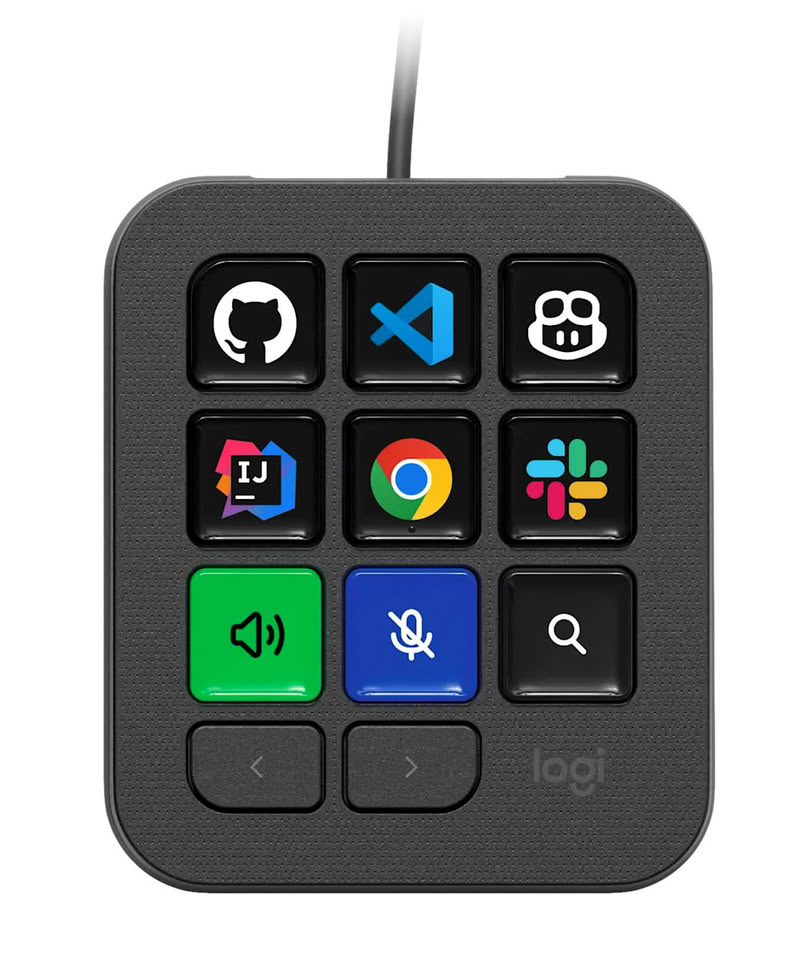
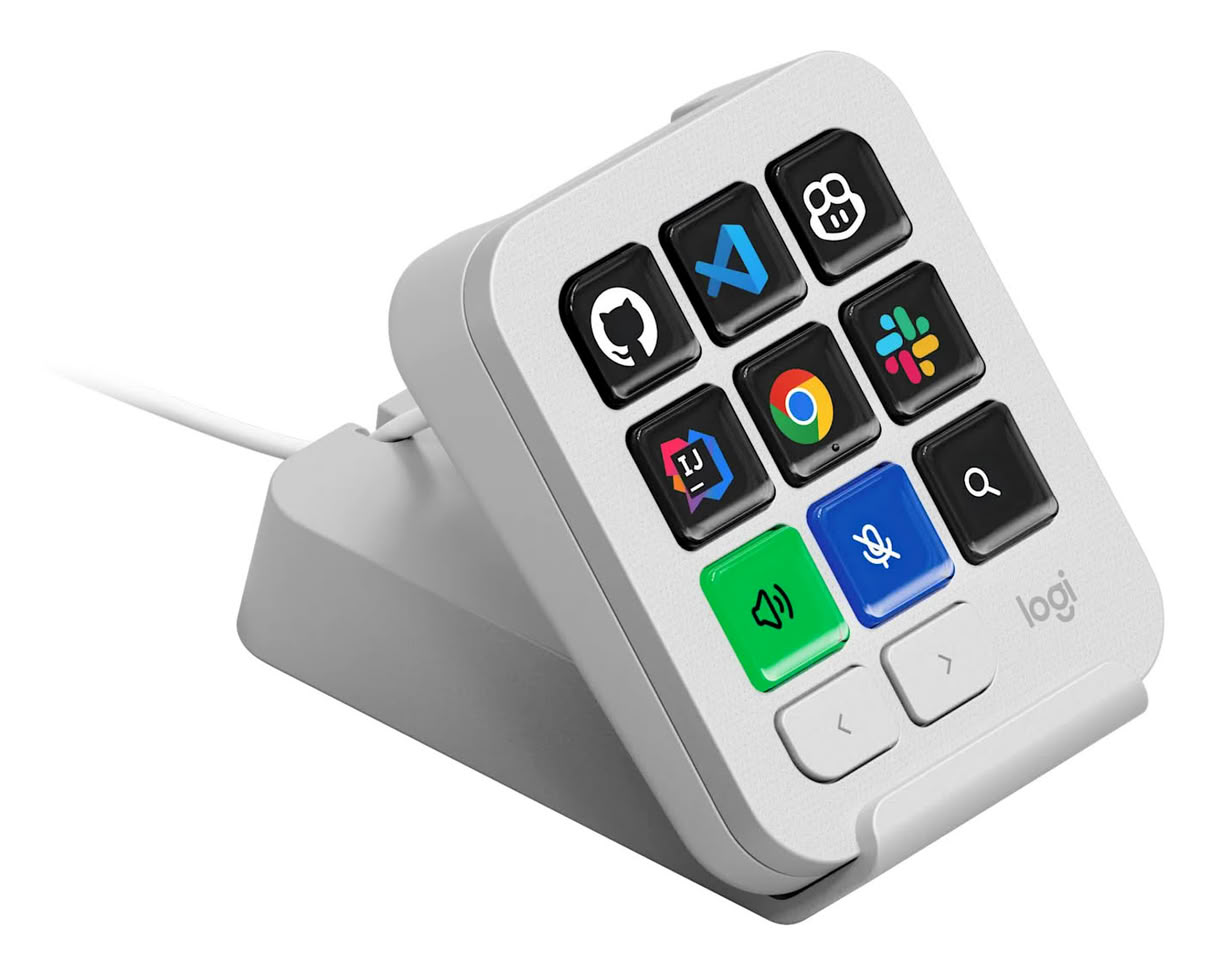
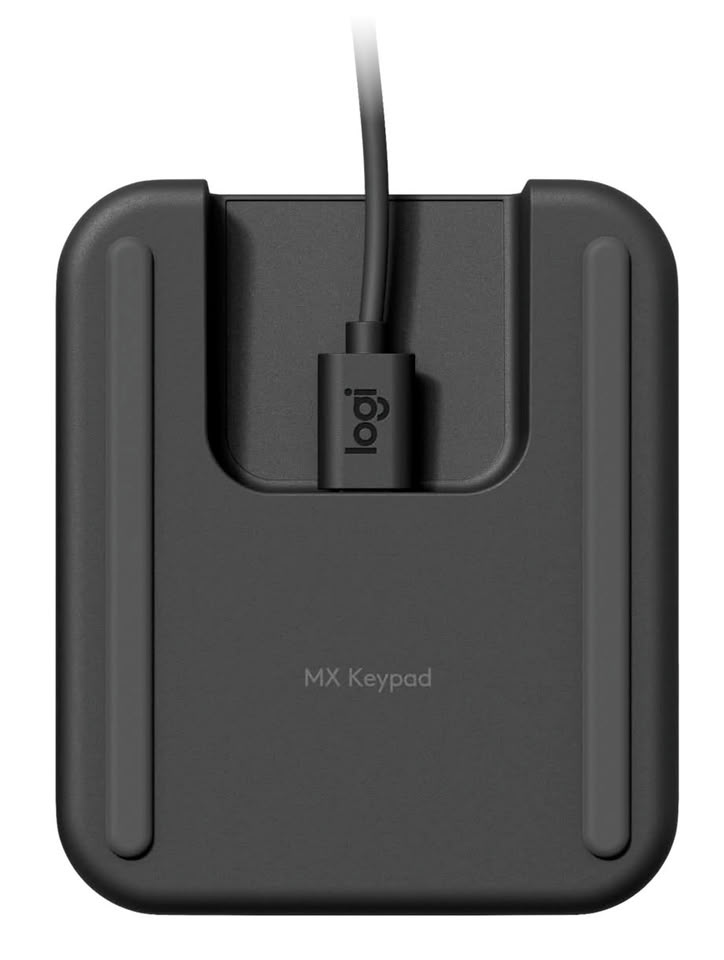
Logitech Unveils MX Keypad for Developers: The Customizable Multi-App Control Center

Logitech (SIX: LOGN) (NASDAQ: LOGI) today announced MX Keypad, the AI control center designed for multi-app, multi-agent coding to put developers in command of their evolving workflows.

Unlike other solutions on the market, MX Keypad offers cross-app compatibility with major coding platforms, allowing for unlimited customization tailored to each individual workflow. This unique level of versatility and personalization allows coders to unify their AI workflows, complex prompts, and dev tools, for a continuous, uninterrupted flow across their entire stack. MX Keypad includes a selection of plugins, created and tested by developers, for GitHub Copilot and Claude Code.

Microsoft Now Lets AI Build Native WinUI 3 Apps for Windows 11 in Under 30 Minutes

Microsoft has published a quick-start guide showing developers how to build a native WinUI 3 app for Windows 11 in about 30 minutes using AI. The workflow runs on free tools, VS Code,.NET 10, GitHub Copilot's free tier, and Microsoft's winapp CLI, so Visual Studio isn't needed. The guide covers scaffolding a project, using an AI agent to add features like a settings page, testing the result, and packaging it as an MSIX installer for the Microsoft Store.

The agent used here, called winui-dev, isn't the general Copilot chatbot most Windows users already know. Rather, it's a specialized plugin with skills for WinUI design, code review, UI testing, packaging, and migrating older apps. Microsoft also recommends connecting it to its Learn MCP server so it pulls current WinUI documentation instead of relying on training data, since WinUI 3 is newer and less represented in AI training sets than older frameworks like WPF and UWP.

New DLSS 5 Swapper Tool Brings Neural Rendering to Games NVIDIA Never Supported

A new tool called DLSS 5 Swapper, published on GitHub by developer rakanki911, automates installing DLSS 5's Neural Rendering into games, including ones that never officially got support for it. Users can drag and drop a game into the app, or let it scan the drive for installed titles on its own. For games that already ship with DLSS, the swap is simple. For everything else, the tool relies on DLSS5-Feeder, a community mod that emulates the DLSS calls required to trigger Neural Rendering, paired with ReShade for the depth buffer and motion data that DLSS needs to work. That combination reportedly runs across titles from DirectX 9 through DirectX 12, and even on a handful of emulators like PCSX2, Dolphin, and Xenia.

Perhaps even more interestingly, the app also extends DLSS 5 support to RTX 20-series and RTX 30-series graphics cards, sidestepping NVIDIA's RTX 50-series requirement. This tool builds on the same leaked DLSS 5 files that surfaced in NBA 2K27's pre-launch build, files modders have spent weeks getting to run on older GPUs and non-DLSS games. DLSS 5 Swapper mostly bundles that scattered work into a single app; however, since it's unofficial and has no ties to NVIDIA, it's important to verify the download source before installing anything. Given how far these mods have already spread, this tool is likely to become the most popular way for people to try Neural Rendering, at least until NVIDIA offers something similar itself.

Linux May Soon Get PC Game Pass via Open-Source Project

Xbox recently announced a number of changes to its Game Pass offering, lowering the price, for one, and it seems as though some open-source developers have grown tired of PC Game Pass being exclusive to Windows PCs and handhelds.

Some of the developers behind Heroic Games Launcher have started development on Xodus, a new open-source project designed to bring support for PC Game Pass games to Linux and macOS. At the time of writing, the project is still in its infancy, but it aims to use Valve's Proton and custom, reverse-engineered runtimes to get Game Pass and potentially Xbox PC Games running on the alternative operating systems.

Even More PlayStation 5 Consoles Can Now Run Linux

When we previously reported on the soft mod that enables Linux to run on the Sony PlayStation 5, it was limited to very early firmware versions, limiting its appeal to those who were likely already modding their consoles. Thanks to a new update documented on the project's GitHub page, PS5-Linux-loader now has support for PlayStation 5 consoles up to firmware version 6.02. Granted, this is still a very old firmware version, dating back all the way to October 2022. Still, this is beyond what the developer, Andy Nguyen, had initially promised.

Like the previous higher firmware versions, Linux supports the internal M.2 slot with firmware version 5.00, 5.02, 5.10, 5.50, 6.00, and 6.02 although. In addition to the newer firmware versions, the PS5 Linux project now also has working drivers for the built-in WLAN chip, making using Linux on the PS5 a lot less of a hassle. The developer notes in the GitHub repo that loading Linux on the more recent firmware versions requires use of a different exploit and that there is no chance that newer firmware versions will be supported in the future, "so don't ask."

NVIDIA Reflex and AMD Anti-Lag 2 Can Now Run on Any GPU Under Linux

According to a new open-source project called low_latency_layer, Linux gamers using NVIDIA, AMD, or Intel graphics cards will experience low-latency gaming technologies like NVIDIA Reflex or AMD Anti-Lag 2, regardless of their platform. The latest low_latency_layer from Korthos Software is a Vulkan layer for Linux-based operating systems that implements NVIDIA's Reflex and AMD's Anti-Lag 2 latency optimization software in a hardware-agnostic manner, allowing any GPU to run these technologies. Interestingly, this new layer was developed as a workaround for driver support, meaning there is no need for official driver enablement. It provides gamers with the option to run applications with NVIDIA Reflex where AMD Anti-Lag 2 isn't supported.

In official testing with an AMD Radeon RX 7900 XTX, AMD Ryzen 7 9800X3D, and 64 GB of system RAM, the Korthos Software team evaluated games such as THE FINALS, Counter-Strike 2, Cyberpunk 2077, Resident Evil Requiem, Marvel Rivals, and Overwatch 2. Depending on the title and its official support for the technology, each game could achieve latency reduction comparable to that experienced in native Windows-based gaming environments. This reduction, amounting to a few milliseconds, is particularly important for eSports gamers, such as those playing Counter-Strike 2. Interestingly, CS2 on Linux using Anti-Lag 2 experiences lower latency compared to the same technology on Windows, but CS2 is also a Linux-native application. The additional background processing in Windows might be causing some issues there. Overall, the results are impressive.

Omarchy 3.7 Linux Distro Launches as a Gaming Edition

Omarchy 3.7 is out, and gaming is the headline feature. The Arch-based distro led by David Heinemeier Hansson has rolled out what it's calling a Gaming Edition update, overhauling Linux gaming support across the board. Steam now installs automatically without any user input and drops the problematic SDL_VIDEODRIVER environment variable that was causing compatibility issues with many games. RetroArch got a bigger overhaul, the AUR dependency is gone, making installation much faster, and the emulator comes pre-configured out of the box. Users can now drop their BIOS and ROM files into ~/Games, scan the directory, and they're ready to go with the CRT Royale shader enabled by default. Beyond emulation, Omarchy 3.7 adds launchers for Lutris (Battle.net games like Diablo, StarCraft, and WoW), Heroic (Epic Games titles without anti-cheat, so no Fortnite or Rocket League), and Moonlight for streaming games from a Windows PC running Sunshine. An Xbox Cloud Gaming web app rounds out the gaming additions, covering Game Pass titles including ones that won't run natively on Linux.

Outside of gaming, the update introduces a new unified omarchy command that replaces the previous scattered omarchy-* commands, with tab completion and a cleaner interface for installing software, taking screenshots, and analyzing issues. Built-in screen text extraction is also new, powered by the Tesseract OCR engine. The cliamp text-based music player now ships by default, and there's improved support for ASUS ExpertBook Panther Lake laptops alongside Intel FRED enabled by default on Panther Lake systems. The full release notes covering additional features, improvements, and bug fixes are available on GitHub, where Omarchy 3.7 can also be downloaded.

Intel Releases Official XeSS 3.0 Software Development Kit

Intel has launched its official XeSS 3.0 software development kit (SDK), which allows game developers to incorporate the latest binaries into their games and integrate XeSS 3.0 into game engines. Interestingly, Intel has released this version as a binary, pre-compiled file, rather than the open-source XeSS version the company promised a long time ago. This promise has remained unfulfilled for four years, with each XeSS release being closed-source, only available on GitHub under the Intel Simplified Software License as of the October 2022 revision. This binary is provided as a DLL file for Windows operating systems, meaning that Linux users cannot run this SDK on their systems without a translation layer. For users wanting to update older XeSS 2.x versions, you simply need to replace the libxess.dll, libxell.dll, and libxess_fg.dll files with those from the newest XeSS 3.0 ZIP folder.

Intel promotes XeSS 3.0 with its main feature being multi-frame generation (MFG). This version integrates up to three generated frames between two rendered frames, resulting in up to a fourfold frame increase using MFG, similar to NVIDIA's DLSS MFG technology. Intel is joining the AI-generated frame insertion trend, which seems to be gradually expanding. Interestingly, Intel also added a feature that allows XeSS 3.0 to use external memory heaps. This means the Intel XeSS SDK can now utilize GPU memory allocated by the game engine itself, allowing XeSS and the engine to operate on the same VRAM blocks instead of each reserving separate ones. This helps developers avoid duplicate buffers and fragmentation, gives them direct control over allocation and residency, and makes integrating XeSS into an existing render pipeline cleaner and more efficient.

Unreal Tournament 2004 Patched to Run on Modern PCs - Community Project is a Free Release

This week, the OldUnreal community project has pushed out the first public update of Unreal Tournament 2004 (UT2004) in two decades. In a bygone era—prior to all things Fornite—Epic Games and Digital Extremes co-produced several popular sci-fi titles based on and named after the widespread Unreal Engine. Throughout the late 1990s and early 2000s, PC gamers enjoyed a good number of single and "arena shooter" multiplayer Unreal titles. In particular, Unreal Tournament 2004 left a lasting impression. Epic ended official support of the now almost 22-year-old first-person shooter classic back in 2022; prompting online community efforts to keep the chaotic (up to) 32-player experience alive. With Epic's blessing, the Unreal Engine v2.5-driven title has been reissued—for free—on modern PC (Windows, Linux) and Mac systems, thanks to the long-running OldUnreal initiative's recent endeavors.

Last December, a preview post described a forthcoming bug fix and QoL-rich "simultaneous" game release and issuing of a community patch. Unfortunately, the present-day download and installation process is a bit convoluted, especially when compared to relatively breezy launcher experiences. Currently, the Old Unreal website provides a link to the full UT2004 game installer. Stijn Volckaert—the project's main overseer—has shared a couple of tidbits regarding the launch of "Preview 9." In a public GitHub post, the Belgian Associate Professor addressed modernized UT2004 landscapes: "hi everyone! Thank you for your patience. This is a preview of our 3374 patch. It has gone through internal testing and is relatively stable. It works in online games, except on servers with AntiTCC. We will release a new, 3374-compatible version of AntiTCC soon to address this issue."

Moore Threads Launches Open-source GPU Compute Driver Bench on GitHub

Moore Threads has invited developers to contribute and work together to improve the recently launched GPU Compute Driver Bench. This fairly fresh release is described as a: "comprehensive performance evaluation suite focused on assessing GPU compute driver performance from practical development and deployment perspectives. It supports both Moore Threads MUSA drivers and CUDA-compatible GPU drivers, enabling fair and repeatable cross-platform evaluation." The Chinese GPU specialist's open-source toolkit was issued via the GitHub platform, late last week, under the Apache 2.0 license. The self-described domestic GPU innovator could become a world contender, with the advent of a new generation of enterprise and entertainment models. The previous mentioning of industry-leading CUDA support is not a big surprise, considering that Moore Threads is headed by a former NVIDIA China exec—Zhang Jianzhong.

At the tail end of January, the firm released the open-sourced TileLang-MUSA project; advertised as cutting code volume by roughly 90%. When detailing this month's GPU Compute Driver Benching suite, the Moore Threads development team focused on several key features. Starting with "realistic workloads," they expect to cover "diverse compute and memory scenarios closely aligned with real-world usage patterns." The multi-dimensional driver evaluation system will weigh up driver performance, resource management, and (aptly) execution efficiency across multiple dimensions. "Standardized metrics and baselines" will provide a methodical platform for the comparison of hardware and software optimizations. "Granular and Holistic Analysis" will enable both "fine-grained subsystem testing and holistic, end-to-end performance assessment." An automated scoring system will measure performance regression tracking across driver and hardware versions.

Windows PowerToys To Get "Command Palette Dock," a Top Bar À La macOS and Linux

Windows 11 may not be the most beloved version of Microsoft's OS to date, but Microsoft's PowerToys is a favorite UI tweaking tool among power users, and for good reason. The latest feature to debut in PowerToys is a docked top bar—called the Command Palette Dock—which is part of the Command Palette feature set. The Command Palette Dock is an optional, configurable dock that can be pinned to any screen edge and be used to display a number of extensions and widgets. In the feature announcement on GitHub, the PowerToys team shows off features like a system monitor, file browser, and a clipboard history—all of the existing PowerToys Command Palette extensions should work in the Command Palette Dock, according to Microsoft. The dock functions similarly to that of the Windows Task Bar, in the sense that it shows a small shortcut icon, with more information available via a pop-up when clicked.

The Command Palette Dock is part of the previously introduced Command Palette, which is effectively Windows's version of KDE's Krunner or macOS Spotlight, and the Command Palette Dock is, likewise, a feature on many Linux distributions and on Apple's macOS. It's also unclear if the PowerToys Dock will become quite as customizable as the docks in KDE, which allows you to add secondary docks to different screen edges and change the icons and display styles of each of the extensions in the dock. PowerToys has previously played host to features that eventually made it to Windows 11, like the updated window tiling UI, for example. It's thus entirely possible that some version of the top bar and command palette may become part of Windows itself in the not-too-distant future. As for now, though, the feature is still in the testing and hasn't even been added to PowerToys yet. It will likely be launched soon after feedback is gathered by development build testers.

Raspberry Pi AI HAT+ 2 Add-on Board Brings Generative AI to Pi 5

A little over a year ago, we introduced the Raspberry Pi AI HAT+, an add-on board for Raspberry Pi 5 featuring the Hailo-8 (26-TOPS variant) and Hailo-8L (13-TOPS variant) neural network accelerators. With all AI processing happening directly on the device, the AI HAT+ delivered true edge AI capabilities to our users, giving them data privacy and security while eliminating the need to subscribe to expensive cloud-based AI services.

While the AI HAT+ provides best-in-class acceleration for vision-based neural network models, including object detection, pose estimation, and scene segmentation (see it in action here), it lacks the capability to run the increasingly popular generative AI (GenAI) models. Today, we are excited to announce the Raspberry Pi AI HAT+ 2, our first AI product designed to fill the generative AI gap.

Razer Intros AIKit: an Open-Source Project for Easier Local LLM Development

Razer AIKit is an open-source platform that simplifies the entire AI development lifecycle. It automatically configures GPUs, forms clusters, and optimizes settings for local LLM inference and fine-tuning—delivering cloud-grade performance with lower latency and full local control. Designed for AI researchers and developers, AIKit enables fast, secure, and cost-efficient workflows with a single launch command.

Experience the full power of Razer's GPU-powered devices with Razer AIKit, the open-source AI development toolkit built for engineers and researchers. Designed for easy, out-of-the-box setup, Razer AIKit delivers cloud-grade GPU acceleration and scalability for AI developers to run LLMs locally over a single or cluster of GPUs. Run and fine-tune over 280,000 LLMs locally with familiar frameworks, achieving full performance and AI privacy without cloud costs.

Microsoft, NVIDIA and Anthropic Announce Strategic Partnerships

Today Microsoft, NVIDIA and Anthropic announced new strategic partnerships. Anthropic is scaling its rapidly-growing Claude AI model on Microsoft Azure, powered by NVIDIA, which will broaden access to Claude and provide Azure enterprise customers with expanded model choice and new capabilities. Anthropic has committed to purchase $30 billion of Azure compute capacity and to contract additional compute capacity up to one gigawatt.

For the first time, NVIDIA and Anthropic are establishing a deep technology partnership to support Anthropic's future growth. Anthropic and NVIDIA will collaborate on design and engineering, with the goal of optimizing Anthropic models for the best possible performance, efficiency, and TCO, and optimizing future NVIDIA architectures for Anthropic workloads. Anthropic's compute commitment will initially be up to one gigawatt of compute capacity with NVIDIA Grace Blackwell and Vera Rubin systems.

Open 3D Engine v25.10 Brings Sharper Graphics and Smoother Vulkan Performance

After more than four years since the initial release, the Open 3D Engine team has unveiled the O3DE v25.10 update, which improves visuals and bring smoother gameplay. This update improves textures, refines lighting, and introduces subtle post-processing that adds depth without increasing iteration time. The editor now starts up faster, asset imports are more reliable, and high-resolution surfaces display with fewer compression artifacts, allowing mods and user-created levels to better reflect their creators' visions. Motion blur and other camera effects have been refined for a cinematic experience that maintains performance, while shadows and ambient occlusion are more consistent, providing a stable environment as you move. Platform-specific improvements reduce graphical glitches on Linux and Windows, and VR users benefit from better headset compatibility with re-enabled OpenXR components. Textures, lighting, and reflections appear richer, and the Vulkan API has received bug fixes.

Behind the scenes, the update reduces bloat and speeds up workflows, improving playtesting and level building. Installers are smaller, and builds take up less disk space, making downloading and updating mods quicker for players and creators. The asset pipeline has been optimized for smoother texture and model imports, and the editor's debug memory footprint has been reduced, allowing for scene iteration without hardware upgrades. Shader and material handling have been reorganized to ensure effects like reflections and surface detail are more reliable across different GPUs, resulting in steadier frame rates when multiple effects are enabled. Simplified core subsystems mean faster iteration when testing changes, from tweaking textures to launching new levels, with fewer unexpected issues on different machines.

ASUS Gaming Laptops from 2021-2024 Have Buggy BIOS Causing Stuttering: Report

According to the latest research published on GitHub by Zephkek, a cybersecurity enthusiast with experience in low-level programming, ASUS ROG gaming laptops have been riddled with buggy BIOS firmware, causing system hiccups. These hiccups occur in the form of stuttering when watching YouTube, pops on Discord calls, the mouse briefly freezing, and other annoying occurrences. According to this investigation, the issue is not any pre-installed "bloat," old drivers, or the operating system itself. The problem actually lies deeply embedded in ASUS BIOS design, where the system-level operations and component management occur.

To find out what happened, the researcher used the LatencyMon tool, which measures CPU interrupt latency. CPU interrupt latency is an important metric as it tells the CPU to stop its current program execution pipeline and move on to another, higher-priority task. On ASUS ROG laptops, like the Zephyrus M16, the first core in the CPU, which is first accessible by the application, is spending over 90 seconds processing interrupts. In that time that specific CPU core is blocked from doing any other work, which leads to stutter, when some time-sensitive workload is running on that core. Behind all of this is the ACPI.sys implementation of the Advanced Configuration and Power Interface (ACPI) standard, acting as the bridge between firmware and the OS to manage power functions (sleep, hibernate, battery, and thermal reporting) and to assist with Plug-and-Play device discovery and resource configuration. This ACPI.sys interprets ACPI Machine Language (AML), which is a code provided by every BIOS maker, including ASUS in this instance.

Kazeta: New Linux OS Transforms PCs into Retro Game Consoles

ChimeraOS developer Alesh Slovak has revealed Kazeta, a Linux-based OS that aims to bring back the ease of classic gaming consoles on PCs. After six months of development, the project addresses growing frustrations with complex digital storefronts and aims to preserve gaming collections through physical media. The system operates by loading DRM-free games onto SD cards that function as cartridges. Users simply insert a card and power on their PC to boot directly into the game, eliminating accounts, online requirements, and cloud dependencies. The system stores save data on internal storage while game cartridges stay read-only to preserve them. When users don't insert a cartridge, Kazeta shows a retro-style BIOS menu to manage game saves similar to 1990s consoles. The OS works with both new PC games and old games through emulation supporting DRM-free content from sites like GOG and itch.io.

Slovak created Kazeta after he saw non-tech-savvy users having trouble with Steam's complex layout and he grew tired of digital distribution himself. His renewed appreciation for physical media and concern over long-term game preservation drove the project's philosophy.

New AMD Radeon GPU Tool Allows Users to Force-Enable FSR 4 in More Games

AMD Radeon GPU owners can now attempt to enable FSR 4 in more games, thanks to a new "AMD GPU Profile Manager" community tool that overrides the driver whitelist. Published on GitHub by developer Mikhail and demonstrated by content creators including Ancient Gameplays, the utility exposes AMD Adrenalin profile databases. It allows users to add or modify entries that typically require official driver support. The manager targets Radeon RX 9000 series cards and works by allowing titles that already support FSR 3.1 to try FSR 4. Users can enable FSR 3 first, either in the game or before launch, and then watch Adrenalin for signs that FSR 4 injection is active. The tool also offers quick add buttons for recent test builds and a one-click option to import profiles from AMD tech preview drivers, which is particularly handy for those who have reverted to older drivers and lost newly added entries. It aims to restore functionality and give power users a way to experiment while AMD completes its official whitelisting process.

There are important cautions alongside the convenience. The utility does not guarantee success in every title, and forcing FSR 4 into games with anti-cheat protections or online multiplayer can cause crashes, false positives, or account penalties. Community-maintained lists, demonstrations, and project notes highlight which games are confirmed to work and which are incompatible. Users are advised to back up driver profiles before making changes and to avoid applying forced profiles in competitive environments until developers add official support. The developer says more profile editing features are planned, and the project could grow into a general profile manager similar to well-known tools in other GPU ecosystems.

Intel GPUs Gain 20% Performance by Disabling Security Mitigations

Intel GPUs, both iGPUs and Arc, on Linux, can achieve a surprising 20% performance boost by taking direct action within their own graphics stack. The company has long incorporated security mitigations into its open-source Compute Runtime to protect against vulnerabilities like Spectre, but these safeguards have carried a hidden cost. With the introduction of a build-time option named NEO_DISABLE_MITIGATIONS, Intel now allows users to compile the Compute Runtime without these extra checks, thereby reclaiming up to 20% in OpenCL and Level Zero workloads. Behind the scenes, Intel's engineers have been testing unmitigated builds on GitHub for months, and the results have been clear: disabling these driver-level mitigations can significantly speed up shader compilation, AI-driven upscaling routines, and physics simulations that rely on GPU compute.

Intel's confidence in disabling these checks stems from the fact that modern Linux kernels already address Spectre vulnerabilities comprehensively at the operating system level. To keep users informed, the Compute Runtime build will emit a warning if it detects a kernel lacking the necessary patches, ensuring transparency about any residual risk. Canonical's Ubuntu team has partnered with Intel to introduce this enhancement in its upcoming 25.10 release. But make no mistake, this is Intel's initiative: the company is driving the performance improvements, publishing unmitigated binaries upstream, and coordinating with distribution partners to make the change broadly available. Security teams at Intel have analyzed the potential attack surface and concluded that the performance gains far outweigh the minimal risk, especially given that Intel's own builds have been running unmitigated without incident.
Return to Keyword Browsing
Nov 11th, 2026 18:20 CST change timezone

New Forum Posts

Popular Reviews

TPU on YouTube

Controversial News Posts