Wednesday, June 28th 2017

Intel X299 Platform Called a "VRM Disaster" by Overclocker der8auer
It would seem Intel's X299 platform is already having some teething issues, with user "der8auer" of overclocking fame claiming the platform is essentially a complete "VRM disaster." In the video in which these claims are made, he levies the blame to both Intel and the motherboard manufacturers "50/50." For Intel's part, he blames them for the short product launch which was pulled in from August to June, giving the motherboard manufacturers in der8auer's words "almost zero time for developing proper products."
In the video, der8auer elaborates to basically claim a completely lack of consistency among the quality of VRMs and their heatsinks in various manufacturers. In his first test, he takes a CPU that is known to do 5.0 GHz and on a Gigabyte Aorus branded mainboard found himself unable to even hit 4.6 GHz with dangerously high VRM temperatures. He goes on to blame the heatsinks on the VRMs, going so far to call the Gigabyte solution more of a "heat insulation" device than a cooler, as a simple small fan over the bare VRM array did many magnitudes better than a simple standard install with the stock VRM cooler attached. After an MSI-branded board did similar, it became clear this was not an isolated issue.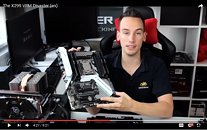 der8auer also went on to criticize the lack of voltage input in the form of many boards having only a "single 8-pin connector" which der8auer claims is not nearly enough. He claims a cable temperature of nearly 65 degrees Celsius on the 8-pin EPS cable which is obviously disconcerting, though TechPowerUp has been in discussions with renowned PSU-tester Jon Gerow (Jonnyguru) who feels the "all-in-one" cable design on the Super Flower PSU shown in the video may be partially to blame here for the heat level with that current draw. It's hard to tell which part is more at fault for that temperature and we will update that as we know more. Until then, here's is Jon Gerow's direct comment on the matter:
"If you used the SuperFlower PSU in the video with the crystal connectors, that's part of your problem. Those "universal 9-pin connectors" have less conductors than most other modular PSUs because the same connector that's used for EPS12V, PCIe, etc. has to also support +5V and +3.3V for Molex and SATA and then there's an "LED pin" which, when grounded to a ground pin, turns on the interface's LED. A horribly bad design. This is why the wires would be so hot. I suggest checking the voltage at the PSU and then at the motherboard's EPS12V to see what the drop looks like under load. If the voltage is significantly lower than +12V, the board is going to have to pull more current than it normally would. I then suggest using that AX1500i you have on the shelf behind you and see if you end up with the same results since that modular cable for the EPS12V is four +12V pins and four grounds. -- jonny"
The frustrations expressed here have also been shared by Overclock.net user "Silicon Lottery," who sells prebinned overclockable CPUs to the general public. His statements on the matter mirror user der8auer's concerns, stating the following in a forum post at Overclock.net:
"I am having trouble with some of these X299 motherboards. I've bought a wide variety for this launch, and none of them are really handling the load of an overclocked 7900X as well as I'd expect. VRM temps through the roof and boards throttling."
One thing is for certain: The VRM situation is far from consistent at this point in time, and overclocking results on one board may not be consistent to another. Heatsinks may be inadequate, and as far as overclocking is concerned, it may get interesting folks, and not in a good way. In the end der8auer concluded he couldn't really give a solid recommendation to any of the launch boards put past his desk, all of them having one issue or another with VRM heat at some point.
Sources:
Youtube user der8auer, Overclock.net user "Silicon Lottery"
In the video, der8auer elaborates to basically claim a completely lack of consistency among the quality of VRMs and their heatsinks in various manufacturers. In his first test, he takes a CPU that is known to do 5.0 GHz and on a Gigabyte Aorus branded mainboard found himself unable to even hit 4.6 GHz with dangerously high VRM temperatures. He goes on to blame the heatsinks on the VRMs, going so far to call the Gigabyte solution more of a "heat insulation" device than a cooler, as a simple small fan over the bare VRM array did many magnitudes better than a simple standard install with the stock VRM cooler attached. After an MSI-branded board did similar, it became clear this was not an isolated issue.

"If you used the SuperFlower PSU in the video with the crystal connectors, that's part of your problem. Those "universal 9-pin connectors" have less conductors than most other modular PSUs because the same connector that's used for EPS12V, PCIe, etc. has to also support +5V and +3.3V for Molex and SATA and then there's an "LED pin" which, when grounded to a ground pin, turns on the interface's LED. A horribly bad design. This is why the wires would be so hot. I suggest checking the voltage at the PSU and then at the motherboard's EPS12V to see what the drop looks like under load. If the voltage is significantly lower than +12V, the board is going to have to pull more current than it normally would. I then suggest using that AX1500i you have on the shelf behind you and see if you end up with the same results since that modular cable for the EPS12V is four +12V pins and four grounds. -- jonny"
The frustrations expressed here have also been shared by Overclock.net user "Silicon Lottery," who sells prebinned overclockable CPUs to the general public. His statements on the matter mirror user der8auer's concerns, stating the following in a forum post at Overclock.net:
"I am having trouble with some of these X299 motherboards. I've bought a wide variety for this launch, and none of them are really handling the load of an overclocked 7900X as well as I'd expect. VRM temps through the roof and boards throttling."
One thing is for certain: The VRM situation is far from consistent at this point in time, and overclocking results on one board may not be consistent to another. Heatsinks may be inadequate, and as far as overclocking is concerned, it may get interesting folks, and not in a good way. In the end der8auer concluded he couldn't really give a solid recommendation to any of the launch boards put past his desk, all of them having one issue or another with VRM heat at some point.
80 Comments on Intel X299 Platform Called a "VRM Disaster" by Overclocker der8auer
Only AMD has disasters. Intel has tiny "teething" issues that are perfectly acceptable, never amount to any danger or woes and are on a par with what every quality-oriented customer should come to expect from a company such as Intel.
Only AMD has disasters. Everything's fine here, move along, lol
He also claims in the video that the heatsinks are really the only problem, not the VRMs themselves. Nobody needed to invent new heatsinks, and since engineering samples has been available since last fall, no sane person can blame Intel for this.
If anyone remember the Ryzen launch just a few months ago, it had quite a few issues at launch. If there are some bad X299 boards out there, just wait for proper reviews and stop making a fuss about it.Stop spreading lies. Skylake-X has the highest IPC of any x86 CPU so far.
And "worse design", the claimed "VRM disaster" has nothing to do with Intel.Specs per price doesn't matter, real performance per price does.
PCIe lanes is a fair argument if you actually need them, which will probably only be people running intensive compute tasks on four GPUs.I usually build machines with workstation boards, which has always turned out to be a smart choice.
You might think that motherboards in 2017 are a no-brainer, and you can just grab any board and it will be equally good. But in my experience motherboards are the main cause of stability problems. It's not like any of them are perfect, but at least for workstation boards the money is spent on stuff that matters, not $100 of crap just to put more features on the box.
Intelhotep...
Not that I disagree with people saying that we should let proper reviews roll around ;).
Guess what, not this time. :cool:
(btw, looking for these boards made me find the Asrock Z270 Supercarrier, which now is my favourite motherboard ever)
I see. So you already knew that even with a higher end mainboard(than those you were testing shown in this video), and even without an AVX load in Prime95, that you needed to remove the heatsink and air-cool the VRM to achieve that much OC(as can be seen in the video above at around 2:05). And what you actually "figured out" was something you pretty much already knew. Got it.
My question then is...why can you not use the Rampage VI Apex as the mainboard to pre-test CPUs? Since you already know it worked for that purpose before(granted without an AVX load). Do you want to wait until ASUS does something to "fix" the "VRM disaster" first? Or is it that you just don't feel like using it? Maybe because you found out even it can't handle a Prime95 AVX load without throttling, and/or you feel like that's required to pre-test a CPU for highest clocks? Or you'd rather use something lower end for CPU pre-testing?
@der8auer I'm genuinely curious.
The second issue is assumption that people should pay only for - let's say - material objects, i.e. hardware. But todays hardware is accompanied by lots of software as well (firmwares, microcodes, bioses, etc.). Creating this software takes a huge time and lots of human resources and developer companies need to pay it somehow. Imposing software or "artifical" limitations is viable way because it's just not bussineswise to give everything you have to everybody for free (or for same cost). I work in SW development company and I am seeing this from inside.
The third issues I would like to address is HW vs SW raids. So called "HW raid" was a thing back in time, when CPU were relatively weak and they do not have a time and resources to handle all those storage operations. So you bought an extra card, with dedicated processor, dedicated memory and dedicated firmware. But today everything is different. CPUs are very powerful, RAMs are plenty and opensource raid solutions are very mature. Linux SW raid can be faster then anything you do via some extra HW controller. Modern SW raid is not shitty solution at all.
And last thing. Let's assume you want or need NVMe RAID. What is your options? You could buy just any board with sufficient amount of M.2/U.2 or PCIe slots to accomodate your NVMe drives and create either purely SW raid via your OS or - if all those NVMe drivers are connected to Intel PCH - you could you RSTe. Both options are for free. Your second option is buy extra HW - something like LSI MegaRAID 9440-8i. But those cards cost a lot of hundreds $. Third option today is VROC. You have some functionality for free and something extra is paid. You are limited to Intel platform and Intel drives but technically it is good option. Take it or leave it.
If there is some easy, generic, free-of-charge and technicaly equally good solution why AMD or anybody else don't have it? Well, maybe they will have. I have high hopes for them. But now there is no such think. And between us - RAID is in fact appealing for very minor group of home users.
The next step is a new CPU with fancy features, but you can't use it at all unless you buy a license for the UEFI code to run it on your mainboard. Then your mainboard manufacturer charges an extra for every SATA port you might use on your new mainboard... You see where this is heading.
But as said elsewhere: As of right now, an RAID array with only Intel 600p SSDs is pointless nonetheless when instead you can use a proper fast SSD in the first place. Maybe that changes when Intel releases the real Optane drives later and these are compatible with VROC as well.
By the way modern Cisco network switches are working exactly like that: you buy switch with 48 physical ports but functional are only e.g. first 24. For all you must pay extra. And it is wise in fact because if Cisco have only low-cost 24 port version and high-cost 48 port version and you buy 24 port (because your current budget) and want to upgarde it later then you would need to throw old switch and buy a new one. It is not economical nor logical. And for Cisco it is not profitable to sell only low-cost 24 port or high-cost 48 port. They need to differentiate for different customers with different budgets. In my eyes licensing makes lots of sense. But I agree it looks awful in the eyes of non-enterprise end user.
So, I go away for a few days because I'm moving, and when I get online again, OMG!
But this subject isn't worth talking about in this way, so I guess I'll go back outside? Grill's hot and I'm having burgers for breakfast? What about You?
:kookoo: