Tuesday, October 7th 2025

Microsoft Blocks Online Account Bypass on Windows 11
Microsoft has released its latest Windows 11 Insider Preview Build 26220.6772 (KB5065797) in the Dev Channel. While it introduces some new Copilot-powered features and updates to Windows Hello, it also rings a death sentence to bypassing Microsoft Online Account, which is now mandatory for everyone. Microsoft has doubled-down on making users sign in with their Microsoft Online Account, and local-only installations are no longer possible at the time of writing. Although new workarounds will likely emerge over time, Microsoft has successfully closed off the most accessible and widely known methods for avoiding Microsoft account creation in recent Windows 11 preview releases. Since these changes currently exist only in preview versions, several weeks will probably pass before they reach the stable, public releases of Windows 11. The latest Windows Blog confirms: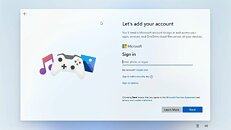 Microsoft has made it clear that Windows 11 installation requires both a Microsoft account and active internet connectivity, and the company is systematically eliminating the simpler workarounds that previously allowed users to skip this requirement. While alternative methods remain available, they now demand significantly more technical expertise, specifically requiring users to modify the Windows installation image beforehand by configuring an unattended setup that includes a local account, a process that proves challenging for average users. Commands like "oobe/bypassnro" and the starting "ms-cxh:localonly" will not give you the desired workaround, as Microsoft has patched that as well.
Sources:
Windows Central, Windows Blog
MicrosoftWe are removing known mechanisms for creating a local account in the Windows Setup experience (OOBE). While these mechanisms were often used to bypass Microsoft account setup, they also inadvertently skip critical setup screens, potentially causing users to exit OOBE with a device that is not fully configured for use. Users will need to complete OOBE with internet and a Microsoft account, to ensure device is setup correctly.

184 Comments on Microsoft Blocks Online Account Bypass on Windows 11
I separated few offline install scripts so that people can modify it however they want. Its best for automating install progress with few stages requiring user intervention.
zorin.com/os/download/18/core/beta/
More and more modern motherboards come with 2.5GPBS or WIFI 7 Network.
Not every users will know how to extract and load the network driver.
Microsoft can remove the OOBE bypass but PCs with modern NIC/WIFI
it will require the drivers.
Kind of dumb unless Microsoft Windows have 2.5GPBS or WIFI 7 Network native driver
pre-loaded than they can remove the OOBE.
For me the OOBE bypass is for me to install system drivers we have gone pass
a time that Windows have native drivers for almost all system components.
Most people dont know much about IT in general and use computers like they use cars: either it works or not, and if it doesn't then they ask for professionals to take care of the problem, because they consider the mechanisms too complex to solve the problems by themselves.
In that case, using a microsoft account from the start where everything is automatically backed up on cloud solutions is in their best interest.
For people who are familiar with IT like on these forums, bypassing this is still pretty easy using an unattend file that can be generated in 2 clicks.
There were two or three methods to do this. Rufus is the easy one if you don't want to bother with it. There was another one that was "OOBEBYPASSNRO", which was removed a while back, and the newest one is "ms-cxh:localonly", which the user posted and is probably what Microsoft targeted.
So what I wanted to know is if the user actually bothered to test it out instead of just posting mindlessly.
and the other question - if you live somewhere where the internet cuts in an out often, what happens then?
On the consumer side, their target audience are normies that think Edge is "the Facebook" and know about as much regarding Command Line as they do Nuclear Engineering.
On the corporate side, who cares? Microsoft has been pushing Intune/Entra HARD the last few years. Active Directory is in legacy support and there's no more official support. Intune requires a Microsoft account. When we set up new PCs, we use the Autopilot system which is built into Windows setup. The old APIs used to trigger setup previously have been depreciated and will eventually disappear. For mass deployment, the XML method still works, but MS is trying to move away from that too. Any new PC with a default Windows image, when you log in with your corporate account, will pull the Autopilot config and relevant apps automatically and join said group's Intune/Entra environment.
Power users are a group MS does not care about. They'll continue to lock down Windows because we've heard all this before. People spoke endlessly how they would stick with windows 7/8 if MS insisted on pushing their telemetry and spyware into 10, and how people would never move to 11 if MS accounts became mandatory. Despite this, 10 completely supplanted 7 and 11 continues to gain significant ground on 10.
They know exactly what their target audience is, and is happily willing to sacrifice edge use cases like us to cement more control out of Windows. The vast majority of their userbase will move to 11, then 12 in another decade.Is this the last normal build, or the last beta build? These changes are not present in the current stable 25h2 image, only in the beta channel.Yes it will, but it will also pester you to switch to an online account.MS does not care about you and requests you upgrade to a more reliable provider to enjoy the Best Microsoft Experience (tm).
If your account is already present on the PC there shouldnt be any issues.
This latest move may be a blessing in disguise. An online account is out of the question - I don't need to give a reason - I don't want one.
Anyway, the mixed blessing is: I now will be forced to learn Linux. :peace:
Rant over.
😂🤣
Benedict Chen!
As has been stated repeatedly, this change applies to the current insider preview build. It'll be going to RTM builds when it's out of preview.
This major push for online only accounts certainly isn't because they want us to have a wonderful smooth time, with everything neat and tidy, linked together nicely, all our data nice and warm, tucked away, safe in their free, yes free, cloud.
They clearly find great value in all our data. A shame they don't spend some time making a decent operating system though. A start would be the end of crash Tuesdays. Next they may let us actually choose, which of their telemetry infused bloat we actually want on our PCs. This would make it easier for them to make a snappy relieable OS.
The best would be to sell a core OS, that simply and securely allows us to do Operate our Systems in a way of our choosing. Have the option of an online account, and let us choose which of their other stuff we would like. Both free stuff and paid. Sadly they no longer seem to understand such a concept, let alone implement it.