Tuesday, October 7th 2025

Microsoft Blocks Online Account Bypass on Windows 11
Microsoft has released its latest Windows 11 Insider Preview Build 26220.6772 (KB5065797) in the Dev Channel. While it introduces some new Copilot-powered features and updates to Windows Hello, it also rings a death sentence to bypassing Microsoft Online Account, which is now mandatory for everyone. Microsoft has doubled-down on making users sign in with their Microsoft Online Account, and local-only installations are no longer possible at the time of writing. Although new workarounds will likely emerge over time, Microsoft has successfully closed off the most accessible and widely known methods for avoiding Microsoft account creation in recent Windows 11 preview releases. Since these changes currently exist only in preview versions, several weeks will probably pass before they reach the stable, public releases of Windows 11. The latest Windows Blog confirms: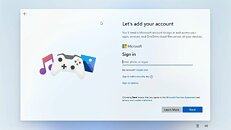 Microsoft has made it clear that Windows 11 installation requires both a Microsoft account and active internet connectivity, and the company is systematically eliminating the simpler workarounds that previously allowed users to skip this requirement. While alternative methods remain available, they now demand significantly more technical expertise, specifically requiring users to modify the Windows installation image beforehand by configuring an unattended setup that includes a local account, a process that proves challenging for average users. Commands like "oobe/bypassnro" and the starting "ms-cxh:localonly" will not give you the desired workaround, as Microsoft has patched that as well.
Sources:
Windows Central, Windows Blog
MicrosoftWe are removing known mechanisms for creating a local account in the Windows Setup experience (OOBE). While these mechanisms were often used to bypass Microsoft account setup, they also inadvertently skip critical setup screens, potentially causing users to exit OOBE with a device that is not fully configured for use. Users will need to complete OOBE with internet and a Microsoft account, to ensure device is setup correctly.

184 Comments on Microsoft Blocks Online Account Bypass on Windows 11
You have two options at this point;
A: Wipe your drive, disconnect from the internet and reinstall Windows.
B: Create a local account in the Account manager, login to it and delete the ms account.
At the account creation screen select that you want to join domain. Then enter some random bs. It should error out and let you create local account anyway.
I might try with a fresh Win11 iso tomorrow when I have time.
Option B is what I did, successfully. But coming from my highly modified, no edge no Store highly tweaked W10 pro it was trash.
I couldn't stand it. I did give it 2 weeks and probably well over 30 hours. Bit long in the tooth to rage quit.
Thing is it's plain awful. I am back on my W10 pro. Safe from Malware (MS patches, MS A.I. MS anything.) It made me realize how good a properly tweaked W10pro is. The last 10 hours I tried tweaking W11 local account expecting to get it to at least match W10. Granted, 10 hours is nothing, but W11 is locked down pretty hard in terms of sending telemetry among many other things.
Finally I will point out this was my third go at W11pro. 1st was 6 months after release. Tried again 18 months ago. It seemed worse. Tried again over the course of a few weeks in Nov 2025 with 25H2.
It's sickening. I'll never try a fourth time. W10 pro for at least a year, then Linux.
For folks who just use their PCs/Laptops for mail, browsing and a few other things I guess it seems OK. Folks on this forum know (or should) all that goes on in the background. I don't even consider W11 a safe piece of Software. It's by no means worthy of being called an OS. It's garbage.
I'll also point out this is my take, after giving it a good few try outs. Not all will agree with my absolute conclusion that W11 is junkware. I speak for myself. I suspect quite a few with knowledge about how awful and potentially dangerous bunch of code in terms of security, W11 is - and getting worse all the time, will at least partly agree.
Windows 10 had major security issues ironed out years ago. It's not perfect of course, but safe with sensible user practice. W11 has been around for four years or so. But especially in the past year it goes backwards in terms of security. Not to mention using it is just awful. Seems it wants to use itself, user be damned. Well MS and W11 be damned!Yes, you are right too as are other posts. Firstly I was online. That was careless. And dumb, I admit.
Thing is after creating a working Local account as detailed above, and by Lexluthermiester, I still found it detestable.
So for me regardless of it being an online account, or a local account, W11 is an example of very bad programming, and only getting worse. I wish that were not the case.
schneegans.de/windows/unattend-generator/
This is one of the best ways to debloat and trim down Windows 11, including telemetry.
I downloaded the ISO twice and created two different USB installers just to be sure. I do not have internet during install(because it will mess things up) and it automatically created local accounts for me.
BTW: I am now 100% sure why It went to online account. (Internet connected) Thanks to you, and everybody for the advice.
Thanks again to Lex who was the first one to point out that It had failed previously because I didn't disconnect temporarily. Spot on, that literally was the reason, the only reason.
Still working fine. Got the H26H2 enablement package (not that it does much beyond extending support - so far.)
With a few GPO changes, and some other tweaks Windows 11 isn't as frustrating as standard install.
To AleXXX post above. Yes. I used the latest image as of (June 1st 2026) which of course was 25H2.
The guy who makes Rufus is a saint! 👍
His intuitve setup program works great (except for technically challenged like me, who didn't bother to disconnect from the interenet the first time. :banghead: )
I used vs 4.14, it was updated to 4.15 a little while back. Probably everyone knows that as it was mentioned (I think?) on this site.
Be interesting to hear to experience/outcome of anyone who uses the latest Rufus for local account only with 26H2 - I guess it would still work as the core files are the same as 25H2 and 24Hx I read?
EDIT; ScreenShot for your viewing pleasure. Seems it's just Enterprise IoT, not LTSC. Still, I don't care about the differences as IoT is still massively debloated from the normal versions.