Tuesday, October 7th 2025

Microsoft Blocks Online Account Bypass on Windows 11
Microsoft has released its latest Windows 11 Insider Preview Build 26220.6772 (KB5065797) in the Dev Channel. While it introduces some new Copilot-powered features and updates to Windows Hello, it also rings a death sentence to bypassing Microsoft Online Account, which is now mandatory for everyone. Microsoft has doubled-down on making users sign in with their Microsoft Online Account, and local-only installations are no longer possible at the time of writing. Although new workarounds will likely emerge over time, Microsoft has successfully closed off the most accessible and widely known methods for avoiding Microsoft account creation in recent Windows 11 preview releases. Since these changes currently exist only in preview versions, several weeks will probably pass before they reach the stable, public releases of Windows 11. The latest Windows Blog confirms: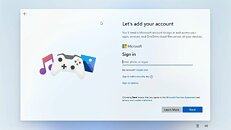 Microsoft has made it clear that Windows 11 installation requires both a Microsoft account and active internet connectivity, and the company is systematically eliminating the simpler workarounds that previously allowed users to skip this requirement. While alternative methods remain available, they now demand significantly more technical expertise, specifically requiring users to modify the Windows installation image beforehand by configuring an unattended setup that includes a local account, a process that proves challenging for average users. Commands like "oobe/bypassnro" and the starting "ms-cxh:localonly" will not give you the desired workaround, as Microsoft has patched that as well.
Sources:
Windows Central, Windows Blog
MicrosoftWe are removing known mechanisms for creating a local account in the Windows Setup experience (OOBE). While these mechanisms were often used to bypass Microsoft account setup, they also inadvertently skip critical setup screens, potentially causing users to exit OOBE with a device that is not fully configured for use. Users will need to complete OOBE with internet and a Microsoft account, to ensure device is setup correctly.

184 Comments on Microsoft Blocks Online Account Bypass on Windows 11
@AndyGawg ; @Benedict ChenLi or Games4 ; @theouto
linux is great for office stuff but it's cancer for multiplayer. not even cancer, most of the multiplayer games require clamped down stuff these days that Linux will likely never offer. yea some don't care about multi but many do.
And for multiplayer, it's a game by game basis. CS2 and Le Mans Ultimate work fine for me, though not all games respect the user's computer as these do, but that's not Linux's fault. Ultimately it's the fault of the developers that do not want to support Linux, they either don't develop their anti-cheat to also work on Linux (EA, Activision), or they willingly block Linux, as their Anti-Cheat solution works with Linux, but the game itself does not (Epic games). At the end of the day, it's not on Linux, and it's the developer's choice.
Ultimately, if you play mainstream multiplayer games like Valorant, League, BF6, etc., you will clearly not benefit from Linux and should stay on Windows, but otherwise it works fine.
But again, I myself was only replying to those that mentioned Linux, nothing more.
Saw also some people advertising for bazzite, dunno if that's good, never used it, and I didn't much like Fedora.
For old pcs: Debian (or MX or other derivates). For new ones, Arch or derivates. That's at least my go-to. Just don't install Debian stable on a brand new PC, you're gonna have a bad time :DReminds me of an old post on Mastodon I once chuckled at, where "doesn't run League" was one of the pros of using Linux ^^
The amount of time that game did cost me... I wasn't happy at first when they introduced the kernel-level anti-cheat, but by now I really am.
debian for example has stable and unstable (rolling). not all do. there's also semi-rolling which Debian also has.
------
new workarounds for after 26220.6772
i think my favorite one is the HideOnlineAccountScreens lol. the winjs is good too.
Tech though shift F10 use the old net user commands. Enable the Administrator account give it a good password and sign in with that. Then create local accounts in the shell.
Also love how OEM's enable bitlocker on Home editions when it's not supported.
Ha
Gamers Nexus.
With Windows 11 being an incredible dumpster fire and downright infuriating to use, combined with the free fall decline in the quality of Office and other MS software I can only hope they'll finally alienate enough people to make Linux desktop mainstream. There's no reason for anyone to use this dog shit on their personal desktops except that it's well supported.I really strongly disagree with this. Software updates nowadays are generally detrimental to the end user. The average person is hardly at risk from anything except clicking a bad link. Just use ublock and common sense. The latest spyware OS won't help you if you don't.
- Common sense is just a funny name for general knowledge. Don't expect the average person to know uBlock is.
- Do not confuse software updates with security updates. Win 10 hasn't received a software update in years. All you've gotten since 22H2 are security updates.
- Clicking links is how you get 99% of the bad stuff and just happens to be what the average person does most. Also why every browser in the market has some form of reputation-based link checking so the later users clicking a bad link are told by the browser "no, bad" and they can go on with their link-clicking lives.
- The average person also doesn't know what an antivirus is and the only reason they aren't even more screwed nowadays is that MS decide the bundle their on AV into the OS. Windows Defender is a piece of crap as an AV but used with Safelinks and and some other tricks is good enough that the average user is now screwed 20% of the time instead of 100% when clicking a bad link.
I could go on but I'm pretty sure you will "strongly disagree" so I won't bother. Do your own research.reg add HKLM\software\microsoft\currentVersion\oobe /v BypassNRO /t REG_DWORD /d 1 /f
Reboot:
shutdown /r /t 0
Sure, you're paying ~$97 yearly (plus whatever you come up with for EPP+FW) but your data will not be sold once you tick all the telemetry+ad targeting off, which means Microsoft loses money with you.
Want to do it for your whole family? That's Intune P2 with the EPM and EAM packages. Costlier, but do it like streaming apps and split the bill. No geofencing so as long as you don't block it when it comes to home calls and/or Entra ID, if you integrate it.
Too hard?
github.com/ChrisTitusTech/bypassnro
all well and good but i'd still like the choice.
www.club386.com/microsoft-will-soon-save-word-documents-to-onedrive-by-default/speak for yourself bruv. i've never had any problems playing solo queue.
and no i was not the problem either :D
but since posting, i've looked into this issue a little more. Linux can offer secure boot too but it will again be limited to certain distros that implement it. basically the same thing Android is doing.
let's hope Valve will do something for these potential customers, because their distro allow for modding games, which secure boot would NOT allow. in Gaben we trust :clap::lovetpu:
www.redhat.com/en/blog/attestation-confidential-computing
So what are these "critical OOBE setup screens" users dont see when creating the local account, according to Microsoft ?
Turns out that aside from Windows Hello setup (that can be set up post OOBE too), it's just bunch of promo screens for Office 365, GamePass etc signups.
THAT is is the reason MS does not want you creating the local account. You wont see their extremely overpriced garbage they're trying to peddle.
Ironically the Pro version Domain method skips these anyway - officially. But for some reason it's not a problem there...
So good point. But I'm sure it's much much more that just that. They want us tied to them. To have data in the cloud so they can do innocent stuff with it. Also they can continue to push there crud more easily I suppose with an online account.
TBH, I wouldn't really know. I've never had an online account. I consider the whole thing pointless, don't trust MS to keep my stuff safe, and on principle it's my data. Keep there advertising telemetric hands off it!
If I had lots of PCs, and owned loads of houses around the world, I suppose it would be useful to sync stuff. But I don't have any of those things. One house, several PCs which I deliberately keep unlinked in any way.
Forcing online accounts, like pushing edge so much is just out of order. Give the option. But MS like to push people around. The more a person is into tech, the more they want to do their own thing.
Slightly different, but on topic. I read on tech spot that MS closing the loop holes for creating local accounts is true for all home editions. But Pro and above, there are some people saying the now common ways will work. I have no idea, but thought I'd mention it. Anyone else heard anything about this? :confused:
Pre-25H2. No changes to any version. Even Home. You can still create local account with bypassNRO and the other cx something method.
25H2. No changes for now, but it may change once the change trickles down from the dev version to the release build via a monthly update.
Future: Home versions will have to use the unattend.xml bypass. Pro version and higher will have both the doman join and unattend.xml bypass available.