Tuesday, October 7th 2025

Microsoft Blocks Online Account Bypass on Windows 11
Microsoft has released its latest Windows 11 Insider Preview Build 26220.6772 (KB5065797) in the Dev Channel. While it introduces some new Copilot-powered features and updates to Windows Hello, it also rings a death sentence to bypassing Microsoft Online Account, which is now mandatory for everyone. Microsoft has doubled-down on making users sign in with their Microsoft Online Account, and local-only installations are no longer possible at the time of writing. Although new workarounds will likely emerge over time, Microsoft has successfully closed off the most accessible and widely known methods for avoiding Microsoft account creation in recent Windows 11 preview releases. Since these changes currently exist only in preview versions, several weeks will probably pass before they reach the stable, public releases of Windows 11. The latest Windows Blog confirms: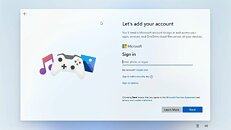 Microsoft has made it clear that Windows 11 installation requires both a Microsoft account and active internet connectivity, and the company is systematically eliminating the simpler workarounds that previously allowed users to skip this requirement. While alternative methods remain available, they now demand significantly more technical expertise, specifically requiring users to modify the Windows installation image beforehand by configuring an unattended setup that includes a local account, a process that proves challenging for average users. Commands like "oobe/bypassnro" and the starting "ms-cxh:localonly" will not give you the desired workaround, as Microsoft has patched that as well.
Sources:
Windows Central, Windows Blog
MicrosoftWe are removing known mechanisms for creating a local account in the Windows Setup experience (OOBE). While these mechanisms were often used to bypass Microsoft account setup, they also inadvertently skip critical setup screens, potentially causing users to exit OOBE with a device that is not fully configured for use. Users will need to complete OOBE with internet and a Microsoft account, to ensure device is setup correctly.

184 Comments on Microsoft Blocks Online Account Bypass on Windows 11
i don't know how to check Device encryption but bitlocker (not on Home afaik) happens through admin cmd [icode]manage-bde -status C:[/icode]
i guess the guides that will come out this week, will crystalize all the difference.
I dont even visit others like Instagram, SnapChat, TikTok etc.
By "forcing" i meant forcibly annoying everyone to get them to sign up. Google account etc are a bit different as they're often necessary for essential functionality of their services. MS account is not essential for Windows operation no matter how much MS wants it to be.
Overall it looks like MS is speedrunning killing their products. Now that Xbox is already halfway in the grave they are ramping up trying to kill Windows too.
Thankfully in the OS market there's plenty of choice unlike consoles that will likely become PlayStation monopoly (aside from handhelds like Switch).
As for this neither is GMS for Android yet here were are! I personally think MS gets a bad/worse rep because of their "evil" deeds since the Netscape days, but they've been surpassed in this "spyware" game many times over by the likes of Google & Meta especially the latter.
edit: Didn't they learn anything from the Xbox One disaster?On the other hand, if it's an offline system, who forbids continuing using Win10?
If needed you can can easily close the hung process (from attempting to save a file) by right-clicking the Chrome background icon in the system tray and choosing exit.
This works for me but I also have Chrome set as my default browser so it is possible you may need to set that for this trick to work.
As an individual you cannot buy it.
So, uh, the correct answer is actually to violate of Microsoft's terms of service. That's a bit funny. And piracy is the most correct way to go about this.
Using an unsupported Windows version is just stupid, unless your system is completely air-gapped, which I'm betting yours isn't.
So given the choice above under normal conditions my answer is to migrate to a well known linux distro. Just be aware that an out-of-date Linux installation is just as insecure as an out-of-date Windows one so don't go picking some obscure distro that hasn't received a kernel update in years.
MS really needs to get off their high horse and let users decide how they want to use their own devices.
However, as this was a new motherboard and Windows did not have the drivers for the Ethernet, I could literally not log in whatsoever, so I couldn't even log in or even install the bloody drivers. If this was a local account, then I could’ve simply logged in and installed drivers and carried on, but because of this, it was a pain to work around. Thankfully, Windows already had compatible Wi-Fi drivers, and I was able to verify my account that way or I would have been locked out of my own system.
Forcing everything to be an online account only is unacceptable.