Tuesday, December 2nd 2025

Microsoft Breaks File Explorer Dark Mode With Latest Non-Security Update
Microsoft has released the KB5070311 non-security preview update for Windows 11, offering enhanced support for dark mode enthusiasts. However, this update introduces an issue with File Explorer's dark mode, causing parts of the app to occasionally flash. The problem results in the application window briefly displaying a blank white screen before loading files and folders. Actions that can trigger this include launching or switching from the Home and Gallery sections, opening new tabs, toggling the Details pane visibility, and requesting additional information during file copy operations. While this is not a critical security issue, it may produce inconvenience to users accustomed to dark mode.
Although Microsoft hasn't yet resolved this issue and has listed it in the "known issues" section, we've managed to recreate what the bug looks like before it returns to normal. It usually lasts for only a second, but it's enough to be annoying, especially if you're using dark mode. The company is working on a fix, which will be included in a future non-security update package. So, those who prefer dark mode will need to endure the inconvenience of flashing white squares a bit longer. It also raises questions about what causes this behavior within File Explorer. With recent issues that Microsoft is actively addressing, it might be due to conflicts between Win32 UI elements and modern WinUI/XAML overlays.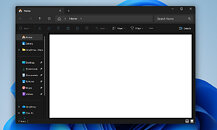 Just a few days ago, Microsoft acknowledged performance issues with File Explorer on Windows 11, which is concerning for such a crucial application within an operating system. To address this, Microsoft is considering preloading File Explorer in the background to enable quicker access when users open the application. Some visual adjustments, like turning off transparency and animation effects, can make File Explorer appear to launch faster, but the underlying problem persists. The older Windows 10 File Explorer used Win32 UI elements. However, Windows 11 overlays this legacy core with modern WinUI/XAML, and these added UI elements are now making the entire application slower, and prone to bugs like we have with dark mode today.
Sources:
Windows Central, Microsoft
Although Microsoft hasn't yet resolved this issue and has listed it in the "known issues" section, we've managed to recreate what the bug looks like before it returns to normal. It usually lasts for only a second, but it's enough to be annoying, especially if you're using dark mode. The company is working on a fix, which will be included in a future non-security update package. So, those who prefer dark mode will need to endure the inconvenience of flashing white squares a bit longer. It also raises questions about what causes this behavior within File Explorer. With recent issues that Microsoft is actively addressing, it might be due to conflicts between Win32 UI elements and modern WinUI/XAML overlays.

67 Comments on Microsoft Breaks File Explorer Dark Mode With Latest Non-Security Update
can't go a week without ms breaking something!
Mines fine, enterprise ftw :) Edit just spotted it in updates. NOT installing that
W11 has jumped the shark: W11 needs to be sun-setted and W12 needs a complete overhaul, start the code base fresh, from scratch.
But I don't think MS has the competence to do it. Despite it being bigger than it ever was, and despite it having more resources than it ever had, at any point in the past, it needs new leadership.
I don't care how much this sets them back elsewhere or how much this would cost them, it has to be done at this point.
Old controls were all written by people that understood what they were doing, so it was all in C++, code was profiled, optimized and tested. While there were some quirks, it was nothing horrendous and it all mostly worked.
But now, in the name of forced change and redesign pushed for marketing reasons, all these core components are being replaced by bloated managed C# code with million of dependencies and libraries that have to be loaded every time you need to simply select a file or open file explorer. And all this new code is clearly written by new generation of lazy AI coders that don't care about performance or stability. Design and UX is the most important, then comes the basic functionality. Optimizations? Profiling? Bugfixing? Hahahaha... good joke! Our customers can do that for us.
There's Windhawk mod called fix-explorer-white-flash:
windhawk.net/mods/fix-explorer-white-flash
This existed before the current issue, but it may still fix it.
Calling M$ weaponized incompetence as amateur hour is a compliment nowdays.
It's not even funny anymore. I hoped since the time when Steve aka monkey boy had one line of coke too much during his famous euphoric dance shouting demo that Windows finally manages to fuck it self into obsolescence, only the arrival of big data and LLMs postponed it, but I got the feeling we are almost there
The anti-UX or -Ux 😂There is a need for a new category of software engineering snafu, because Amateur Hour is a compliment
If Win11 is U3X, Win12 will be U^3X . I expect only the worst (+ AI slop invading everywhere).
IF window is white
THEN draw a black window
That’s how they fix things these days no?
Everything, literally everything is doable on modern unix derivatives, actually much more
Then Windows was or will be capable of since its a for profit and not for user product.
What’s Apple approach with macOS?
I’d imagine you can have all combinations of SUPPORTED HW in a single room. With windows, it’s an infinite amount, also including an infinite amount of driver and fw versions.
That said, do apple do a better job in terms of writing their own code, besides the simplicity of their own ecosystem?
I use a program called REW (Room EQ Wizard) for audio analysis. The program does quite complex real-time 2D graphing with 128k point Fourier analysis on 192 kHz audio in the background. All written and maintained by one guy. It comes bundled with Java 8 runtime because it's written in Java, no less! And I run it on a Core 2 Duo T7500 notebook with Windows 7 32-bit, pinned to one core, no more! Single process, 48 threads. Guess what - all UI actions run as smooth as if they were native Win32/C++.
Another example is Paint.NET, an image editor written primarily in C# (but unspecified parts are in C++, and it's not open source). Some actions take time of course but the UI is really smooth.