Friday, March 13th 2026

Windows 11 Insiders Get Support for >1,000 Hz Monitor Refresh Rate
Microsoft has released its latest Windows 11 builds, 26100.8106 and 26200.8106 (KB5079387), to Insiders in the Release Preview Channel. This update notably introduces support for monitor refresh rates exceeding 1,000 Hz, marking the first time Windows 11 officially supports four-digit refresh rates. Over the years, gaming monitors have rapidly progressed from double-digit to triple-digit refresh rates. However, reaching four-digit levels so quickly was unexpected, as the general gaming audience has been limited by current technology's ability to output such high frame rates. With modern GPUs capable of running hundreds of frames per second in FPS titles, it's logical for Windows to prepare for future advancements.
For instance, Philips and AOC have introduced the first gaming monitors capable of supporting 500 Hz at 1440p and 1,000 Hz at 720p. The Philips Evnia 27M2N5500XD and AOC AGON Pro AGP277QK monitors were showcased in China on December 6 and appear to be built around the same 27-inch panel. Both models are QHD 500 Hz displays that can switch to a lower-resolution 720p mode, doubling the refresh rate to 1,000 Hz. Generally, this resolution is required to achieve frame rates above 500 FPS, but modern GPUs like the NVIDIA GeForce RTX 5090 can easily reach these numbers in games like Counter-Strike 2. At 1080p, we observed about 726 FPS, indicating that 720p gaming can fully utilize the 1,000 Hz display.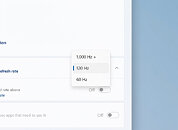 We are also anticipating further advancements in display technology before 1,000 Hz gaming becomes widespread. Playing FPS games at 720p resolution might seem unusual, considering most displays today are 1080p or higher. It will take time before we see 1080p, 1440p, and eventually 4K displays running at 1,000 Hz. In the meantime, GPUs will continue to advance, supporting high-refresh gaming at higher resolutions without issue.
Source:
Windows Blog
For instance, Philips and AOC have introduced the first gaming monitors capable of supporting 500 Hz at 1440p and 1,000 Hz at 720p. The Philips Evnia 27M2N5500XD and AOC AGON Pro AGP277QK monitors were showcased in China on December 6 and appear to be built around the same 27-inch panel. Both models are QHD 500 Hz displays that can switch to a lower-resolution 720p mode, doubling the refresh rate to 1,000 Hz. Generally, this resolution is required to achieve frame rates above 500 FPS, but modern GPUs like the NVIDIA GeForce RTX 5090 can easily reach these numbers in games like Counter-Strike 2. At 1080p, we observed about 726 FPS, indicating that 720p gaming can fully utilize the 1,000 Hz display.

29 Comments on Windows 11 Insiders Get Support for >1,000 Hz Monitor Refresh Rate
Totally ridiculous, in my opinion.
With a friendly smile,
Fred.
30 to 60 is a huge revolution,
60 to 144 is a nice improvement, but when I compare it to 144 to 240, I honestly don't see the difference.
I think that Crapple should immediately upgrade its Neo display to 1000 Hz, it gets 6 FPS on CS2 hahahhahaha
I'm thinking work with laptops and 2-3 monitors on a docking station @ 1440p or 2160p and they were 120+hz and all 3 defaulted to that the fans would scream lol
when i bothered with the faulty amd gpu windows 11 pro driver i saw the modelines are exactly the same as for 35years or more with the x-server and the linux kernel. same values, work the same for the radeon 6800 non xt in w11 pro and the linux kernel with mesa and amdgpu kernel module
why should those modelines for a screen not support 1khz or even more by default?
edit: 75Hz was also high power consumption. we need to rise the bar so reasonable refresh rates consume less.
the 60Hz crap screens and default values need to go.