News Posts matching #resolution

Return to Keyword Browsing

New DLSS 5 Mod Borrows a VR Trick for Better Ultrawide Performance

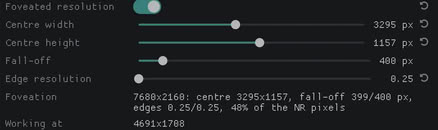
A new DLSS 5 mod borrows a trick from VR headsets to make Neural Rendering less punishing on ultrawide monitors. FoveatedDLSS5, a ReShade add-on built by maximedgoulet, keeps neural rendering at full resolution in the middle of the screen and steps it down toward the edges, where peripheral vision picks up less detail. In a Reddit post, the modder says The Witcher 3 went from 49 FPS to about 80 FPS on an RTX 4090 at 7680x2160 with 2x multipass, a gain of over 60%.

With default settings on a 7680x2160 panel, Neural Rendering ends up processing about 71% of the original pixels. Smaller screens gain less, however. At 4K, the defaults leave 93% of the pixels, and at 3440x1440 the mod turns itself off, so 16:9 and 21:9 users should shrink the center zone. It's also a pre-release tested in one game, and it only works when neural rendering runs after upscaling, which rules out pairing it with the Neural Upstream trick. Videocardz points out a similar project, CheekyFoveatedDLSS, that has been out since early September and adds eye-tracked foveation for VR headsets.
ASUS Gaming Laptop Returns from RMA with Mysterious RAM Shortage

Given ASUS's recent history with warranty repairs, it's likely unsurprising to some to learn that the company has been embroiled in yet another RMA drama. This time, a Reddit user who goes by u/Thriceinabluemoon posted in r/ASUS about their experience sending a 2023 ASUS Zerphyrus G14 in for repair under an extended warranty and receiving the laptop back without its 16 GB SODIMM RAM stick. While this in itself would be a frustration, ASUS customer support in the Netherlands, where the laptop and extended warranty were purchased and serviced, "won't even recognize that the additional RAM came with the product," never mind correcting the issue.

The redditor explains in the comment thread on the original post that the laptop was purchased with 32 GB of RAM—16 GB soldered and 16 GB installed in a SODIMM slot—and it's that same SODIMM stick it was purchased with that has gone missing during the repair process. They have since contacted ASUS, providing the receipt as evidence that the laptop was purchased with 32 GB of RAM pre-installed and have yet to hear back from support with a resolution.

Uncharted Trilogy Reaches PC Through Unofficial Ports

The first three Uncharted games have made their way to PC, though Sony had nothing to do with it. Developer SuperMedo, who is also behind an unofficial Bloodborne port, has released Uncharted for Windows. It's an unofficial port of the PS4's Uncharted: The Nathan Drake Collection, covering Drake's Fortune, Among Thieves, and Drake's Deception. Its first public build went up on GitHub on October 15. Sony did bring Uncharted 4 and The Lost Legacy to PC back in 2022, but the original trilogy never followed. The port runs the PS4 version's own x86-64 game code directly on the PC and replaces the console's system functions. It then translates the graphics work to Vulkan through a renderer based on the shadPS4 emulator. Players need their own decrypted dump of the collection, since no game files are included.

All three games get 60 and 120 FPS modes, with anything higher marked as experimental. Anti-aliasing options include TAA, FSR 3.1, FSR 4, and DLAA. Frame generation comes as FSR 3 on any GPU, or as DLSS Frame Generation at 2x on RTX 40 cards and up to 4x on RTX 50. It's not all smooth sailing, of course. Per the GitHub page, one user finished Drake's Fortune on an RTX 4060 laptop at 1080p with DLAA, mostly seeing 100 to 120 FPS, though a crash in chapter 11 corrupted their save. A separate project from BilalReloaded takes a similar approach, with render resolutions from 720p up to 4K. With Sony reportedly scaling back its single-player PC releases, community projects like this one and the recent native Driveclub port are piling up, while work on PS5 emulators continues to be impressive.

PS4 Exclusive Driveclub Now Runs Natively on PC Through New Recomp

Driveclub, Evolution Studios' 2014 PS4 racer, now runs natively on Windows through DriveClub Recomp, a fan project released on GitHub by OverkillLabs3. While PlayStation emulation has been progressing rapidly, this one doesn't use CPU emulation. The game's own x86-64 code runs directly on the PC's processor, while the PS4 system libraries are reimplemented and GPU commands are translated to Vulkan. The port supports resolutions from 720p to 8K, ultrawide displays, and an unlocked frame rate that doesn't speed up the game. It also replaces the original anti-aliasing with NVIDIA DLAA on RTX cards or AMD FSR 3.1 on any GPU, both at native resolution, and RTX owners can swap between the two in-game with F10.

The developer says the game holds about 60 FPS at 4K in its heaviest scenes on an RTX 5070 Ti paired with a Ryzen 7 5800X3D, and the v0.2.3 update pushed one 4K test race from roughly 62 to 71 FPS. It is still rough around the edges, however. Some reflections look too bright, shaders compile during the first few minutes, slower CPUs drop frames in busy scenes, and online features don't work. It has also only been tested on NVIDIA hardware so far. A second project, DCport by qnfn, takes a similar route with FSR 3.1 and FSR 4 support. Both need the player's own dump of version 1.28. It's in the same vein as how modders recently got Gran Turismo Sport running on PC. These recomps arrive a couple of months after a ShadPS4 patch let Driveclub run at up to 8K, quite the jump for a game that shipped at 1080p and 30 FPS.

TCL Readies 700 Hz OLED Panels for 2028

TCL's panel arm, TCL CSOT (China Star), is planning OLED monitor panels with refresh rates of up to 700 Hz, according to a new Omdia report on OLED monitor shipments. The panels will apparently come from TCL's Gen 8.6 inkjet-printed (IJP) OLED line in Guangzhou, which is expected to begin production in 2028, and will include larger sizes such as 32-inch and 34-inch. No resolutions were given, and it's not clear whether 700 Hz will be a native refresh rate or a dual-mode setting at a lower resolution. TCL is starting smaller, with its Gen 5.5 line set to ship 27-inch UHD 120 Hz IJP OLED panels in Q3 2026 for an MSI content-creation monitor. If the 2028 timeline pans out, TCL could be the first to mass-produce IJP OLED monitor panels at Gen 8.6.
The 700 Hz figure isn't a record, however. LG Display already makes a 24.5-inch 1080p 720 Hz OLED panel, used in the ASUS ROG Swift OLED PG259QWS Ace, and the ROG Swift PG27AQWP-W hits 720 Hz in its lower-resolution dual mode. The interesting part is getting that kind of speed onto 32-inch and 34-inch panels, using a printing process that wastes less material. As for the rest of the industry, Omdia expects 6.1 million OLED monitor panels to ship in 2026, a 79% jump over last year, rising to 7.5 million in 2027. Prices are falling too, as 27-inch 240 Hz OLED monitors dropped over 40% this year. A third major supplier next to Samsung Display and LG Display should help that trend, though 2028 is still a long way off.

Valve Is Reportedly Working on Steam Frame OLED Under Codename "Plano"

Valve appears to be working on an OLED version of its Steam Frame VR headset, according to evidence that comes from Valve's own code. Steam Frame Hub dug through the headset's Linux kernel source, which Valve made public and evlaV mirrored on GitHub, and found a branch called "deckard-plano." Plano seems to be the codename for a mid-generation refresh, building on an earlier "deckard-oled" branch, with work on it running from March until early October 2026. The driver code points to panels with a native resolution of 3552x3840 per eye, nearly three times the pixel count of the current Steam Frame's 2160x2160 LCDs. However, running at that resolution is another story.

The OLED model reportedly keeps the same Snapdragon 8 Gen 3 chip, and it defaults to 1776x1920 per eye to hit performance targets, with an experimental 1.5x mode at 2368x2560. The code lists support for up to 90 Hz, and Valve is apparently experimenting with 120 Hz as well. There's also mention of foveated scaling, which seems to let the panel's display controller raise pixel density wherever the user is looking. The current Steam Frame only went up for pre-order at $1,059 last month, with Valve engineers pointing to rising component costs for that price, so an OLED model will probably cost even more. Of course, Valve hasn't confirmed anything about an OLED variant, and it may not even become a product. If it does, I would be surprised if it launched earlier than late 2027.

Halo 2 Reportedly Runs at 30 FPS on a Jailbroken PS5 Thanks to New Xbox Emulator

A jailbroken PlayStation 5 can now run original Xbox games, which is quite ironic, to say the least. Developer ZiZc3 has published XPSemu Alpha 1 on GitHub, a port of the open-source xemu emulator that runs as a native PS5 app. In the developer's own testing, an unmodified Halo 2 holds 30 FPS on average. With the community 60 FPS patch, it apparently reaches 51 to 60 FPS in the opening and 36 to 50 FPS during gameplay. Crash Bandicoot: The Wrath of Cortex is said to run smoothly as well. The other results, however, are less impressive. Forza Motorsport drops to 15 to 21 FPS in races, and Fable: The Lost Chapters falls to 10 to 20 FPS in heavy scenes. It looks like the CPU is the limit here.

ZiZc3 says the emulated Xbox CPU thread stays at 85 to 97% load while the GPU sits mostly idle. That spare headroom lets you raise the internal resolution by 4x at almost no cost. You'll need your own Xbox BIOS, MCPX boot ROM, hard disk image, and games as XISO files, since discs aren't supported. Save states are missing, and audio DSP emulation is off by default because it hurts performance. Frame generation through an FSR 3 port is on the roadmap. XPSemu comes about a week after ProsperoEden brought Switch games to jailbroken PS5s and the Relapse exploit unlocked nearly every PS5 model, so more ports like this are probably on the way.

Ayaneo Opens Orders for Konkr Pocket Block, a Sub-$100 Game Boy-Style Android Handheld

Ayaneo has opened orders for the Konkr Pocket Block, the vertical Android handheld its budget Konkr sub-brand first showed off in May. The 2 GB RAM and 32 GB storage model costs $89, while the 3 GB and 64 GB version costs $109. Early bird pricing knocks $10 off both for a limited time, bringing them to $79 and $99. Ayaneo says shipping starts at the end of October. The handheld packs a 3.33-inch 4:3 LCD with a 960 x 720 resolution, a MediaTek Helio G85 chip, a microSD slot, and a 3,500 mAh battery. It runs Android 12 and has no fan, so Ayaneo is using a heat spreader instead.

It looks like the 2 GB model only comes in gray, while the 3 GB version also gets Cube Purple and a translucent Atoms White. The Helio G85 is a budget chip, so it might be best suited to emulating older systems up to around the PS1 and PSP era, while PS2 and GameCube games will probably be a struggle. Ayaneo billed the Pocket Block as the world's first AI handheld back in May, but it still hasn't said what the AI features are. In the meantime, the company also unveiled and launched the Game Boy Advance-inspired Konkr Pocket Advance. Pricing here looks to be reasonable enough that it may be worth a look, though readers are advised to wait for reviews first.

Developer Ports DLSS 5 to Intel Integrated Graphics With Help From AI Agents

A developer going by Uzbekunknown on GitHub has gotten NVIDIA's DLSS 5 Neural Rendering running on the Arc 140V integrated graphics of an Intel Lunar Lake system, as Tom's Hardware reports. The project, called dlss-nr-on-intel, is an independent reimplementation of the 71-block network that runs on Intel's XMX units through Vulkan. It has apparently been shown working in Tekken 7, Dead or Alive 5 Last Round, and Mortal Kombat 1. For now it only runs on Linux, and users must supply their own copy of NVIDIA's DLL. As far as performance goes, the developer says Tekken 7 ran at around 10 FPS at 640x360 resolution, and the frametimes are absolutely abysmal too. The author calls it a research port, not a finished product, so photo mode use looks like the only realistic scenario right now.

Perhaps even more interesting is how this port came to be. Apparently, the code was written almost entirely by AI. The developer credits Claude Opus 5 and OpenAI's Astra, saying they themselves only supplied the hardware, the binary, and the direction. They also state they cannot defend the code line by line, and that a driver bug one of the agents hallucinated shaped three development phases. This mod effort follows DLSS 5 reaching RTX 30-series and AMD RDNA 4 cards within weeks of the leak, as well as the technology reaching web browsers. I think whether this is clever or a step too far depends on how much you trust code nobody fully reviewed. It's a fine technical demo, but I don't think we really needed DLSS 5 on Intel integrated graphics.

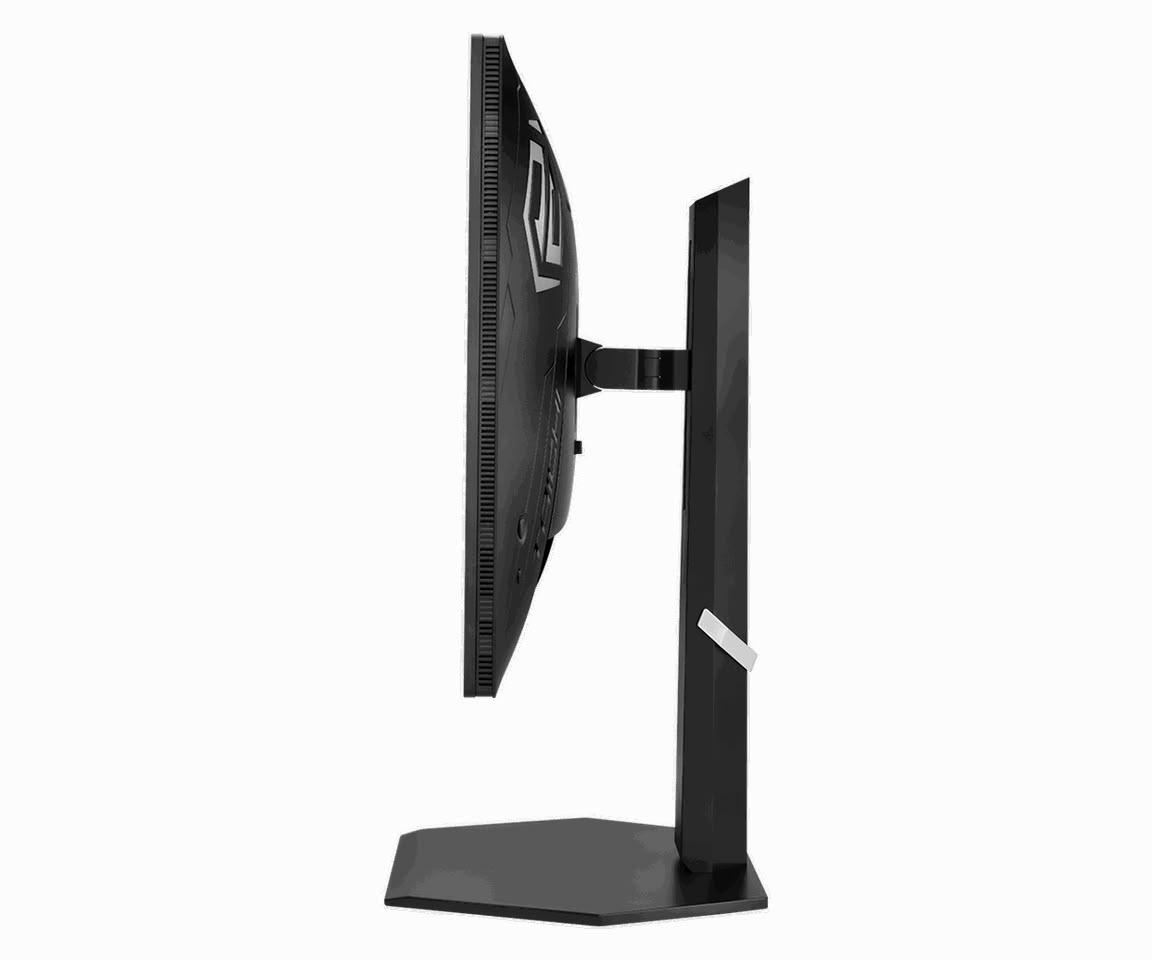
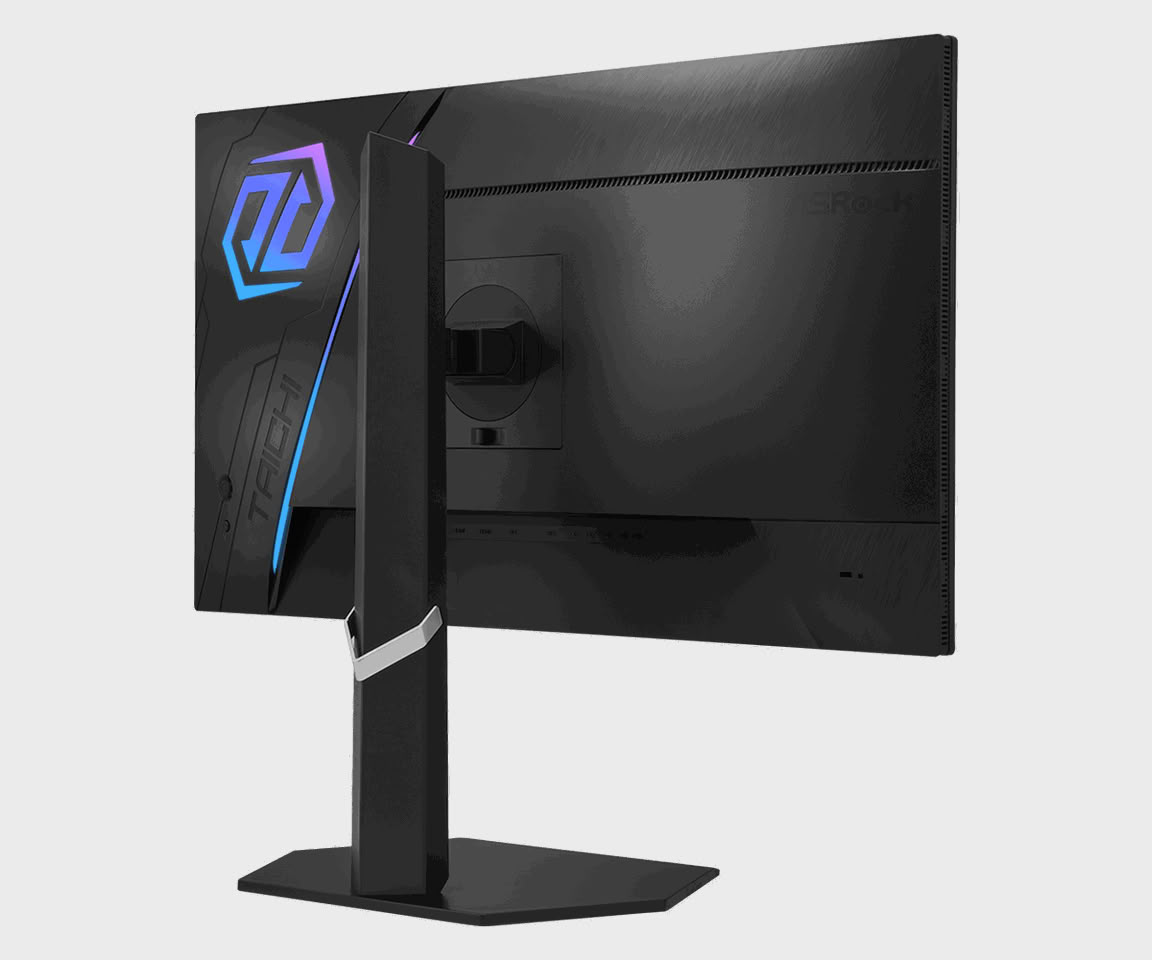
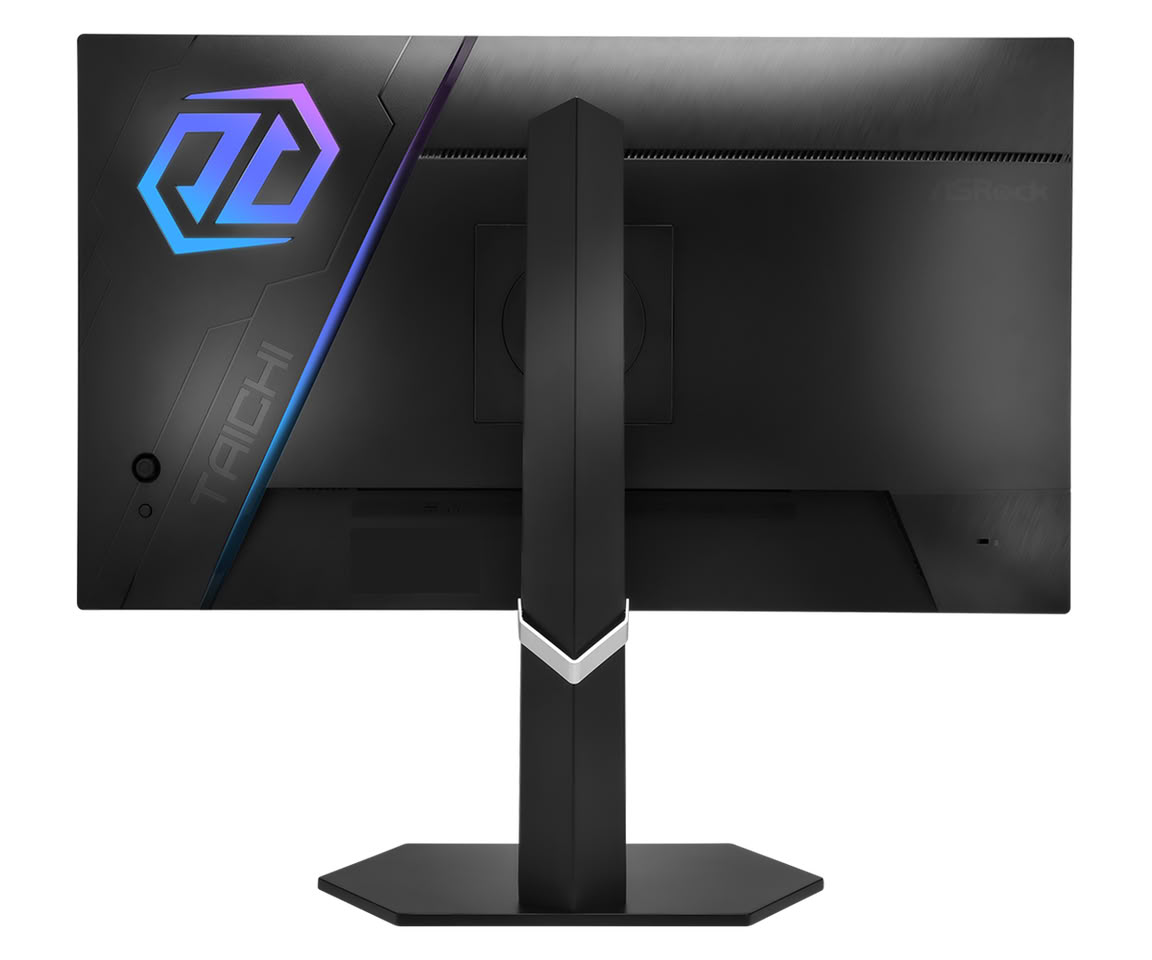
ASRock Brings Taichi Brand to Monitor Sector With Up to 720 Hz Panels

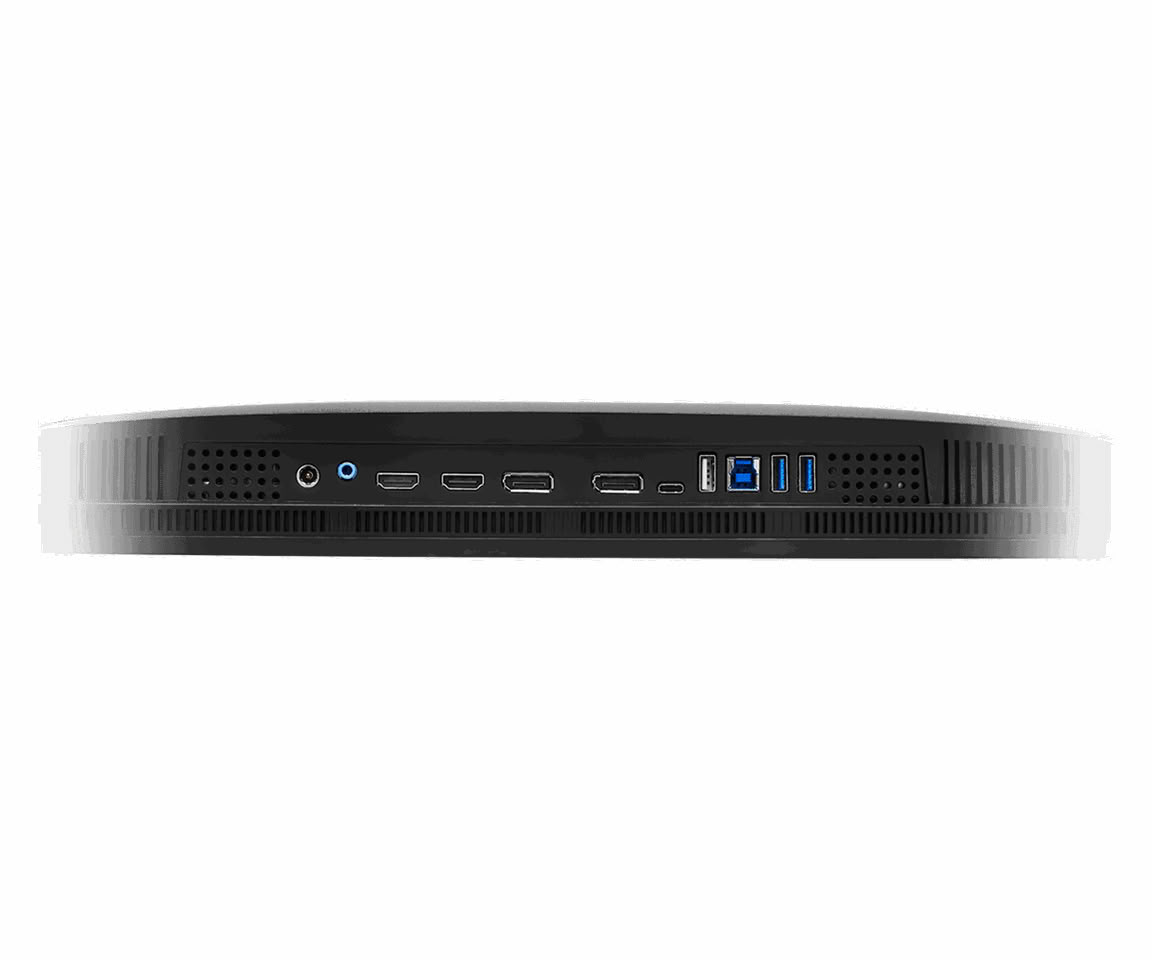
ASRock announced today that it is updating its monitor lineup with its flagship Taichi brand, introducing three new 27-inch models to the company's offerings. First in line is the new TCO27USA, designed as a flagship model with a 27-inch 4K UHD Penta Tandem QD-OLED display and a 240 Hz refresh rate. ASRock has equipped this panel with a 0.03 ms gray-to-gray response time, 99% DCI-P3 color accuracy, and other technologies such as AMD FreeSync, VESA's DisplayHDR True Black 400, and proprietary low blue light technology to reduce eye strain. For those with multiple setups, there is a built-in KVM switch. Regarding port selection, the ASRock Taichi TCO27USA features two HDMI 2.1 ports, two DisplayPort 2.1 with UHBR20, and a single USB 3.2 Gen 1 Type-C serving as a DisplayPort alternative or a 65 W power delivery line.

HKC Debuts 43.8-Inch 4K Ultrawide Monitor With Uncommon 24:9 Aspect Ratio

HKC has announced the Tianqi 43H180C, a 43.8-inch curved gaming monitor with an unusual 24:9 aspect ratio and a 5760 x 2160 resolution. This is actually 4K pixel density stretched across the ultrawide 24:9 format. It's worth noting that HKC already showed something even more ambitious at Computex this year, the 83.4-inch curved 12K Shield C83U60, so the company clearly isn't shy about unusual display formats. The 24:9 ratio sets it apart from other 43.8-inch monitors on the market from Acer or INNOCN, which all run 3840 x 1080. The panel uses Mini LED backlighting with 99% DCI-P3 coverage and a 1000R curvature, running up to 180 Hz. Regarding the panel technology, this information is still unknown, VA or IPS, neither of them has been confirmed, and the number of local dimming zones is also a mystery so far.

Interestingly and handy for productivity, the monitor supports split-screen modes. One mode divides the display into three 1920 x 2160 zones, the second offers a single 4K zone alongside a 1920 x 2160 panel for timelines, chat, document windows, or any other secondary information. The monitor features DisplayPort 2.1, USB-C with 96 W power delivery, and KVM support. The 5760 x 2160 resolution has roughly 1.5 times the pixel count of standard 4K, which should offer sharper images, however, for gaming, it can put a lot of stress even on high-end GPUs. No pricing or availability has been announced for the HKC Tianqi 43H180C ultrawide monitor.

Modders Rework DLSS 5's Rendering Pipeline For a Big Performance Boost

Modders have found a way to cut the huge performance cost of NVIDIA's DLSS 5 Neural Rendering. The fix involves reworking the DLSS 5 rendering order so that neural rendering runs before upscaling. The mod, called Neural Upstream and built by matiasLombo, now works through DLSS5-Autopilot, a community tool similar to DLSS 5 Swapper, that runs Neural Rendering in games NVIDIA never officially supported. A Redditor tested this fix on an RTX 4080 in Assassin's Creed Shadows at 4K with DLSS Performance. Switching from NVIDIA's standard pipeline to Neural Upstream reportedly pushed frame rates from 31 FPS up to around 50 FPS, compared to 63 FPS with the effect off entirely.

The trick comes down to where NVIDIA placed Neural Rendering in the pipeline. It normally runs last, on the fully upscaled 4K frame, which is why the cost balloons at higher resolutions. This is an issue the modders already ran into when they first got Neural Rendering working on RTX 40-series cards. Neural Upstream instead applies it to the lower-resolution frame before DLSS Super Resolution scales it up, similar to how Performance and Quality presets already work for regular upscaling. It looks like NVIDIA leaned toward image fidelity in the standard application, so the trade-off is a further hit to visual quality on top of DLSS 5's existing "uncanny valley" issues.

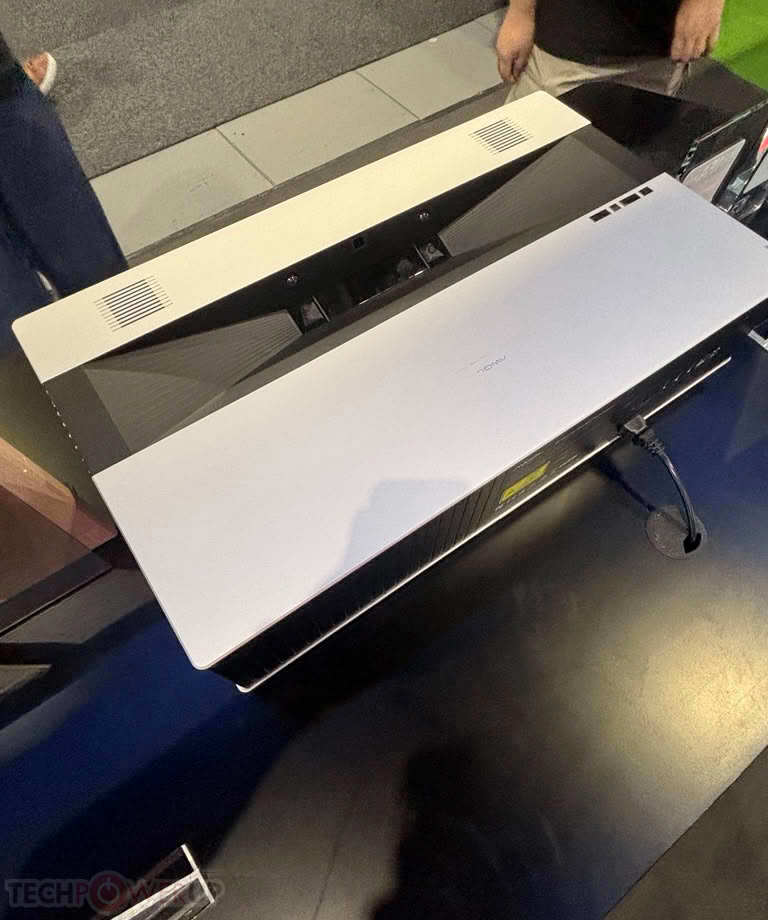
AWOL Vision Showcases World's First 4K 120 Hz Ultra-Short-Throw Projector with Optical Shift

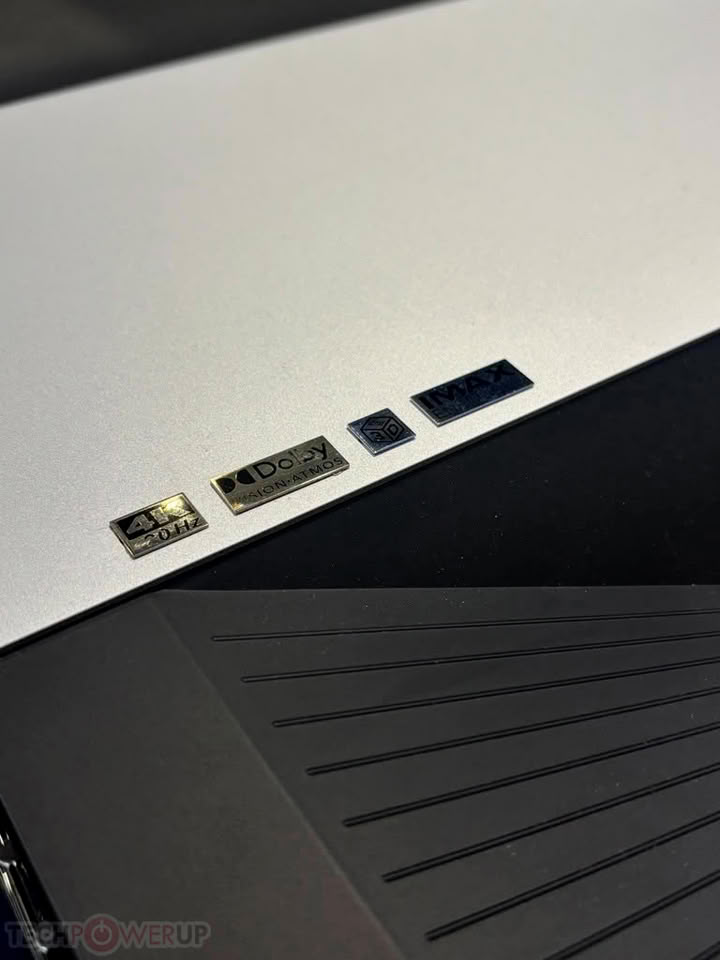
At IFA 2026, we visited the AWOL Vision booth to explore what the company had in store. The highlight was the AWOL LuxVision ultra-short-throw (UST) projector, the company's flagship model designed for high-end home entertainment and theater spaces. As the world's first UST projector with 4K resolution, a 120 Hz refresh rate, and optical shift, this model boasts an output of 6000 ISO lumens and triple-laser RGB projection. It supports a 0.18:1 throw ratio and can project a screen size of up to 200 inches, transforming your home's wall into a large-format entertainment space at the click of a button. The projector features a motorized lens cover and a zero-light-leakage lens that automatically adjusts for optimal alignment and focus with the screen.

The projector delivers a highly vivid image with 110% Rec. 2020 coverage, Dynamic Tone Mapping, and a 7-level dynamic IRIS that fine-tunes color, contrast, and light scene by scene. Dolby Vision, IMAX Enhanced, Filmmaker Mode, and 3D support enhance the cinematic experience for all types of content. It caters not only to cinematic enthusiasts but also to gamers, with features like a 1 ms input lag, Auto Low Latency Mode (ALLM), Variable Refresh Rate (VRR), and Dolby Vision Gaming. For connectivity, it offers three HDMI 2.1 ports and a single DisplayPort.

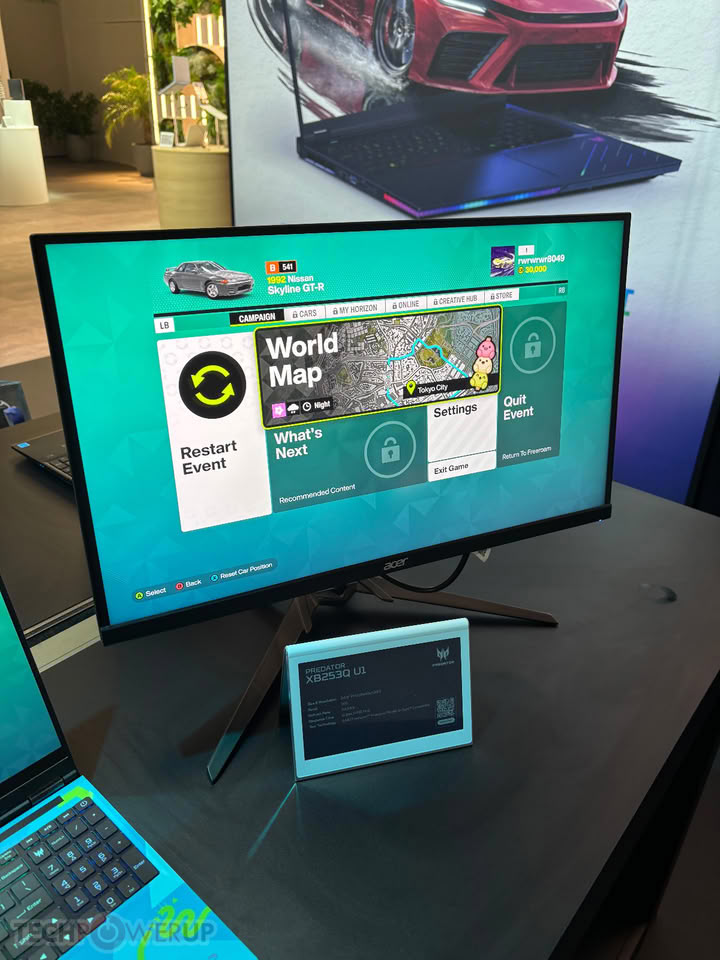
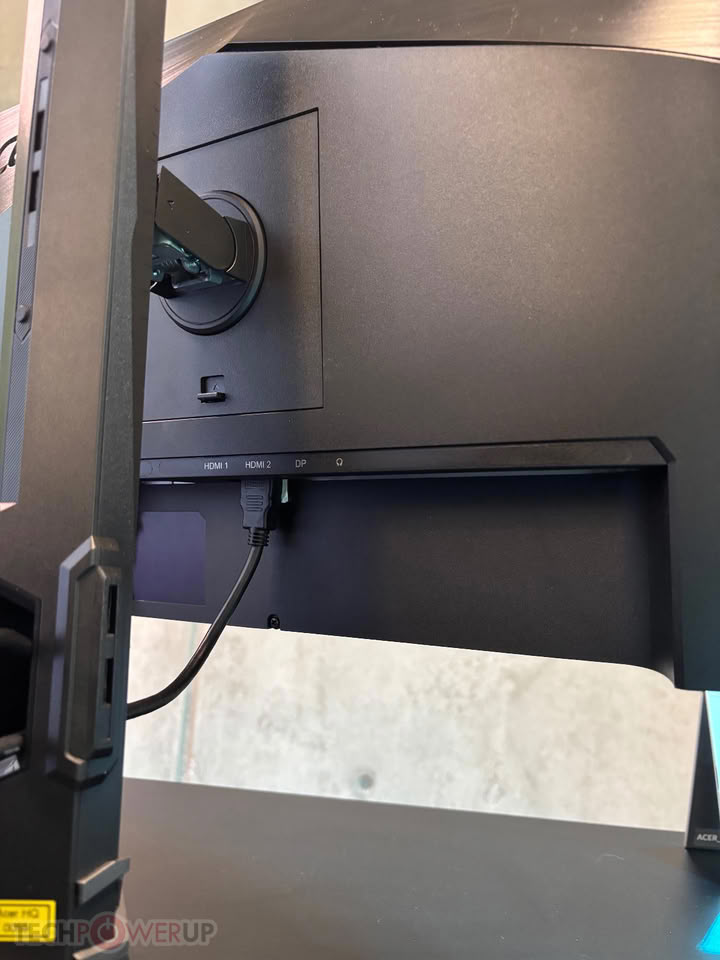
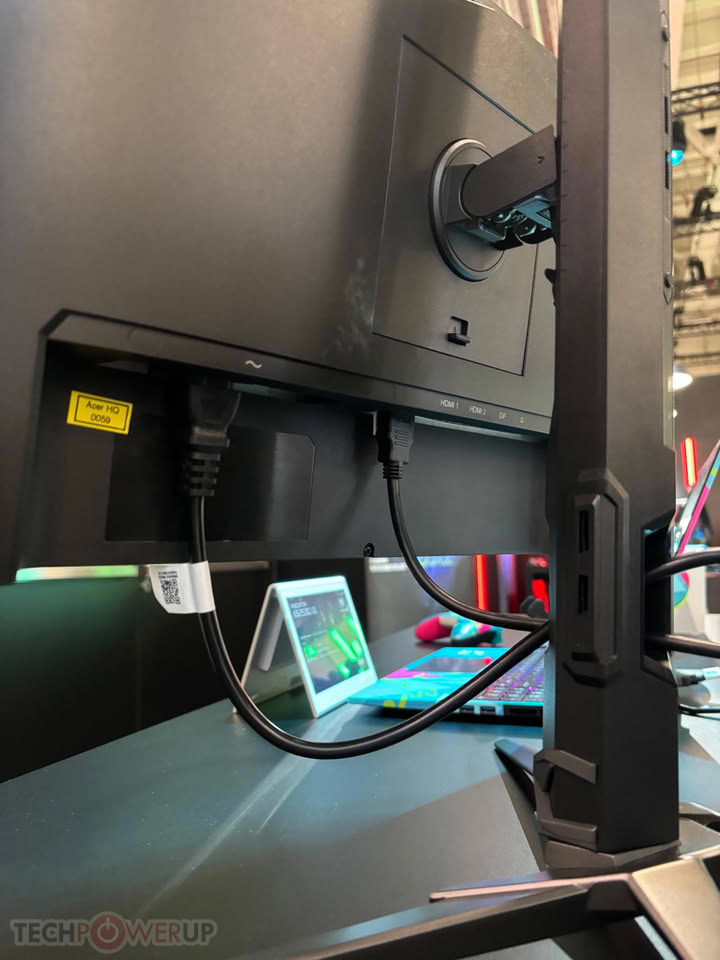
Hands-On with the Acer Predator XB253Q U1 1000 Hz Monitor at IFA 2026

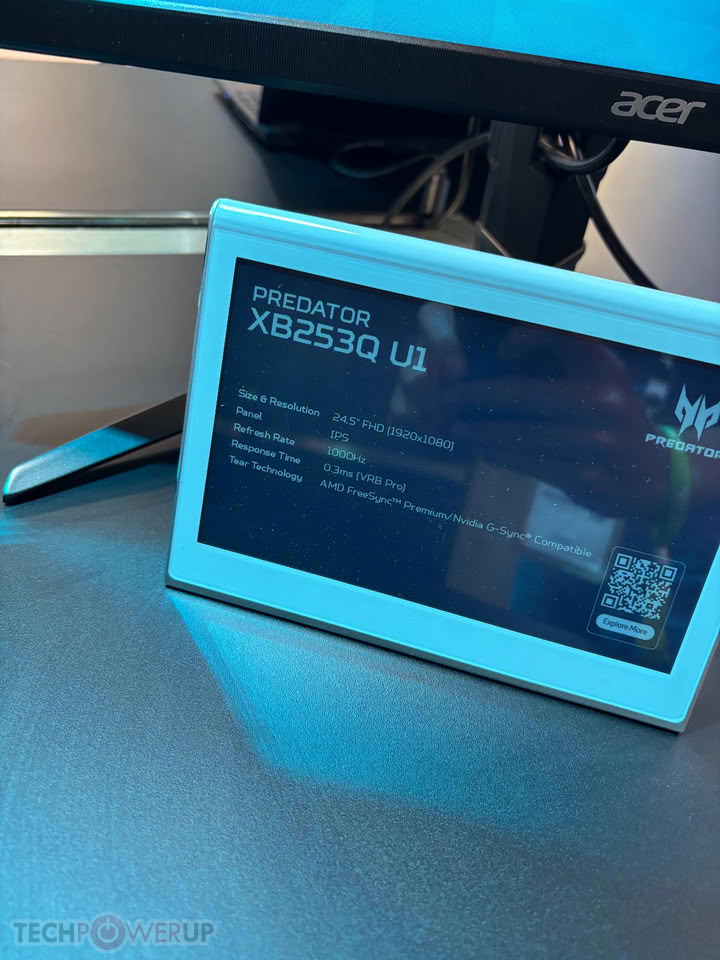
Acer used IFA Berlin to show off the Predator XB253Q U1, a 24.5-inch monitor that hits 1000 Hz at its native 1920x1080 resolution. That's notable because most "1000 Hz" monitors so far have needed a resolution cut to get there. Acer's own XB273U F6 from CES 2026, for example, only reaches 1000 Hz at 720p, dropping down from its native 1440p resolution. The XB253Q U1, on the other hand, uses an IPS panel and skips that compromise, offering full FHD at the full refresh rate. It also comes with Acer's VRB Pro backlight strobing tech to cut down motion blur, along with a circular polarizer layer aimed at reducing eye strain during long sessions. It's also VESA DisplayHDR 400 certified.

It's not the first monitor to pull this off. LG's UltraGear 25G590B got there first, also at 25 inches and 1000 Hz native FHD, and launched at $999.99. Acer's asking $1,099.99 for the XB253Q U1, a $100 premium over LG's price. In Europe it's priced at €1,099, and in China at RMB 7,999. Availability is set for Q1 2027 across North America, EMEA, and China, so this isn't a monitor you can buy just yet. We'll have to wait for independent testing to confirm whether the panel's 0.3 ms response times can actually keep up with 1000 Hz in real gameplay, rather than just on a spec sheet

Intel Arc B580 Running SteamOS Impresses Despite Missing XeSS Driver Support

Valve's SteamOS has been gaining a lot of new hardware support in recent months, including support for dGPUs and Intel's Arc GPUs. ETA Prime, the YouTuber who has become synonymous with gaming handheld and SteamOS testing, has put Intel's Arc B580 to the test on SteamOS, finding impressive performance but an unfortunate lack of support for built-in Xe Matrix eXtensions (XMX) hardware.

For starters, it's impressive to see that Intel's Arc B580 GPUs now boot on SteamOS without the workarounds or experimental support that was previously required. Despite the seamless boot and installation, the Mesa driver being used by SteamOS still doesn't have support for Intel's XMX engines, making the experience of running XeSS far less worthwhile. In testing, XeSS still technically works, but quality and performance both suffer compared to XeSS running on the proper hardware. The lack of support for XMX engines also completely disables XeSS Multi-Frame Generation.

Steam Deck Scores High in Early Onimusha: Way of the Sword Benchmark

Capcom's Onimusha: Way of the Sword is one of the more anticipated games of 2026, with an early 2025 gameplay preview showing off some high fidelity graphics and fast-paced melee combat. Despite this, the action game has surprisingly forgiving minimum hardware requirements, calling for just an NVIDIA GeForce GTX 1660 6 GB or AMD Radeon RX 5500 XT 8 GB (for 1080p, 30 FPS gameplay on low settings). Ahead of the September 25 launch, Capcom has published a demo and a benchmark tool for Onimusha, which has subsequently been put through its paces on the Valve Steam Deck by Steam Deck HQ, once again showing off what Capcom's surprisingly well optimized RE Engine is capable of.

In Steam Deck HQ's testing, the default "Lowest" settings preset at the Steam Deck's native 1200×800 resolution and with FSR 3.1.4 in the default mode, the benchmark averaged 46.16 FPS with 20.53 FPS for the 1% Lows. Moving up to the "Low" settings preset saw the average frame rate drop to 36.28 in the benchmark, with 15.6 FPS 1% Lows. The tester noted that during demanding combat scenes with more on-screen effects, the frame rate did dip below 30 FPS, even in the "Lowest" preset, but it recovered soon after. There are also likely performance gains to be had from game and GPU driver updates further down the line, and playing with FSR and graphics quality settings may also net some performance gains, since Steam Deck HQ didn't really delve into those settings. Regardless, Onimusha delivers frame rates similar to the performance we saw in our testing of Resident Evil Requiem on the Steam Deck, suggesting that Onimusha: Way of the Sword should get the same Steam Deck "Playable" rating as Requiem.

Steam Frame Verified Ratings Roll Out With Portal 2

With the Steam Controller and the Steam Machine now officially launched and presumably making their way into the hands of consumers, the only new hardware product left for Valve to launch is the Steam Frame. Now, it seems as though the launch date for the new VR headset may be approaching, with Valve's Portal 2 getting a new update on June 29 that includes Steam Frame compatibility information. The official Steam Frame rating for Portal 2 is "Playable," with the game missing out on Frame Verified status due to not rendering in the Frame's native resolution. Curiously, Half-Life: Alyx, Valve's VR-only Half-Life game, has not yet received a similar compatibility update at the time of writing.

The Frame Verified rating has not yet been added to Steam's storefront, with compatibility information listed on SteamDB, but a June 29 update also fixed an issue with Portal 2 launching on Linux, suggesting Valve is putting in active development work to get its games and verification system ready for the official launch of the Frame hardware. According to the recently published Steam Frame Verified specifications, games need to be fully playable on the Frame controllers and reach at least 90 FPS for standalone VR titles and 30 FPS for standalone 2D titles at 1280 × 720 p, and it must have a legible UI at the default resolution of the Frame.

AMD's FSR 4.1 Performance on RDNA 3 Notably Slower than FSR 3.1

AMD recently released FSR 4.1 for its RDNA 3 GPUs, which demonstrated a handy performance increase over native rendering on RDNA 3, but a recent comparison by German outlet, ComputerBase, has revealed that there are noticeable performance regressions when comparing FSR 4.1 to FSR 3.1 on RDNA 3 GPUs. The publication tested FSR 4.1 and FSR 3.1 on the AMD Radeon RX 7900 XTX, RX 7800 XT, and RX 7600, and FSR 4.1 on the Radeon RX 9070 XT. In geometric mean results of nine tested games, the 9070 XT scores an identical frame rate to the RX 7900 XTX in 4K native resolution, but the RDNA 3 flagship scores 52.6 FPS when using FSR 4.1 Quality settings, compared to 56.5 FPS on the 9070 XT—a 7% performance penalty. Looking at FSR 4.1 Performance, the gap grows, with the 7900 XTX serving 65.2 FPS in the test, while the 9070 XT scores 71.9 FPS, making the 7900 XTX 9% slower than the 9070 XT at FSR 4.1 compute.

The comparison between FSR 4.1 and FSR 3.1 on RDNA 3 is where it becomes even more interesting, with the geometric mean reflecting an 11% performance penalty for FSR 4.1 in Quality mode and a 14.5% regression in Performance mode. AMD previously explained in an interview with TechPowerUp that there were notable differences between the implementation of FSR 4.1 on RDNA 4 and RDNA 3, specifically that the older hardware uses 8-bit integer (INT8) data, while the RDNA 4 implementation uses the built-in FP8 support in the 2nd-generation AI accelerators in RDNA 4 GPUs. Despite this, AMD claims that it aimed for quality parity across different RDNA generations, which may partially explain the bigger performance penalty on RDNA 3 GPUs. FSR 4.1 support has yet to make it to RDNA 2 GPUs, with official support for the RX 6000-series graphics cards planned for early 2027, so we have yet to see what sort of performance penalty will be incurred there, however, AMD also commented that supporting that older hardware is even more complex, since there are no dedicated AI accelerators. This means RX 6000 GPUs will need to rely on Stream Processors to compute FSR 4.1 upscaling.

Helldivers 2 Gets FSR 4, DLSS 4.5, and XeSS 3.0 Upscaling and Performance Optimizations in Upcoming Update

Much to the chagrin of Arrowhead and PlayStation Publishing, Helldivers 2 fans have been clamoring for resolution upscaling tech for a long time, and it seems like they're about to get what they want, according to an announcement on the game's Steam Store page. On May 27, Helldivers 2 will be getting upscaling support on all platforms where the game is available. This means that PC players will get DLSS 4.5, FSR 4.0.3, and XeSS 3.0, while Xbox Series X|S and PS5 players will be able to use FSR 3.1, and PS5 Pro players get PSSR 1 support.

Furthermore, the announcement reveals that there are other optimizations and features coming to the game to address image quality, frame pacing, and hardware utilization. For starters, the PS5 and PS5 Pro will get VRR to smooth over stuttering and frame rate dips. Variable Rate Shading will also be coming to the game to reduce GPU load, and Dynamic Resolution Scaling for PC, PS5, and Xbox Series X will drop the resolution scale in demanding scenes to maintain a stable frame rate. Lastly, Helldivers 2 will get AMD Anti-Lag 2 and NVIDIA Reflex for decreased latency on relevant PC hardware.

Pragmata Gets Quiet Resolution Upgrade on PS5 Pro

It seems as though a recent patch to Pragmata on the PS5 Pro has increased the game's render resolution, although Capcom has yet to actually announce the change. According to recent tests by Digital Foundry and Brazil Pixel on YouTube, Pragmata's Patch 1.21 has increased the internal render resolution from 864p to 1080p. Notably, this is now the same resolution as the game uses on the base model PS5, which produced a cleaner image in some cases before the update, because it used a native render resolution of 1080p from the outset. Pragmata will still use Enhanced PSSR to upscale the image, whereas the base console uses FSR, and in Digital Foundry's testing, the image produced in Patch 1.21 is much cleaner, with little to no impact on the final frame rate.

Microsoft Updates ROG Xbox Ally X with Auto Super Resolution and Docked Mode Enhancements

Microsoft has just announced a new set of features coming to the ASUS ROG Xbox Ally handheld gaming PCs, addressing game quality, docked mode quality-of-life, Game Bar improvements, and more. The most notable improvement coming to the ROG Xbox Ally is Auto Super Resolution, or Auto SR, which is now in Preview in the Xbox Game Bar. Auto SR, as the name suggests, is a similar to AMD and NVIDIA's FSR and DLSS, allowing game upscaling to increase frame rates without losing image quality. On the ASUS ROG Xbox Ally X, Auto SR is only available in docked mode for now, where it will automatically upscale the game's image to deliver a sharper image, fit for a bigger screen, when docked to something like a TV. This should effectively make for a smoother transition between gaming on the TV and in handheld mode, since you won't have to change resolution or upscaling settings when plugging the ROG Xbox Ally in. Microsoft has an in-depth blog explaining Auto SR in more detail.

[Editor's note: Our in-depth review of the ASUS ROG Xbox Ally X is now live]

Aside from Auto SR, the ROG Xbox Ally also gets the gamepad cursor we previously covered, streamlined controller pairing for docked play, a display widget in Game Bar, where you can quickly adjust display settings, and a handful of automatic enhancements for smart TVs. For starters, when players connect to an external display or TV, the ROG Xbox Ally will now turn off the built-in screen and default to the TV for output. If the connected TV happens to be a smart TV from Samsung, LG, or Vizio, the ROG Xbox Ally will automatically enable certain features on the TV, like Auto Low Latency Mode, Auto Game Mode, or Game/PC Mode. The library consolidation features we previously covered have also officially been added to the Xbox PC App, allowing you to use the ASUS ROG Xbox Ally in handheld mode exclusively if you would like to.

LG Electronics Introduces its First UltraGear evo Hyper Mini LED 5K Gaming Monitor

LG Electronics (LG) is rolling out its new UltraGear evo GM9 5K gaming monitor (model 27GM950B) powered by Hyper Mini LED technology. First unveiled at CES 2026, the 27GM950B reinforces LG's commitment to delivering high-performance gaming monitors combining next-gen display technology with advanced gaming features.

LG's latest UltraGear evo model meets growing demand for 5K gaming monitors offering precise, dynamic visuals. The 5K resolution (5,120 x 2,880) comes together with the company's Hyper Mini LED technology to supply greater clarity, depth and realism, making gameplay more immersive and lifelike.

Xbox App and Game Bar Overlay Get Nifty Features for Gaming Handhelds

Since the launch of the Steam Deck and the subsequent competing Windows gaming handhelds, Microsoft has been working on improving its UI for gaming consoles, culminating with the recent adoption of the Windows Full Screen Experience, which was later renamed to Xbox Mode. The latest update to Microsoft's gaming experience, however, comes by way of the Xbox app and its overlay, as spotted by ROGAllyLife. These new features will be available to everyone using compatible hardware and the Xbox app, although they are still in the preview version of the app, so they may only reach mainline status in a few weeks. The biggest update is a new display widget that was added to the Xbox Game Bar overlay, which adds controls like display refresh rate, resolution, projection mode, and Auto Super Resolution, allowing users to test different display configurations without leaving their games.

Users can now also change notification placement in the Xbox app, allowing them to see notifications without completely disrupting the gaming experience. The Xbox app now allows for eight notification placement options—three positions along each screen edge—and this can also be customized from the Game Bar overlay instead of necessitating a potentially game-breaking app switch. These updates are just the most recent in Microsoft's efforts to make handheld gaming more feasible on Windows, but it remains to be seen how Microsoft will change the regular Windows 11 experience after its recent promise to address quality and usability complaints.

Windows 11 Insiders Get Support for >1,000 Hz Monitor Refresh Rate

Microsoft has released its latest Windows 11 builds, 26100.8106 and 26200.8106 (KB5079387), to Insiders in the Release Preview Channel. This update notably introduces support for monitor refresh rates exceeding 1,000 Hz, marking the first time Windows 11 officially supports four-digit refresh rates. Over the years, gaming monitors have rapidly progressed from double-digit to triple-digit refresh rates. However, reaching four-digit levels so quickly was unexpected, as the general gaming audience has been limited by current technology's ability to output such high frame rates. With modern GPUs capable of running hundreds of frames per second in FPS titles, it's logical for Windows to prepare for future advancements.

For instance, Philips and AOC have introduced the first gaming monitors capable of supporting 500 Hz at 1440p and 1,000 Hz at 720p. The Philips Evnia 27M2N5500XD and AOC AGON Pro AGP277QK monitors were showcased in China on December 6 and appear to be built around the same 27-inch panel. Both models are QHD 500 Hz displays that can switch to a lower-resolution 720p mode, doubling the refresh rate to 1,000 Hz. Generally, this resolution is required to achieve frame rates above 500 FPS, but modern GPUs like the NVIDIA GeForce RTX 5090 can easily reach these numbers in games like Counter-Strike 2. At 1080p, we observed about 726 FPS, indicating that 720p gaming can fully utilize the 1,000 Hz display.

BenQ Launches New 5K Glossy Monitor Purpose-Built for Mac Users

BenQ, the global leader in display and color-tuning innovation, today announced its MA270S, a new 27-inch 5K monitor designed to give Mac users the clarity, color, and intuitive experience they expect from a native Apple display. As the latest expansion to the Mac-optimized MA series, including the MA270U/MA270UP and MA320U/MA320UP, the BenQ MA270S is ideal for Mac users who rely on precise visual detail and text clarity to match the accuracy and sharpness of their MacBook display.

The MA270S features a Nano Gloss panel and true 5K resolution (5120x2880), matching macOS native pixel density for sharper text, lifelike images, and comfortable extended use. It delivers Mac-level color with 500-nit brightness, 99% P3 color, and a 2000:1 contrast ratio for vibrant color reproduction and crisp detail. With iKeyboard Control, users can adjust brightness and volume directly from the MacBook keyboard, creating a more seamless, native Mac experience.
Return to Keyword Browsing
Nov 11th, 2026 03:58 CST change timezone

New Forum Posts

Popular Reviews

TPU on YouTube

Controversial News Posts