Thursday, May 7th 2026

Microsoft Is Testing a Windows 11 Feature That Maxes Out CPU Speed for Faster App Launches

According to Windows Central, Microsoft is working on a new feature for Windows 11 called "Low Latency Profile," as part of the Windows K2 effort. This feature aims to make app launches noticeably faster by pushing the CPU core to its maximum boost frequency in very short bursts. Reportedly, this feature boosts the CPU to its maximum frequency for 1-3 seconds, resulting in noticeably smoother app launches during testing. When launching Microsoft applications like Edge and Outlook, known as "in-box" apps, the result is about a 40% faster application launch. Other applications, such as the Start Menu and context menus across the operating system, may be up to 70% faster. Overall, the Windows 11 operating system is expected to receive a significant performance boost, though at the cost of the CPU reaching its maximum frequency.

Currently, this feature within the Windows K2 effort is automatic, with no clear indication if it can be turned on or off. Running a CPU at its maximum frequency is somewhat unusual, as the purpose of an operating system is to minimize strain on the PC, leaving headroom for heavier applications to load. However, since the boost is only applied in short bursts of up to three seconds, it is expected that the performance benefits and overall smoothness will outweigh potential issues. These issues include elevated CPU frequency during lighter tasks and general OS usage, which could result in slightly higher temperatures overall. For laptop users, this might lead to faster battery drain, but it is likely that the Windows K2 effort will account for this, with minimal impact.
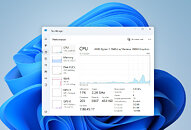
This Low Latency Profile feature is reminiscent of Microsoft's previous efforts when the company started preloading the File Explorer application at startup. Late last year, Microsoft explored this option, which had minimal impact on overall application launch speed. Since Microsoft cannot preload every application on Windows 11, the company is now looking into ways to have the CPU handle the heavy lifting, but only in short bursts that should not be very noticeable to the end user. Many enthusiasts would be willing to accept a snappier experience at the expense of higher CPU utilization for a second or two, provided it is implemented smoothly without significantly increasing the average CPU temperature.
Source: Windows Central
Add your own comment

64 Comments on Microsoft Is Testing a Windows 11 Feature That Maxes Out CPU Speed for Faster App Launches

#26
TheGeekn°72
WirkoBut with clever use of AI, the CPU could detect when the mouse pointer is approaching an icon that would take a long time to launch, then raise the clock early enough just in case.
...so you need to spend more CPU cycles to know ahead of time if you're gonna need more CPU cycles...
Posted on Reply
#27
Hereticbar
OkieDanMy 286 could boost, they called it turbo back then :)
Ya, but you have to press a button on the computer case to do it. These days it is like magic, you don't even have to lift a finger. :roll:
Posted on Reply
#28
yfn_ratchet
It would be so funny if they decided this was the appropriate course of action after a consult with Copilot. It would be so funny.
Posted on Reply
#29
Darmok N Jalad
For some reason, I can’t help but recall the days of Prescott Pentium 4, where the chips just ran hot (for their time), and cooling solutions were not prepared. You’d be doing simple tasks on the machine and would hear nothing but the HSF ramp up and down constantly.

Musings aside, the feature can make sense if the net result is the same power consumed. Mobile devices have long operated on the “race to idle” philosophy, where the CPU bursts for all its got just to get back to its lowest power state as fast as possible.
Posted on Reply
#30
Intelko

Bye, bye windows!
I'm switching to Mac next year when GAA-FET finally lands on Apple Silicon!
Posted on Reply
#31
mechtech
Ya nothing better than hearing your cpu fan ramp up to 100% for 3 seconds and back down every time you open something………
Can’t wait……

I wonder how long before MicroSlop becomes MicroSomethingelse???
Posted on Reply
#32
zenlessyank
OkieDanMy 286 could boost, they called it turbo back then :)
Actually, that button was to put it into a slower CPU mode setting for compatibility.
Posted on Reply
#33
TumbleGeorge
b1k3rdudeand employ real software engineers...
And are there still such excellent software engineers available?
Posted on Reply
#34
GeoffreyA
WirkoThen the next Windows will be called Windows 12 because it will come on 12 floppy disks.
16.56 MB for Windows? Yes, please!

Jokes aside, the old-school MS programmers would fix this, because one imagines they'd re-program these slow parts in bare Win32 or restore the code in question from Windows 7.
Posted on Reply
#35
Chomiq
OkieDanMy 286 could boost, they called it turbo back then :)
Except it was on by default and you had to turn it off for older software.
Posted on Reply
#36
GeoffreyA
TumbleGeorgeAnd are there still such excellent software engineers available?
No doubt, it's easier for them to find React and JS programmers. Fewer, those that know the Windows frameworks, from .NET to WinUI. And fewer still that know old-fashioned Win32 GUI programming, which is the answer to the problem.
Posted on Reply
#37
OkieDan
zenlessyankActually, that button was to put it into a slower CPU mode setting for compatibility.
That's my understanding.
ChomiqExcept it was on by default and you had to turn it off for older software.
Mine was faster when I pushed the button in, which made it light up. I'm not understanding what you're saying exactly. Are you saying that disconnecting the button which apparently completed a circuit to make the button light up was unnecessary and it would run at full speed if disconnected?
Posted on Reply
#38
Chomiq
OkieDanThat's my understanding.


Mine was faster when I pushed the button in, which made it light up. I'm not understanding what you're saying exactly. Are you saying that disconnecting the button which apparently completed a circuit to make the button light up was unnecessary and it would run at full speed if disconnected?
It was necessary. Turbo state was the default clock speed, what it should really be called was "SLOW" mode, because if you switched off "TURBO" the clock would drop.
Posted on Reply
#39
Vayra86
You know this is a short track to many a burnt out PC in the near future right? Those mom and dad PCs with far too much dust in them? Yeah. Better start saving to replace your 10x inflated RAM if you update Windows 11.

And here we have, yet again, another great reason to just stick to 24H2 IoT Enterprise. Need I repeat this any longer. You. Do. Not. Update this OS beyond that release. Its a guaranteed cluster and the only fix is rolling back.
WirkoBut with clever use of AI, the CPU could detect when the mouse pointer is approaching an icon that would take a long time to launch, then raise the clock early enough just in case.
Brilliant! :roll: :roll: :roll: The sad part is you might not be far from the truth. Browsers already do this on mouseover links if you want them to and even Windows does it with taskbar preview. By mousing over you are also prefetching that data basically
Posted on Reply
#40
FR3D1
Ninja Cat
Actually, other operating systems already have this acceleration feature. So now, Microsoft is following suit in Windows. However—as previously mentioned—anyone with a powerful CPU shouldn't be surprised if they notice hardly any difference.
Deskmodder (de)

So, Windows 11 will continue to perform on powerful devices just like Windows 7 or 8—namely, not at all. I had intended to take the time myself this weekend to test this—and perhaps even take measurements. This way, I have time for more important things.

Regards,
Fred.
Posted on Reply
#41
HLB
JoeTheDestroyerSounds good to me. It's about time Microsoft put some effort into bringing their scheduler into the 21st century.

As for those complaining about bloat and slop, this is a pretty standard technique in other OS. Android, for example, does it to improve UI responsiveness.
You call this "effort"? No, this is absolutely lame attempt instead of fixing garbage, bloated code.
TheGeekn°72Meanwhile on Linux : click to open file explorer or settings context menus, no CPU boost required, doesn't even register as a blip on system monitoring.
I tinkered with CachyOS recently with KDE Plasma, on a old i5-6500T Dell Optiplex Micro (laptop CPU), no GPU and a SATA SSD, a weak machine by today's standards. Everything in Plasma was instant (clean defaults, no tinkering at all) while looking better than Windows 11 and offering tons more options, even Firefox with a bunch of tabs launched nearly-instantly and yes, exactly: UI operations "doesn't even register as a blip on system monitoring". Max turbo boosting and preloading crap to RAM to accelerate UI is poor design, weak coding and just plain bullshit.
Posted on Reply
#42
b1k3rdude
TumbleGeorgeAnd are there still such excellent software engineers available?
If they had let me go and then wanted me back, the first thing to come out of my mouth would be ok, but your going to have to increase my salary and financially compensate me, for letting me go in the first place.
HLBYou call this "effort"? No, this is absolutely lame attempt instead of fixing garbage, bloated code.

I tinkered with CachyOS recently with KDE Plasma, on a old i5-6500T Dell Optiplex Micro (laptop CPU), no GPU and a SATA SSD, a weak machine by today's standards. Everything in Plasma was instant (clean defaults, no tinkering at all) while looking better than Windows 11 and offering tons more options, even Firefox with a bunch of tabs launched nearly-instantly and yes, exactly: UI operations "doesn't even register as a blip on system monitoring". Max turbo boosting and preloading crap to RAM to accelerate UI is poor design, weak coding and just plain bullshit.
Ive been playing with Bazzite, CachyOS and Nobara. I just install 24h2, Iot Ent LTSC, so I have 10years to learn linux enough to migrate there eventually. That is unless Micro$lop listen to thier customer base and fix the shitshow that is Windows. For start they need to remove ALL the telemetry and ALL the Ai $lop, then make a coheasive start on the GUI, that needs to be as good as windows 7.
Posted on Reply
#43
_JP_
Darmok N JaladFor some reason, I can’t help but recall the days of Prescott Pentium 4, where the chips just ran hot (for their time), and cooling solutions were not prepared. You’d be doing simple tasks on the machine and would hear nothing but the HSF ramp up and down constantly.

Musings aside, the feature can make sense if the net result is the same power consumed. Mobile devices have long operated on the “race to idle” philosophy, where the CPU bursts for all its got just to get back to its lowest power state as fast as possible.
I was actually thinking of this while reading the news and through the comments nobody was picking it up, until I read yours.
So, the whole "future" philosophy was that Windows 7 truly adopted muti-core and clock states, so much that CoolNQuiet and Intel's EIST were better handled as well and thus Intel could promote it's "ultrabook" platform. Then it became about clock bins and hyperactive thread schedulers because you'd want to park every core and unpark predictably as less as possible, by Windows 8.1, otherwise the hybrid devices would have never taken off. Then you have turbo states and cTDP that can be governed on-the-fly with Windows 10. Windows 11 was supposed to be at the top of the efficiency with all these developments, plus properly handling heterogenous cores where, you know, you'd properly assign threads to your specific performance threshold within your power package and within thermal limits.
But with this it seems the best philosophy right now is just to have all cores unparked, at the highest clock possible and downclock only when system activity is none for a stretch of time, so that you don't have latency even for what would be akin to system calls, since you can't go back at just having big clock buckling cores with just L1+L2. Basically, Windows XP + Pentium 4/M philosophy.
Posted on Reply
#44
Shihab
EnviousFrogHover over an icon in the task bar? App automatically starts pre-loading in memory and CPU boosts to max frequency. Move mouse quickly over all icons in the task bar? Task bar heating feature invented.
Sounds like a nice way to emulate the ctrl button…
Posted on Reply
#45
soder
b1k3rdudeIf they had let me go and then wanted me back, the first thing to come out of my mouth would be ok, but your going to have to increase my salary and financially compensate me, for letting me go in the first place.


Ive been playing with Bazzite, CachyOS and Nobara. I just install 24h2, Iot Ent LTSC, so I have 10years to learn linux enough to migrate there eventually. That is unless Micro$lop listen to thier customer base and fix the shitshow that is Windows. For start they need to remove ALL the telemetry and ALL the Ai $lop, then make a coheasive start on the GUI, that needs to be as good as windows 7.
Too bad they will never even consider re-hiring those people who were fired in the past 20+ recent layoffs. So unfortunately your wage-revenge on stupid msft will never happen. Simply because that mammoth company doesnt work according to reasonable rules. They can do whatever sht they want, and because their money reserves, they will survive for another 2 decades, even if they stop inventing anything today. Sad but true :(
Posted on Reply
#46
AVATARAT
Reportedly, this feature boosts the CPU to its maximum frequency for 1-3 seconds, resulting in noticeably smoother app launches during testing. When launching Microsoft applications like Edge and Outlook, known as "in-box" apps, the result is about a 40% faster application launch. Other applications, such as the Start Menu and context menus across the operating system, may be up to 70% faster. Overall, the Windows 11 operating system is expected to receive a significant performance boost, though at the cost of the CPU reaching its maximum frequency.
Manually overclocking the CPU to a certain frequency can yield the same performance boost, since not every thread runs at maximum frequency when the CPU is left to boost automatically.
In this case, Microslop is simply introducing automatic overclocking for single-threaded CPU mode to achieve the same performance improvements.

While this may improve performance in certain scenarios, it’s interesting to see how Microslop will balance this feature with the other feature they offer, namely Eco Mode (the green leaf icon). 🤦‍♂️:D
Posted on Reply
#47
TheGeekn°72
HLBI tinkered with CachyOS recently with KDE Plasma, on a old i5-6500T Dell Optiplex Micro (laptop CPU), no GPU and a SATA SSD, a weak machine by today's standards. Everything in Plasma was instant (clean defaults, no tinkering at all) while looking better than Windows 11 and offering tons more options, even Firefox with a bunch of tabs launched nearly-instantly and yes, exactly: UI operations "doesn't even register as a blip on system monitoring". Max turbo boosting and preloading crap to RAM to accelerate UI is poor design, weak coding and just plain bullshit.
THANK YOU, yet another lucid person with the same conclusion
JoeTheDestroyerAs for those complaining about bloat and slop, this is a pretty standard technique in other OS. Android, for example, does it to improve UI responsiveness.
if this was common practice on Android, as you claim, battery life on devices would be dogshit.

I have an Android handheld, I set it to eco mode, which literally locks the top clock both CPU & GPU can peak out at, I do NOT feel ANY slowdowns in navigation from doing so.
Posted on Reply
#48
_Flare
IMHO the hiding of the old "select Powerplan" menu behind the slider window in the normal settings page is still idiotic. I do say that because of the fact that i always test between powerplans and settings on each system and always come to the conclusion that the bone stock "high performance powerplan" is always the most responsive and most efficient at the same time. That is because there are "basic powerplan backbones" in windows and you can never get to a real OS-agnostic state with one build without the high performance backbone in wich windows will never intervene with any C-state for example.
Little fun fact the "ultimate performance plan" was also build on the "high performance backbone".
Posted on Reply
#49
LittleBro
Morons. There was no problem on Windows 7 even with Sata SSDs. Poor GUI speed or responsiveness of system is a design flaw. As others said, make it work swiftly on old computer and then we can call it a day.

But how goes that saying? Drowning one catches at straws ...
Posted on Reply
#50
_JP_
@_Flare You could always alter a few registry keys and fiddle with the power plan:

But funny you should mention that because it was very much my position to the power plan when it came to Bulldozer/Piledriver and getting the OS to act like a proper reacting system to inputs.
Any work to not keep those modules at their base clocks would hamper performance.

(In fact, since Microsoft is all for removing legacy menus, I'm waiting for this one to disappear, never to be migrated to the 'Settings' > 'Power & Battery' in a sub-menu for advanced power tuning and with metrics so that would see results of the changes, akin to what Performance Monitor does but with predetermined readouts for common benchmarks.)
Posted on Reply
Add your own comment
Nov 24th, 2026 09:27 CST change timezone

New Forum Posts

Popular Reviews

TPU on YouTube

Controversial News Posts