Thursday, May 7th 2026

Microsoft Is Testing a Windows 11 Feature That Maxes Out CPU Speed for Faster App Launches

According to Windows Central, Microsoft is working on a new feature for Windows 11 called "Low Latency Profile," as part of the Windows K2 effort. This feature aims to make app launches noticeably faster by pushing the CPU core to its maximum boost frequency in very short bursts. Reportedly, this feature boosts the CPU to its maximum frequency for 1-3 seconds, resulting in noticeably smoother app launches during testing. When launching Microsoft applications like Edge and Outlook, known as "in-box" apps, the result is about a 40% faster application launch. Other applications, such as the Start Menu and context menus across the operating system, may be up to 70% faster. Overall, the Windows 11 operating system is expected to receive a significant performance boost, though at the cost of the CPU reaching its maximum frequency.

Currently, this feature within the Windows K2 effort is automatic, with no clear indication if it can be turned on or off. Running a CPU at its maximum frequency is somewhat unusual, as the purpose of an operating system is to minimize strain on the PC, leaving headroom for heavier applications to load. However, since the boost is only applied in short bursts of up to three seconds, it is expected that the performance benefits and overall smoothness will outweigh potential issues. These issues include elevated CPU frequency during lighter tasks and general OS usage, which could result in slightly higher temperatures overall. For laptop users, this might lead to faster battery drain, but it is likely that the Windows K2 effort will account for this, with minimal impact.
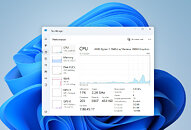
This Low Latency Profile feature is reminiscent of Microsoft's previous efforts when the company started preloading the File Explorer application at startup. Late last year, Microsoft explored this option, which had minimal impact on overall application launch speed. Since Microsoft cannot preload every application on Windows 11, the company is now looking into ways to have the CPU handle the heavy lifting, but only in short bursts that should not be very noticeable to the end user. Many enthusiasts would be willing to accept a snappier experience at the expense of higher CPU utilization for a second or two, provided it is implemented smoothly without significantly increasing the average CPU temperature.
Source: Windows Central
Add your own comment

64 Comments on Microsoft Is Testing a Windows 11 Feature That Maxes Out CPU Speed for Faster App Launches

#1
TheinsanegamerN
But shouldn't boost already handle this, with the CPU scaling to meet demand? I guess they're trying to eliminate any possible lag between opening the application and the CPU responding.

Wonder what the impact on battery life this will have. Much like the explorer thing, it feels like MS is throwing more resources at the problem instead of slimming down their operating system.
Posted on Reply
#2
r00tcz
If you need to boost all CPU cores to max just for a start menu to appear, you are doing something SERIOUSLY wrong...
Posted on Reply
#3
theonlyrobert
I'll hold the criticism for when this actually comes out.
Posted on Reply
#4
AGlezB
I hope it can be turned off or it is going to suck because the problem is not the CPU: the problem is bloat, poor optimization and trying to take shortcuts by using React and Blazor to replace native UIs.
Posted on Reply
#5
GeoffreyA
The solution is to test the applications on 2010-era hardware, RAM, and HDDs. The code is a success when it launches quickly on such hardware.
Posted on Reply
#6
Onasi
I have a better idea - how about you actually use native code so that things like aforementioned Start Menu and context dropdowns are not fucking web applets? You know, like they used to be? I sure as shit had no issue with unresponsive UI on Windows 7 back on a clock locked Sandy platform. Why is that every solution MS comes up is a crutch to solve the problem they themselves created? I was joking before that the Windows team seems to be hiring on the “are you an actual cretin” basis, but I am not even sure it’s a joke anymore.
Posted on Reply
#7
Shihab
OnasiI have a better idea - how about you actually use native code so that things like aforementioned Start Menu and context dropdowns are not fucking web applets?
Keep dreaming.
JS code out there probably outweigh C, C++, and C# combined 5 to 1. Add CSS and other markup to that...
Now, remember how those neat, cool, new tech everyone is using to turn 10x into 1337x work?

</obvious hyperbole tag>
Posted on Reply
#8
Shrek
Somewhat amazed that this feature has not been the default from the time CPUs could boost.
Posted on Reply
#9
Grimling
ShrekSomewhat amazed that this feature has not been the default from the time CPUs could boost.
wait, CPUs can boost?
That is AMAZING!
Posted on Reply
#10
HLB
I removed unnecessary context menu bloat, Explorer extensions and replaced the Start Menu and Explorer UI with StarAllBack and my context menus, the Start Menu and Explorer windows now open instantly with zero delay.

The solution is to fix garbage code and remove bloat, not to boost CPU cores, or preload Explorer to RAM, to do something as basic as open context menus or the start menu.

If this is the sign of things to come, how Microslop intends to "fix Windows 11" then I have zero hope. They're simply not serious about fixing anything. This is bullshit, not a solution.
Posted on Reply
#11
Grimling
HLBI removed unnecessary context menu bloat, Explorer extensions and replaced the Start Menu and Explorer UI with StarAllBack and my context menus, the Start Menu and Explorer windows now open instantly with zero delay.

The solution is to fix garbage code and remove bloat, not to boost CPU cores, or preload Explorer to RAM, to do something as basic as open context menus or the start menu.

If this is the sign of things to come, how Microslop intends to "fix Windows 11" then I have zero hope. They're simply not serious about fixing anything. This is bullshit, not a solution.
If all you have is AI-Slop Bloat, because you fired all your Human Programmers, you need every single Hz of clock you can possible boost to...
Posted on Reply
#12
kony
Microslop strikes again. Instead of fixing optimization of their garbage UI that is slow as fuck (and is the only OS with such issues) they will grind CPUs to max temperature and blaze fans at max speed just to open a start menu or some other UI element.
Posted on Reply
#13
EsaT
So instead of improving that ever bloating garbage POS they call code now like promised, Microslop's solution is to max not only memory consumption (remember File Explorer "fix") but now also CPU clocks (heat output) to hide it?
Like Eric Idle would say: Fuck you very much Mr. Slopya.

We should get Greenpeace, WWF and all the other environmentalist cued on this.
Already artifical system requirements scrapping PCs should have made them roast Microslop alive.
TheinsanegamerNBut shouldn't boost already handle this, with the CPU scaling to meet demand? I guess they're trying to eliminate any possible lag between opening the application and the CPU responding.
CPU propably can max the clocks only when it has detected heavy load. Again Winbloat knows it instantly that bloatware is going to be run.
OnasiI have a better idea - how about you actually use native code so that things like aforementioned Start Menu and context dropdowns are not fucking web applets?
What applets?
Those are asslets/craplets.
Posted on Reply
#14
Broken Processor
It strikes me as borderline cultism that Microslop is invested in AI and advertising so heavily that they can't see what the actual problems are. And the solution are to use more customer resources.

I used to love Microslop products now I don't use them on anything other than windows on my Linux rig that I use to program profiles on my keyboard and mouse and if a program or game doesn't run on Linux I do without and I'm proud to say I've successfully moved most of my family and friend's away from Microslop product's.
Posted on Reply
#15
A Computer Guy
Grimlingwait, CPUs can boost?
That is AMAZING!
Now let's compare the boost times between Intel and AMD. I'm surprised there hasn't been more of a ruckus about it on the AMD side.
Posted on Reply
#16
_roman_
I expected the scheduler would already do that on microsoft windows.

I did not had the impression that the cooling fans on previous notebook were quiet in microsoft windows when i started applications etc. when the thermal paste was dried up already.

This sounds more like a whataboutism and bullshit argument from microslop.

that is the usual behaviour as can be seen: htop for example shows that core utilisation goes up and /proc/cpuinfo also shows that core frequencies go up when i run processes with all the constraints of schedulers and nice levels etc. I read bout that stuff 30 years ago and I did not bother anymore to go deeper.

i do run quite often watch -n 1 grep MHz /proc cpuinfo
and another watch on sensors with the novuton chip in question to look at the temps and fan speeds

Wheat_Nas ~ # zgrep SCHED_BMQ /proc/config.gz
CONFIG_SCHED_BMQ=y
not the best url, whatever: github.com/clean-sys/arch-enhanced/blob/main/Documentation/scheduler/sched-BMQ.txt

Now microsoft discovered water is wet and snow is cold.

docs.kernel.org/scheduler/sched-ext.html

I really sometimes wonder about the knowledge of microsoft.
Posted on Reply
#17
b1k3rdude
You cant fix bloatware by maxing out the CPU. Maybe instead stop vibe coding $lop and employ real software engineers...
Posted on Reply
#18
FR3D1
Ninja Cat
@AleksandarK

Here please,
If you want to try out Low Latency Profile in recent Insider builds and see if it makes any difference, enable these feature IDs:

LowLatencyProfile: 60716524
LowLatencyProfileForApplicationLaunch: 61391826
Source

ViVeTool

Greeting,
Fred.
Posted on Reply
#19
JoeTheDestroyer
Sounds good to me. It's about time Microsoft put some effort into bringing their scheduler into the 21st century.

As for those complaining about bloat and slop, this is a pretty standard technique in other OS. Android, for example, does it to improve UI responsiveness.
Posted on Reply
#20
chrcoluk
CPU clocks already increase when launching software, and now days its hardware managed via hardware p-states, this new feature doesnt sound like something I will like, are they going to just pre-emptively boost the clocks when they detect user input or something? Thats the only way they can make it more responsive without keeping the clocks pegged at max.

If they want a faster OS, rehire the guy who made the original task manager, throw what money it takes at him, and have him train all those silly young web devs on native code and teach them that every byte of code has to fight for its existence.
Posted on Reply
#21
TheGeekn°72
JoeTheDestroyerSounds good to me. It's about time Microsoft put some effort into bringing their scheduler into the 21st century.
They've resorted to doping instead of optimizing.

This is certainly gonna do wonders to battery life on mobile devices...

Meanwhile on Linux : click to open file explorer or settings context menus, no CPU boost required, doesn't even register as a blip on system monitoring.
Posted on Reply
#22
Wirko
ShihabKeep dreaming.
JS code out there probably outweigh C, C++, and C# combined 5 to 1. Add CSS and other markup to that...
Now, remember how those neat, cool, new tech everyone is using to turn 10x into 1337x work?

</obvious hyperbole tag>
And it still could be highly optimised - if MS saw value in that and employed engineers for that. If a Java 8 app on a Core 2 Duo notebook can run smoothly (my experience here) then JS frameworks on a Zen 3 or Alder can too. Unless you add many more abstraction layers and frameworks on top of frameworks, of course.
chrcolukIf they want a faster OS, rehire the guy who made the original task manager, throw what money it takes at him, and have him train all those silly young web devs on native code and teach them that every byte of code has to fight for its existence.
Then the next Windows will be called Windows 12 because it will come on 12 floppy disks.
Posted on Reply
#23
OkieDan
Grimlingwait, CPUs can boost?
That is AMAZING!
My 286 could boost, they called it turbo back then :)
Posted on Reply
#24
Wirko
EsaTCPU propably can max the clocks only when it has detected heavy load. Again Winbloat knows it instantly that bloatware is going to be run.
But with clever use of AI, the CPU could detect when the mouse pointer is approaching an icon that would take a long time to launch, then raise the clock early enough just in case.
Posted on Reply
#25
EnviousFrog
Hover over an icon in the task bar? App automatically starts pre-loading in memory and CPU boosts to max frequency. Move mouse quickly over all icons in the task bar? Task bar heating feature invented.
Posted on Reply
Add your own comment
Nov 24th, 2026 09:17 CST change timezone

New Forum Posts

Popular Reviews

TPU on YouTube

Controversial News Posts