Tuesday, May 12th 2026

Microsoft's Windows 11 UI Is About to Get Much More Responsive
Microsoft is updating the native Windows user interface to create more responsive Windows 11 UI elements through the Windows K2 initiative. The company is transitioning its core Windows 11 elements from third-party frameworks to the Windows-native WinUI 3. In a recent GitHub post by Microsoft engineer Beth Pan, it's clear that Microsoft is making changes even within the WinUI 3 framework itself, demonstrating significant improvements in application launches. The company is using File Explorer and Notepad as benchmarks for performance improvements, as these core apps require much better responsiveness. With the latest set of patches arriving soon, File Explorer will have much less background work to do before launching, meaning that the launch should feel nearly instant.
For example, the latest WinUI 3 patches enable 41% fewer allocations, 63% fewer transient allocations, 45% fewer function calls, and 25% less time spent in the WinUI code powering the framework. This means that the upcoming File Explorer patch should feel noticeably faster with the updated framework, delivering on a promise to make the Windows 11 user interface a much smoother experience. As these changes are expected to be integrated into the WinAppSDK 2.x soon, we should see them arrive in the operating system in the coming weeks. Some changes are still too risky to implement in such a large piece of software, so users will need to wait a bit longer in case the testing encounters issues.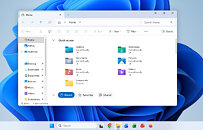 Currently, Windows 11 is a mix of legacy Microsoft frameworks for the user interface. This jumble of UIs has led to a lot of inconsistency, with daily operations encountering non-uniform interfaces carried over from the Windows 7 era. This mix includes web-based WebView2, React, and others. Microsoft plans to transition its entire user experience to the desktop-only WinUI 3 framework, which will reduce application latency, improve user experience, and make it feel noticeably smoother. All of this fine-tuning is being done alongside the "Low Latency Profile," which boosts the CPU frequency to its maximum state for 1-3 seconds to open applications faster and make the OS feel much smoother overall.
Sources:
Microsoft on GitHub, via Windows Central
For example, the latest WinUI 3 patches enable 41% fewer allocations, 63% fewer transient allocations, 45% fewer function calls, and 25% less time spent in the WinUI code powering the framework. This means that the upcoming File Explorer patch should feel noticeably faster with the updated framework, delivering on a promise to make the Windows 11 user interface a much smoother experience. As these changes are expected to be integrated into the WinAppSDK 2.x soon, we should see them arrive in the operating system in the coming weeks. Some changes are still too risky to implement in such a large piece of software, so users will need to wait a bit longer in case the testing encounters issues.

98 Comments on Microsoft's Windows 11 UI Is About to Get Much More Responsive
I think it was telling that corporate machines typically went from NT4 to Xp to Windows 7, to Windows 10. 10 lasted so long that we didn’t get to skip 11, unfortunately. I’ve not been all that impressed with it on my drone-issue laptop.
(historically everything pre-XP was rubbish. We needed the NT core for decent stability)
As well there have been numerous attempts to redress and settle Microsoft's anti-completive and fraudulent practices -- globally, in over thirty jurisdictions... You obviously aren't very familiar with over forty years of case law pursuant to this... Even if everyone on this forum and in the world were to pretend this wasn't the case on your behalf, it's still not a contraction of anything I said, here, or anywhere else, ever...No, that's not what I said, "as a rule" is your asinine embellishment -- neither is this a contradiction of anything I previously said in this thread, or anywhere else, ever...
The W11 performance argument amazes me because I don't suffer practically any issues anybody actually talks about across the net. I've had the same install since it came out upgrading from W10 across different platforms with little to 0 issue. Anytime I start to think I should format I get another customer build on top end hardware and not much of a difference compared to my aging rig. My kids are basically on 10 year old hardware at this point and I notice a difference there, but I attest that to older hardware vs W11 performance issues. It even runs perfectly fine on my bloated company provided laptop. I've also been rocking insider preview builds since as early as I can remember. Only thing I did run into was the no KB/M in PE issue when I was being lazy using PE to hit the bios (shift restart). Maybe I'm weird or been at it too long at this point, as to me Vista was peak and ran phenomenal on my 06 hardware.
Also, you used to have to wait in a queue for hours to even start to download them from the creative website... lol. My times have changed.
All we have is tabs, markdown file support, and of course AI. Spellcheck/autocorrect is also a questionable feature, maybe useful in the age of brainrot.
It is still slow with large files, still no syntax highlight even for basic formats like xml, html, js, or even strictly Windows-related formats like batch files etc.
Also no QoL features, like showing line numbers, or changing text encoding on the fly (you can only select few when saving a new file).
There's also an indicator showing whether you are using CRLF or LF, but no way to change it in settings.
On one side it's far from a programmer/sysadmin tool, and on the other - it's barely useful for "normal" people. Essentially a half-assed prototype of a clone of OSX TextEdit.But that's not how most people use it. OOB experience matters, and the only way Win11 manages to pull this off is by heavily relying on prefetch/superfetch and hybrid sleep(e.g. faking it). Windows 10 did the same, but not to this extent.
Here you go:Enjoy—among other things—a latency-free File Explorer, now that it’s no longer bogged down by multiple layers of unnecessary overlays...
Don't forget to back up!
In my opinion, Windows 11 has reached EOL (End of Life). It is simply too broken—(see, for example, the Component Store!)—to be salvaged. Now come the so-called "improvements" that only make things worse... Am I the only one who realizes that this is complete nonsense?
Regards,
Fred.
I give credit to Microsoft for making an attempt, and would like to see it succeed. As a guess, the problems are in the shell, not the foundation. But I am sceptical that WinUI 3 is the answer. We shall see.
Regarding the Component Store and SxS assemblies, most likely the system can be improved but will take some thinking to get right.
Am I the only one who does not see any slow loads up in file opening or moving between folders?
Confusion kicks in. I'm waiting longer software opening, text file opening and etc on m1 Book Air than on windows... But windows pc has a lot more powerful hardware.
This obviously takes time. Then I have to erase the files by using winrar to first compress the files and then use Winrar's function of deleting the original file.
This has been the case forever, there are some bugs which they don't seem to ever to fix. it's a sleeping company.
In the meantime, I’ve managed to get "Windows Notepad" running on "Windows 10."
See below:
Creating a Self-Signed Certificate for MSIX
ClearByte (ch)
This gives me some further ideas. 😎
Regards,
Fred.
BTW, an initiative to curb the 3rd party developers haphazard and thoughtless practices of adding unneeded explorer extensions, context menu items and background services, often without asking the user, would go a long way too.
An OS UI needs to be snappy and responsive in its default state, without the need for any debloating, as most users do not have the know-how, or simply lack the patience and the time to screw with their computer. It should just work OOB.
But XP was overall excellent package with that stability being just heavenly after all those "illegal operations" and following crashes.
(biggest issue was vulnerabilities like MSBlaster)
Then Vista was just "underbaked"/too rushed out.
Win 7 was again mature and another great OS and what Vista should have been.
Win 8 was overal still good, but that "MS Metro for Kids" force feeding was in(s)ane... designtoday.info/talks/londonweb052014/?full#aol-windows
Unfortunately instead of learning from that mistake after that Microslop has been forcing more and more bad design, bloat, malware etc onto users and and that bloat has spread also to essential parts of OS, which normal users should never have to fix.
While some customizing would always be needed for different usages, basics should be simply working OOB.
And with this push for flat and ugly WinUI I'm far from convinced Microslop is truly going to fix all the bad actions, because of clearly the same rotten management in there.
If Microsoft wants to actually improve user interface graphically, they should just bring themes back and allow user to select graphical look, if someone wants to go back to CGA/EGA colours.
That would also work well to give options for those with colour blindness.Tabs aren't exactly useless feature bloat.
More than basic features aren't even resource heavy. (Notepad++)
But of course we can't trust Microslop to not make anything properly.