Tuesday, May 26th 2026

NVIDIA GeForce Graphics Drivers 610.47 WHQL Drops Control Panel Support
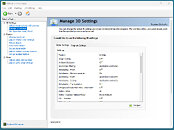
NVIDIA has released its latest GeForce Graphics Drivers 610.47 WHQL today, introducing significant changes for consumer PC users. With this driver update, NVIDIA is retiring its Control Panel for GeForce Game Ready and Studio Drivers after 20 years of service. Starting with this version, users will find the Control Panel completely removed from their system after a clean installation. Those updating from older drivers to the newest version will need to remove the Control Panel manually. Interestingly, NVIDIA notes that despite officially dropping support with this release, the Control Panel will still be available for download through the Microsoft Store for anyone who needs it to adjust a few settings. From NVIDIA's side, there will no longer be any feature updates, bug fixes, or maintenance for this software. However, enterprise users will retain access to the Control Panel for a few more update cycles, as RTX PRO GPU users on their driver branch will continue to receive support.
The company is migrating all Control Panel functionality to the NVIDIA App, meaning that even professional users of RTX PRO GPUs will eventually transition to the NVIDIA App once enterprise features are enabled. In other related updates, the GeForce Graphics Drivers 610.47 WHQL also includes an updated CUDA version, now running v13.3, and game-ready support for "007 First Light," "LEGO Batman: Legacy of the Dark Knight," "EA SPORTS F1 25: 2026 Season Pack," and "World of Tanks: HEAT." This driver release also addresses some general bug fixes, such as improving multi-monitor gaming stability when using V-SYNC, although issues with power management for mobile GPUs on Windows remain.
DOWNLOAD: NVIDIA GeForce 610.47 WHQL.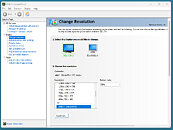
 The full changelog follows.
CUDA
The company is migrating all Control Panel functionality to the NVIDIA App, meaning that even professional users of RTX PRO GPUs will eventually transition to the NVIDIA App once enterprise features are enabled. In other related updates, the GeForce Graphics Drivers 610.47 WHQL also includes an updated CUDA version, now running v13.3, and game-ready support for "007 First Light," "LEGO Batman: Legacy of the Dark Knight," "EA SPORTS F1 25: 2026 Season Pack," and "World of Tanks: HEAT." This driver release also addresses some general bug fixes, such as improving multi-monitor gaming stability when using V-SYNC, although issues with power management for mobile GPUs on Windows remain.
DOWNLOAD: NVIDIA GeForce 610.47 WHQL.


CUDA
- 13.3
- NVIDIA Control Panel is officially retiring after 20 years — all functionality has been migrated to the NVIDIA App
- 007 First Light
- LEGO Batman: Legacy of the Dark Knight
- EA SPORTS F1 25: 2026 Season Pack
- World of Tanks: HEAT
- Acer X27 G2
- Acer XB273U Z2
- Acer XV273U F1
- AOC 24G51F
- AOC 24G50F2
- AOC 24G51F2
- AOC 25G50F
- AOC 25G50Z
- AOC 27G50F2
- AOC 27G51F2
- AOC AG327UXM
- AOC AGP277QKP
- AOC GQ27B36
- AOC GQ27B36H
- AOC GQ27B36Z
- AOC Q24G51F
- AOC Q27G4ZD/S
- AOC Q27G51F
- AOC Q27GAZDV
- AOC U27G4/WS
- ASUS XG34WCDMS
- Lenovo Legion 27Q-1p
- LG 39GX950B
- LG 25G523B
- LG 25G550B
- LG 27G523B
- LG 27G550B
- LG 27GM950B
- MSI MAG 341CQP QD-OLED X28
- MSI MPG 322UR QD-OLED X24
- MSI PRO MAX 271QPX14G
- MSI PRO MAX 271UPX12G
- MSI PRO MAX 271UPXW12G
- Philips 27M2N5500XD
- Philips 27M2N6801M
- Philips 27M2N8500X
- Philips 27M4P5500U
- Philips 27M4P5501X
- Philips 32M2N5800
- Samsung Odyssey G40H
- Like a Dragon: Infinite Wealth: Shadow/light flicker after driver update [5973185]
- Enshrouded: Missing terrain after driver update [5955501]
- Visual corruption may appear in certain games using Godot engine [5948805]
- Multimonitor gaming stability improvements when using V-SYNC [5343252]
- Adobe Lightroom Classic: Application stability issues [6090770]
- Autodesk Forma: Memory leak during camera orbit when OpenGL is used [5935127]
- Apple Studio Display XDR only displays 480p after driver update [5976295]
- Samsung The Frame: Using display's Game mode disables key functionality [5825631]
- "Prefer Maximum Performance" Power Management Mode may not be applied correctly [6007998]
145 Comments on NVIDIA GeForce Graphics Drivers 610.47 WHQL Drops Control Panel Support
Can NVCleanstall handle this so I can only install what I need without all the video capture stuff and such?
Now, I have tried Nvidia App and overall it's no worse or better than Adrenalin or whatever else similar software is out there. But that still means it is a modern app full of unnecessary, timewasting distractions and design and, MOST IMPORTANTLY !!!111!, it requires you to be always online for full functionality. Which is absolutely unacceptable.
Yes, yes, I know, there's the Nvidia Inspector. Thank gods. But even so, Control Panel was still my go-to first port of call because NVI can be a bit overwhelming. End of an era, and for much worse...
Especially the nvidia profile inspector is even better than this bloated "please log in" nvidia app.
github.com/Orbmu2k/nvidiaProfileInspector/releases
Tried the App and it's effin' trash!
I wish NVIDIA Inspector supported all functions of the driver, but sadly you'll need the Control Panel or App beside it for full control.
"End of an era, and for much worse" indeed... enshitification marches on...Damn...
Edit: Yeah, NVCleanstall still offers "Legacy Control Panel" option for 610.47, though I am not gonna go ahead and install it to find out if it works, not too keen on it... some other day maybe :)
apps.microsoft.com/detail/9nf8h0h7wmlt?hl=en-US&gl=USI wonder if NVCleanstall is actually working, since this new driver has a new installer, changed for the first time since the Fermi, if not Tesla daysMy best guess is you may extract it from an older driver package and install that way. Maybe something for W1zzard to add on NVCleanstall.
AMD has mogged nVidia for half a decade with Adrenaline. The control panel was obsolete design wise, still somehow laggy despite not changing since the 2000s, and was just bloatware if the nvidia app could do everything the control panel could.
Good on them for slimming down the installer by eliminating unneeded secondary UIs and joining the rest of the world in modernizing.
If NVIDIA App could do everything the ancient Control Panel could do AND do that without all the bloat, unwanted crapware and spyware, I wouldn't mind. The problem is that NVIDIA App is barely functional, intrusive, user-hostile, bloated garbage.
Adrenaline software on Windows is repulsive, if that's the standard to meet then the bar is very low.
Defining anything that doesn't draw its design from the year 2000 as "repulsive" is the very thing I'm talking about.
That's fantastic in my book. Sure, it wasnt perfect when it came out, but nothing is. When it came out it was STILL way better then the CCC ever was, and quickly overcame the nvidia control panel in functionality while avoiding looking like it was coded by Gates himself in DOS.