Tuesday, May 26th 2026

NVIDIA GeForce Graphics Drivers 610.47 WHQL Drops Control Panel Support
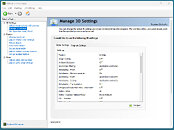
NVIDIA has released its latest GeForce Graphics Drivers 610.47 WHQL today, introducing significant changes for consumer PC users. With this driver update, NVIDIA is retiring its Control Panel for GeForce Game Ready and Studio Drivers after 20 years of service. Starting with this version, users will find the Control Panel completely removed from their system after a clean installation. Those updating from older drivers to the newest version will need to remove the Control Panel manually. Interestingly, NVIDIA notes that despite officially dropping support with this release, the Control Panel will still be available for download through the Microsoft Store for anyone who needs it to adjust a few settings. From NVIDIA's side, there will no longer be any feature updates, bug fixes, or maintenance for this software. However, enterprise users will retain access to the Control Panel for a few more update cycles, as RTX PRO GPU users on their driver branch will continue to receive support.
The company is migrating all Control Panel functionality to the NVIDIA App, meaning that even professional users of RTX PRO GPUs will eventually transition to the NVIDIA App once enterprise features are enabled. In other related updates, the GeForce Graphics Drivers 610.47 WHQL also includes an updated CUDA version, now running v13.3, and game-ready support for "007 First Light," "LEGO Batman: Legacy of the Dark Knight," "EA SPORTS F1 25: 2026 Season Pack," and "World of Tanks: HEAT." This driver release also addresses some general bug fixes, such as improving multi-monitor gaming stability when using V-SYNC, although issues with power management for mobile GPUs on Windows remain.
DOWNLOAD: NVIDIA GeForce 610.47 WHQL.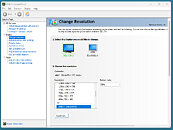
 The full changelog follows.
CUDA
The company is migrating all Control Panel functionality to the NVIDIA App, meaning that even professional users of RTX PRO GPUs will eventually transition to the NVIDIA App once enterprise features are enabled. In other related updates, the GeForce Graphics Drivers 610.47 WHQL also includes an updated CUDA version, now running v13.3, and game-ready support for "007 First Light," "LEGO Batman: Legacy of the Dark Knight," "EA SPORTS F1 25: 2026 Season Pack," and "World of Tanks: HEAT." This driver release also addresses some general bug fixes, such as improving multi-monitor gaming stability when using V-SYNC, although issues with power management for mobile GPUs on Windows remain.
DOWNLOAD: NVIDIA GeForce 610.47 WHQL.


CUDA
- 13.3
- NVIDIA Control Panel is officially retiring after 20 years — all functionality has been migrated to the NVIDIA App
- 007 First Light
- LEGO Batman: Legacy of the Dark Knight
- EA SPORTS F1 25: 2026 Season Pack
- World of Tanks: HEAT
- Acer X27 G2
- Acer XB273U Z2
- Acer XV273U F1
- AOC 24G51F
- AOC 24G50F2
- AOC 24G51F2
- AOC 25G50F
- AOC 25G50Z
- AOC 27G50F2
- AOC 27G51F2
- AOC AG327UXM
- AOC AGP277QKP
- AOC GQ27B36
- AOC GQ27B36H
- AOC GQ27B36Z
- AOC Q24G51F
- AOC Q27G4ZD/S
- AOC Q27G51F
- AOC Q27GAZDV
- AOC U27G4/WS
- ASUS XG34WCDMS
- Lenovo Legion 27Q-1p
- LG 39GX950B
- LG 25G523B
- LG 25G550B
- LG 27G523B
- LG 27G550B
- LG 27GM950B
- MSI MAG 341CQP QD-OLED X28
- MSI MPG 322UR QD-OLED X24
- MSI PRO MAX 271QPX14G
- MSI PRO MAX 271UPX12G
- MSI PRO MAX 271UPXW12G
- Philips 27M2N5500XD
- Philips 27M2N6801M
- Philips 27M2N8500X
- Philips 27M4P5500U
- Philips 27M4P5501X
- Philips 32M2N5800
- Samsung Odyssey G40H
- Like a Dragon: Infinite Wealth: Shadow/light flicker after driver update [5973185]
- Enshrouded: Missing terrain after driver update [5955501]
- Visual corruption may appear in certain games using Godot engine [5948805]
- Multimonitor gaming stability improvements when using V-SYNC [5343252]
- Adobe Lightroom Classic: Application stability issues [6090770]
- Autodesk Forma: Memory leak during camera orbit when OpenGL is used [5935127]
- Apple Studio Display XDR only displays 480p after driver update [5976295]
- Samsung The Frame: Using display's Game mode disables key functionality [5825631]
- "Prefer Maximum Performance" Power Management Mode may not be applied correctly [6007998]
145 Comments on NVIDIA GeForce Graphics Drivers 610.47 WHQL Drops Control Panel Support
90% of the amd radeon driver is broken or stuff which i do not want.
Welcome in 2026 my dear nvidia graphic card users /sarcasm.
the bigger the button the better the user interface /sarcasm
Sad day for all nvidia users.
It works just fine. Go in, set your settings, and move on. It takes 3 seconds to turn off the ads in the preferences menu. Exactly how much time do you spend in your driver configuration menu that the redesign is "terrifying" you? Most people NEVER open it in the first place!
What I dont understand is, if you feel this strongly about new UI designs and telemetry and "bloat", why on earth are you even running windows in 2026 in the first place, and not some flavor of locked down linux with IceWM?
So no, the NVidia app is NOT a good idea and it is NOT a viable replacement for the older, but still BETTER Control Panel.
Ambient Occlusion
Antialiasing - Gamma Correction
Antialiasing - Mode
Antialiasing - Setting
CUDA - Sysmem Fallback
DSR - Smoothness
Image Scaling
Low Latency Mode
Multi-Frame Sampled AA (MFAA)
OpenGL Rendering GPU
Preferred Refresh Rate
Threaded Optimisation
Triple Buffering
^ They added this back in yet, or just kept it dumbed down?
Regards,
Fred.
In @W1zzard I trust.
Which is a shame because I prefer control panel because it's quick to use. It takes an average of 2-3 clicks to get something done. Nvidia app takes 3-8.It would be trivial for Nvidia to apply the Nvidia app's theming to control panel and simply let the user select the theme they want. Classic users can use the classic theme, people that want modern can use modern. Alternatively they could have added a classic control panel layout and theming to the Nvidia app. There's really no excuse for Nvidia not to when I add such features to apps I make for bespoke extremely niche workloads. When you can design a professional UI from scratch in Claude Design in 5 hours and it can output the code which you can then plugin to your backend of choice, and especially with Nvidia being the AI leader, there really is no excuse. We all know they are already using AI.
This isn't about the front end styling as you imply, it's about the back-end. Nvidia hasn't been integrating many of the newer features into control panel and the new app gives them more control over the user. We all remember when Nvidia used to require sign-ins. Wouldn't be surprised if that happens again.Contradicting your earlier point. You are trying to simultaneously argue that the design is outdated while also arguing that it doesn't matter because they don't use it much. Clearly it does matter when it suits you.Yep, this is my problem with the App. The "Modern" design limits complexity as it's intended to coddle users. The amount of information displayed on screen is limited and actual settings are spread across more clicks.
Certainly you can have a modern UI be equally functional. Heck Nvidia could just reskin control panel if it wanted (or just let the user select the skin with an option for the classic appearance).
That has been the case for as long as I can remember.
Then everybody complains about the App they replace it with.
Honestly, I think we'll be lucky if we are even allowed to adjust our settings going forward at all, let alone own their hardware. I mean this could shift when the AI bubble pops, but given the geopolitical and economical nightmare that is going to be involved when that happens (which I have no intention of getting into in this forum), I think Control Panel vs. Nvidia App is the least of our concerns. I would not be surprised if there isn't another new Nvidia gaming GPU launch for 2-4 more years.
Still, don't like the direction the company is trying to direct us towards. The App is nice, and pretty dang streamlined imo, but I really didn't like you couldn't turn the analytics data or whatever it's called off. Hate stuff running in the background too---call the Control Panel old and archaic, but it barely uses any resources. My pc actually ran slightly better once I uninstalled the App.
It's not the end of the world, I'll probably see if Group Policy Editor has a way to starve it of data farming eventually when I am forced to switch. But I'll hold onto my old drivers until then. C'mon Nvidia, at least pretend you care :shadedshu:.