Tuesday, May 26th 2026

NVIDIA GeForce Graphics Drivers 610.47 WHQL Drops Control Panel Support

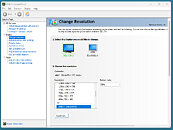
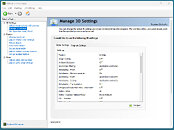
NVIDIA has released its latest GeForce Graphics Drivers 610.47 WHQL today, introducing significant changes for consumer PC users. With this driver update, NVIDIA is retiring its Control Panel for GeForce Game Ready and Studio Drivers after 20 years of service. Starting with this version, users will find the Control Panel completely removed from their system after a clean installation. Those updating from older drivers to the newest version will need to remove the Control Panel manually. Interestingly, NVIDIA notes that despite officially dropping support with this release, the Control Panel will still be available for download through the Microsoft Store for anyone who needs it to adjust a few settings. From NVIDIA's side, there will no longer be any feature updates, bug fixes, or maintenance for this software. However, enterprise users will retain access to the Control Panel for a few more update cycles, as RTX PRO GPU users on their driver branch will continue to receive support.

The company is migrating all Control Panel functionality to the NVIDIA App, meaning that even professional users of RTX PRO GPUs will eventually transition to the NVIDIA App once enterprise features are enabled. In other related updates, the GeForce Graphics Drivers 610.47 WHQL also includes an updated CUDA version, now running v13.3, and game-ready support for "007 First Light," "LEGO Batman: Legacy of the Dark Knight," "EA SPORTS F1 25: 2026 Season Pack," and "World of Tanks: HEAT." This driver release also addresses some general bug fixes, such as improving multi-monitor gaming stability when using V-SYNC, although issues with power management for mobile GPUs on Windows remain.

DOWNLOAD: NVIDIA GeForce 610.47 WHQL.
The full changelog follows.
CUDA
  • 13.3
Legacy Control Panel
  • NVIDIA Control Panel is officially retiring after 20 years — all functionality has been migrated to the NVIDIA App
Game Ready
  • 007 First Light
  • LEGO Batman: Legacy of the Dark Knight
  • EA SPORTS F1 25: 2026 Season Pack
  • World of Tanks: HEAT
G-SYNC Monitor support
  • Acer X27 G2
  • Acer XB273U Z2
  • Acer XV273U F1
  • AOC 24G51F
  • AOC 24G50F2
  • AOC 24G51F2
  • AOC 25G50F
  • AOC 25G50Z
  • AOC 27G50F2
  • AOC 27G51F2
  • AOC AG327UXM
  • AOC AGP277QKP
  • AOC GQ27B36
  • AOC GQ27B36H
  • AOC GQ27B36Z
  • AOC Q24G51F
  • AOC Q27G4ZD/S
  • AOC Q27G51F
  • AOC Q27GAZDV
  • AOC U27G4/WS
  • ASUS XG34WCDMS
  • Lenovo Legion 27Q-1p
  • LG 39GX950B
  • LG 25G523B
  • LG 25G550B
  • LG 27G523B
  • LG 27G550B
  • LG 27GM950B
  • MSI MAG 341CQP QD-OLED X28
  • MSI MPG 322UR QD-OLED X24
  • MSI PRO MAX 271QPX14G
  • MSI PRO MAX 271UPX12G
  • MSI PRO MAX 271UPXW12G
  • Philips 27M2N5500XD
  • Philips 27M2N6801M
  • Philips 27M2N8500X
  • Philips 27M4P5500U
  • Philips 27M4P5501X
  • Philips 32M2N5800
  • Samsung Odyssey G40H
Fixed Gaming Bugs
  • Like a Dragon: Infinite Wealth: Shadow/light flicker after driver update [5973185]
  • Enshrouded: Missing terrain after driver update [5955501]
  • Visual corruption may appear in certain games using Godot engine [5948805]
  • Multimonitor gaming stability improvements when using V-SYNC [5343252]
Fixed General Bugs
  • Adobe Lightroom Classic: Application stability issues [6090770]
  • Autodesk Forma: Memory leak during camera orbit when OpenGL is used [5935127]
  • Apple Studio Display XDR only displays 480p after driver update [5976295]
  • Samsung The Frame: Using display's Game mode disables key functionality [5825631]
Known Issues
  • "Prefer Maximum Performance" Power Management Mode may not be applied correctly [6007998]
Add your own comment

145 Comments on NVIDIA GeForce Graphics Drivers 610.47 WHQL Drops Control Panel Support

#126
A Computer Guy
lexluthermiesterThe clean install option clears out user and profile settings, I don't think it removes the control panel components.
It did.
GrimlingYes that is expected. Did you have an option to not install the Nvida APP?
I don’t recall. There were 3 options. One was required and two were optional. I’ll redo the process and retrace what it did.
Posted on Reply
#127
lexluthermiester
GrimlingThe Clean install option de-installs the old driver completely, deletes it from the driver repository, then installs the new driver. And yes that removes all settings, all custom resolutions and also all driver components.
An upgrade just installs the new driver over the old one.
Didn't used to be that way.
Posted on Reply
#128
Grimling
lexluthermiesterDidn't used to be that way.
I believe for some time. Even the installer displays "de installing old driver" at some point. But only if you select clean install.
Posted on Reply
#129
Arctucas
lexluthermiesterDid you install fresh or update your existing drivers?
Upgrade, did not choose Clean Install.
Posted on Reply
#130
lexluthermiester
ArctucasUpgrade, did not choose Clean Install.
That's why the Control Panel is still there. The NVidia installer doesn't yet actively remove components that already exist.
Posted on Reply
#131
Radxge
Lol... Nvidia App is garbage as cannot handle basic stuff.
I have a multiple setup and cannot reposition one of the monitor as it resets to its original position.
The refresh rate list does is capped at 60hz when my monitors support 144hz.

Fortunately, I was able to fix this through Windows display settings.
Posted on Reply
#132
Grimling
lexluthermiesterThat's why the Control Panel is still there. The NVidia installer doesn't not yet actively remove components that already exist.
Exactly! It will remove the control panel only, if you select "clean install", because then it will de-install the old driver, including the control panel, before it installs the new driver without control panel (because it is no longer installed).
Posted on Reply
#133
ARF
NVIDIA has released its latest GeForce Graphics Drivers 610.47 WHQL today, introducing significant changes for consumer PC users. With this driver update, NVIDIA is retiring its Control Panel for GeForce Game Ready and Studio Drivers after 20 years of service.
In the age of digital transformation, new exciting designs and all types of interesting innovations, it was utter craziness from Nvidia to keep the outdated, ugly, primitive "control panel" which is not even theirs, but Windows's basic UI.
Posted on Reply
#134
b1k3rdude
ARFIn the age of digital transformation, new exciting designs and all types of interesting innovations, it was utter craziness from Nvidia to keep the outdated, ugly, primitive "control panel" which is not even theirs, but Windows's basic UI.
Thats fine, and a when its done right its a good thing. But the nVapp has added a load of bloat (that cant be Removed/Disabled/TurnedOff and worse locked some settings behind an internet connection. And I need to check but I don't think even now, its has feature parity with the classic Cp.

My testing so far -
  • Despite me providing only one location for games, the nVapp choose to scan other locations without my consent.
  • Its not detecting some of my steam installed games.
  • STILL cant give detailed feedback - useless
  • If you don't allow the nVapp/nVcontainer to access the internet, you get a stupid message that a game is optimisable.
  • After playing Doom:TDA for a while, I Let nVapp optimise the game.
    • On first launch, it changed the resolution I had it set to so 2560*1440 windowed instead of 3400*1440.
    • The in game the gamma was turn all the way down so I couldn't see ANYTHING.
    • It made the game main menu hideously unresponsive.
    • Second relaunch the game reverted and was fine. So 5 mins of b$ for no apparent reason.
  • I would like the settings>privacy> Configuration, performance, and usage data, be un-ticked by default (like the 'error and crash data' tickbox is)
I appreciate these are wishfull thinking -
  • There is still no way to disable off the discover/banner sections on the home page.
  • There is still no way to disable the Redem section.
Posted on Reply
#135
ARF
b1k3rdudeThats fine, and a when its done right its a good thing. But the nVapp has added a load of bloat (that cant be Removed/Disabled/TurnedOff and worse locked some settings behind an internet connection. And I need to check but I don't think even now, its has feature parity with the classic Cp.

My testing so far -
  • Despite me providing only one location for games, the nVapp choose to scan other locations without my consent.
  • Its not detecting some of my steam installed games.
  • STILL cant give detailed feedback - useless
  • If you don't allow the nVapp/nVcontainer to access the internet, you get a stupid message that a game is optimisable.
  • After playing Doom:TDA for a while, I Let nVapp optimise the game.
    • On first launch, it changed the resolution I had it set to so 2560*1440 windowed instead of 3400*1440.
    • The in game the gamma was turn all the way down so I couldn't see ANYTHING.
    • It made the game main menu hideously unresponsive.
    • Second relaunch the game reverted and was fine. So 5 mins of b$ for no apparent reason.
I appreciate these are wishfull thinking -
  • There is still no way to disable off the discover/banner sections on the home page.
  • There is still no way to disable the Redem section.
I have solved all Nvidia related issues - have always used Radeon, currently with a Radeon RX 9070.
Posted on Reply
#136
Grimling
b1k3rdudeDespite me providing only one location for games, the nVapp choose to scan other locations without my consent.
That is one of the things i hate about it, it scans all your drives and folders automatically! You can bet that it sends all its findings to nvidia! And still it fails to detect all Games.
b1k3rdudeI Let nVapp optimise the game
Yes, that actually changes the Game-Files! Another thing i hate about this app! It is one thing to make some Changes in the driver, but to actually change the Game itself? NO WAY!
Posted on Reply
#137
ARF
GrimlingThat is one of the things i hate about it, it scans all your drives and folders automatically! You can bet that it sends all its findings to nvidia! And still it fails to detect all Games.
If this is true, then it is a malicious, dangerous behaviour, and is illegal - you should search for your rights in a court.
Posted on Reply
#138
Grimling
ARFIf this is true, then it is a malicious, dangerous behaviour, and is illegal - you should search for your rights in a court.
I tested it, it is exactly what it does (but i can not confirm what information exactly it is actually sending to nvidia).
I have 6 SSDs in my PC. On all of them i have some Games installed. I have them not on one a single drive, but they are all over the place.
Nvidia APP knows about them all. How? well because it scanned all my drives.
Posted on Reply
#139
lexluthermiester
b1k3rdudeThere is still no way to disable off the discover/banner sections on the home page.
Sure there is, block it from accessing the internet using a firewall rule. Done.
b1k3rdudeThere is still no way to disable the Redem section.
Again, blocking the app from the internet fixes the problem.
GrimlingI tested it, it is exactly what it does (but i can not confirm what information exactly it is actually sending to nvidia).
I have 6 SSDs in my PC. On all of them i have some Games installed. I have them not on one a single drive, but they are all over the place.
Nvidia APP knows about them all. How? well because it scanned all my drives
Don't waste your time arguing with that user. There is a reason why many of us have them on our ignore list.
Posted on Reply
#140
Buddyspike
I don’t like the removal of NVCP with clean install with new drivers( I know there will be options to re-install, bit still). If Nvidia App truly had all its functionality then ok. I guess. But how about things like g-sync and phyx indicators?
Posted on Reply
#141
b1k3rdude
lexluthermiesterSure there is, block it from accessing the internet using a firewall rule. Done.

Again, blocking the app from the internet fixes the problem.
Maybe I wasnt making much sense, I use 'WindowsFirewallControl etc. The issue is once nVapp has had momentaty access to the net for even a few seconds, these sections get populated. My wishfull thinking is the ability to hide them entirely. Also you have to allow the app to access the net for a few minutes, every time it detects a new game so it can download per-game settings.

----------------------------------------

In a nutshell, if nVidia want us to migrate to this app from the classic CP, then it should be capable of operating fully offline, and any telemetry options user configurable. Im guessing something like Geforce infinity for Linux - github.com/AstralVixen/GeForce-Infinity. As it stands Im using NVCleaninstall to stripe as much bloat & telemetry out of the drivers and then using DLSS swapper.
GrimlingNvidia APP knows about them all. How? well because it scanned all my drives.
This can 'maybe' be mitigated by remove all the sources before allowing the app to connect to the net. But the fact we even have to fucking do this is anti-consumer on nvidia's part.

If you want to get an idea of what data its phoning home, install wireshark and monitor the data going from the nVapp to the net.
Posted on Reply
#142
Grimling
b1k3rdudeIf you want to get an idea of what data its phoning home, install wireshark and monitor the data going from the nVapp to the net.
I think nvidia is smart enough to decrypt the data they are sending back. So wireshark would not reveal what data they are sending, just that data is being send. Also if you cut the nvidia app from the net, would that not make the app-override feature non-functioning? I do not use the app right now, so i can not test that. But i use that feature with the nvidia ProfileInspector. And if that no longer works with the app after you blocked it in the firewall, that would be really annoying.
Posted on Reply
#143
lexluthermiester
b1k3rdudeMaybe I wasnt making much sense, I use 'WindowsFirewallControl etc.
Use a better firewall. Comodo for example.
Posted on Reply
#144
rusty caterpillar
GrimlingI have 6 SSDs in my PC. On all of them i have some Games installed. I have them not on one a single drive, but they are all over the place.
Nvidia APP knows about them all. How? well because it scanned all my drives.
Nothing to worry about, perhaps they've been looking for the missing ROPS?
.
Posted on Reply
#145
AVATARAT
GrimlingI think nvidia is smart enough to decrypt the data they are sending back. So wireshark would not reveal what data they are sending, just that data is being send.
Wireshark is a free and open-source network protocol analyzer. It allows users to capture and interactively browse the traffic running on a computer network, presenting captured packet data in as much detail as possible.
As a packet sniffer, Wireshark is used to monitor networks by capturing and analyzing data traffic, making it a valuable tool for network administrators and security teams.
Posted on Reply
Add your own comment
Nov 20th, 2026 12:41 PST change timezone

New Forum Posts

Popular Reviews

TPU on YouTube

Controversial News Posts