Tuesday, May 26th 2026

NVIDIA GeForce Graphics Drivers 610.47 WHQL Drops Control Panel Support

NVIDIA has released its latest GeForce Graphics Drivers 610.47 WHQL today, introducing significant changes for consumer PC users. With this driver update, NVIDIA is retiring its Control Panel for GeForce Game Ready and Studio Drivers after 20 years of service. Starting with this version, users will find the Control Panel completely removed from their system after a clean installation. Those updating from older drivers to the newest version will need to remove the Control Panel manually. Interestingly, NVIDIA notes that despite officially dropping support with this release, the Control Panel will still be available for download through the Microsoft Store for anyone who needs it to adjust a few settings. From NVIDIA's side, there will no longer be any feature updates, bug fixes, or maintenance for this software. However, enterprise users will retain access to the Control Panel for a few more update cycles, as RTX PRO GPU users on their driver branch will continue to receive support.

The company is migrating all Control Panel functionality to the NVIDIA App, meaning that even professional users of RTX PRO GPUs will eventually transition to the NVIDIA App once enterprise features are enabled. In other related updates, the GeForce Graphics Drivers 610.47 WHQL also includes an updated CUDA version, now running v13.3, and game-ready support for "007 First Light," "LEGO Batman: Legacy of the Dark Knight," "EA SPORTS F1 25: 2026 Season Pack," and "World of Tanks: HEAT." This driver release also addresses some general bug fixes, such as improving multi-monitor gaming stability when using V-SYNC, although issues with power management for mobile GPUs on Windows remain.

DOWNLOAD: NVIDIA GeForce 610.47 WHQL.
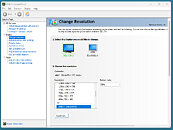
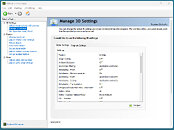
The full changelog follows.
CUDA
  • 13.3
Legacy Control Panel
  • NVIDIA Control Panel is officially retiring after 20 years — all functionality has been migrated to the NVIDIA App
Game Ready
  • 007 First Light
  • LEGO Batman: Legacy of the Dark Knight
  • EA SPORTS F1 25: 2026 Season Pack
  • World of Tanks: HEAT
G-SYNC Monitor support
  • Acer X27 G2
  • Acer XB273U Z2
  • Acer XV273U F1
  • AOC 24G51F
  • AOC 24G50F2
  • AOC 24G51F2
  • AOC 25G50F
  • AOC 25G50Z
  • AOC 27G50F2
  • AOC 27G51F2
  • AOC AG327UXM
  • AOC AGP277QKP
  • AOC GQ27B36
  • AOC GQ27B36H
  • AOC GQ27B36Z
  • AOC Q24G51F
  • AOC Q27G4ZD/S
  • AOC Q27G51F
  • AOC Q27GAZDV
  • AOC U27G4/WS
  • ASUS XG34WCDMS
  • Lenovo Legion 27Q-1p
  • LG 39GX950B
  • LG 25G523B
  • LG 25G550B
  • LG 27G523B
  • LG 27G550B
  • LG 27GM950B
  • MSI MAG 341CQP QD-OLED X28
  • MSI MPG 322UR QD-OLED X24
  • MSI PRO MAX 271QPX14G
  • MSI PRO MAX 271UPX12G
  • MSI PRO MAX 271UPXW12G
  • Philips 27M2N5500XD
  • Philips 27M2N6801M
  • Philips 27M2N8500X
  • Philips 27M4P5500U
  • Philips 27M4P5501X
  • Philips 32M2N5800
  • Samsung Odyssey G40H
Fixed Gaming Bugs
  • Like a Dragon: Infinite Wealth: Shadow/light flicker after driver update [5973185]
  • Enshrouded: Missing terrain after driver update [5955501]
  • Visual corruption may appear in certain games using Godot engine [5948805]
  • Multimonitor gaming stability improvements when using V-SYNC [5343252]
Fixed General Bugs
  • Adobe Lightroom Classic: Application stability issues [6090770]
  • Autodesk Forma: Memory leak during camera orbit when OpenGL is used [5935127]
  • Apple Studio Display XDR only displays 480p after driver update [5976295]
  • Samsung The Frame: Using display's Game mode disables key functionality [5825631]
Known Issues
  • "Prefer Maximum Performance" Power Management Mode may not be applied correctly [6007998]
Add your own comment

145 Comments on NVIDIA GeForce Graphics Drivers 610.47 WHQL Drops Control Panel Support

#101
Tomorrow
KritWhile you are splitting hairs nvidia are trying to destroy personal computing as hard as they can including consoles etc.
Dont bother with that guy. He's a professional AMD hater. No matter what they do, Nvidia is always better, according to him.
I dont know if it's some sort of past trauma he received and i dont really care. Block him and move on.
No need to feed the troll with a response.
GrimlingYou need winget for this (comes with any windows 11). If you have Windows 10 LTSC, you need to install winget first.
Win10 is EOL, except the LTSC and IoT versions. It's reasonable to assume that if you're using a modern Windows then you already have WinGet installed by default.
HLBI admit, my opinion was based on outdated experience, NVIDIA App was improved since then and it does not seem so bad, definitely not as awful as GFE. I don't like the UI, but at least it's mostly functional now and the unwanted crap can be skipped with NVCleanstall.
Does the App still lose some of it's settings when there is no internet connection and it cant "phone home"?
HLBBTW, the ads comment was for AMD Adrenalin.
I dont see any ads.
Posted on Reply
#102
chrcoluk
They have stopped updating it, and no longer bundle it, it will stay installed if its already installed, and is still on the store.
Posted on Reply
#103
PowerBuilder
This measure seems abrupt and incomplete. While the AI correction elements in DLSS 5 are new, they should not be mandatory. As such, after performing a clean install of the new 610 driver version, graphics tear when scrolling with the mouse in browser apps. Furthermore, as I have mild red-green color blindness, the standards for adjusting brightness and saturation settings that I previously used have become incomplete. Consequently, I have no sense of how much adjustment is necessary. In my opinion, the NVIDIA Control Panel is a tool that is continuously updated and remains essential. Deleting the existing NVIDIA Control Panel upon a clean install of a new driver version is an excessive measure. The NVIDIA app feels like a casual replacement app for settings that lacks professionalism.
Posted on Reply
#104
Dr. Dro
lexluthermiesterUm, no. That's like saying you can't use server hardware with desktop software. It's complete moose muffins.

Geforce GPU's are designed to run on all hardware they can be plugged into, which is why Laptop GPU's can be soldered to a desktop PCB and run on a desktop PC. The drivers are software designed to interface the hardware to the OS and programs that utilize the GPU hardware. Those drivers interact with the OS on a kernel level, and they don't care which exact version of the kernel is present, by design. This is why drivers written for Windows 7 still work in Windows 10 and 11.

So the version of Windows shouldn't matter.
Not wrong, but we're not talking about a technical limitation, but market segmentation reasons.
Posted on Reply
#105
FR3D1
Ninja Cat
GrimlingYou need winget for this (comes with any windows 11). If you have Windows 10 LTSC, you need to install winget first.
No.
Dr. DroHere's the Microsoft Store link for those who want it back

apps.microsoft.com/detail/9nf8h0h7wmlt?hl=en-US&gl=US
You could also download the appropriate installer (.exe) directly from the MS Store. Neither the Store nor WinGet is required.
Attached are a few nice screenshots for you.
TomorrowIt's reasonable to assume that if you're using a modern Windows then you already have WinGet installed by default.
Regardless of the version—be it 10 or 11—Windows IoT Enterprise does not include WinGet or its accompanying App Installer. Or is it the other way around? Source? None! I have been an LTSB/LTSC user for just as long—ever since it became available.

Okay. Here you go!
This guide is useful for Windows IoT Enterprise LTSC versions as they don't support the Microsoft Store application itself, which is commonly used to install WinGet.
Less Complicated;
Install-Module -Name Microsoft.WinGet.Client
Repair-WinGetPackageManager
Source

Regards,
Fred.
Posted on Reply
#106
Tomorrow
FR3D1You could also download the appropriate installer (.exe) directly from the MS Store. Neither the Store nor WinGet is required.
You say Store is not required and in the next sentence suggest MS Store. Store=MS Store. One and the same.
Plus not everyone has the store installed. Yes it is installed by default, but it's also possible to remove it.
Although i find it humorous that people diss Linux for commandline and "complexity" and then suggest use commandline in Windows.
FR3D1Regardless of the version—be it 10 or 11—Windows IoT Enterprise does not include WinGet or its accompanying App Installer. Or is it the other way around? Source? None! I have been an LTSB/LTSC user for just as long—ever since it became available.
IoT Enterprise is a niche version that most people dont use.
Posted on Reply
#107
Grimling
TomorrowIoT Enterprise is a niche version that most people dont use.
I do!
But you are correct, i am not most people.
Posted on Reply
#108
FR3D1
Ninja Cat
TomorrowOne and the same.
No.

The example I showed is the web-based version. Through it, you can install "virtually" any app—independently of the App Installer, WinGet, or the Store.
Tomorrowand then suggest use commandline in Windows.
It is as old as DOS itself.

Regards,
Fred.
Posted on Reply
#109
Grimling
FR3D1The example I showed is the web-based version. Through it, you can install "virtually" any app—independently of the App Installer, WinGet, or the Store.
I tried this, opened the MS-Store website (apps.microsoft.com/detail/9nf8h0h7wmlt?hl=de-DE&gl=DK) and when i click download, nothing happens. Nothing is being downloaded! I tried Firefox and Chromium. It simply does not work.
at least winget works. MS Store seems to be "broken" at best.

EDIT: Ok it was my fault, i admit, uBlock blocked it 😂
Posted on Reply
#110
Tomorrow
FR3D1No.
Semantics. It is the same. Whether you access it trough a website or a dedicated app the MS Store is MS Store.
FR3D1It is as old as DOS itself.
You're missing the point of the joke:
Windows is supposed to be the easy to use one, and Linux is supposed to be this elite hacker commandline stuff.
Posted on Reply
#111
JustBenching
GrimlingI tried this, opened the MS-Store website (apps.microsoft.com/detail/9nf8h0h7wmlt?hl=de-DE&gl=DK) and when i click download, nothing happens. Nothing is being downloaded! I tried Firefox and Chromium. It simply does not work.
at least winget works. MS Store seems to be "broken" at best.
Just tried it, it works fine
Posted on Reply
#112
Grimling
JustBenchingJust tried it, it works fine
yeah it works now, it was uBlock blocking it 😂
Posted on Reply
#113
FR3D1
Ninja Cat
GrimlingEDIT: Ok it was my fault, i admit, uBlock blocked it 😂
Always these protective measures. 😅
TomorrowIt is the same.
As far as the name goes, that may well be true. As for the variant, however, it is not.
TomorrowYou're missing the point of the joke:
That assumption is correct so far. We aren't on OF or similar channels here, after all—we're on TechPowerUp.

Regards,
Fred.
Posted on Reply
#114
KrazedOmega
HLBI admit, my opinion was based on outdated experience, NVIDIA App was improved since then and it does not seem so bad, definitely not as awful as GFE. I don't like the UI, but at least it's mostly functional now and the unwanted crap can be skipped with NVCleanstall.

Though bloat does exist. Bloat is unwanted features like Shadow Play, Overlay and the worthless Game Optimization feature. Unless it can be skipped during installation, it's bloat.

BTW, the ads comment was for AMD Adrenalin.
If we're doing to define bloat as any unwanted included feature that a user may not want then the vast majority of everything has bloat. Computers, televisions, smart phones, cars, washing machines, toasters. I could go on and on. You may not find a feature useful but another person may.

I find it hard to criticize features that are completely optional and in no way affect your ability to use the program it any other manner.
Posted on Reply
#115
Arcsaber
I suppose we should be grateful that Jensen takes AI's cock out of his mouth long enough to deign to give us new drivers at all, given that gamers are now apparently a rounding error in the nVidia account books.
Posted on Reply
#116
Rulumi
EmanuleleNot all features are in the app, for example can't see to find a way to create custom resolutions. I know CRU exists but is not as easy and safe to use as the NVIDIA Control Panel.
An option for custom resolutions is there for me in the 11.07.247 version of the App with the R610.47 Studio Driver.


Posted on Reply
#117
Arctucas
Just installed 610.47, still have control panel.

Posted on Reply
#118
Upgrayedd
Legacy-ZAIt's laggy, because it takes two seconds to select something, takes long too if you have to hit "save."
They also never fixed this; If you didn't start changing settings from the bottom up, the settings will jump, and you have to re-scroll to where you want to be.

It's the little things, but removing annoyances for users makes for a great experience, imagine that.


In other news, by the time they fixed their drivers, the new generation will probably launch, and we can start all this over again.
Its really not THAT laggy, sure maybe a little laggy but its not enough to complain so hard you get forced into all the telemetry things required to even have the new app. I'll gladly take the 2.4 seconds of lag when I click apply settings every few months over 5 new telemetry services running non-stop.
Posted on Reply
#119
JustBenching
UpgrayeddIts really not THAT laggy, sure maybe a little laggy but its not enough to complain so hard you get forced into all the telemetry things required to even have the new app. I'll gladly take the 2.4 seconds of lag when I click apply settings every few months over 5 new telemetry services running non-stop.
I have experienced it being laggy in the past but it's been a while, its super fast for me. Just took this yesterday


Posted on Reply
#120
lexluthermiester
ArctucasJust installed 610.47, still have control panel.

Did you install fresh or update your existing drivers?
Posted on Reply
#121
Grimling
lexluthermiesterDid you install fresh or update your existing drivers?
i bet he did an upgrade and not a clean install.
Posted on Reply
#122
A Computer Guy
Grimlingi bet he did an upgrade and not a clean install.
I did upgrade as well but used the clean install check box and it removed the control panel when it updated.
Posted on Reply
#123
Grimling
A Computer GuyI did upgrade as well but used the clean install check box and it removed the control panel when it updated.
Yes that is expected. Did you have an option to not install the Nvida APP? The Control panel can be installed separately after you have installed the Driver, so no problem.
Posted on Reply
#124
lexluthermiester
A Computer GuyI did upgrade as well but used the clean install check box and it removed the control panel when it updated.
The clean install option clears out user and profile settings, I don't think it removes the control panel components.
Posted on Reply
#125
Grimling
lexluthermiesterThe clean install option clears out user and profile settings, I don't think it removes the control panel components.
The Clean install option de-installs the old driver completely, deletes it from the driver repository, then installs the new driver. And yes that removes all settings, all custom resolutions and also all driver components.
An upgrade just installs the new driver over the old one.
Posted on Reply
Add your own comment
Nov 20th, 2026 12:41 PST change timezone

New Forum Posts

Popular Reviews

TPU on YouTube

Controversial News Posts