Tuesday, May 26th 2026

NVIDIA GeForce Graphics Drivers 610.47 WHQL Drops Control Panel Support

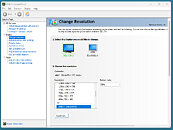
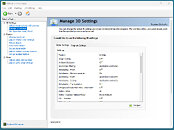
NVIDIA has released its latest GeForce Graphics Drivers 610.47 WHQL today, introducing significant changes for consumer PC users. With this driver update, NVIDIA is retiring its Control Panel for GeForce Game Ready and Studio Drivers after 20 years of service. Starting with this version, users will find the Control Panel completely removed from their system after a clean installation. Those updating from older drivers to the newest version will need to remove the Control Panel manually. Interestingly, NVIDIA notes that despite officially dropping support with this release, the Control Panel will still be available for download through the Microsoft Store for anyone who needs it to adjust a few settings. From NVIDIA's side, there will no longer be any feature updates, bug fixes, or maintenance for this software. However, enterprise users will retain access to the Control Panel for a few more update cycles, as RTX PRO GPU users on their driver branch will continue to receive support.

The company is migrating all Control Panel functionality to the NVIDIA App, meaning that even professional users of RTX PRO GPUs will eventually transition to the NVIDIA App once enterprise features are enabled. In other related updates, the GeForce Graphics Drivers 610.47 WHQL also includes an updated CUDA version, now running v13.3, and game-ready support for "007 First Light," "LEGO Batman: Legacy of the Dark Knight," "EA SPORTS F1 25: 2026 Season Pack," and "World of Tanks: HEAT." This driver release also addresses some general bug fixes, such as improving multi-monitor gaming stability when using V-SYNC, although issues with power management for mobile GPUs on Windows remain.

DOWNLOAD: NVIDIA GeForce 610.47 WHQL.
The full changelog follows.
CUDA
  • 13.3
Legacy Control Panel
  • NVIDIA Control Panel is officially retiring after 20 years — all functionality has been migrated to the NVIDIA App
Game Ready
  • 007 First Light
  • LEGO Batman: Legacy of the Dark Knight
  • EA SPORTS F1 25: 2026 Season Pack
  • World of Tanks: HEAT
G-SYNC Monitor support
  • Acer X27 G2
  • Acer XB273U Z2
  • Acer XV273U F1
  • AOC 24G51F
  • AOC 24G50F2
  • AOC 24G51F2
  • AOC 25G50F
  • AOC 25G50Z
  • AOC 27G50F2
  • AOC 27G51F2
  • AOC AG327UXM
  • AOC AGP277QKP
  • AOC GQ27B36
  • AOC GQ27B36H
  • AOC GQ27B36Z
  • AOC Q24G51F
  • AOC Q27G4ZD/S
  • AOC Q27G51F
  • AOC Q27GAZDV
  • AOC U27G4/WS
  • ASUS XG34WCDMS
  • Lenovo Legion 27Q-1p
  • LG 39GX950B
  • LG 25G523B
  • LG 25G550B
  • LG 27G523B
  • LG 27G550B
  • LG 27GM950B
  • MSI MAG 341CQP QD-OLED X28
  • MSI MPG 322UR QD-OLED X24
  • MSI PRO MAX 271QPX14G
  • MSI PRO MAX 271UPX12G
  • MSI PRO MAX 271UPXW12G
  • Philips 27M2N5500XD
  • Philips 27M2N6801M
  • Philips 27M2N8500X
  • Philips 27M4P5500U
  • Philips 27M4P5501X
  • Philips 32M2N5800
  • Samsung Odyssey G40H
Fixed Gaming Bugs
  • Like a Dragon: Infinite Wealth: Shadow/light flicker after driver update [5973185]
  • Enshrouded: Missing terrain after driver update [5955501]
  • Visual corruption may appear in certain games using Godot engine [5948805]
  • Multimonitor gaming stability improvements when using V-SYNC [5343252]
Fixed General Bugs
  • Adobe Lightroom Classic: Application stability issues [6090770]
  • Autodesk Forma: Memory leak during camera orbit when OpenGL is used [5935127]
  • Apple Studio Display XDR only displays 480p after driver update [5976295]
  • Samsung The Frame: Using display's Game mode disables key functionality [5825631]
Known Issues
  • "Prefer Maximum Performance" Power Management Mode may not be applied correctly [6007998]
Add your own comment

145 Comments on NVIDIA GeForce Graphics Drivers 610.47 WHQL Drops Control Panel Support

#76
b1k3rdude
I know we will still be able to download the NvCp from the micro$lop store and I imagine NVCleaninstall will still offer the option to include it. But how long will we have before you have to use the nV app.

Up untill now I have refused to the use the nV App because A) it STILL doesn't have full feature parity with the nV C-panel and B) the nV app is still locking some of its features behind an internet connection.
Posted on Reply
#77
lexluthermiester
KellyNyanbinaryOh no! Change!
Yeah! Change! Because we SOOOO need it...

Jokes aside, there's nothing wrong with modernizing as long as functionality is maintained or improved upon.

I'll admit I haven't tried the new drivers+app yet. Will test and chime in shortly. Let's see how it goes..
Posted on Reply
#78
wolf
Better Than Native
TomorrowI what ways exactly?
It's nothing you mentioned, functionality wise it's hard to disagree, absolutely feature packed, one-stop-shop. My gripes are almost entirely UI, the layout, clutter and colour scheme amounts to a visual mess than continually turns me off using it, like to the point I find it genuinely hard to look at an focus on at times. I don't daily a Radeon right now so I haven't looked too much into it, perhaps those are things that can be tweaked to be easier on the eyes.
Posted on Reply
#79
JustBenching
wolfIt's nothing you mentioned, functionality wise it's hard to disagree, absolutely feature packed, one-stop-shop. My gripes are almost entirely UI, the layout, clutter and colour scheme amounts to a visual mess than continually turns me off using it, like to the point I find it genuinely hard to look at an focus on at times. I don't daily a Radeon right now so I haven't looked too much into it, perhaps those are things that can be tweaked to be easier on the eyes.
It's still crap. The amount of praise it gets is insane, to the point that when I bought my RDNA 2 card I thought I had installed the wrong adrenaline, cause there was no way this was the software people have been praising. But yes, that was the software people had been praising. Not that nvidias app is much better, but it's better. It doesn't have that gaming RGB vibe, doesn't wake up your gpu for no reason, doesn't stutter on the desktop, isnt a cluttered mess, doesn't change your colors automatically and you have to go looking to find out why etc.
HLBI run a custom, heavily modded, stripped down Windows 11 build with all that crap ripped out. I would have switched to Linux already if it wasn't for some applications that I use and few unsolvable hardware compatibility problems.

I suppose, I'll give the NVIDIA App a try. According to some other posters here it has matured and it's not as bad as Adrenalin. Your defense of Adrenalin is getting weaker with your every post: "It takes 3 seconds to turn off the ads in the preferences menu" and "how much time do you spend in your driver configuration menu" -- what kind of arguments are those? Ran out of better arguments to defend that pile of bloatware? Thank you for proving my original point.

Anyway, let's agree to disagree. If it works for you... but I found it to be awful. Peace!


This. Thank you. The proponents of "modern design" just don't get this.

Some of my other apps received the "modern design" treatment and now everything takes more clicking and more scrolling with loads of useless, pointless empty space and big buttons.
I run stripped win 11 too, the problem with the nvidia app isn't that its' heavy. It isn't. Doesn't really use any resources. It's the UI that's the issue.
Posted on Reply
#80
johnnypop
FierceRedMeh. I'm kind of not worried. I'll just use the old drivers until NVCleanstall is figured out and updated. If that takes 6 months, so be it.

In @W1zzard I trust.
So do I, now its "we"
Posted on Reply
#82
HLB
JustBenchingI run stripped win 11 too, the problem with the nvidia app isn't that its' heavy. It isn't. Doesn't really use any resources. It's the UI that's the issue.
Yes, that's my #1 issue with it. Perhaps it's better now, but the last time I tried it (>1 year) it lacked most of the settings and the new RTX effects (that I was actually looking forward to, to replace ReShade and SweetFX) were simply broken. I suspect there is no escape from the "modern design" awfulness, but at least let it be functional. Though, the NVIDIA overlay has frequently been found to cause issues with games. It's basically continuation of GeForce Experience, sans the NVIDIA account requirement.
johnnypopSo do I, now its "we"
Yes, I hope too that NVCleanstall will handle this. I only upgraded to 596.49 like last week. I was on 591.86 for a long while, since every driver after that was broken in some way. So, I can wait for the 610 another long while and see how this turns out.
lexluthermiesterI'll admit I haven't tried the new drivers+app yet. Will test and chime in shortly. Let's see how it goes..
That's brave! I'm gonna wait at least few driver revisions and see what people say about this. I need a confirmation that NVCleanstall and Nvidia Profile Inspector work with the new 600 drivers before jumping in. Good luck!
FierceRedYouTube video
Thanks for the link. Yeah, that UI is dfreadful, some kind of web app again and too much empty space that results in excessive scrolling around, looks like UI made for children of for the couple dozen of people who use Windows on touch screen devices. At least it looks like it indeed has all (most?) of the features now. Oh, and yeah, NVIDIA's game "optimizations" are laughably bad, first thing to disable.
Posted on Reply
#83
lexluthermiester
HLBThat's brave!
Not really. Spare system with a fresh install of Windows and the drivers. Testing with and without NVCleanstall.
HLBI'm gonna wait at least few driver revisions and see what people say about this.
I'll have a conclusion in the next little while. So far. All the settings seem to have actually transferred in.

They're in different places and under different description than the control panel but it all does seem to be there. It's unintuitive, less clean than the CP, but the functionality is present. I just fail to see why it needs to be so cumbersome and bloated.

Example you ask?
What the hell does "Rewards" have to do with driver settings?
Why the hell do we need to create an NV account? (FU NVidia, never gonna happen!)
HLBI need a confirmation that NVCleanstall and Nvidia Profile Inspector work with the new 600 drivers before jumping in. Good luck!
I'm testing NVCleanstall now. So far so good. I don't use the profile inspector so I have no idea. It's likely to keep working as the profile DB exists outside the settings.
Posted on Reply
#84
Krit
JustBenchingIt's still crap. The amount of praise it gets is insane, to the point that when I bought my RDNA 2 card I thought I had installed the wrong adrenaline, cause there was no way this was the software people have been praising. But yes, that was the software people had been praising. Not that nvidias app is much better, but it's better. It doesn't have that gaming RGB vibe, doesn't wake up your gpu for no reason, doesn't stutter on the desktop, isnt a cluttered mess, doesn't change your colors automatically and you have to go looking to find out why etc.
While you are splitting hairs nvidia are trying to destroy personal computing as hard as they can including consoles etc.
Posted on Reply
#85
JustBenching
KritWhile you are splitting hairs nvidia are trying to destroy personal computing as hard as they can including consoles etc.
Yeah, for sure man. Nvidia bad, we know, heard it all before. Theyve been trying to destroy the planet the past 30 years.
Posted on Reply
#86
Krit
JustBenchingNvidia bad, we know
Not we you! Promoting them for even worse future.
Posted on Reply
#87
HLB
lexluthermiesterNot really. Spare system with a fresh install of Windows and the drivers. Testing with and without NVCleanstall.

I'll have a conclusion in the next little while. So far. All the settings seem to have actually transferred in.

They're in different places and under different description than the control panel but it all does seem to be there. It's unintuitive, less clean than the CP, but the functionality is present. I just fail to see why it needs to be so cumbersome and bloated.

Example you ask?
What the hell does "Rewards" have to do with driver settings?
Why the hell do we need to create an NV account? (FU NVidia, never gonna happen!)

I'm testing NVCleanstall now. So far so good. I don't use the profile inspector so I have no idea. It's likely to keep working as the profile DB exists outside the settings.
Thanks a lot! My only spare PC has a GTX1050, too old to test this new driver. Yeah, it's a marketing platform in large part... like Windows 11 itself :( But the NVIDIA account is supposed to be optional, no? Is it needed for anything important?
KritWhile you are splitting hairs nvidia are trying to destroy personal computing as hard as they can including consoles etc.
Stopped paying attention to Steve "The Drama Queen" couple of years ago. He's a good guy and he means well, I suppose, but his over-dramatic style kills his message. I couldn't stomach him any more. Like most ytubers anyway.

All corpos are bad. NVIDIA wants to kill the PC, maybe. Amazon wants us to move to the cloud too. Bozos himself said recently that owning a PC at home is an antiquated concept. They want total control, they want unlimited access to our data and they want to shove ads (and now AI too...) into every aspect of our lives and they want us to subscribe to every damn thing. Nothing new here.
Posted on Reply
#89
Krit
HLBAll corpos are bad. NVIDIA wants to kill the PC, maybe.
"Maybe" does not count! They already are doing it through AI. Let's not forget that nvidia raised AI.... Without nvidia situation would be completely different.
HLBBozos himself said recently that owning a PC at home is an antiquated concept. They want total control, they want unlimited access to our data and they want to shove ads (and now AI too...)
Middle finger is the best answer to them.
Posted on Reply
#90
HLB
Krit"Maybe" does not count! They already are doing it through AI. Let's not forget that nvidia raised AI.... Without nvidia situation would be completely different.
Yeah, AI is a scourge of humanity right now, but we don't know how this will play out, though it is gonna be probably bad, one way or another something is gonna give. Like any greedy corpo, NVIDIA simply follows the money, AI is the gold rush now, it was crypto before, who knows what's gonna be next? The PC and the consoles days were numbered already anyway as the world pretty much already switched to mobile, even before the AI nonsense came along. Mobile gaming is bigger than console and PC gaming combined. The desktop PC paradigm is going the way of the dodo bird regardless of what NVIDIA does.
Posted on Reply
#91
lexluthermiester
Ok, I've finished testing the new driver and NV app.

Most settings do seem to be present, save two.
First issue, the option to disable the NVidia icon in the taskbar is missing and while that's not a severe omission, it IS very fricken annoying.
Second is desktop size scaling in the display scaling section. Very handy in some situations. Again not critical, but annoying.

NVCleanstall still works and still seems to do what it's supposed to do.

Overall, my first impressions are that this not an overly terrible thing. It's not nearly as clean and easy as the Control Panel and it got a fair amount of crap bloat built in.
HLBBut the NVIDIA account is supposed to be optional, no? Is it needed for anything important?
I did this testing completely offline. For anyone concerned with inappropriate info transmissions from the NV app or services, blocking access attempts with a firewall will prevent access.
Posted on Reply
#92
HLB
lexluthermiesterOk, I've finished testing the new driver and NV app.

Most setting do seem to be present, save two.
First issue is the option to disable the NVidia icon in the taskbar is missing and while that's not a severe omission, it IS very fricken annoying.
Second is desktop size scaling in the display scaling section. Very handy in some situations. Again not critical, but annoying.

NVCleanstall still works and still seems to do what it's supposed to do.

Overall, my first impressions is that this not an overly terrible thing. It's not nearly as clean and easy as the Control Panel and it got a fair amount of crap bloat built in.

I did this testing completely offline. For anyone concerned with inappropriate info transmissions from the NV app or services, blocking access attempts with a firewall will prevent access.
Thank you! I'm still gonna wait to see if the new 600 driver branch has any significant issues before jumping on it. I don't play any newer games, so I can wait. Much appreciated!
Posted on Reply
#93
lexluthermiester
HLBThank you! I'm still gonna wait to see if the new 600 driver branch has any significant issues before jumping on it. I don't play any newer games, so I can wait. Much appreciated!
You're welcome. I've run a few games and programs I know to have been the cause of glitchiness. No issues so far. Still, caution is good prudence. No harm in waiting.
Posted on Reply
#94
Grimling
For People who want the old Control Panel back, but do not have MS-Store, you can install it with this command:
winget install "NVIDIA Control Panel" --id 9NF8H0H7WMLT -s msstore
You need winget for this (comes with any windows 11). If you have Windows 10 LTSC, you need to install winget first.
Posted on Reply
#95
AleXXX666
HLBThe last time I tried NVIDIA App was over a year ago and it was bloated, confusing garbage, basically GeForce Experience crap in disguise, that installed ton of unwanted services and was spamming me with nags and it was missing most of the features of the Control Panel, even basic things like per game max FPS setting weren't there. Then, none of the new features like the RTX game effects even worked properly. Did they fix it?

Can NVCleanstall handle this so I can only install what I need without all the video capture stuff and such?
For me the opposite: GFE NEEDED "ACCOUNT" so badly (like Win11 begs for it lmfao), doesn't let me use "features". NVIDIA APP however is perfectly usable for gameplay recording WITHOUT STUPID ACCOUNT. :rolleyes: :)

I don't know what's the fuzz is "inspector", the only thing I care is "MSI Afterburner" for any NV/AMD gpu, everything other is not actual for me anymore. Multi-monitors, refresh rates, GPU selection - everything works FINE in both win 10 and 11, be it a MODERN laptop or desktop.:):rolleyes:
Posted on Reply
#96
KrazedOmega
A lot of people complaining here that have probably never used the Nvidia App or haven't used it since it's been updated, or back when it was Geforce Experience.

You don't have to log in.

There are no ads. I don't know where people are coming up with this.

The whole "it's bloated" thing is a bunch of BS.

It's fast.

Could it be slimmed down a little? Sure. But almost every piece of software nowadays has issues with large images or wasted space.
Posted on Reply
#97
HLB
AleXXX666For me the opposite: GFE NEEDED "ACCOUNT" so badly (like Win11 begs for it lmfao), doesn't let me use "features". NVIDIA APP however is perfectly usable for gameplay recording WITHOUT STUPID ACCOUNT. :rolleyes: :)

I don't know what's the fuzz is "inspector", the only thing I care is "MSI Afterburner" for any NV/AMD gpu, everything other is not actual for me anymore. Multi-monitors, refresh rates, GPU selection - everything works FINE in both win 10 and 11, be it a MODERN laptop or desktop.:):rolleyes:
KrazedOmegaA lot of people complaining here that have probably never used the Nvidia App or haven't used it since it's been updated, or back when it was Geforce Experience.

You don't have to log in.

There are no ads. I don't know where people are coming up with this.

The whole "it's bloated" thing is a bunch of BS.

It's fast.

Could it be slimmed down a little? Sure. But almost every piece of software nowadays has issues with large images or wasted space.
I admit, my opinion was based on outdated experience, NVIDIA App was improved since then and it does not seem so bad, definitely not as awful as GFE. I don't like the UI, but at least it's mostly functional now and the unwanted crap can be skipped with NVCleanstall.

Though bloat does exist. Bloat is unwanted features like Shadow Play, Overlay and the worthless Game Optimization feature. Unless it can be skipped during installation, it's bloat.

BTW, the ads comment was for AMD Adrenalin.
Posted on Reply
#98
Apocalypsee
GrimlingFor People who want the old Control Panel back, but do not have MS-Store, you can install it with this command:

You need winget for this (comes with any windows 11). If you have Windows 10 LTSC, you need to install winget first.
Thank you, at least there is workaround. I like simpler stuff, and old control panel works just fine, except for searching for installed game that takes quite a while.

And thanks @lexluthermiester for testing the new app. It doesn't seem so bad but I hold on for now. Its been a while since I change driver.
Posted on Reply
#99
AleXXX666
HLBI don't like the UI
me too. I don't like the whole modern computer/smartphones UI after that "aero" era LMFAO
I'M F..N TOO OLD:D
The new 6** driver instantly catched my eye with that "win 11 style" installer UI, but, who cares lol
Posted on Reply
#100
AVATARAT
KrazedOmegaA lot of people complaining here that have probably never used the Nvidia App or haven't used it since it's been updated, or back when it was Geforce Experience.

You don't have to log in.

There are no ads. I don't know where people are coming up with this.

The whole "it's bloated" thing is a bunch of BS.

It's fast.

Could it be slimmed down a little? Sure. But almost every piece of software nowadays has issues with large images or wasted space.
The Nvidia app uses Chrome/Blink—that alone is reason enough to consider it garbage/telemetry.

If I have to log back into Windows and update the driver for my Nvidia, I just hope that Nvidia Inspector will be updated enough so I can use it alongside the base driver and be done with that.
Posted on Reply
Add your own comment
Nov 20th, 2026 12:41 PST change timezone

New Forum Posts

Popular Reviews

TPU on YouTube

Controversial News Posts