Tuesday, July 14th 2026

YMTC SSDs Ship With German Lenovo Laptops for the First Time
According to a new review of the ThinkBook 14 G9 from Notebookcheck, Lenovo has started shipping its German laptop configurations with SSDs made by YMTC for the first time. This is significant news, considering that SSD prices have been skyrocketing in recent months due to a massive shortage of NAND Flash storage modules. These modules have traditionally depended on a few manufacturers like Samsung, SK hynix, Micron, Kioxia, and others. However, Chinese company YMTC has entered the market and begun volume production of its Xtacking 4.0 technology, offering 1 TB TLC or 2 TB QLC storage modules, which is disrupting the balance in the global NAND Flash supply chain.
Previously, Lenovo used DRAM from another Chinese supplier, CXMT, only for Chinese laptop models. This marks the first time YMTC-made NAND Flash has been included in a laptop sold outside mainland China. YMTC has achieved performance that is decent enough for NAND Flash, with sufficient capacity for major laptop OEMs like Lenovo to start shipping this NAND Flash without waiting for capacity from other storage module makers. In Notebookcheck's testing, the ThinkBook 14 G9 SKU uses a 512 GB NVMe PCIe 4.0 M.2 2242 SSD, with sequential read speeds of 3,950 MB/s and write speeds of 2,514 MB/s. While this is considered below average for an office laptop, it is adequate for getting the job done and helps ease the global supply chain shortage slightly.
Update July 14, 12:45 UTC: Lenovo contacted us to clarify that the only laptop SKUs getting the YMTC SSD are models sold in Germany, with the configurations made for the United States continuing with regular, non-YMTC SSDs.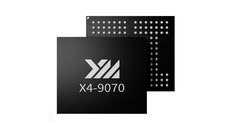 Chinese NAND Flash and DRAM solutions might find their way into other global products, as even Apple is negotiating with the U.S. government to get clearance to use the sanctioned Chinese memory maker CXMT in its products. Earlier, it was reported that Apple was considering partnering with Chinese semiconductor manufacturers CXMT and YMTC for its upcoming iPhone 18 series and potentially other products like MacBooks and Mac computers. This would be much needed, considering Apple has increased pricing across its products due to higher NAND Flash and DRAM contract pricing at which the company sources its components.
Source:
Notebookcheck
Previously, Lenovo used DRAM from another Chinese supplier, CXMT, only for Chinese laptop models. This marks the first time YMTC-made NAND Flash has been included in a laptop sold outside mainland China. YMTC has achieved performance that is decent enough for NAND Flash, with sufficient capacity for major laptop OEMs like Lenovo to start shipping this NAND Flash without waiting for capacity from other storage module makers. In Notebookcheck's testing, the ThinkBook 14 G9 SKU uses a 512 GB NVMe PCIe 4.0 M.2 2242 SSD, with sequential read speeds of 3,950 MB/s and write speeds of 2,514 MB/s. While this is considered below average for an office laptop, it is adequate for getting the job done and helps ease the global supply chain shortage slightly.
Update July 14, 12:45 UTC: Lenovo contacted us to clarify that the only laptop SKUs getting the YMTC SSD are models sold in Germany, with the configurations made for the United States continuing with regular, non-YMTC SSDs.

24 Comments on YMTC SSDs Ship With German Lenovo Laptops for the First Time
that drive has similar speeds "with sequential read speeds of 3,950 MB/s and write speeds of 2,514 MB/s. " and was made by samsung without any samsung magician software etc. I would not put such a drive on a desktop computer, but for mobile laptops which are power starved by design like a ryzen 4650u, these storage are decent enough. That laptop gets limited by the power saving ryzen cpu, by the wlan and by the limited cooling, so such a storage is decent enough.
Good news, less samsung drives in the market is always welcome.
note: i was just curious as samsung is so praised for its quality, so I wanted to verify it myself, if samsung magican really does not work on oem drives in windwos 11 pro. No windows software at all, so there is no difference between samsung and any other brand which also has no working nvme update software like corsair for my corsair mp 600 pro or kingston for the kc3000 2tb. i doubt it worked for my other storage, which is in my nvme usb bridge case the crucial mp 600 pro.
Note 2: Do not blame the drive when you use the wrong operating system like windows 11 pro with only 8gib dram for a cpu which also needs dram for the graphics. such devices with windows will generate to many temporarily (swap is not known to windows users) file writes because windows is bloated and the software can not work well with 8gib dram.
I had put on my w10 pro installation on a crucial 120 / 128gb SATA SSD, one of the best. There were delays which were noticeable. it was not hte host computer fault with a ryzen 5800x and 64gib of dram.
I recently put some games on my gnu gentoo linux on sata SSD, I also had some delays. That was also a crucial sata ssd. it was not hte host computer fault with a ryzen 7700x and 64gib of dram.
For cold storage you can use it, but not for time sensitive data, like browsing for files, etc. It is not btrfs fault, it speed up SATA II HDD over ntfs over ext4.
SATA SSDs have certain limitations.
PCIE 3.0 nvme for sure are decent enough, sata definitely nope.
-- I dual boot and i wanted to keep windows on the sata SSD so it does not waste my expensive storage. The delay is noticeable and awful. Do it yourself when you doubt me. but, use 120 or 128GB SSDs, not bigger ones. We talk about the budget segment
As for the games you mentioned, if we are talking about games that take up many gigabytes, obviously the loading times will be several times longer compared to a fast NVMe. However, if you run older games from GOG, for instance, the speed difference won't be that noticeable. Claiming that a SATA SSD isn't even capable of simple file access—not copying them, just simple access—seems like an exaggeration to say the least.
I own both NVMe SSDs and SATA SSDs, both small and large capacities. From the moment we are talking about an SSD, meaning an access time of less than 1ms, the responsiveness feels perfectly fine. If you say that PCIe 3.0 NVMes are merely "decent", then I assume you personally have just grown accustomed to very high speeds. Having spent many years dealing with mechanical hard drives, I believe that with a SATA SSD you get a fully functional system. With an NVMe in general, a truly fast system, and with an NVMe 4.0/5.0, a top-tier system.
So, let's see. I'd place a 4200rpm SATA-150 drive as a tier of non-acceptable performance.
An SSHD would be in the "gets the job done" ballpark so as long as you didn't have to restart.
That sentence is true for an NVMe in the following criteria:
- Said office relies on a full Microsoft Cloud-managed service stack.
- Uses Microsoft Defender.
- Uses Edge w/company policies that restrict access and some options, but don't touch the performance options.
- Uses reporting tool for monitoring endpoint data.
- Uses a privilege management software.
There's your overhead that makes a PCI-e 3.0 x4 drive feel slow in an office context.This being said, I can't wait to test these drives and really do a beating to see how they stand.
the delay on how fast a file browser generates a tree on faulty sata II HDD, changed file system, stock SATA SSD with ntfs and other file system are noticeable.
a ) no idea what the topic is b) more likely bad hardware and software so sata vs nvme speed can not be seen.
KC3000 2TB with encryption and high file compression is worse as stock KC3000 2tb. we talk about an entry pcie 4.0 nvme drive, not pcie 5.0. It is okay, i do own refurbish notebook with windows from lenovo, that drive is slow. I do understand bad harware choices and software choices may not reveal hardware performance. taht also includes the file system of choice
I removed my data from CT120BX300SSD1. Crucial is not junk. I tested it for a while if it makes sense to move certain data to SATA SSDs (several months). I have not yet tested SATA software raid, if that aids me any speed improvement for my use case. Thanks for reminding me to test 2x 120 SATA SSD from crucial wiht lvm2 mirror feature + luks + btrfs zstd 5
For the massive majority, I bet most wouldn’t even be able to tell the speed difference in basic usage between SATA and NVMe unless they attempt a massive file transfer.
Peace!
Do not tell me: I did pause epic game store waited a bit and than launched the speed test wiht nvme/ssd mode in settings.
i just downloaded the software from computerbase.de/download as portable and extracted it.
windows update is most often done via online or offline files
ryzen 4650u, 8gib dram, samsung 250gb nvme which what i remember should be much faster.
bing.com says, I remember similar values when i searched for samsung magician etc several days agoSamsung claimed speed vs the values the windows software says.
smarthdd.com/database/SAMSUNG-MZVLB256HBHQ-000L7/5M2QEXH7/
claims
Maximum interface speed 3940 MB/s (PCIe 3.0 x4)
Maximum buffered read speed 2174 MiB/s
Maximum read speed 1877 MiB/s
Note: My point about SAMSUNG / Lenovo grade speeds
-- the issue with bing and all those websites
www.techpowerup.com/ssd-specs/samsung-pm981a-256-gb.d784
-- MZVLB256HBHQ-00000 is not MZVLB256HBHQ-000L7
edit: crystal disk info, just downloaded, claim 96% good health