Thursday, July 9th 2026
Blame the Plumbing: Why Intel Handles USB Onboard Audio Codecs Better Than AMD
Back in March, I wrote a detailed editorial on how hardware-accelerated audio is possible in Windows 11, and it's possible for sound card manufacturers to put native audio stack processing on the card to overcome issues with DPC latency spikes. Today, I'll talk a bit about USB-based onboard audio codecs, and how the Intel platform is better suited to handle them than the AMD platform, particularly given how motherboard designers handle the latter. The Intel "Azalia" high-definition audio (HDA) bus, introduced in the early-2000s, laid the foundation for high-quality onboard audio, offering consumers high-resolution 24-bit/192 kHz audio. This is a low-latency interface designed to ensure the quickest possible movement of audio data between the system and the DAC. On Intel platforms, the HDA bus tends to be wired out from the PCH (the chipset), whereas on the AMD platform, the HDA bus is located on the SoC (the processor), and not the FCH (the chipset). This was a deliberate choice by AMD, and has to do with the chipset bus the company uses.
Unlike Intel, AMD's platform designers adopted a "SoC first" strategy. Modern Ryzen client-segment processors are fully-fledged SoCs in their own right; while the chipset only serves to increase downstream platform connectivity. Ryzen SoCs put out not just PCIe lanes, but also certain platform connectivity, such as USB and SATA; while the FCH puts out additional USB and SATA connectivity. Traditionally, on the Intel platform, the processor only puts out PCIe lanes, while the PCH handles all other forms of connectivity, including USB and SATA; and of course the HDA bus. Intel is able to place the HDA bus on the chipset, while AMD avoids this. The HDA bus is instead put out by the SoC.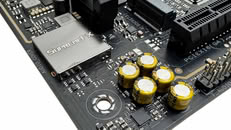 Before we get into why the two companies laid their platforms out this way, it's important to understand DPC latency spikes. DPC (Deferred Procedure Call) latency spikes occur when a poorly optimized driver or hardware component monopolizes the CPU, delaying other critical system processes. Because Windows handles DPCs in a queued priority system, a single slow driver—often related to networking, graphics, or power management—creates a system-wide bottleneck. These micro-delays directly translate into dropped frames, input lag, and noticeable audio crackling during real-time tasks. So imagine you have a machine with an NVMe SSD and a Wi-Fi 7 connection wired to the chipset; you've just initiated a data transfer from this SSD, while the WLAN adapter is handling a large download. If the HDA interface was located on the chipset, it would run into DPC latency spikes, which would be audible during music playback as crackling or popping artifacts.
Intel is able to place the HDA bus on the chipset, and AMD isn't; because of the different chipset bus types the two companies use. Intel uses DMI (direct media interface), while AMD uses standard PCI-Express as the chipset bus. At the physical layer, DMI is PCIe, however, this physical layer is wrapped with a complex protocol layer which offers hardware QoS (quality of service) features for isochronous data transfers. These allow the DMI link to guarantee bandwidth and prioritize critical, low-latency traffic over bulk storage traffic; favoring latency-sensitive devices such as audio codecs. For example, DMI ensures that audio streams via the HDA bus, USB controller interrupts, and network packets, bypass the traffic jam caused by bandwidth-heavy devices such as NVMe SSDs or SATA RAID controllers. AMD doesn't have this, and instead placed the HDA interface on the SoC, where it talks directly to Infinity Fabric, the internal switching fabric of the processor, which has a sophisticated protocol layer, including QoS controls.
The Azalia HDA specification endured nearly 15 years of hardware primacy, offering sufficient bandwidth for 24-bit/192 kHz audio streams, however, it started to show its age with the introduction of newer audio standards in the professional space, such as 32-bit/384 kHz, and the need for DSD playback. Intel hence was able to guide audio codec manufacturers to switch to USB. Contemporary USB audio codecs such as the Realtek ALC4082 and ALC4080 offer format support up to 32-bit/384 kHz, bypassing the bandwidth limitations of older HDA codecs like the ALC1220S. Intel was able to seamlessly integrate USB codecs onto its platforms by wiring them to the USB 2.0 ports put out by its chipsets, and letting DMI QoS features take care of the rest. Things get tricky with AMD.
On Socket AM5 motherboards with USB audio codecs, the plumbing falls to the shoulders of the FCH (chipset), where most motherboard designers tend to connect codecs to the USB 2.0 ports of the chipset. Since the chipset talks to the SoC over standard PCIe, there is a slightly higher susceptibility of DPC latency spikes causing audio artifacts when the chipset bus is clogged.
It doesn't have to be this way, the AM5 SoC does put out a small number of USB ports from its on-silicon USB host controllers that are connected to the fabric, however, motherboard designers prefer to wire out these ports as USB 3.2 Gen 2 ports on the rear I/O rather than spend them on an audio codec. You can't entirely fault them—why would you waste 10 Gbps of prime bandwidth from the SoC on a device that only needs 480 Mbps?
The high-end Socket AM5 motherboard scene offers a good spread of choice. There are plenty of enthusiast-segment AM5 boards that skip USB audio codecs altogether, instead sticking to the highest quality HDA codecs such as the ALC1220S or ALC1220P, sometimes even giving them secondary high-SNR DACs from the likes of ESS, for specific output channels, such as Front Out. They lose out on native 32-bit or DSD256 support from the codec, but by pairing the ALC1220 with an enthusiast-grade ESS Sabre DAC for the front channels, these boards can still deliver exceptional SNR, as high as 130 dB, within the 24-bit/192 kHz class.
All this said, the problem of DPC latency spikes affecting audio quality requires a specific set of circumstances, such as the chipset bus being severely clogged, or a poorly-designed device driver causing systemwide DPC stalls. Most users will not be severely affected by them, and most users should be perfectly happy with an ALC1220 implementation; but then the whole point of bringing in high-resolution USB audio codecs to PC motherboards was to cater to the discerning audiophile or music composer. The plumbing better be right.
Unlike Intel, AMD's platform designers adopted a "SoC first" strategy. Modern Ryzen client-segment processors are fully-fledged SoCs in their own right; while the chipset only serves to increase downstream platform connectivity. Ryzen SoCs put out not just PCIe lanes, but also certain platform connectivity, such as USB and SATA; while the FCH puts out additional USB and SATA connectivity. Traditionally, on the Intel platform, the processor only puts out PCIe lanes, while the PCH handles all other forms of connectivity, including USB and SATA; and of course the HDA bus. Intel is able to place the HDA bus on the chipset, while AMD avoids this. The HDA bus is instead put out by the SoC.

Intel is able to place the HDA bus on the chipset, and AMD isn't; because of the different chipset bus types the two companies use. Intel uses DMI (direct media interface), while AMD uses standard PCI-Express as the chipset bus. At the physical layer, DMI is PCIe, however, this physical layer is wrapped with a complex protocol layer which offers hardware QoS (quality of service) features for isochronous data transfers. These allow the DMI link to guarantee bandwidth and prioritize critical, low-latency traffic over bulk storage traffic; favoring latency-sensitive devices such as audio codecs. For example, DMI ensures that audio streams via the HDA bus, USB controller interrupts, and network packets, bypass the traffic jam caused by bandwidth-heavy devices such as NVMe SSDs or SATA RAID controllers. AMD doesn't have this, and instead placed the HDA interface on the SoC, where it talks directly to Infinity Fabric, the internal switching fabric of the processor, which has a sophisticated protocol layer, including QoS controls.
The Azalia HDA specification endured nearly 15 years of hardware primacy, offering sufficient bandwidth for 24-bit/192 kHz audio streams, however, it started to show its age with the introduction of newer audio standards in the professional space, such as 32-bit/384 kHz, and the need for DSD playback. Intel hence was able to guide audio codec manufacturers to switch to USB. Contemporary USB audio codecs such as the Realtek ALC4082 and ALC4080 offer format support up to 32-bit/384 kHz, bypassing the bandwidth limitations of older HDA codecs like the ALC1220S. Intel was able to seamlessly integrate USB codecs onto its platforms by wiring them to the USB 2.0 ports put out by its chipsets, and letting DMI QoS features take care of the rest. Things get tricky with AMD.
On Socket AM5 motherboards with USB audio codecs, the plumbing falls to the shoulders of the FCH (chipset), where most motherboard designers tend to connect codecs to the USB 2.0 ports of the chipset. Since the chipset talks to the SoC over standard PCIe, there is a slightly higher susceptibility of DPC latency spikes causing audio artifacts when the chipset bus is clogged.
It doesn't have to be this way, the AM5 SoC does put out a small number of USB ports from its on-silicon USB host controllers that are connected to the fabric, however, motherboard designers prefer to wire out these ports as USB 3.2 Gen 2 ports on the rear I/O rather than spend them on an audio codec. You can't entirely fault them—why would you waste 10 Gbps of prime bandwidth from the SoC on a device that only needs 480 Mbps?
The high-end Socket AM5 motherboard scene offers a good spread of choice. There are plenty of enthusiast-segment AM5 boards that skip USB audio codecs altogether, instead sticking to the highest quality HDA codecs such as the ALC1220S or ALC1220P, sometimes even giving them secondary high-SNR DACs from the likes of ESS, for specific output channels, such as Front Out. They lose out on native 32-bit or DSD256 support from the codec, but by pairing the ALC1220 with an enthusiast-grade ESS Sabre DAC for the front channels, these boards can still deliver exceptional SNR, as high as 130 dB, within the 24-bit/192 kHz class.
All this said, the problem of DPC latency spikes affecting audio quality requires a specific set of circumstances, such as the chipset bus being severely clogged, or a poorly-designed device driver causing systemwide DPC stalls. Most users will not be severely affected by them, and most users should be perfectly happy with an ALC1220 implementation; but then the whole point of bringing in high-resolution USB audio codecs to PC motherboards was to cater to the discerning audiophile or music composer. The plumbing better be right.
55 Comments on Blame the Plumbing: Why Intel Handles USB Onboard Audio Codecs Better Than AMD
But it’s a good technical overview of the issue, that’s for sure.No, the game will only do audio processing for the output device chosen in-game or, lacking such an option, the OS default (which is whatever the user chose). All other devices are completely dormant and don’t affect anything in any measurable way. If paranoid - just disable the on-board codec in the UEFI.
Main problem was that i got both mouse and keyboard use USB-A. So, i have to get USB-A to USB-C adapter for mouse. Also on screenshot you may see that USB Audio (Realtek) is indeed connected to Chipset.
Another issue i found (which ASUS don't mention in manual), that some devices on board work with low Maximum Payload Size (MPS). This devices are: Intel Wi-Fi module & Intel USB4\Thunderbolt. When any of it are enabled - it will switch MPS from 512 bytes to 128 bytes (because 128 bytes is their top performance). It mean that ANY M.2 SSD connected to chipset ports will be switched. And of course it will lower their performace. Only after i disabled Wi-Fi & USB4\Thunderbolt i got 512 bytes for my Samsung SSD 990 Pro disk and Intel I225-V ethernet controller. It mean that main SSD (also Samsung, but SSD 9100 Pro) work on their maximum possible performance (chipset is still limiting PCIe 4.0 990 Pro SSD).
To verify it you also have to use HWiFO64 and look in Bus tree in Full mode.
Link on post about CPU USB ports: www.overclock.net/threads/asus-rog-crosshair-x670e-overclocking-discussion-thread.1799959/page-759?post_id=29597438#post-29597438
Link on MPS limitations: www.overclock.net/threads/asus-rog-crosshair-x670e-overclocking-discussion-thread.1799959/post-29550160
Link on SSD tests with diffirent MPS: www.overclock.net/threads/asus-rog-crosshair-x670e-overclocking-discussion-thread.1799959/page-742?post_id=29552274#post-29552274
P.S. Obviously platforms have got limitations, but i think that manufacturer MUST openly write about it in manual. For some reason ASUS not only don't do it, but also hide motherboard diagram. Still, i like my motherboard.
DPC latency has been a issue on AMD based PC, Creative soundcard as well as sound interface do face similar issue.
Like what was mention why Intel is better is because of the Intel "Azalia" high-definition audio which been there for very long.
Surprisingly this was brought up but the thing here is there any fix.
These days manufacturer opt for USB Realtek codec for higher end boards whether for Intel or Realtek.
I didn't get the chance to fully test this but one thing I do notice.
Is that these USB Realtek codec do check if there's firmware update from the manufacturer to fix certain issues.
Seems like silly engineering priorities-
AIBs put latency-sensitive Audio over the Promontory's USB to, 'not waste the SoC's USB3.2 port'
yet
AMD directs AIBs to 'waste' SoC-direct Gen5 lanes with the ASM4242 Gen4x4 USB4 Controller :shadedshu:
My takeaways
-AMD Users, disable on-board audio. Use HDMI/DP audio 🤮 or SoC-direct USB DAC.
-Prospective AMD customers should budget-in a USB DAC and plug it into an SoC-direct USB3.x port. Even, 'officework' may benefit.
-I/O on AM5 is so-extremely constrained that, AIBs are being forced to make user-detrimental compromises.
-AMD-ASMedia need a Gen5x4 uplink I/O Hub w/ integral USB4 (Promontory31?), quite badly. Perhaps, Z990 will provide sufficient pressure?
Edit:
Just recently, 'gave up my Xonar Essence STX as I'm moving to SFF and don't have the expansion for it anymore.
In the interim, it's been replaced with an old Sound Blaster Play! 3 USB DAC I found while moving. It's now connected directly to the SoC (Also, KB+M moved to SoC).
We should've brought hardware mixed audio back instead. It won't happen because the overwhelming majority of people don't know or care... but anyone who experienced EAX, Aureal or Sensaura back in the Windows XP days still mourns the death of DirectSound 3D. We had better audio on games like Unreal Tournament 1999 or GTA III than we do on the latest games today.
Also, since newer AMD boards can daisychain 2 chipsets, how does that impact the latency and how far can they go before it becomes a major issue?
I currently use an old X570e Strix and a Soundblaster Z for the sound card because it handles by 250 ohm DT990 headphones better than the onboard audio.
On paper, the SupremeFX S1220A seems like it should offer better specs than the soundblaster Z, with both marketing 600 ohm support, but for some reason the onboard audio sounds worse.For games, I wish they could just work on a way to fully simulate binaural audio for the X,Y, and Z axis.
For example, this clip accurately allows you to experience accurate distance and positioning of a sound source, to a level where you can hear when the object making noise is placed near the floor.
With that in mind, imagine a horror game using that level of audio to have some kind of monster scratching under the floor boards.
A good sound of a more advanced sound card would be to provide hardware acceleration to fully simulate binaural audio to that extent but for hundreds of sounds simultaneously to accurately simulate an environment.
And while I'm not sure if it was really binaural mixing, Resident Evil: Requiem was one of the few games where I feel its headphone mixing was top notch. That was the first game I've played where using sound cues actually helped.
Though I think for a lot of game developers, they don't really bother because depending on the content, the accuracy of audio spatially doesn't matter as much. Like I wouldn't care if the Eikon fight scenes in FFXVI were spatially accurate outside of basic positioning.
For all it's worth, AMD actually offered an advanced hardware DSP for high-accuracy HRTF/spatial audio processing, included in GCN 2 Radeon GPUs (Hawaii/Grenada), it was called "TrueAudio technology" and unfortunately very, very few games ever supported it. It was a failed venture, and support was removed from the drivers sometime in 2016. The article that introduced TrueAudio on Anandtech back in 2014 mentions a regression in audio processing since Vista that is still not addressed today.
Beginning with Polaris they moved this from a dedicated DSP to GPGPU and called it "TrueAudio Next", but I don't think anyone actually uses it for anything these days.
I mean hell, people think that Frostbite Engine's audio mixing was crapping out even though that's how "HDR audio" is supposed to work because they were so used to hearing crunchy footsteps at the same time as grenade and rocket blasts.Part of me isn't convinced that audio processing like in the days of EAX and stuff is regressing, it's just that it doesn't require dedicated hardware anymore.
All the tools are there for great audio, but it's down to the devs, as always, to make it sound good.
I'm not sure about my thoughts of the previous article. I'm not sure if it matters when you use a high quality usb audio interface. The usb topology does matter for myself, e.g. lsusb. I do use external usb hubs in my monitors and motherbaords. I do use different motherboard back panel and front panel and inside usb headers ports to divide up the usb speed. USB is a tree and has shared bandwidth. As a Gamer i care about Lag from USB Human input devices.
e.g
for my current motherboard i could determine where the usb is really connected.
After my problems with the desktop audio with headaches from the internal ASUS Prime x670-p motherboard I would not use any motherboard audio. that has massive design flaws.
I had audio spikes wiht certain linux kernel Versions from 7.0.1 - 7.0.x nearly every version was affected. The operating system kernel plays a big influence, the operating system plays a big influence on that. IT is not only the hardware.
When you argue about the cpu usb ports on the am4 amd am5 socket: Those ports allow to connect two 10gb usb ports to 20gb usb ports (whatever that unit is now for usb). So when you do want faster usb ports you have to use those cpu usb ports for the back panel.
Anyway, integrated on-board audio solutions are piece of shit solutions. They are there for convenience, not for quality.
While for most users they are perfectly fine, those who care about audio should always opt for using PCIe sound card.
I remember myself decades ago when I could not figure out why I can hear buzzing sounds when I move with my mouse.
I could not believe that pitty USB mouse with poor amperage could have any impact on internal on-board (USB) audio. Well, I was wrong. So wrong.