Thursday, March 12th 2026
It is Possible to Build Sound Cards with Native Signal Processing to Overcome DPC Gremlins Even Under Windows 11
For the past half-decade, PC enthusiasts and audiophiles like me have been fighting a phantom war inside our systems. The enemy isn't audio fidelity, which has been democratized by Realtek by serving up codecs with SNRs well above 110 dBA; it is Deferred Procedure Call (DPC) latency. As the industry rapidly shifted toward complex, heterogeneous CPU architectures, and motherboard vendors simultaneously abandoned robust audio interfaces for cheaper USB routing, we inadvertently built a latency trap.
We are currently relying on brute-force host processing and software band-aids to fix a hardware routing problem. But there is a way out. It is entirely possible to build discrete sound cards with native signal processing to bypass these DPC gremlins once and for all.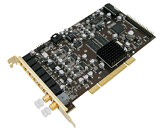 To understand the solution, we must look at how we arrived at this bottleneck. The launch of Intel's 12th Gen Core "Alder Lake" in 2021 ushered in the era of the Hybrid CPU on the desktop. Suddenly, the Windows OS scheduler and Intel's Hardware Feedback Interface (Thread Director) had to play a high-stakes guessing game, deciding which threads deserved a high-performance P-core and which could be relegated to a power-sipping E-core.
Simultaneously, premium motherboard manufacturers began a quiet migration away from the venerable "Azalia" High Definition Audio (HDA) bus. Codecs like the Realtek ALC1220, which utilized a highly efficient, direct memory access (DMA) pipeline, were largely replaced by internal USB 2.0-based solutions like the ALC4080 and ALC4082. This transition, driven by a desire for higher audio resolution (eg: 32-bit, 384 kHz), forced onboard audio data through the exceptionally complex, interrupt-heavy Windows USB driver stack (Wdf01000.sys and usbaudio.sys).
When the Windows scheduler mistakenly assumes an audio background task is low-priority and parks one of these heavy USB DPCs on an E-core, the execution time stretches out. The audio buffer runs dry before it can be refilled, resulting in the infuriating pops, crackles, and dropouts that have plagued modern digital audio workstations (DAWs) and gaming setups alike. I've used both Intel Hybrid and AMD's traditional multicore platforms. Switching to Ryzen chips avoids the specific E-core penalty, but merely trades it for the AM4/AM5 platform's historical USB bandwidth congestion and aggressive C-state power management, which can equally disrupt the continuous isochronous data stream required by USB audio.
The WDM Blueprint for Hardware Offloading
The irony of our current situation is that Microsoft already built the exact software architecture required to solve this. We do not need to reinvent the wheel; we just need hardware vendors to actually use the tools provided.
The modern Windows Driver Model (WDM) fully supports a feature formally known as Hardware-Offloaded Audio Processing (HOAP). By exposing a specific node in the Kernel Streaming filter topology: KSNODETYPE_AUDIO_ENGINE, a hardware vendor can explicitly tell the Windows kernel that their sound card features a dedicated DSP, Arm SoC, or an FPGA.
Once Windows sees this flag, it establishes an "Offload Pin." This allows modern applications to route raw audio streams directly to the add-in card's silicon. The onboard processor takes over the heavy lifting: mixing multiple streams, decoding formats, calculating spatial audio, and applying equalization via Proxy APOs (Audio Processing Objects), entirely bypassing the host CPU's software audio engine.
Starving the Gremlins with Silicon
Moving the compute burden from the host CPU to an onboard FPGA/SoC directly neutralizes the architectural quirks of modern platforms.
First, it shrinks the DPC execution time to near-zero. Because the host CPU is no longer calculating the audio stream, the Windows audio stack's DPC is reduced to simply managing buffer pointers and acknowledging interrupts. Even if Intel's Thread Director throws this ultra-lightweight DPC onto the slowest E-core in the system, updating a memory pointer takes mere microseconds. The execution easily beats the buffer deadline, effectively starving the DPC latency gremlins.
Furthermore, if this native processing is implemented on a discrete PCIe card utilizing DMA, it completely bypasses the congestion of the motherboard's xHCI USB controller. A native PCIe audio processor manages its own internal buffers, fetching data directly from system RAM. It operates semi-autonomously. If a poorly optimized graphics driver or network stack hogs a CPU core and causes a massive, system-wide DPC stall, the FPGA simply keeps processing the audio data it already holds. By the time it needs the host CPU to wake up and deliver more data, the latency spike has passed.
A Renaissance Waiting to Happen
For years, the discrete consumer sound card market has struggled to justify its existence against "good enough" onboard audio. But the landscape has fundamentally changed. Onboard audio is no longer "good enough" when it is actively fighting the host OS scheduler, competing for shared USB bandwidth, and requiring users to disable C-states or manually unpark cores just to get clean playback.
The blueprint for a true hardware-accelerated audio renaissance is sitting right there in the Windows driver stack. The enthusiast market is tired of software band-aids. It is time for a hardware vendor to step up, put a capable Arm chip or FPGA on a PCIe board, and rescue PC audio from the host-processing latency trap.
tl;dr: Hardware-accelerated audio is possible under Windows 11. We need sound cards with native signal processing not because our CPUs aren't computationally powerful enough for the audio stack, but because contemporary systems are too disaggregated to the point of being broken. A glowing SNR number is pointless if the audio is glitchy.
We are currently relying on brute-force host processing and software band-aids to fix a hardware routing problem. But there is a way out. It is entirely possible to build discrete sound cards with native signal processing to bypass these DPC gremlins once and for all.

Simultaneously, premium motherboard manufacturers began a quiet migration away from the venerable "Azalia" High Definition Audio (HDA) bus. Codecs like the Realtek ALC1220, which utilized a highly efficient, direct memory access (DMA) pipeline, were largely replaced by internal USB 2.0-based solutions like the ALC4080 and ALC4082. This transition, driven by a desire for higher audio resolution (eg: 32-bit, 384 kHz), forced onboard audio data through the exceptionally complex, interrupt-heavy Windows USB driver stack (Wdf01000.sys and usbaudio.sys).
When the Windows scheduler mistakenly assumes an audio background task is low-priority and parks one of these heavy USB DPCs on an E-core, the execution time stretches out. The audio buffer runs dry before it can be refilled, resulting in the infuriating pops, crackles, and dropouts that have plagued modern digital audio workstations (DAWs) and gaming setups alike. I've used both Intel Hybrid and AMD's traditional multicore platforms. Switching to Ryzen chips avoids the specific E-core penalty, but merely trades it for the AM4/AM5 platform's historical USB bandwidth congestion and aggressive C-state power management, which can equally disrupt the continuous isochronous data stream required by USB audio.
The WDM Blueprint for Hardware Offloading
The irony of our current situation is that Microsoft already built the exact software architecture required to solve this. We do not need to reinvent the wheel; we just need hardware vendors to actually use the tools provided.
The modern Windows Driver Model (WDM) fully supports a feature formally known as Hardware-Offloaded Audio Processing (HOAP). By exposing a specific node in the Kernel Streaming filter topology: KSNODETYPE_AUDIO_ENGINE, a hardware vendor can explicitly tell the Windows kernel that their sound card features a dedicated DSP, Arm SoC, or an FPGA.
Once Windows sees this flag, it establishes an "Offload Pin." This allows modern applications to route raw audio streams directly to the add-in card's silicon. The onboard processor takes over the heavy lifting: mixing multiple streams, decoding formats, calculating spatial audio, and applying equalization via Proxy APOs (Audio Processing Objects), entirely bypassing the host CPU's software audio engine.
Starving the Gremlins with Silicon
Moving the compute burden from the host CPU to an onboard FPGA/SoC directly neutralizes the architectural quirks of modern platforms.
First, it shrinks the DPC execution time to near-zero. Because the host CPU is no longer calculating the audio stream, the Windows audio stack's DPC is reduced to simply managing buffer pointers and acknowledging interrupts. Even if Intel's Thread Director throws this ultra-lightweight DPC onto the slowest E-core in the system, updating a memory pointer takes mere microseconds. The execution easily beats the buffer deadline, effectively starving the DPC latency gremlins.
Furthermore, if this native processing is implemented on a discrete PCIe card utilizing DMA, it completely bypasses the congestion of the motherboard's xHCI USB controller. A native PCIe audio processor manages its own internal buffers, fetching data directly from system RAM. It operates semi-autonomously. If a poorly optimized graphics driver or network stack hogs a CPU core and causes a massive, system-wide DPC stall, the FPGA simply keeps processing the audio data it already holds. By the time it needs the host CPU to wake up and deliver more data, the latency spike has passed.
A Renaissance Waiting to Happen
For years, the discrete consumer sound card market has struggled to justify its existence against "good enough" onboard audio. But the landscape has fundamentally changed. Onboard audio is no longer "good enough" when it is actively fighting the host OS scheduler, competing for shared USB bandwidth, and requiring users to disable C-states or manually unpark cores just to get clean playback.
The blueprint for a true hardware-accelerated audio renaissance is sitting right there in the Windows driver stack. The enthusiast market is tired of software band-aids. It is time for a hardware vendor to step up, put a capable Arm chip or FPGA on a PCIe board, and rescue PC audio from the host-processing latency trap.
tl;dr: Hardware-accelerated audio is possible under Windows 11. We need sound cards with native signal processing not because our CPUs aren't computationally powerful enough for the audio stack, but because contemporary systems are too disaggregated to the point of being broken. A glowing SNR number is pointless if the audio is glitchy.
48 Comments on It is Possible to Build Sound Cards with Native Signal Processing to Overcome DPC Gremlins Even Under Windows 11
Can we also have the latest support for both Dolby Atmos & DTS:X on the same Sound Card, and not just one or the other? While they are at it, make them backward compatible; that would be great, thanks. :)
I'm possibly more or less not definitely rejecting the idea that in no way with any amount of uncertainty that I undeniably do or do not know if it shouldn't probably affect, if that indeed wasn't if it isn't. Even if it wasn't at if I knew it was that'd mean I really have to know if it wasn't.
In my opinion the issue, of which magnitude is another discussion topic, is still in the Windows scheduler. The kernel has every piece of information to minimize audio latency. Not putting audio tasks on E-cores or setting process/task priorities, managing time scheduling of USB packets, and so on. With current computational power seamless audio really shouldn't be a problem even with full software pipeline.
It is possible to emulate hardware-accelerated audio and processing effects by using ALchemy or similar software, but you will never get the latency and direct hardware access back, if anything this actually increases the latency cost. This is what Winamp reports with Creative ALchemy loaded onto it:
Creative eventually developed competent audio hardware that didn't rely on hardware mixing (nor drivers that passed that software data onto the hardware mixer) with the SoundCore 3D-based Sound Blaster Z series (of which the ZxR is the best), and eventually other high-quality USB DAC solutions were developed (which resulted in sound cards like the EVGA Nu Audio), but for the past 20 years we haven't had true hardware, low-latency audio available on Windows, and something modern USB audio devices like the Focusrite, Roland, Schiit, JDS, Topping, etc. interfaces/DACs never managed to address is the whole driver and latency situation because all of them just piggyback off the generic Windows USB audio endpoint.
The only way I'm aware of getting true low-latency audio on Windows is by using ASIO, and by that I don't mean a soft-ASIO driver like ASIO4All or what most integrated solutions do nowadays. ASIO actually outputting into an actual hardware controller, and it comes with several drawbacks (such as no mixing whatsoever, which is obvious since that's direct audio output from app to device) because the entire Windows audio architecture relies on the things mentioned by the OP-ED.
Realtek's ASIO (ALC4080) doesn't support below 6 ms, and even at this rate it's still enough to overwhelm it
I don't think you can get below 10 ms on purely software solutions, and even then at that point the CPU usage will be very, very high, this is before factoring high resolution audio or anything. This is 24/48k, which is largely considered standard Hi-Fi audio.
Are the crackles/pops you occasionally get in heavy load what you are talking about? I get them, highly infrequently but yeah. I guess it would be good to do away with them but I'd have to weigh it against the cost. And keep in mind I play a very CPU bound game (KSP) most of my gaming time.
When your way of making money depends strongly on producing audio content you just shouldn't be dealing with windows.